

Last Updated: October 31, 2026
Quick Summary
Scaling automated trading with custom robots means treating your robots as a portfolio, not copies of one bot. Write clear rules, validate each robot out of sample, diversify strategies across market conditions, and set account-level risk limits on total exposure.
- Scaling adds problems: correlation, combined exposure, and monitoring across all robots.
- Use one or two entry conditions at most, and always set a stop-loss on every trade.
- Test settings on the first 70% of data, lock them, then run the remaining 30% untouched.
- Match each robot to a market condition: trend, range or breakout.
- Set account-level limits for total open risk, daily loss and maximum drawdown.
Table of Contents
Scaling automated trading with custom robots is harder than running one bot well. A single robot on one account is simple to watch. Ten robots across several accounts, currencies and timeframes turn into a system that needs its own rules. The real work starts when you add more of them.
An automated trading robot, often called an Expert Advisor (EA) on MetaTrader 5, is a program that places, manages and closes trades based on rules you set in advance. It reads price data, checks your conditions, and acts without you clicking a button.
Scaling is different because the problems multiply. One robot can hide a weak rule behind a good week. Several robots running together can overlap, double your exposure on the same move, and hit your account drawdown limit faster than you expect. The answer is not just more robots. It is a plan for how they fit together.
Three things change when you scale:
- Correlation: Two robots that trade different pairs can still lose on the same market move.
- Exposure: Total risk is the sum of every open position, not the risk of one robot.
- Monitoring: You need to see all robots at once, not check each chart by hand.
Think of scaling as a portfolio problem, not a copy-and-paste problem.
Building and Configuring a Custom Trading Robot for MT5
A custom robot starts with a written set of rules. Before you open the MT5 editor, write down what the robot should do in plain language. Keep the list short. Vague rules create vague results.
Start with the core logic your robot needs:
- Market and timeframe: Which pair and chart period the robot trades
- Trade direction: Long only, short only, or both
- Entry logic: What must happen before a trade opens
- Exit logic: How the trade closes, for profit or loss
- Position size: How much to risk on each trade
Many traders find it easier to build with a visual or template-based tool first, then move to code later. Once the rules are clear, you can test them.
Setting entry signals, exit rules and position sizing
Entry signals decide when the robot opens a trade. Use one or two conditions at most. Each extra filter lowers the number of trades and makes results harder to judge.
Exit rules matter as much as entries. Set a stop-loss on every trade so one bad move cannot wipe out the account. Set a take-profit target or a trailing exit so winning trades are closed on a plan, not a guess.
Position sizing controls how much each trade can cost you. A common approach is to risk a fixed small percentage of the account per trade. Keep the number low when you run several robots, because losses from all of them can stack up at the same time.
Watch out: Changing a robot’s settings after a losing streak and then judging it on the same data is a common way to fool yourself. Keep a record of the original settings.
Backtesting and Out-of-Sample Validation Before You Scale
Backtesting shows how a robot would have traded on past data. It is useful, but it can mislead you. A robot tuned until it looks perfect on old prices often fails on new ones. This is called overfitting.
Use this simple process before you scale:
- Run the backtest on an older period, such as the first 70% of your data.
- Lock the settings. Do not change them.
- Run the same settings on the remaining 30%, which the robot has never seen.
- Compare results. Large drops in win rate, profit factor or drawdown are a warning sign.
Use real tick data where you can, and include realistic spreads and commissions. Slippage and trading fees can turn a profitable backtest into a losing live system, especially for scalping strategies with many trades.
No backtest guarantees future results. Treat any backtest as evidence to test further, not as proof.
Checklist before you scale a robot:
- Out-of-sample results are close to in-sample results
- Drawdown is within the limit you set in advance
- Results hold across more than one time period
- Trade count is high enough to judge the strategy
Building a Multi-Strategy Trading System Across Market Conditions
Markets move in different ways. A robot built for a trending market often loses money in a range. A breakout robot can struggle when price keeps reversing. A multi-strategy system uses several robots, each suited to a different market condition.
The goal is balance, not more trades. When one strategy is weak, another may be strong.
Configuring robots for trending, ranging and breakout markets
Set up each robot for the condition it was designed for:
- Trending markets: Use trend-following entries, such as moving average crossovers, and wider trailing stops to stay in strong moves.
- Ranging markets: Use mean-reversion entries near support and resistance, with tighter take-profit targets.
- Breakout markets: Use entries when price moves beyond a recent high or low, with a stop placed back inside the range.
A common mistake is running all three at full size all the time. Instead, reduce the risk on a strategy when its market condition is not present. Some traders use a simple trend filter, such as a higher-timeframe moving average, to decide which robot is active.
Keep the portfolio diversified. If every robot uses the same indicator, they will likely fail together. Learn how to backtest multiple trading systems simultaneously before running them side by side.
Automated Trading Risk Management Across Multiple Robots
Risk management for one robot is simple: one stop-loss, one position size. With several robots, you need limits on the whole account.
Set these account-level limits before you start:
- Maximum total open risk: The sum of stop-loss amounts across all robots
- Maximum daily loss: A cap that pauses all robots for the rest of the day
- Maximum drawdown: A level at which you stop trading and review
- Maximum positions per currency: Limits overlap on the same pair
Many traders find that a daily loss limit protects them most. It stops a bad system from running all day while you are away.
Keep your position sizing consistent across robots so you can compare them fairly. Review total exposure each week. Correlated robots can hide risk until a single market move hits them all at once.
Monitoring, Alerts and Recovering From Robot Failures
A robot that runs for weeks without problems can still fail on the day you are not watching. Monitoring is how you catch it.
Set up alerts for the events that matter:
- A robot stops placing trades when it should
- Open positions exceed your risk limit
- Account drawdown passes a set level
- A connection to the broker drops
When a robot fails, follow a recovery routine rather than reacting in the moment. Pause the robot, check the open positions, and confirm the stop-losses are in place. Review the log to find the cause. Only restart after you understand what went wrong.
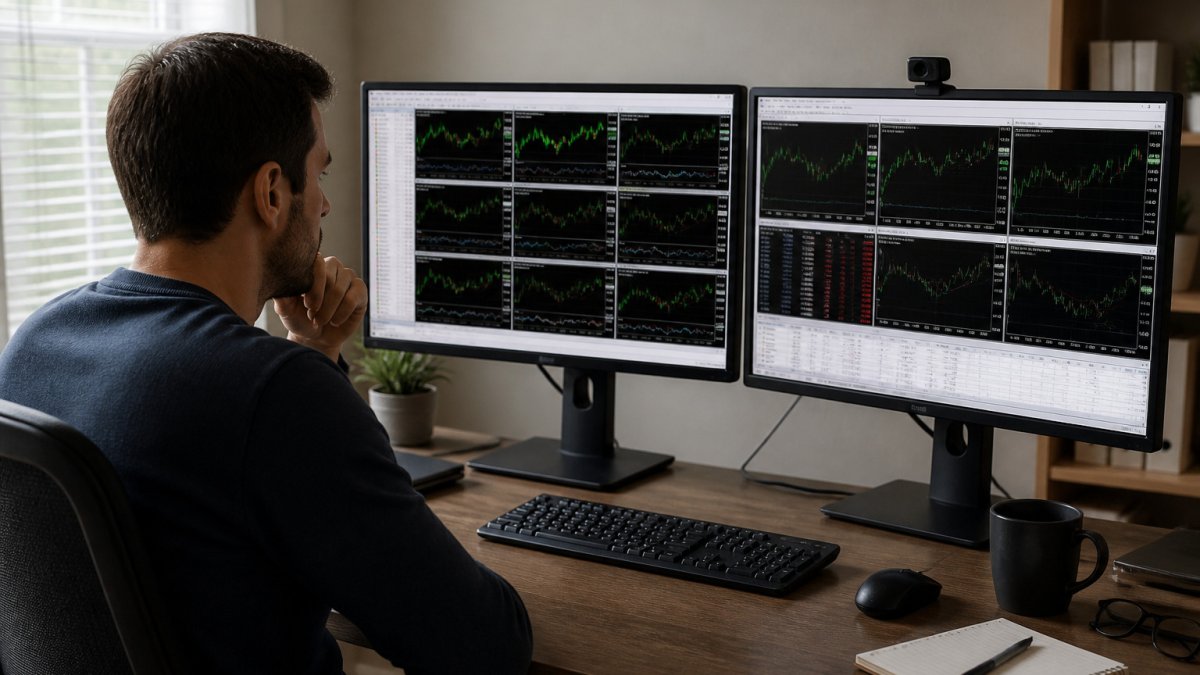
A trader at a desk with several MT5 windows open on two monitors is a common setup for this kind of review. Keep a daily checklist so the routine becomes automatic.
Watch out: Restarting a robot without checking open positions can double your exposure if the robot opens new trades on top of old ones.
Your Next Step: Starting Your Scaled Robot Setup With EZMT5
Scaling automated trading with custom robots takes planning, testing and steady monitoring. Start with one robot, validate it out of sample, then add strategies one at a time.
If you want a head start, EZMT5 gives you instant, unlimited access to 11 fully built and optimized MT5 Trading Systems and TradingView indicators, including all future systems. Each system comes with two license keys that you can change at any time, on a no-contract subscription you can cancel anytime. Sign up now and start building a diversified setup today.
Frequently Asked Questions
How do you scale an automated trading strategy?
Scale one step at a time. First confirm the robot performs on out-of-sample data and in a demo account. Then increase position size in small increments, watching drawdown, slippage and trading fees at each stage. Only add a second robot once the first has run stably through live market conditions. Document the rules for each change so you can tell whether performance shifts come from the strategy or from your own adjustments.
What should you test before increasing a trading robot’s position size?
Test the robot on data it was not optimized on, which is the out-of-sample check. Confirm its win rate, profit factor and maximum drawdown hold up. Then run it on a demo or small live account to measure real execution quality, including slippage and spread during volatile sessions. Only raise position size after the live results match the backtest within a range you find acceptable.
How can you run multiple trading robots without overlapping risk?
Set a total risk budget across all robots, not just per robot, and cap the combined open exposure on any one currency pair or market. Use a portfolio-level drawdown limit that pauses every robot when breached. Assign robots to different market conditions, such as trending, ranging or breakout, so they are less likely to take the same losing trades at the same time.
What is the difference between a custom trading robot and a trading bot platform?
A custom trading robot, often an MT5 Expert Advisor, is a program with rules you define for entries, exits and position sizing. A trading bot platform is a service that runs bots for you, usually with preset options. Custom robots give you more control over logic and risk settings, while platforms are simpler to start with. Pricing and features vary by provider, so check each vendor’s current terms directly.
