

Table of Contents
- Why Traders Download MT5 Trading Systems Instead of Building From Scratch
- What to Look for in the Best MT5 Expert Advisors Before You Download
- How to Download MT5 Trading Systems and Install Them Step by Step
- MT5 Backtesting Strategies: How to Validate a System Before Going Live
- MT5 Automated Trading Risks Every Trader Should Understand
- Migrating From MT4 to MT5: What Changes for Your Trading Systems
- Security Best Practices When Running Downloaded Expert Advisors
- Conclusion
Last Updated: May 11, 2026
Traders who skip straight to live markets without a validated system lose capital fast. The smarter move is to download MT5 trading systems that are already built, tested, and optimized before you risk a single dollar. At EZMT5, we’ve helped serious traders skip the years of system-building frustration by providing instant access to 11 professional MT5 trading systems, all ready to deploy the moment you download. Below, we’ll show you exactly how to find, install, validate, and protect the systems that give you a genuine edge.
Most guides on this topic focus entirely on where to click. This one goes further: it covers what separates a professional Expert Advisor from an amateur one, how to run MT5 backtesting strategies that actually mean something, and what security mistakes could expose your trading account to real risk.
Why Traders Download MT5 Trading Systems Instead of Building From Scratch
Building a trading system from scratch in MQL5 takes months. Even experienced programmers spend weeks debugging logic, testing edge cases across different timeframes, and optimizing for execution types before they see a single reliable signal. Most retail traders don’t have that runway.
This is the part most guides ignore: the value of a downloaded MT5 trading system isn’t just speed. It’s the accumulated testing, parameter refinement, and real-market exposure that a well-built Expert Advisor carries. When you download MT5 trading systems from a credible source, you’re acquiring institutional-grade logic that would take an individual trader years to replicate.
MetaTrader 5 is the industry standard for algorithmic trading across Forex, equities, commodities, and indices. The platform supports hedging and netting account modes, provides Level 2 depth of market data, and integrates directly with broker infrastructure. That technical foundation makes MT5 the right environment for running automated trading systems at scale.
A common mistake is treating all downloaded systems as equivalent. They’re not. The difference between a system coded by a professional and one thrown together by an amateur shows up immediately in backtesting, and catastrophically in live trading. Knowing what to look for before you commit to any system is the most important skill you can develop.
An MT5 trading system is a pre-built automated strategy, coded in MQL5, that executes trades based on defined rules for entry, exit, stop loss, take profit, and position sizing without manual intervention.
What to Look for in the Best MT5 Expert Advisors Before You Download
The best MT5 Expert Advisors share a specific set of characteristics that separate them from the thousands of mediocre systems flooding public marketplaces.
Key Features That Separate Professional EAs From Amateur Ones
Professional Expert Advisors are built with risk management at the core, not bolted on as an afterthought. Here’s what to verify before downloading any MT5 trading system:
- Defined stop loss and take profit logic: Every trade must have a hard exit. Systems without defined stop loss parameters will eventually blow an account.
- Position sizing relative to account equity: Professionals size positions as a percentage of equity, not a fixed lot size.
- Multiple timeframe confirmation: Quality EAs validate signals across at least two timeframes before executing.
- Broker-agnostic execution: The system should perform consistently regardless of spread variations or execution types offered by different brokers.
- Transparent source code or verifiable backtesting history: Opacity is a red flag. If you can’t see how a system works or verify its historical performance, don’t run it on a live account.
One thing most reviews miss: check whether the EA handles pending orders correctly. Systems that only use market orders miss significant entry precision, particularly in volatile Forex trading sessions.
Free vs. Paid MT5 Trading Systems: What the Price Difference Actually Means
Free MT5 trading systems are rarely free in the way that matters. Many free EAs available in public repositories are either incomplete, untested on live markets, or stripped-down versions designed to upsell a paid tier.
Paid systems, when sourced from credible providers, typically include documented performance histories, ongoing updates, and some form of support. The real question isn’t price: it’s whether the system has been tested across multiple market conditions, including trending, ranging, and high-volatility environments.
EZMT5 takes a different approach. Instead of charging per system, the subscription provides instant, unlimited access to 11 professional MT5 trading systems plus TradingView indicators, with all future systems included automatically. Two license keys per system, changeable at any time, give traders the flexibility to run systems across different broker accounts without re-purchasing.
| Feature | Free EAs | Typical Paid EAs | EZMT5 Subscription |
|---|---|---|---|
| Systems included | 1 (basic) | 1 per purchase | 11+ (all future included) |
| Backtesting history | Rarely provided | Sometimes | Fully optimized |
| License flexibility | Single use | Fixed | 2 keys, changeable anytime |
| Contract commitment | None | Often annual | No contract, cancel anytime |
| Support | Community only | Varies | Included |
How to Download MT5 Trading Systems and Install Them Step by Step
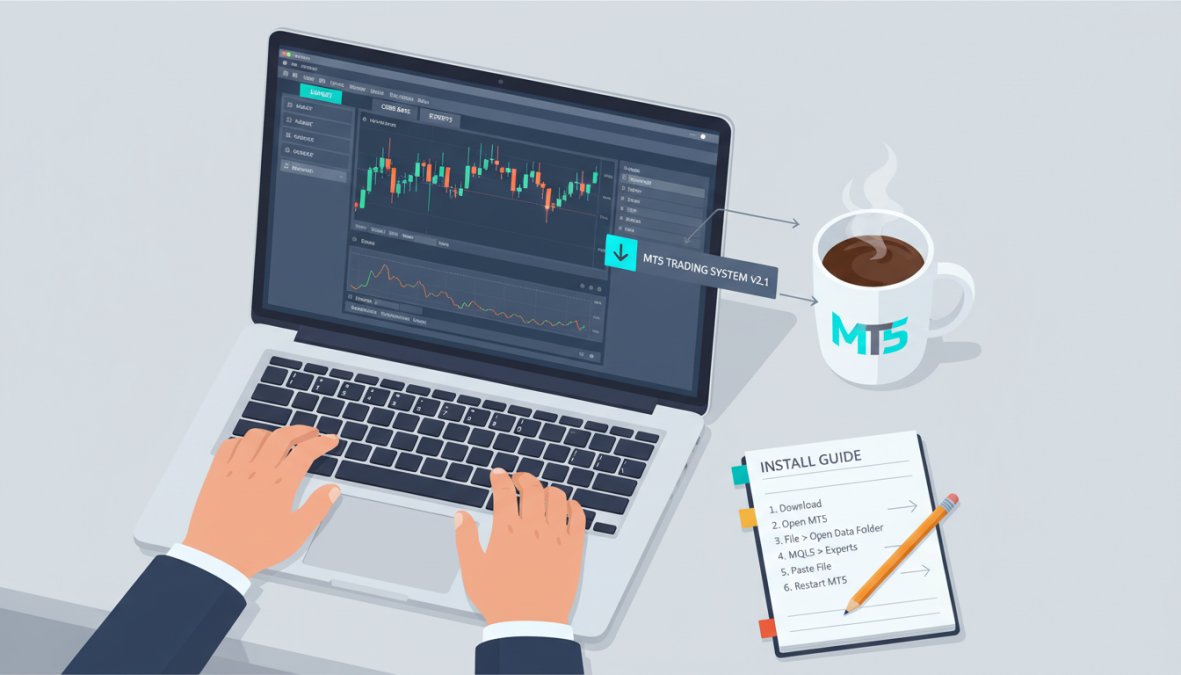
Installing an MT5 trading system takes under five minutes when you follow the correct sequence. The process applies whether you’re installing an Expert Advisor, a custom technical indicator, or a chart template.
What You’ll Need:
- MetaTrader 5 installed and connected to a broker (demo or live account)
- The EA or indicator file (.ex5 or .mq5 extension)
- Your license key if the system is subscription-based
Installation Steps:
- Download the .ex5 file from your provider’s platform
- Open MetaTrader 5 and go to File > Open Data Folder
- Navigate to
MQL5 > Expertsfor EAs, orMQL5 > Indicatorsfor custom indicators - Copy the downloaded file into the appropriate folder
- Return to MT5 and press F5 to refresh the Navigator panel
- Locate the system in the Navigator, drag it onto the chart of your chosen financial instrument
- In the EA settings dialog, enable "Allow Automated Trading" and enter your license key if prompted
- Confirm the EA is active by checking for the smiley face icon in the top-right corner of the chart
Total Time: Approximately 3-5 minutes
Installation Troubleshooting: Common Errors and How to Fix Them
Most installation problems fall into one of three categories.
EA not appearing in Navigator: The file is in the wrong folder. Confirm you placed .ex5 files in MQL5 > Experts, not the root MQL5 folder. Press Ctrl+R to force a refresh.
"Automated trading is disabled" warning: This is a global MT5 setting, not an EA setting. Go to Tools > Options > Expert Advisors and check "Allow Automated Trading." Also confirm the toolbar button (green arrow icon) is active.
License key rejected: Most subscription-based systems tie the license to your broker account number. Verify the account number connected to your MT5 matches the one registered with your provider. If you’re using EZMT5’s two-key system, confirm you’re using the correct key for that specific broker.
Never download MT5 trading systems from unverified forums or file-sharing sites. Malicious actors embed keyloggers inside fake EA files that capture your broker login credentials. Always source systems from verified providers with clear ownership and support channels.
MT5 Backtesting Strategies: How to Validate a System Before Going Live
Backtesting is where traders separate conviction from hope. Running MT5 backtesting strategies before committing real capital is the single most important risk management step in automated trading.
According to MetaQuotes’ official MetaTrader 5 documentation on the Strategy Tester, the MT5 Strategy Tester supports tick-by-tick simulation using real historical tick data, which produces significantly more accurate results than bar-based testing used in older platforms.
A common mistake is running backtests on insufficient data. Testing an EA on six months of data tells you almost nothing about how it behaves across different market regimes. Aim for a minimum of three to five years of historical data, covering at least one major trending period and one extended ranging period.
Setting Up the Strategy Tester in MetaTrader 5
Open the Strategy Tester via View > Strategy Tester or press Ctrl+R.
Key configuration settings:
- Expert Advisor: Select the system you want to test
- Symbol: Choose the financial instrument (e.g., EURUSD, Gold, US30)
- Modeling: Select "Every Tick Based on Real Ticks" for maximum accuracy
- Date range: Set at minimum three years back
- Deposit: Use a realistic starting balance that matches your intended live account
- Optimization: Run a forward test after the initial backtest to check for curve fitting
Pay close attention to the Profit Factor (target above 1.3), Maximum Drawdown (keep below 20% of account equity), and Sharpe Ratio as primary performance indicators. A system that shows 300% returns but a 60% drawdown is not tradeable in practice.
After backtesting, run the EA on a demo account for at least four weeks before going live. Demo trading catches execution issues, spread sensitivity, and broker-specific quirks that backtesting cannot simulate.
MT5 Automated Trading Risks Every Trader Should Understand
Automated trading shifts execution risk from human error to system error. That’s progress, but it doesn’t eliminate risk.

The most significant risks traders encounter with MT5 automated trading systems fall into predictable categories:
Over-optimization (curve fitting): A system optimized too precisely on historical data performs brilliantly in backtesting and fails immediately in live markets. The fix is out-of-sample testing: optimize on 70% of your historical data, then validate on the remaining 30% without touching the parameters.
VPS connectivity failures: Expert Advisors require a continuous connection to the broker’s servers. Running an EA on a local machine means the system stops when your computer sleeps or loses internet. Virtual hosting through a VPS eliminates this risk. MT5 supports direct VPS integration through the Tools > Virtual Hosting menu.
Broker compatibility issues: Not all brokers support all execution types. Some brokers restrict hedging on certain account types. Confirm your broker’s account structure supports the EA’s required execution mode before going live.
Unmonitored position accumulation: Automated systems can open multiple positions rapidly in volatile markets. Without position limits coded into the EA, a single news event can expose your account to catastrophic drawdown. Always verify the EA’s maximum concurrent positions setting.
As noted in the Bank for International Settlements’ research on algorithmic trading risks, automated systems can amplify market volatility during stress events, which directly affects individual EA performance during high-impact economic calendar releases.
Migrating From MT4 to MT5: What Changes for Your Trading Systems
Most traders who download MT5 trading systems for the first time are migrating from MT4. The transition is not as straightforward as it looks.
The core difference: MT4 EAs are written in MQL4 and are not directly compatible with MT5. You cannot simply copy an .ex4 file into MT5 and expect it to work. MT5 uses MQL5, a structurally different language with different object models, order management functions, and historical data handling.
Key changes to understand before migrating:
- Order management: MT4 uses a single order pool. MT5 separates pending orders from active positions, requiring different code logic for order tracking.
- Hedging vs. netting: MT4 defaults to hedging. MT5 accounts can be configured as either hedging or netting, depending on the broker. This affects how the EA manages open positions.
- Timeframes: MT5 offers 21 timeframes vs. MT4’s 9, giving EAs more granular signal confirmation options.
- Fundamental analysis integration: MT5 includes a built-in economic calendar, allowing EAs to filter trades around high-impact news events.
The practical recommendation: don’t try to convert MT4 EAs manually unless you have solid MQL5 coding experience. A poorly converted EA will produce incorrect results without generating obvious errors. Starting with natively built MT5 systems avoids this risk entirely.
According to Investopedia’s comparison of MetaTrader 4 vs MetaTrader 5, MT5 provides access to more financial instruments, including stocks and futures, making it a more versatile platform for traders who operate across multiple asset classes.
Security Best Practices When Running Downloaded Expert Advisors
Running a downloaded EA on a live account creates a security surface that most traders underestimate.
The thing nobody tells you about EA security: the risk isn’t usually the EA itself. It’s the environment the EA runs in. A compromised VPS, a weak broker password, or an EA sourced from an untrusted repository can expose your account to unauthorized access or fund withdrawal.
Practical security measures:
- Source verification: Only download MT5 trading systems from providers with verifiable business identities, published contact information, and clear licensing terms.
- Dedicated trading accounts: Run EAs on accounts separate from your primary capital. If an EA behaves unexpectedly, the blast radius is contained.
- Two-factor authentication: Enable 2FA on your broker account and your VPS provider. This is non-negotiable for live trading.
- Regular EA audits: Review open positions and account statements daily, even with fully automated systems. Automated doesn’t mean unmonitored.
- Investor password separation: MT5 provides a read-only investor password separate from the master password. Use this for monitoring dashboards and never share your master password.
Copy trading and trading signals services add another layer of consideration. When following signals from a third-party provider, confirm the provider’s track record is audited by an independent party, not self-reported.
For traders using EZMT5’s systems, the two-license-key structure means you can assign one key to a live account and one to a demo or backup account, keeping your primary trading environment isolated from testing activity.
As the Financial Industry Regulatory Authority’s guidance on automated trading outlines, traders bear full responsibility for the behavior of automated systems operating on their accounts, regardless of the system’s source.
Finding and evaluating quality automated trading systems is time-consuming, and the cost of getting it wrong on a live account is real. EZMT5 solves this by providing instant, unlimited access to 11 fully built and optimized MT5 trading systems, plus all future systems, under a no-contract monthly subscription with two changeable license keys per system. Traders get professional-grade entries, exits, and real-time trade opportunities without building anything from scratch. Get started with EZMT5 and begin trading like a professional from your first download.
Frequently Asked Questions
Where is the best place to download reliable MT5 trading systems?
The safest places to download MT5 trading systems are the official MQL5 marketplace, reputable brokers, and established subscription services like EZMT5. EZMT5 provides instant access to 11 fully built and optimized MT5 trading systems, all vetted and ready to deploy. Avoid downloading EAs from unverified forums or anonymous file-sharing sites, as these carry a real risk of malware or poorly coded logic that can damage your trading account.
How do I install an expert advisor (EA) on MetaTrader 5?
To install an EA on MT5, open the platform and go to File > Open Data Folder. Navigate to MQL5 > Experts and paste your .ex5 or .mq5 file there. Restart MT5 or right-click the Navigator panel and select Refresh. Your EA will appear under Expert Advisors. Drag it onto a chart, enable Automated Trading in the toolbar, and configure your stop loss, take profit, and lot size settings before activating it.
How can I test an MT5 trading system before using real money?
Use MT5's built-in Strategy Tester to run MT5 backtesting strategies against historical data before going live. Open the Strategy Tester from the View menu, select your EA, choose a financial instrument, set your preferred timeframes, and run a visual or standard backtest. After backtesting, open a demo account with your broker to forward-test the system in real-time market conditions without risking capital. This two-step validation process is considered essential risk management.
What is the difference between an MT4 and an MT5 trading system?
MT5 trading systems are built in MQL5 and are not backward-compatible with MT4's MQL4 language. MT5 offers more timeframes, Level 2 depth of market data, hedging and netting account types, an integrated economic calendar for fundamental analysis, and a more advanced Strategy Tester that supports multi-currency backtesting. If you download MT5 trading systems, they will not run on MT4 without a full rewrite, so migration requires obtaining or purchasing MT5-native Expert Advisors.
Are free MT5 trading systems safe to download?
Free MT5 trading systems vary widely in quality and safety. Some are legitimate open-source tools shared by developers, while others may contain harmful code or simply underperform. Key red flags include no source code access, no backtesting results, and anonymous authors. When you download MT5 trading systems from unverified sources, always scan files and test on a demo account first. Paid or subscription-based systems from established providers typically offer better accountability and ongoing support.
Can I run multiple MT5 trading systems on the same account?
Yes, MetaTrader 5 allows you to run multiple Expert Advisors simultaneously, each attached to a different chart or financial instrument. However, running several automated trading systems at once increases complexity and risk. Make sure each EA has clearly defined stop loss and take profit levels, and monitor overall account exposure carefully. Using a VPS or virtual hosting ensures your trading robots run continuously without depending on your local machine staying online.
This article was written using GrandRanker