

Table of Contents
- What Is an MT5 Trading Systems Monthly Subscription?
- MT5 Signal Subscription Cost: What You Should Expect to Pay
- Top MT5 Trading Systems Monthly Subscription Options Compared
- MT5 Copy Trading: How It Works and When to Use It
- How to Backtest MT5 Trading Systems Before Subscribing
- MT5 Trading System Performance Metrics You Must Track
- Risk Management for MT5 Subscription Traders: What Most Guides Skip
- Conclusion: Choosing the Right MT5 Monthly Subscription for Your Goals
Last Updated: May 10, 2026
Choosing the wrong MT5 trading systems monthly subscription is one of the most expensive mistakes an algorithmic trader can make, not because the fees are ruinous, but because a mismatched system quietly bleeds your account while you assume the automation is working. This guide from EZMT5 breaks down every major subscription model available in 2026, what they actually cost, how to evaluate them before committing, and which one fits your trading goals. Below, we’ll show you exactly how to compare options, backtest before subscribing, and protect your capital once you’re live.
The market for automated trading tools has matured considerably. Traders now have three distinct subscription models to choose from: pre-built Expert Advisor rentals, signal copy services, and all-in-one system bundles. Each model carries different risk profiles, cost structures, and operational demands. Getting this decision right matters more than most guides acknowledge.
What Is an MT5 Trading Systems Monthly Subscription?
An MT5 trading systems monthly subscription is a recurring payment arrangement that grants traders access to automated trading tools, signals, or Expert Advisors running on the MetaTrader 5 platform. Subscriptions typically cover a defined period, usually 30 days, and renew automatically unless cancelled.
The subscription model exists because MetaTrader 5, developed by MetaQuotes, supports a rich ecosystem of third-party tools through its MQL5 infrastructure. Developers build Expert Advisors, indicators, and signal services, then distribute them through rental or subscription arrangements rather than outright sales. This benefits traders who want to test algorithmic trading without committing to expensive perpetual licenses.
What most guides miss is that "subscription" covers three fundamentally different products. Understanding which category you’re buying changes how you evaluate cost, risk, and performance.
Expert Advisors vs. Signal Subscriptions: Key Differences
Expert Advisors (EAs) are automated trading robots written in MQL5 that execute trades directly within your MT5 terminal. You rent or subscribe to the EA, install it on your chart, and it operates according to its programmed logic. You control the execution environment, broker, and risk settings.
Signal subscriptions work differently. A signal provider trades their own account, and MetaTrader 5 automatically copies those trades to your account in real time. You’re not running code locally; you’re mirroring another trader’s decisions.
All-in-one system bundles, like what EZMT5 offers, package multiple pre-built and optimized trading systems under a single monthly subscription, giving you immediate access without requiring any coding knowledge or signal provider vetting.
The practical difference comes down to control. With an EA rental, you own the execution environment but depend on the developer’s code quality. With signal copy trading, you depend entirely on the provider’s ongoing performance. With a bundle subscription, you get professional-grade tools with built-in optimization, ready to deploy immediately after download.
Before subscribing to any MT5 signal or EA, check whether the provider’s verified track record covers at least 6 months of live trading, not just backtested results. Demo account performance is not a reliable predictor of live market behavior.
MT5 Signal Subscription Cost: What You Should Expect to Pay
MT5 signal subscription cost varies more than most traders expect, and the sticker price rarely tells the full story. According to MetaQuotes’ official MQL5 Signals marketplace, individual signal providers set their own monthly fees, with the range spanning from free services to premium providers charging well above $100 per month.
Here’s where it gets interesting: the subscription fee is often the smallest cost you’ll incur.
Breaking Down the True Cost of Subscription Trading
Most guides focus on the headline subscription price and ignore the supporting infrastructure costs that make automated trading actually work. A realistic cost picture for 2026 looks like this:
| Cost Component | Typical Range | Notes |
|---|---|---|
| EA or Signal Subscription | $10-$150+/month | Varies by provider/system |
| VPS Hosting | ~$25/month | Required for 24/5 uptime |
| Broker Spread/Commission | Variable | Impacts net profitability |
| All-in-one Bundle (e.g., EZMT5) | Single subscription | Covers multiple systems |
A VPS (Virtual Private Server) is not optional for serious automated trading. Running your MT5 terminal on a home PC means your Expert Advisors go offline whenever your computer sleeps, restarts, or loses internet. Specialized services like Forex VPS provide ultra-low latency connections to major broker servers with near-perfect uptime, which is essential for real-time execution. That’s an additional recurring cost layered on top of your system subscription.
The real cost of subscription trading is: system fee + VPS fee + broker costs + the opportunity cost of systems that underperform. Calculating your break-even point before subscribing is not optional, it’s the baseline.
Traders who subscribe to multiple individual signal providers often end up paying more per month than an all-in-one bundle costs, while managing fragmented dashboards and inconsistent risk management settings across each account. Consolidation usually wins on both cost and operational simplicity.
Top MT5 Trading Systems Monthly Subscription Options Compared
Three subscription models dominate the MT5 ecosystem in 2026. Each serves a different trader profile, and the right choice depends on how much control you want, how much time you can invest in management, and how quickly you need to start trading.

EZMT5: Unlimited Access to 11 Professional Systems
EZMT5 is the top pick for traders who want professional-grade automated systems without the overhead of vetting individual developers or managing multiple subscriptions. The service provides instant, unlimited access to 11 fully built and optimized MT5 Trading Systems plus TradingView indicators, all under a single no-contract monthly subscription.
What separates EZMT5 from renting individual Expert Advisors is the bundle architecture. Every future trading system is included automatically, meaning your subscription grows in value over time without any additional cost. Two license keys per system are included, and both can be changed at any time, which matters practically if you trade across multiple broker accounts or want to switch brokers without losing access.
Setup is immediate. After download, systems are ready to deploy, which eliminates the usual lag between subscribing and actually trading. Real-time trade opportunities are built into the service, and the systems are designed to improve entries and exits with precision execution.
Best for: Traders who want to start trading like a pro immediately, without coding, without vetting signal providers, and without managing a fragmented stack of individual subscriptions.
Pros:
- Unlimited access to 11 professional systems plus all future releases
- No contracts, cancel anytime
- Two changeable license keys per system
- Includes TradingView indicators alongside MT5 systems
Honest limitation: EZMT5 is purpose-built for traders ready to deploy pre-optimized systems. Traders who want to build custom MQL5 strategies from scratch will need a different environment for development.
MQL5 Trading Signals: Copy Trading Built Into MetaTrader 5
MT5 copy trading through the MQL5 Signals service is the most hands-off approach available. The service is integrated directly into the MetaTrader 5 terminal, so no installation is required. You browse verified signal providers, review their performance statistics, subscribe, and trades are automatically copied to your account in real time.
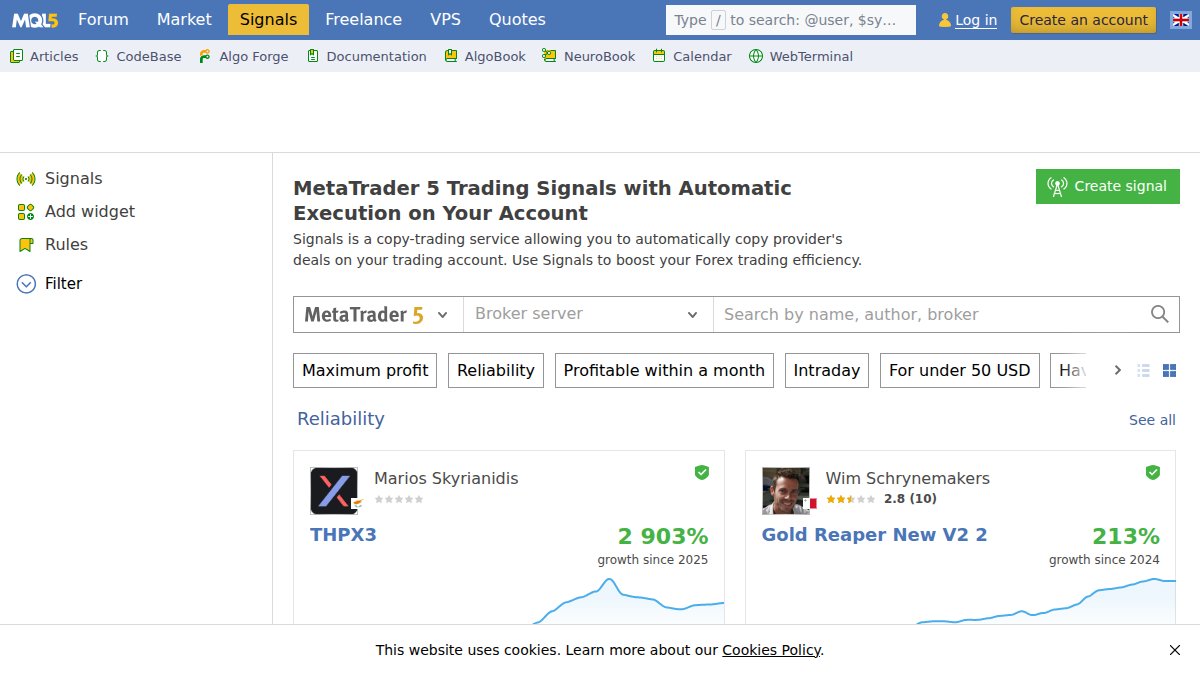
The transparency is genuinely useful. Every provider’s historical performance, drawdown figures, asset class focus, and timeframe preferences are publicly visible before you subscribe. You can filter by Forex pairs, account synchronization style, stop-loss behavior, and risk profile.
The limitation is fundamental: you are entirely dependent on the provider’s ongoing judgment. Past performance is verified, but it is not guaranteed to continue. Many traders subscribe to a signal provider after a strong run, only to catch the beginning of a drawdown period.
Pricing: Free tier available; paid providers typically range from $20 to $100+ per month depending on track record and strategy type.
Best for: Traders who want a genuinely passive approach and are comfortable with provider dependency risk.
MQL5 Market Expert Advisors: Rent Before You Commit
The MQL5 Market offers thousands of Expert Advisors available for outright purchase or monthly rental. The rental model is the smart entry point: rather than paying a large upfront license fee, you rent an EA for a month, run it in a live or demo environment, and evaluate actual performance before committing further.
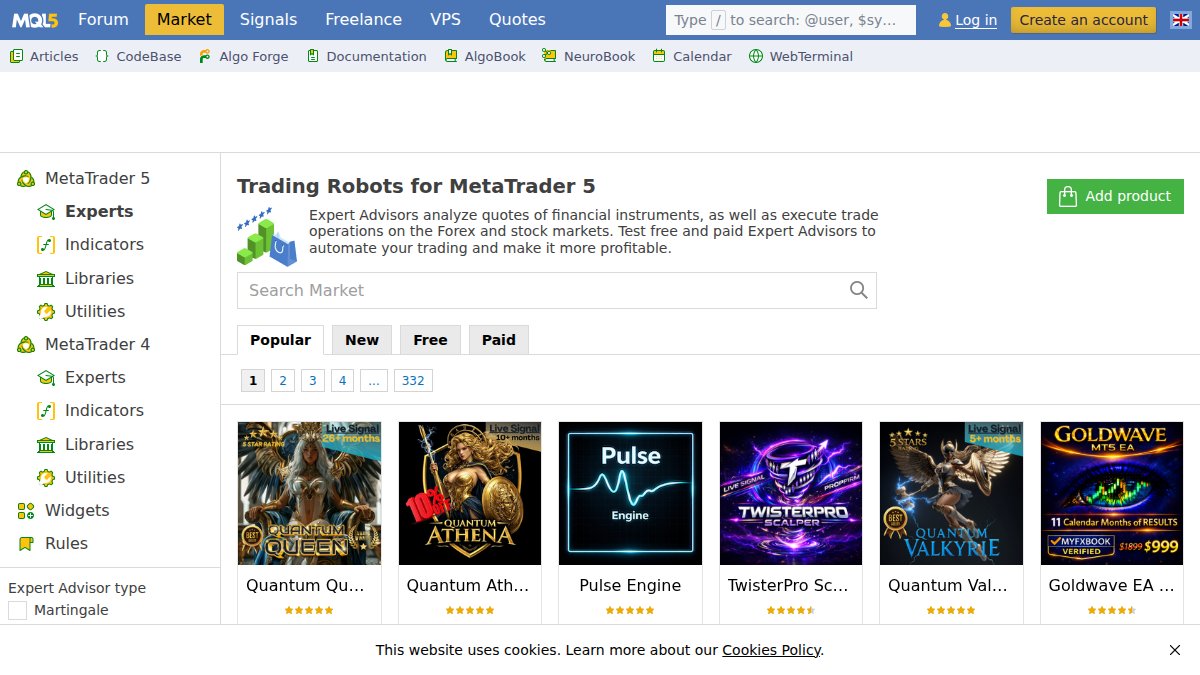
Rentals typically run between $10 and $50 per month depending on the developer and strategy complexity. User reviews and ratings are available for every product, which helps filter out low-quality systems, though quality variation between developers remains significant.
The practical challenge is selection paralysis. Thousands of EAs means hundreds of plausible-looking options, and backtesting results displayed on the marketplace are often optimized to look attractive rather than reflect realistic forward performance. Vetting takes time.
Best for: Traders who want to test specific automated strategies for a particular asset class or timeframe without a large upfront investment.
MT5 Copy Trading: How It Works and When to Use It
MT5 copy trading is a built-in MetaTrader 5 mechanism that replicates a signal provider’s trades to a subscriber’s account automatically. When the provider opens a position, adjusts a stop-loss, or closes a trade, those actions are mirrored in the subscriber’s account in real time, scaled proportionally to account size.
The account synchronization happens through MetaQuotes’ infrastructure, which means execution speed depends partly on the broker’s server proximity and partly on the subscriber’s account type. Slippage can occur, particularly during high-volatility market events when the provider’s fills differ from the subscriber’s fills.
When does copy trading make sense? Use it when you want genuine passivity and have verified a provider’s track record across multiple market conditions, not just a bull run in a single asset class. Avoid it when the provider’s strategy relies on extremely tight stop-losses, where even minor slippage materially changes the risk-reward ratio.
According to Investopedia’s guide to copy trading risks, the primary risk for copy trading subscribers is the gap between a provider’s account size and the subscriber’s, which can distort how position sizing translates across accounts. Always check whether the provider’s risk management settings are compatible with your own capital base.
How to Backtest MT5 Trading Systems Before Subscribing
Backtesting an MT5 trading system before subscribing is the single most reliable way to filter out systems that look good in marketing materials but fail in real market conditions. MetaTrader 5’s built-in Strategy Tester runs historical simulations against real market data, giving you performance statistics before you commit a dollar.
Step-by-Step: Running a Strategy Test in MetaTrader 5
Total Time: 20-45 minutes depending on the historical data range selected.
What You’ll Need:
- MetaTrader 5 terminal installed and connected to a broker
- The EA file (.ex5) you want to test
- Historical market data for your chosen asset class and timeframe
Step 1: Open the Strategy Tester [Time: 2 minutes]
Press Ctrl+R in your MT5 terminal or navigate to View > Strategy Tester. The tester panel opens at the bottom of the screen.
Step 2: Select the Expert Advisor
Choose the EA from the dropdown. If the EA is rented or subscribed, it should appear in your Navigator panel under Expert Advisors.
Step 3: Configure Test Parameters
Set your symbol (Forex pair, index, commodity), timeframe, and date range. For meaningful results, test across at least 12 months of data, preferably including both trending and ranging market conditions.
Step 4: Set Initial Deposit and Risk Settings
Input a realistic starting balance matching your actual trading account. Configure lot size and stop-loss parameters to reflect how you’d actually trade the system.
Step 5: Run the Test and Review Performance Statistics
Click Start. Once complete, review: net profit, maximum drawdown, profit factor, and the number of trades. A profit factor above 1.5 with drawdown below 20% is a reasonable baseline threshold.
Expected Result: A detailed performance report with equity curve, trade log, and statistical summary.

Always run backtests using “Every tick based on real ticks” mode rather than the faster modeling methods. The faster modes introduce modeling inaccuracies that can make a mediocre system appear significantly better than it performs live.
MT5 Trading System Performance Metrics You Must Track
Performance statistics for an MT5 trading system tell a more complete story than net profit alone. Traders who focus only on returns consistently underestimate the risk they’re carrying. The metrics below are the ones that actually matter for evaluating any MT5 trading systems monthly subscription.
Profit Factor: Total gross profit divided by total gross loss. A profit factor below 1.0 means the system loses money overall. Anything above 1.5 indicates a meaningful edge. Above 2.0 is strong but warrants scrutiny for overfitting.
Maximum Drawdown: The largest peak-to-trough decline in account equity during the test period. This is the number that tells you how much pain you’ll endure before the system recovers. A system with a 40% maximum drawdown requires a 67% gain just to return to breakeven.
Win Rate vs. Risk-Reward Ratio: These two metrics must be evaluated together. A system with a 35% win rate can still be highly profitable if the average winner is three times larger than the average loser. Don’t dismiss low win-rate systems without checking the risk-reward structure.
Recovery Factor: Net profit divided by maximum drawdown. A recovery factor above 3 indicates the system generates returns efficiently relative to the risk it takes.
Sharpe Ratio: Measures return per unit of risk. Higher is better. Systems with a Sharpe Ratio below 1.0 are generating returns that don’t adequately compensate for their volatility.
Track these metrics monthly once you’re live, not just at the point of subscription. Systems degrade. Market conditions shift. A quarterly performance review against these benchmarks is the minimum standard for responsible subscription trading.
Risk Management for MT5 Subscription Traders: What Most Guides Skip
Here’s the part most subscription trading guides skip entirely: subscribing to a trading system does not transfer risk management responsibility to the developer or signal provider. You remain fully accountable for position sizing, account exposure, and drawdown limits. The system executes; you govern.
The most common mistake among MT5 subscription traders is running multiple systems or signal subscriptions simultaneously without accounting for correlation. Two Forex systems both trading EUR/USD in the same direction during a news event double your exposure, not your diversification.
Practical risk management for subscription traders comes down to three rules:
-
Set a maximum account risk per system. Many practitioners cap individual system exposure at 1-2% of total account equity per trade. This means a system’s stop-loss, combined with your lot sizing, should never risk more than that threshold on a single position.
-
Monitor drawdown against your personal tolerance, not the system’s historical maximum. If a system’s historical maximum drawdown is 25% but you’d exit at 15%, set that as your circuit breaker before you subscribe, not after you’re down 20%.
-
Separate your automated trading capital from discretionary trading capital. Running EAs and manual trades on the same account creates accounting confusion and risk management blind spots.
As documented in the CFA Institute’s risk management framework for retail investors, position sizing discipline is consistently the variable that separates sustainable trading operations from accounts that blow up despite profitable underlying strategies.
The throughline here is control. The best MT5 subscription in the world cannot protect an account from an undisciplined operator. The system is the tool; the risk framework is the operator’s responsibility.
The challenge most traders face isn’t finding an MT5 trading system, it’s finding one that’s ready to deploy, professionally optimized, and backed by a flexible subscription that doesn’t lock you in. EZMT5 solves exactly that: instant access to 11 fully built and optimized MT5 Trading Systems and TradingView indicators, two changeable license keys per system, all future systems included, and no contracts. Signup Now and start trading with professional-grade precision from day one.
Frequently Asked Questions
How do I subscribe to an MT5 trading system or signal service?
To subscribe to an MT5 trading systems monthly subscription, choose a provider, such as EZMT5 or MQL5 Trading Signals, and complete their payment process. For MQL5 signals, open MetaTrader 5, navigate to the Signals tab, select a provider, and click Subscribe. For platforms like EZMT5, you sign up on their website, receive your license keys, download the system files, and install them directly into your MT5 terminal. Most services activate within minutes of payment.
Are monthly subscriptions for MT5 trading systems worth it?
An MT5 trading systems monthly subscription can be worthwhile if the system's verified performance metrics, such as win rate, drawdown, and risk-adjusted return, justify the subscription fee. The key is to analyze backtesting data and live performance statistics before committing. Services like EZMT5 offer no-contract monthly billing, so you can cancel anytime, which significantly reduces financial risk. Always factor in any additional costs like a VPS when calculating your true monthly overhead.
What is the difference between an MT5 signal and an Expert Advisor?
An MT5 Trading Signal is a copy trading service where trades from a provider's account are automatically mirrored into yours in real time via MetaTrader 5's built-in infrastructure. An Expert Advisor (EA) is a standalone automated trading robot coded in MQL5 that runs directly on your MT5 platform and executes trades based on its own algorithmic logic, no external account to mirror. EAs give you more control over stop-loss, take-profit, and risk management settings, while signals are more hands-off.
Do I need a VPS to run an MT5 trading system subscription?
A VPS is not strictly required, but it is strongly recommended for any automated MT5 trading system. Without a VPS, your Expert Advisor or trading system only runs when your personal computer is on and connected to the internet. A Forex VPS provides 24/5 uptime, ultra-low latency connections to your broker's servers, and prevents missed trades due to connection drops, all critical for real-time execution in fast-moving financial markets. VPS services typically start around $25 per month.
How do I evaluate MT5 trading system performance metrics before subscribing?
Before committing to an MT5 trading systems monthly subscription, review key performance statistics including: maximum drawdown (ideally under 20%), profit factor (above 1.5 is generally favorable), win rate, average risk-to-reward ratio, and the number of backtested or live trades. Use MetaTrader 5's built-in Strategy Tester for backtesting across multiple timeframes and asset classes. Look for consistency across different market conditions rather than a single high-return period, which may indicate curve-fitting rather than a robust system.
Can I cancel my MT5 trading system subscription at any time?
Cancellation policies vary by provider. Platforms like EZMT5 operate on a no-contract monthly subscription model, meaning you can cancel anytime without penalty, making it a low-risk way to test professional MT5 trading systems. MQL5 signal subscriptions can also typically be cancelled before the next billing cycle. Always confirm the cancellation terms before subscribing, and check whether license keys or system access are revoked immediately or at the end of your paid period.
This article was written using GrandRanker