

Table of Contents
- Why Security Makes or Breaks Automated Forex Software
- Core Security Features for Automated Forex Software
- Forex Trading Bot Security: Protecting Your Broker Account
- Forex API Key Security: Permissions and Secret Management
- MT5 Expert Advisor Safety: Verification and Supply-Chain Security
- Automated Trading Risk Management: Operational Safeguards
- Regulatory Compliance and Platform Trustworthiness
- Conclusion: Building a Secure Automated Trading Setup
- Frequently Asked Questions
Last Updated: October 12, 2026
Why Security Makes or Breaks Automated Forex Software
Automated forex software is a program that places and manages trades on your behalf according to predefined rules, and its security determines whether your capital stays under your control. According to the Commodity Futures Trading Commission’s fraud advisory pages, retail traders should verify any firm or software before handing over funds or account credentials.
Below, we break down the core security features that separate a professional setup from a liability.
Core Security Features for Automated Forex Software
Strong automated forex software combines encryption, layered authentication, and secure payment handling. Miss one and the other two cannot protect you.
| Security Layer | What It Protects | What to Look For |
|---|---|---|
| Encryption | Credentials and trade data in transit and at rest | TLS 1.3, AES-256 at rest |
| Authentication | Account access and withdrawals | 2FA or MFA, biometric login |
| Payment security | Deposits and withdrawals | Tokenized gateway, no stored card data |
| Monitoring | Fraud and unauthorized activity | Real-time alerts, audit trail |
Encryption and Data Protection
Encryption converts your login credentials and trade data into unreadable ciphertext so intercepted traffic is useless to an attacker.
Check for three things: a valid TLS certificate on the login page, encryption of stored credentials rather than plaintext, and encrypted backups. Do not assume your broker’s encryption covers your trading software, your local machine and connection are your responsibility.
Authentication and Access Controls
Two-factor authentication (2FA) requires a second proof of identity beyond your password, typically a one-time code from an app or hardware token. Multi-factor authentication (MFA) extends this to three or more factors. Both are non-negotiable for any account that can move money.
Layer these controls:
- Enable 2FA on your broker account, your email, and your trading software.
- Turn on withdrawal authorization so a second confirmation is required before funds leave.
- Set security alerts for logins from new devices.
- Review active sessions monthly and revoke anything unfamiliar.
Skipping 2FA on your email is the single most common mistake we see. If an attacker controls your email, they can trigger a password reset and lock you out of everything else.
Secure Payment Processing and Transaction Security
A secure payment gateway tokenizes your card or bank details so the merchant never stores raw financial information, meaning a breach exposes meaningless tokens rather than your account number. Confirm deposits and withdrawals run through a regulated gateway and that the platform never asks you to send funds to a personal account.
Forex Trading Bot Security: Protecting Your Broker Account
Forex trading bot security starts with the permissions you grant the bot, not its marketing page. A bot connects to your broker through an API, and that connection is only as safe as the key you hand it.
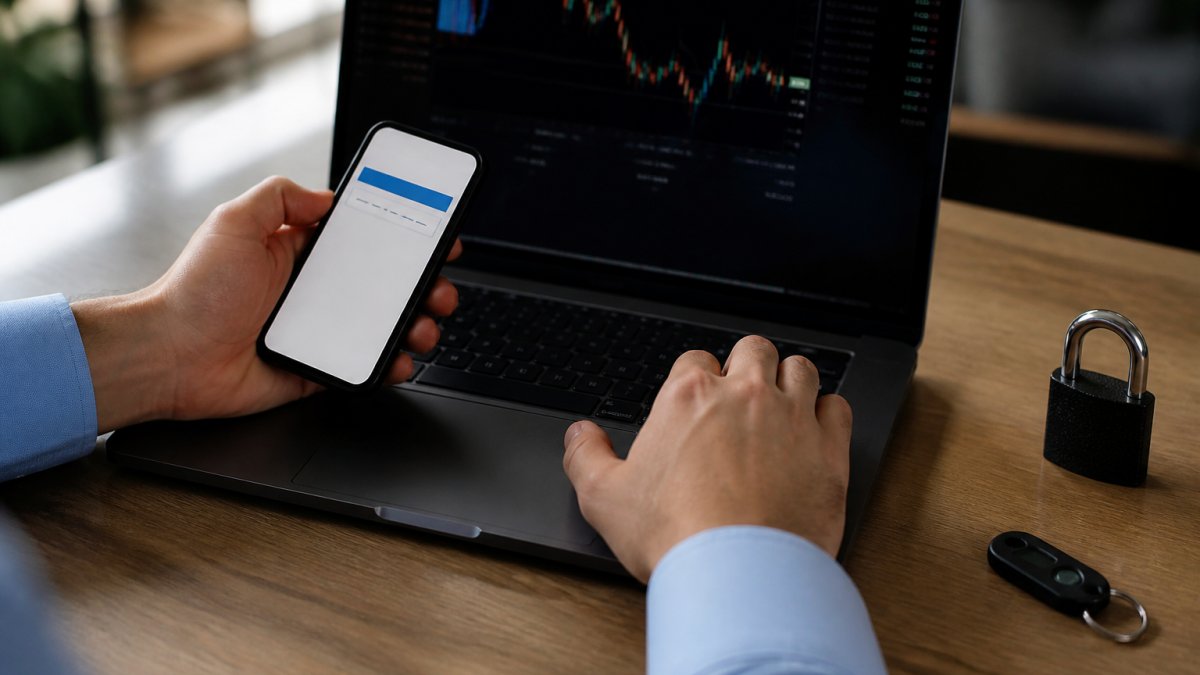
Never share your master broker password with a bot. Use a dedicated API key, rotate it on a schedule, and revoke it the moment you stop using the software.
Forex API Key Security: Permissions and Secret Management
Forex API key security is the highest-leverage control in an automated setup, because the key lets your software move money without a human in the loop. Most brokers issue keys with a permission matrix whose defaults are broader than your strategy needs. Treat the key like a bearer token: whoever holds it can act as you until you revoke it.
Scope the key to least privilege
When you generate a key, disable everything the strategy does not touch:
- Trading: enabled. The bot needs to place, modify, and close orders.
- Withdrawals: disabled. This is the one permission that turns a compromised key into a stolen balance. No legitimate strategy needs it.
- Transfers between accounts: disabled. Same reasoning as withdrawals.
If your broker does not expose a permission matrix, that is a risk signal: all-or-nothing keys mean withdrawal risk on every automated trade.
Bind the key to an address
IP allowlisting restricts a key to a specific source address. If your broker supports it, bind the key to your VPS’s static IP; a stolen key then fails from anywhere else, converting a catastrophic breach into a logged failed login. Use a dedicated VPS rather than a home connection, because residential IPs rotate and break the allowlist.
Store secrets where code cannot leak them
Never hardcode a key into an EA, script, or config file committed to version control. Keep secrets in an encrypted password manager or the OS credential store and inject them at runtime through environment variables. If you must keep a local config, encrypt it and restrict file permissions to your user account. Screenshots, chat messages, and support tickets are also leak channels, vendors and brokers never need your full key in plain text.
Rotate on a schedule and on every event
Rotate keys quarterly, and immediately after any of these events:
- You change VPS providers or rebuild the server.
- You add or remove a strategy that shares the key.
- You revoke access for a contractor, developer, or signal provider.
- You see an unfamiliar login or order in the audit trail.
Use a separate key per strategy or account so a compromise means revoking one key instead of taking every system offline. Keep a written record of which key belongs to which strategy so revocation is a one-minute task, not a forensic exercise.
A vendor that asks for your master broker login instead of an API key is asking for full account control, including withdrawals. There is no legitimate reason for automated software to need your broker password. Walk away.
Set a calendar reminder for rotation and treat it like a margin call, non-negotiable. The cost of rotating a key is a few minutes; the cost of a leaked key with withdrawal permissions is your account balance.
MT5 Expert Advisor Safety: Verification and Supply-Chain Security
MT5 expert advisor safety depends on verifying where the code came from and what it does. An expert advisor runs inside MetaTrader 5 and executes trades automatically; because it runs with your account’s permissions, a malicious EA can drain an account in minutes.
Protect yourself with these steps:
- Download EAs only from verified sources with a track record you can inspect.
- Test every EA on a demo account for at least 30 days before going live.
- Confirm the EA respects max daily loss and max open positions limits.
- Keep MetaTrader 5 and your operating system patched to close known vulnerabilities.
- Run EAs on a hardened VPS, not your daily-use laptop.
According to the Federal Trade Commission’s guidance on protecting personal information, limiting where sensitive data lives and who can reach it is a core safeguard for any business handling financial accounts. The same principle applies to your trading stack.
Automated Trading Risk Management: Operational Safeguards
Automated trading risk management is the set of limits, checks, and fail-safes that keep a working strategy from becoming a catastrophic one when the market or infrastructure misbehaves. Software does exactly what you tell it, including repeating a losing pattern at machine speed. Hard limits are your circuit breaker, and they must be enforced by the platform, not the strategy’s own logic.
Set hard limits before you go live
Configure these at the account or platform level so a buggy EA cannot override them:
- Max daily loss: stop trading for the day once the threshold is hit. Express it as a percentage of equity, not a fixed dollar figure, so it scales with the account.
- Max open positions: cap total exposure across all systems, not per system. Three EAs each opening five positions is fifteen positions of correlated risk.
- Max position size: define it as a percentage of equity per trade. Fixed lots behave very differently on a $5,000 account than on a $50,000 one.
Guard against stale prices and abnormal conditions
Automated systems fail in predictable ways when data goes bad. Build checks for each:
- Stale-price check: if the last tick is older than a defined number of seconds, do not trade. A frozen feed can make a bot execute on a price that no longer exists.
- Spread filter: skip entries when the spread widens beyond a threshold. Spreads blow out during news releases and rollover, and a strategy tuned for normal conditions will bleed on every fill.
- Slippage cap: reject fills beyond a maximum deviation from the requested price. Without it, a thin market can fill you far from your intended entry.
Define behavior during outages
The most dangerous moment for an automated account is when the connection between bot, terminal, and broker breaks. Decide in advance what should happen:
- Terminal or VPS goes down: positions remain open at the broker. Your strategy is now unmanaged. Know whether your broker supports server-side stop-loss orders that survive a disconnect, and use them.
- Broker API outage: the bot cannot close or modify. A kill switch that depends on the API will not work either. This is why server-side protective orders matter.
- Internet or power loss: a VPS with an uninterruptible power supply and redundant connectivity reduces, but does not eliminate, this risk. Document a manual recovery procedure you can run from a phone.
- Reconnect behavior: confirm the EA reconciles its view of open positions against the broker’s actual state on reconnect. A bot that assumes its last known state is correct can double up on positions.
Monitor and review continuously
Review your audit trail weekly. The audit trail is the timestamped record of every order, modification, and login, and it is how you spot unauthorized activity or a drifting strategy before it compounds. The National Institute of Standards and Technology’s cybersecurity framework recommends continuous monitoring and rapid recovery as core functions, which maps directly onto how you should run an automated setup: detect the anomaly, contain the loss, restore a known-good state.
The best automated strategy in the world cannot survive an unmonitored account or a missing fail-safe. Limits, stale-price checks, and a tested kill switch matter as much as the entry logic, and they are what separate a professional setup from a liability.
Regulatory Compliance and Platform Trustworthiness
Regulatory compliance tells you whether the platform you trust is accountable to anyone. You can verify both through the National Futures Association’s background affiliation status system before depositing a cent.
Compliance is not a formality: registered firms face capital requirements, recordkeeping rules, and audits, while unregistered operators face none of that. When you evaluate automated forex software, check the broker first, then the vendor.
Conclusion: Building a Secure Automated Trading Setup
Security in automated trading is a stack, not a single feature. Encryption, layered authentication, scoped API keys, verified expert advisors, and hard risk limits each cover a gap the others cannot.
At EZMT5, we give you instant access to 11 professional, fully built MT5 trading systems and TradingView indicators, with two license keys per system that you can change anytime and no contract tying you down.
Frequently Asked Questions
What security features should automated forex software have?
Automated forex software should include encryption for data at rest and in transit, two-factor authentication for account access, granular API key permissions, withdrawal authorization controls, and an audit trail of all trading activity. It should also offer secure payment gateways, regular security updates, and clear compliance with financial regulations. These features work together to protect your funds and personal information from unauthorized access.
How can I protect my broker account when using a forex trading bot?
Protect your broker account by enabling two-factor authentication, using a dedicated trading account with limited funds, and never sharing your login credentials. Set up withdrawal whitelists and monitor account activity through alerts. Ensure your forex trading bot security includes encrypted connections and that you review permissions regularly. Also, run your bot on a hardened VPS with a firewall and keep all software updated to reduce vulnerabilities.
How do I secure API keys used by automated trading software?
Secure API keys by restricting their permissions to only what the software needs, such as trading but not withdrawals. Store keys in an encrypted password manager or a secrets vault, never in plain text or code repositories. Rotate keys periodically and immediately revoke any that are compromised. Use IP whitelisting if your broker supports it, and monitor API usage for unusual activity to catch potential misuse early.
Is it safe to give an expert advisor access to my trading account?
It can be safe if you take precautions. Use an expert advisor from a reputable source, verify its integrity with checksums, and test it on a demo account first. Limit the account’s permissions to trading only, disable withdrawals, and monitor activity closely. Ensure the EA runs on a secure VPS and that you have a risk management plan in place, including stop-loss orders and maximum drawdown limits.
Can automated forex software lose money even when it is secure?
Yes. Security features protect against unauthorized access and data breaches, but they do not guarantee trading profits. Market volatility, strategy flaws, and execution risks can still lead to losses. Always use automated trading risk management tools like stop-loss orders, position sizing limits, and regular performance reviews. Treat security as one layer of protection, not a substitute for sound trading practices.
What is the best automated trading platform for beginners?
For beginners, platforms like MetaTrader 5 (MT5) offer a user-friendly interface, extensive educational resources, and support for expert advisors. When choosing, prioritize platforms with strong security features, demo accounts for practice, and a supportive community to help you learn safely.