
Last Updated: November 8, 2026
Quick Summary
To compare day trading software pricing, add up all three cost layers: the platform fee, market data subscriptions, and brokerage commissions. Build one spreadsheet row per platform, convert every fee to a monthly figure, and run totals for light, moderate, and active trade counts.
- Every day trading setup bills at three layers: platform, market data, and brokerage.
- Convert annual fees to monthly and amortize one-time licenses before comparing platforms.
- Run your chart at 20, 100, and 300 trades a month because rankings often flip.
- Free platform tiers usually require a minimum trade count or account balance.
- Add short-locate costs and margin interest, which pricing pages rarely show.
Table of Contents
- Why Day Trading Software Pricing Is Hard to Compare
- Building a Day Trading Software Pricing Comparison Chart
- The Best Day Trading Platform for Beginners on a Budget
- Using a Day Trading App With Fake Money Before You Pay
- The Best Day Trading Platform for Futures: What Costs Extra
- Standalone Systems vs. Broker-Provided Platforms: Total Cost of Ownership
- Start With a Free Trial and Build Your Own Cost Sheet
- Frequently Asked Questions
Why Day Trading Software Pricing Is Hard to Compare
A day trading software pricing comparison looks simple until you build one.
The confusion is structural. A broker advertises “free” platform access that requires a minimum monthly trade count. A standalone software vendor quotes a flat rate but never mentions data fees.
Below, we’ll show you how to build a comparison chart that puts every cost on the same basis, so the total you see is the total you pay.
The Three Layers of Cost: Platform, Data, and Brokerage
Every day trading setup bills you at three layers, and each layer has its own pricing logic.
Platform cost is what you pay for the software itself: a monthly subscription, one-time purchase, commission add-on, or free access bundled with a brokerage account.
Market data cost covers real-time quotes, Level 2 depth, and exchange fees. Data is often the hidden line item, because exchanges charge for real-time access and the vendor passes it through.
Brokerage cost is the commission, per-share cost, spread, and margin rate you pay to actually execute trades.
A pricing comparison that ignores any one layer understates your real cost. The SEC investor guidance on trading costs and disclosures is a useful reminder that commissions and fees must be disclosed clearly, which means you can usually find them if you know to look.
Building a Day Trading Software Pricing Comparison Chart
The fastest way to compare day trading software pricing is a single spreadsheet with one row per platform and one column per cost layer, but only if every cell is filled on the same basis.
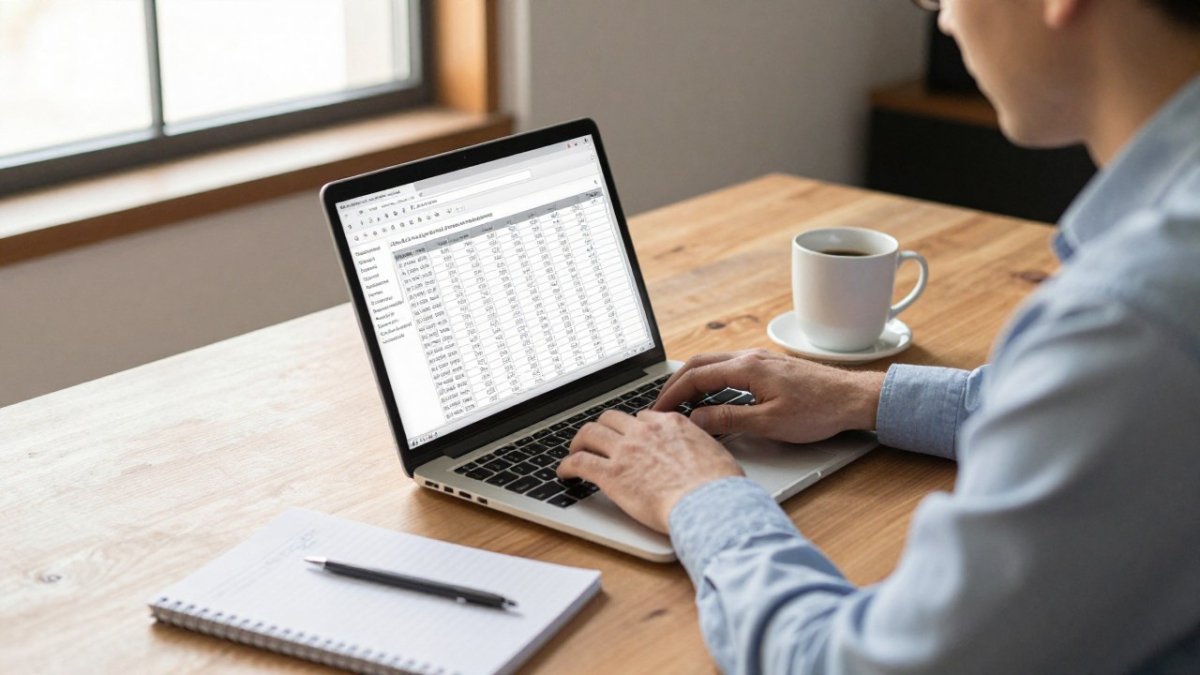
Start with these columns:
- Platform fee: monthly or annual subscription, one-time license, or “included with account”
- Data fees: real-time quotes, Level 2 depth, exchange access fees, and any professional-user surcharge
- Commission or per-share cost: the brokerage charge per trade, plus routing or regulatory fees passed through
Fill each cell from the vendor’s own published fee schedule where possible. Where a fee is conditional, note the condition, a platform that waives its fee above a trade threshold is a different product from one that charges flat.
Normalizing the Numbers So They Actually Compare
The hard part is not collecting prices, it is putting them on one basis. Three rules do most of the work.
Rule 1: Convert everything to a monthly figure. Divide annual fees by 12 and amortize one-time licenses over a realistic holding period.
Rule 3: State the activity assumption. A comparison is meaningless without a stated monthly trade count and average position size.
A Worked Example of the Math
Suppose one platform charges a flat monthly software fee and includes real-time data, while another offers free platform access but charges a per-share commission and a separate data subscription.
Watch out: advertised data fees may exclude exchange access fees and professional-user rates, so a chart built from headline prices can understate the data layer. Note whether each quoted figure is all-in or excludes exchange charges.
Documenting Sources and Update Dates
A pricing comparison can go stale quickly. The SEC investor guidance on trading costs and disclosures is a useful reminder that commissions and fees must be disclosed clearly, which means the source document usually exists if you know to ask for it.
Build the chart with one row per platform and these columns, filling every cell on the same basis.
| Column | What it captures |
|---|---|
| Platform fee | Monthly or annual subscription, one-time license, or included with account |
| Data fees | Real-time quotes, Level 2 depth, exchange access fees, professional-user surcharge |
| Commission or per-share cost | Brokerage charge per trade plus routing or regulatory fees |
| Account minimum | Balance required to open and to keep platform free |
| Margin rate | Interest on borrowed funds, quoted as an annual rate |
| Contract or lock-in | Cancellation terms, notice periods, early-termination charges |
| Activity threshold | Monthly trade count or volume that unlocks free platform or data |
The Best Day Trading Platform for Beginners on a Budget
For a beginner on a budget, the best day trading platform is usually the one with the lowest total cost at low trading volume, not the most features.
That flips the usual advice.
Watch out: many “free” platform tiers require a minimum number of trades per month or a minimum account balance. Miss the threshold and the fee reappears.
If you’re weighing a flat monthly charge against a free tier, our breakdown of monthly subscription vs. free day trading software walks through the trade-offs directly.
Using a Day Trading App With Fake Money Before You Pay
A paper trading account lets you test a platform’s order execution, charting tools, and workflow with fake money before any subscription starts.
Demo accounts rarely mirror live conditions exactly. Fills can be more forgiving, and data may be delayed.
Test in this order:
- Place a market order and a limit order; check the fill logic.
- Build a watchlist and run the scanner.
- Set up your charting tools and technical indicators.
- Try the advanced order types you rely on, like bracket or trailing stops.
- Log out and back in on mobile to confirm the app syncs.
If you want a structured way to test a system without risking capital, this guide to testing an expert advisor without risking money covers the process step by step.
The Best Day Trading Platform for Futures: What Costs Extra
Futures platforms carry costs that stock platforms don’t, and the extras are where budgets break. Expect separate exchange fees, per-contract commissions, and data packages priced by market.
Futures also brings margin requirements set by the exchange rather than the broker, so your margin rate and margin requirements deserve their own column. Day trading margin rules differ between stocks and futures, and the FINRA margin requirements overview explains how broker-dealers set and enforce them.
The pattern to watch: a futures platform may advertise low platform fees while charging per-contract commissions and a data package for each exchange you trade. If you trade futures through MT5, our ranked list of MT5 futures brokers shows which brokers clarify what data and platform costs come on top.
Standalone Systems vs. Broker-Provided Platforms: Total Cost of Ownership
Standalone software and broker-provided platforms suit different budgets, and the difference becomes clearer when you compute total cost of ownership rather than comparing sticker prices. Broker platforms may bundle charting and data into the account, which can suit traders who want one bill. Standalone systems charge separately and may offer more customization without tying you to one broker. Neither model is cheaper in the abstract, the answer depends on your activity level and what the bundle includes.
What “Free” Platform Access Really Costs
A broker-provided platform advertised as free may still carry costs elsewhere, unlike a standalone subscription with a stated fee. The common patterns are worth knowing:
- Free with a funded account: the platform is included as long as the account meets a minimum balance, which ties up capital you could otherwise deploy.
- Free above an activity threshold: the platform or data package is waived once you hit a monthly trade count or volume target. Miss the threshold and the fee reappears on the next statement.
- Free platform, paid data: the software is included but real-time quotes, Level 2 depth, and exchange access are billed separately, often per exchange.
A standalone subscription inverts this: you pay a predictable monthly fee and are not tied to one broker for execution. The trade-off is that you carry the data bill and the brokerage bill separately, and you have to add them yourself.
Building the Total Cost of Ownership Figure
The total cost of ownership for either model is the sum of four lines over a defined period, usually a month:
- Fixed software cost: the platform subscription, or zero if bundled, plus any one-time license amortized over its useful life.
- Data cost: real-time quotes, Level 2, exchange fees, and any professional-user surcharge.
- Execution cost: commissions, per-share or per-contract charges, routing fees, and regulatory fees, multiplied by your realistic monthly trade count.
- Capital cost: the opportunity cost of any account minimum, plus margin interest if you use leverage.
Run that sum for two or three activity profiles. A high-volume active trader may find a broker bundle cheaper because commissions dominate and the bundled platform removes a fixed fee. A lower-volume trader who wants specific systems may prefer standalone pricing, since commission savings from a broker bundle may not offset its costs at low volume. The crossover point is the useful output, not a single winner.
The Costs Both Models Hide
Two cost lines fall outside the platform-versus-broker debate and deserve their own row in any total-cost comparison. Short-locate costs apply when you sell short and the broker has to borrow shares; the fee varies with the scarcity of the stock and can be substantial on hard-to-borrow names. Margin interest applies whenever you trade on borrowed funds, usually quoted as an annual percentage that compounds daily.
Watch out: a broker bundle that looks cheaper on the platform line can lose its advantage once margin interest and short-locate fees are added, so keep those two lines visible rather than folding them into a single total.
The comparison is rarely apples to apples, which is why a ranked view helps. Our comparison of MT5 trading platforms and brokers puts platform and broker costs side by side so you can see the full picture, and the same four-line method applies whether you trade stocks, futures, or spot markets.
Start With a Free Trial and Build Your Own Cost Sheet
The last step is the one most traders skip: build your own cost sheet from free trials and published fee schedules, then update it as prices change.
Your cost sheet should answer three questions: what do I pay monthly regardless of trading, what do I pay per trade, and what do I pay for data? Multiply each by your realistic monthly volume and add them. That total, not the headline price, is your day trading software cost.
This is where EZMT5 fits for traders who want systems rather than a platform. If you’re deciding what’s worth paying for, this paid vs. free MT5 trading strategies comparison helps you weigh it.
Comparing day trading software pricing gets easier once you stop chasing the lowest sticker price and start adding up all three cost layers. EZMT5 offers a no-contract monthly subscription with access to 11 MT5 systems and TradingView indicators, including future systems, and two changeable license keys per system. Build your cost sheet, review the systems, and see whether the total works for how you trade. Get started with EZMT5 and put every cost on one page before you commit.
Frequently Asked Questions
How much does day trading software cost?
Day trading software costs vary widely by model. Broker-provided platforms are often included with an account, while standalone systems and indicator subscriptions carry a separate monthly or one-time fee. Market data, exchange fees, and commissions are additional. EZMT5 offers a no-contract monthly subscription for its MT5 systems. Check the EZMT5 website for current pricing. Build a cost sheet that lists platform, data, and brokerage fees separately before you commit.
What fees should I compare when choosing day trading software?
Compare four categories: platform or subscription fees, real-time market data and exchange fees, per-share or per-contract commissions, and margin rates. Also check for short locate fees if you short sell and any inactivity or API fees. A low platform fee can hide high data costs. Use a day trading software pricing comparison chart that puts every line item side by side so you can see the true monthly outlay for your trading volume.
Are day trading platforms free to use?
Many broker-provided platforms are free to account holders, but free does not mean zero cost. You still pay commissions, exchange fees, and often a monthly fee for real-time Level 2 data. Standalone software and automated systems usually charge a subscription or one-time license. A day trading app with fake money is typically free for practice, which lets you test order execution and charting tools before paying for live data or a system.
What is the best day trading platform for beginners?
The best day trading platform for beginners balances low cost with paper trading and clear charting tools. Look for a platform that includes free simulated trading, real-time quotes without a large data bill, and educational research. Several established broker apps are available, but verify current fees on each site. Start with a demo account, track your fill quality for a month, then add paid data or a system subscription only when your strategy needs it.
