

Table of Contents
- How We Compare MT5 Trading Platforms: Our Evaluation Criteria
- MT5 Platform Feature Comparison Table
- MT5 vs MT4 Platform Differences: Which Should You Use?
- Best MT5 Brokers for Beginners and Experienced Traders
- MT5 Trading Platform Fees and Commissions Explained
- Key Features That Set MT5 Apart When You Compare MT5 Trading Platforms
- MT5 for Specific Asset Classes: Crypto, Forex, Stock CFDs, and More
- MT5 Mobile App vs. Desktop: Performance and Usability
- How to Install Custom Indicators and Expert Advisors on MT5
- Which MT5 Platform Should You Choose? Final Verdict
- Conclusion
Last Updated: May 28, 2026
Choosing the right broker is one of the most consequential decisions a trader makes, and yet most guides reduce it to a simple list. This article from EZMT5 takes a different approach: to genuinely compare MT5 trading platforms across the metrics that actually affect your bottom line, from execution speed and spread to regulatory standing and tool depth. Below, we’ll show you exactly how IC Markets, Pepperstone, and FOREX.com stack up, what MT5 offers that MT4 never could, and how to migrate without losing your setups. The one thing most comparisons get wrong is treating all MT5 brokers as interchangeable. They are not.
How We Compare MT5 Trading Platforms: Our Evaluation Criteria
The biggest mistake traders make when evaluating MT5 brokers is focusing only on spreads. Spread is one input in a larger cost equation that includes commission structure, execution speed, slippage, and platform stability. A broker offering 0.0-pip raw spreads but inconsistent execution can cost you more than a broker with a 1.2-pip standard spread and near-instant fills.
Key Metrics: Execution Speed, Spread, Regulation, and Tools
Our evaluation framework covers six dimensions:
- Execution speed and slippage: How quickly orders are filled at the quoted price, measured across normal and volatile market conditions
- Spread and commission structure: Raw pricing vs. standard account models, and the true cost per round turn
- Regulatory standing: Oversight from Tier-1 regulators (FCA, ASIC, CySEC, CFTC) that provide client fund protection
- Trading instruments: Range across forex, CFDs, stock CFDs, indices, commodities, and cryptocurrencies
- Platform tools: Depth of Market (DOM), analytical objects, custom indicators, Expert Advisors, and backtesting capability
- Account types and minimum deposit: Whether the broker accommodates beginners and high-volume traders alike
Every broker in this comparison was assessed against these criteria. The result is a ranking that reflects real trading conditions, not marketing copy.
When evaluating execution speed, ask whether a broker’s servers are co-located in the NY4 or LD5 data centers. These are the industry-standard locations for low-latency forex execution, and proximity to liquidity providers matters more than most traders realize.
MT5 Platform Feature Comparison Table
The table below summarizes the core specifications for each broker covered in this guide.
| Broker | Minimum Deposit | Account Types | Spreads From | Commission Model | Regulation | Best For |
|---|---|---|---|---|---|---|
| IC Markets | $200 | Raw Spread, Standard | 0.0 pips | Commission (Raw) or Spread-only | ASIC, CySEC, FSA | Algorithmic trading, scalpers |
| Pepperstone | $0 | Razor, Standard | 0.0 pips | Commission (Razor) or Spread-only | FCA, ASIC, CySEC, DFSA | Regulatory trust, all trader levels |
| FOREX.com | $100 | Raw, Standard | Competitive | Commission (Raw) or Spread-only | CFTC, NFA, FCA | U.S. residents |
This table gives you the skeleton. The sections below put flesh on the bones.
MT5 vs MT4 Platform Differences: Which Should You Use?
MT5 is not simply an upgrade to MT4. MetaQuotes built MT5 as a separate platform with a fundamentally different architecture, and the distinction matters practically.
The core differences that affect daily trading:
- Timeframes: MT5 offers 21 timeframes vs. MT4’s 9, giving you granular control over technical analysis setups
- Order types: MT5 supports six pending order types; MT4 supports four
- Hedging and netting: MT5 supports both hedging accounts and netting accounts depending on broker configuration; MT4 supports hedging only
- Multi-asset trading: MT5 was designed for multi-asset environments, covering forex, stock CFDs, futures, and commodities natively
- Backtesting: MT5’s strategy tester is multi-threaded, meaning algorithmic trading backtests run significantly faster
- Market depth: MT5 includes a native Depth of Market panel; MT4 does not
- Economic calendar: Built into MT5 natively; requires a plugin on MT4
- MQL5 vs. MQL4: Expert Advisors written for MT4 are not directly compatible with MT5 without rewriting
The honest answer to "which should you use?" is MT5, unless you have a library of MT4 Expert Advisors you cannot or will not rewrite. For new traders and anyone building automated strategies from scratch, MT5 is the clear choice.
Step-by-Step Migration from MT4 to MT5
Migrating from MT4 to MT5 is straightforward if you follow the right sequence. The most common mistake is attempting to copy MT4 EAs directly into MT5 without recompiling.
Step 1: Export your MT4 templates and profiles
In MT4, go to File > Profiles > Save As to export your chart layouts. Save your custom indicator files from the MQL4/Indicators directory.
Step 2: Open a new MT5 account with your broker
Most brokers that offer MT4 also offer MT5. Contact your broker to open a parallel MT5 account. You do not need to close your MT4 account first.
Step 3: Install MT5 and configure your broker connection
Download MT5 from your broker’s website or from the official MetaQuotes MT5 download page. Enter your login credentials under File > Open Account.
Step 4: Rewrite or source MT5-compatible Expert Advisors
MQL4 code does not run in MT5. You will need MQL5 versions of your EAs. Many popular EAs have MT5 ports available through the MQL5 marketplace, or you can hire a developer to convert them.
Step 5: Recreate your chart templates in MT5
MT5 templates use a different format. Rebuild your preferred chart layouts manually, then save them under Charts > Template > Save Template.
Step 6: Run parallel accounts for 2-4 weeks
Keep both platforms running simultaneously until you are confident your MT5 setup replicates your MT4 workflow. Only then should you shift active trading to MT5 exclusively.
Do NOT attempt to run the same EA on both MT4 and MT5 accounts simultaneously against the same live positions. This creates duplicate trade exposure and is a common source of significant unintended losses during migration.
Best MT5 Brokers for Beginners and Experienced Traders
Three brokers consistently stand out when you compare MT5 trading platforms for real-world performance. Each has a distinct strength profile that makes it the right choice for a specific type of trader.

IC Markets: Best for Algorithmic Trading and Low Latency
IC Markets is the benchmark for execution quality in the retail MT5 space. Its infrastructure is built around co-located servers in the NY4 and LD5 data centers, giving algorithmic trading strategies access to interbank liquidity with minimal slippage.
Key specifications:
- Minimum deposit: $200
- Spreads: From 0.0 pips on raw spread accounts
- Commission: Commission-based on Raw Spread; spread-only on Standard
- Liquidity: 25+ interbank pricing providers
- Extras: Depth of Market (DOM), VPS hosting available, no restrictions on scalping or high-frequency trading
Pros:
- Industry-leading tight spreads on major forex pairs
- Excellent execution speed via NY4/LD5 infrastructure
- No trading restrictions, including on EA-driven strategies
Cons:
- The $200 minimum deposit is higher than Pepperstone’s zero requirement
- Platform add-ons require separate configuration
IC Markets is the right choice if your strategy depends on execution speed and raw pricing. For scalpers and algorithmic trading practitioners, the cost-per-trade advantage compounds significantly over high-volume months.
Pepperstone: Best for Regulatory Trust and No Minimum Deposit
Pepperstone’s strongest attribute is its regulatory footprint. It holds licenses across the FCA (UK), ASIC (Australia), CySEC (Cyprus), and DFSA (Dubai), which means client funds are segregated under multiple Tier-1 frameworks simultaneously.
Key specifications:
- Minimum deposit: $0
- Account types: Razor (commission-based) and Standard (spread-only)
- Extras: Smart Trader Tools suite, Autochartist integration, hedging and netting account support
- Timeframes: Full 21 MT5 timeframes with advanced analytical objects
Pros:
- No minimum deposit lowers the barrier for new traders
- Multi-jurisdictional regulation provides strong client fund protection
- Autochartist delivers automated pattern recognition directly in the platform
Cons:
- Not available to U.S. residents
- Razor account commission structure requires understanding of per-lot costs before trading
Pepperstone suits traders who prioritize regulatory safety and want access to enhanced MT5 tools without a significant upfront capital commitment.
FOREX.com: Best MT5 Broker for U.S. Residents
FOREX.com occupies a unique position: it is one of the very few regulated MT5 brokers accessible to traders in the United States. That alone makes it the default recommendation for U.S.-based traders who want the full MT5 feature set.
Key specifications:
- Minimum deposit: $100
- Regulation: CFTC and NFA (U.S.), FCA (UK)
- Asset coverage: Forex, indices, commodities, cryptocurrencies
- Account types: Commission-based Raw and spread-only Standard
Pros:
- One of the only MT5 brokers available to U.S. residents
- Strong regulatory backing from CFTC and NFA
- Stable platform with competitive spreads on major pairs
Cons:
- Asset range is narrower than some international-only brokers
- Cryptocurrency selection is more limited compared to offshore alternatives
For traders outside the U.S. who have access to Pepperstone or IC Markets, FOREX.com is not the optimal choice on cost. But for U.S. residents, it is the most practical and compliant path to MT5.
MT5 Trading Platform Fees and Commissions Explained
Understanding the true cost of trading on an MT5 platform requires looking past the advertised spread. The MT5 trading platform fees and commissions structure varies by account type, and choosing the wrong one for your trading style can meaningfully increase costs. This section breaks down every fee layer across the three brokers in this comparison, with worked examples so you can calculate your actual cost per trade before you fund an account.
The Full Fee Stack: What You Are Actually Paying
Most traders focus on spread and commission. The complete fee picture has five components:
- Spread, The difference between the bid and ask price at the moment of execution
- Commission, A per-lot charge applied on raw/ECN account types
- Swap (overnight financing), A daily charge or credit applied to positions held past the daily rollover (typically 5:00 PM New York time)
- Inactivity fees, Charged by some brokers after extended periods without trading
- Deposit and withdrawal fees, Charges applied by the broker or payment processor for funding transactions
Ignoring items 3-5 is one of the most common ways traders underestimate their total cost of trading, particularly on positions held for multiple days or weeks.
Raw Pricing vs. Standard Account: What You Actually Pay
Raw pricing accounts (called ‘Raw Spread’ at IC Markets, ‘Razor’ at Pepperstone, ‘Raw’ at FOREX.com) charge a per-lot commission in exchange for near-interbank spreads. The spread itself can be as low as 0.0 pips on EUR/USD, but you pay a fixed commission per round turn.
Standard accounts embed the broker’s markup into the spread, eliminating the per-trade commission. Spreads are wider, typically starting from 1.0-1.2 pips on EUR/USD, but there is no separate fee line.
Per-Broker Commission Breakdown
IC Markets (Raw Spread account):
- Commission: USD $7.00 per round turn per standard lot (100,000 units)
- Average EUR/USD spread: 0.0-0.1 pips during London/New York overlap
- Standard account spread: From 0.8-1.0 pips, no commission
Pepperstone (Razor account):
- Commission: USD $7.00 per round turn per standard lot for forex (varies by instrument)
- Average EUR/USD spread: 0.0-0.1 pips during peak liquidity hours
- Standard account spread: From 1.0-1.2 pips, no commission
FOREX.com (Raw account):
- Commission: Competitive per-lot rate; check current published rates on FOREX.com as these are subject to change
- Standard account spread: Competitive on major pairs; wider on minors and exotics
- Note: CFTC/NFA regulation prohibits hedging on U.S. accounts, which affects position management costs for strategies that use simultaneous long/short exposure
Commission rates are periodically updated by brokers. Always verify the current per-lot commission on the broker’s official fee schedule before calculating your cost model, particularly if you are comparing quotes you found in a review written more than six months ago.
Worked Cost Example: Raw vs. Standard
Assume you trade 10 standard lots of EUR/USD per month, with an average holding time of 4 hours per trade (no overnight swap).
Raw pricing account (IC Markets or Pepperstone):
- Commission: 10 lots × $7.00 = $70.00
- Spread cost at 0.05 pips average: 10 lots × 0.05 pips × $10/pip = $5.00
- Total monthly cost: ~$75.00
Standard account (same broker):
- No commission
- Spread cost at 1.0 pip average: 10 lots × 1.0 pip × $10/pip = $100.00
- Total monthly cost: ~$100.00
At 10 lots per month, the raw pricing account saves approximately $25. At 50 lots per month, that difference grows to approximately $125. The raw account advantage compounds with volume.
The crossover point, where raw pricing becomes cheaper than standard, is typically around 3-5 standard lots per month for most brokers, assuming EUR/USD as the primary instrument. Below that volume, the difference is small enough that the simplicity of a standard account is often worth the marginal extra cost.
Swap Rates: The Hidden Cost for Overnight Traders
Swap rates are applied to positions held past the daily rollover cutoff. They are calculated based on the interest rate differential between the two currencies in a pair (for forex), or the financing cost of the underlying asset (for CFDs on stocks, indices, and commodities).
Swap rates are expressed in points or currency units per lot per night, and they can be positive (you receive a credit) or negative (you pay a charge) depending on the direction of your trade and the prevailing interest rate environment.
Key swap considerations by asset class:
- Forex: Swap rates on major pairs fluctuate with central bank policy. In a high-rate environment, carry trades (long high-yield currency, short low-yield currency) can generate meaningful positive swap income. The reverse position pays swap.
- Stock CFDs: Swap charges on stock CFDs are almost always negative in both directions and tend to be higher than forex swaps. Long-term CFD positions on equities accumulate significant financing costs.
- Crypto CFDs: Crypto swap rates are typically the highest of any asset class on MT5 brokers, often several times higher than forex. Holding crypto CFD positions overnight for extended periods can erode gains substantially.
- Indices and commodities: Swap rates vary by instrument. Gold (XAU/USD) typically carries moderate swap charges; crude oil CFDs vary by broker.
All three brokers publish their swap rates in the MT5 platform itself. To check: right-click any instrument in the Market Watch panel, select ‘Specification,’ and scroll to the swap fields. This is the most reliable source because it reflects current rates, not the static tables on broker websites that are sometimes outdated.
Inactivity Fees
- IC Markets: No inactivity fee
- Pepperstone: No inactivity fee
- FOREX.com: An inactivity fee applies after an extended period of no trading activity; check the current fee schedule on FOREX.com as the threshold and amount are subject to change
For traders who maintain funded accounts during strategy development or testing phases without placing live trades, inactivity fees are a real cost to account for.
Deposit and Withdrawal Fees
All three brokers accept bank wire, credit/debit card, and major e-wallets. Bank wire withdrawals may incur fees from the receiving bank regardless of broker policy. Credit card deposits are generally free at the broker level, but some card issuers classify broker deposits as cash advances and apply their own fees, check with your card issuer before using this method.
Currency conversion fees apply when your account base currency differs from the currency of your deposit method. Funding a USD account via a EUR bank account will incur a conversion charge, either at the broker level or the bank level.
For MT5 trading platform fees and commissions, the raw pricing account is almost always cheaper for active traders executing more than 5 standard lots per month. But spread and commission are only two of five fee layers. Model your swap exposure on overnight positions and verify inactivity fee policies before selecting an account type, particularly if you trade stock CFDs or crypto CFDs where financing costs are materially higher than on forex.
Key Features That Set MT5 Apart When You Compare MT5 Trading Platforms
Here’s where it gets interesting. The feature gap between MT5 and its predecessors is not incremental. For traders who compare MT5 trading platforms seriously, the platform’s native capabilities change what strategies are even viable.
Expert Advisors, Trading Robots, and Backtesting
Expert Advisors (EAs) are automated trading programs written in MQL5 that execute trades based on predefined logic. MT5’s multi-threaded strategy tester allows backtesting across multiple instruments simultaneously, a capability MT4 simply does not have.
Key backtesting advantages in MT5:
- Multi-currency backtesting in a single test run
- Tick data backtesting for high-precision EA validation
- Forward testing mode to simulate live conditions
- Optimization passes run in parallel across CPU cores, reducing test time significantly
Trading robots built on MT5 can also interact with the economic calendar natively, pausing or adjusting behavior around major news releases without requiring external data feeds.
According to MetaQuotes’ official MT5 platform documentation, MT5’s strategy tester supports real tick data modeling, which produces significantly more accurate backtesting results than the interpolated tick models used in MT4.
Technical Analysis Tools: 21 Timeframes and Analytical Objects
MT5 ships with 38 built-in technical indicators, 44 analytical objects (including Fibonacci tools, channels, and geometric shapes), and the full 21-timeframe structure. The timeframe range runs from M1 (1-minute) up to MN (monthly), with intermediate options at M2, M3, M4, M6, M10, M12, H2, H3, H6, H8, and H12 that MT4 does not offer.
For technical analysis practitioners, the additional timeframes are not just cosmetic. They allow alignment strategies that use unconventional timeframe combinations, such as H3/H6 or M10/H2, to find confluence levels that are invisible on standard MT4 charts.
Copy Trading, Trading Signals, and Market Depth
MT5 integrates natively with the MQL5 Signals service, which allows traders to subscribe to trading signals from verified signal providers and have trades automatically copied to their account. This is MT5’s built-in copy trading infrastructure.
The Depth of Market panel gives traders visibility into pending buy and sell orders at different price levels, a feature that is standard in institutional platforms but rare in retail environments. For scalpers and short-term traders, DOM data provides context about near-term liquidity that candlestick charts alone cannot show.
MT5 for Specific Asset Classes: Crypto, Forex, Stock CFDs, and More
MT5’s multi-asset architecture is one of its most underappreciated advantages. Most retail traders associate MetaTrader with forex, but MT5 was specifically designed to handle equities, futures, and options alongside currency pairs.
Forex: MT5 remains the dominant platform for retail forex trading. The combination of raw pricing, ECN execution, and 21 timeframes makes it the professional standard for currency trading.
Stock CFDs: MT5 supports direct trading of stock CFDs with dividend adjustments, corporate action handling, and equity-specific order types. This is functionality that required separate platforms in the MT4 era.
Indices and Commodities: All three brokers in this comparison offer CFDs on major global indices (S&P 500, DAX, FTSE 100) and commodities (gold, silver, crude oil) through MT5. use and margin requirements vary by instrument and regulatory jurisdiction.
Cryptocurrencies: Crypto CFD availability on MT5 varies significantly by broker. FOREX.com offers a more limited crypto selection due to U.S. regulatory constraints. Pepperstone and IC Markets offer broader crypto CFD coverage, though availability is subject to regional restrictions.
The practical implication: if you trade multiple asset classes, MT5 eliminates the need to maintain separate platforms for equities and forex. That consolidation reduces operational complexity and keeps all your positions, analytics, and automation in one environment.
MT5 Mobile App vs. Desktop: Performance and Usability
Most MT5 comparisons stop at ‘mobile is good for monitoring, desktop is better for analysis.’ That framing is accurate but useless. What traders actually need to know is how the performance gap manifests in real trading conditions, which device categories handle MT5 mobile adequately, and where the gap is large enough to cost you money.
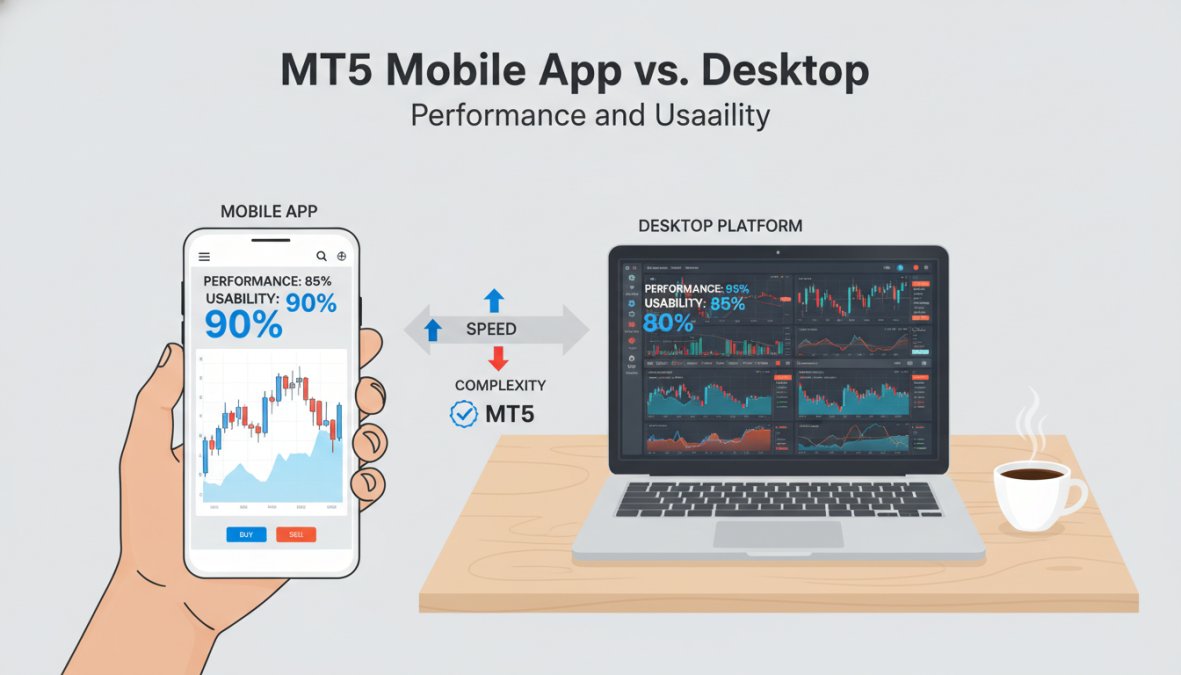
Chart Rendering and Indicator Load Times
Desktop MT5 renders chart updates and indicator recalculations locally using your machine’s CPU. On a mid-range modern desktop or laptop (quad-core, 8GB RAM), loading a chart with 5-8 standard indicators, RSI, MACD, Bollinger Bands, two moving averages, and an ATR, takes under one second on most brokers’ servers. Adding a custom MQL5 indicator with a complex calculation loop can extend that to 2-4 seconds on the first load, after which it caches.
MT5 mobile (iOS and Android) offloads some rendering to MetaQuotes’ cloud infrastructure, which introduces a dependency on your mobile data connection quality that desktop trading does not have. On a stable 4G or Wi-Fi connection, quote refresh rates on MT5 mobile are typically adequate for swing trading and position monitoring. On congested networks or weak signals, quote feeds can lag by several seconds, a meaningful problem if you are trying to execute at a specific level.
Practical benchmark to run yourself: Open the same chart with the same indicators on both desktop and mobile simultaneously. Place a limit order on desktop and watch how long it takes for the fill confirmation to appear on mobile. On a good connection, the lag is under two seconds. On a poor connection, it can exceed ten. That gap matters for active traders using mobile as a backup execution environment.
Order Execution Latency: Mobile vs. Desktop
Desktop MT5 connects directly to your broker’s trading server. When your broker’s servers are co-located in NY4 or LD5 data centers, a desktop client on a wired connection in the same geographic region can achieve round-trip order execution in under 50 milliseconds under normal conditions.
Mobile MT5 routes through an additional layer: your device connects to MetaQuotes’ mobile gateway, which then connects to your broker’s server. This adds at least one extra network hop. In practice, mobile order execution latency is typically 150-400 milliseconds under good network conditions, three to eight times slower than a well-configured desktop setup.
For most traders, this difference is irrelevant. A swing trader holding positions for hours or days will not notice a 300ms execution difference. For scalpers targeting 5-10 pip moves on 1-minute charts, executing from mobile is a structural disadvantage that compounds over hundreds of trades.
Never use MT5 mobile as your primary execution environment for scalping or news-event trading. The additional network hop and variable mobile data quality create execution slippage risk that does not exist on a stable desktop connection.
Feature Parity Gaps That Actually Affect Strategy
The feature differences between mobile and desktop are not cosmetic. Several gaps directly limit what strategies are executable on mobile:
| Feature | Desktop MT5 | Mobile MT5 |
|---|---|---|
| Expert Advisors (EAs) | Full execution and monitoring | Not supported |
| Custom indicators (.ex5/.mq5) | Full support | Not supported |
| Strategy Tester / Backtesting | Full multi-threaded support | Not available |
| Depth of Market (DOM) | Full panel with volume levels | Not available |
| Analytical objects | All 44 objects | Limited subset |
| Timeframe access | All 21 timeframes | All 21 timeframes |
| One-click trading | Configurable | Supported |
| Price alerts with push notification | Supported | Supported |
| Multi-chart layouts | Up to 100 charts simultaneously | Single chart view |
The absence of DOM on mobile is particularly significant for short-term traders. Depth of Market data shows pending order clusters at nearby price levels, information that helps scalpers identify likely support and resistance zones in real time. Losing that on mobile means losing a layer of execution context.
Device-Specific Performance Notes
iOS vs. Android: MT5 performs comparably on current-generation iOS and Android devices. Older Android devices (3+ years old, entry-level chipsets) can experience chart lag when switching timeframes rapidly or loading multiple indicators. iOS devices tend to handle the MT5 app more consistently across generations due to tighter hardware-software integration.
Tablet vs. Phone: MT5 mobile on a tablet (iPad or Android tablet with a 10-inch+ screen) provides a meaningfully better charting experience than on a phone. The larger screen allows chart annotations to be placed with reasonable precision, and the split-screen capability on iPadOS lets you run MT5 alongside a news feed or economic calendar simultaneously. For traders who travel frequently, a tablet running MT5 mobile is a more viable primary-away-from-desk environment than a phone.
Battery and background behavior: MT5 mobile does not maintain a live connection when running in the background on iOS due to Apple’s background app refresh restrictions. Price alerts will still fire via push notification, but the app will not execute EA trades (EAs don’t run on mobile regardless) or update open position P&L in real time until you return to the foreground. On Android, background behavior is more permissive but varies by manufacturer and battery optimization settings.
The Recommended Workflow
The most effective approach for active traders is a tiered setup:
- Desktop (primary): All strategy development, EA operation, backtesting, technical analysis, and primary order execution
- Mobile (secondary): Position monitoring, price alert management, simple market or limit order entry when away from desk, and emergency position closure
- Web MT5 (tertiary): Browser-based access when neither desktop nor mobile is available; no EA support, but full manual trading capability without software installation
The web terminal deserves a mention here because most comparisons ignore it. MT5’s browser-based platform (accessible via your broker’s website) supports all 21 timeframes, standard indicators, and manual order entry without requiring any software download. It is not suitable for EA trading or complex analysis, but it is a reliable fallback that desktop-only comparisons consistently overlook.
Mobile MT5 is a legitimate monitoring and execution tool for non-scalping strategies, but the additional network hop, absent DOM panel, and no EA support make it a secondary environment by design. Match your execution environment to your strategy’s latency and feature requirements before assuming mobile is ‘good enough.’
How to Install Custom Indicators and Expert Advisors on MT5
Installing custom indicators and EAs on MT5 takes under five minutes once you know the file path. This is one of the gaps in most broker documentation, so here is the exact process.
Installing a Custom Indicator:
- Download the indicator file. MT5 indicators use the
.ex5extension (compiled) or.mq5extension (source code) - In MT5, go to File > Open Data Folder
- Navigate to MQL5 > Indicators
- Copy your
.ex5or.mq5file into this folder - Return to MT5 and press F5, or right-click the Navigator panel and select Refresh
- Your indicator will appear under Navigator > Indicators > Custom
- Drag it onto any chart to apply
Installing an Expert Advisor:
- Download the EA file (
.ex5or.mq5) - Go to File > Open Data Folder
- Navigate to MQL5 > Experts
- Copy the EA file into this folder
- Refresh the Navigator panel (right-click > Refresh)
- The EA appears under Navigator > Expert Advisors
- Drag it onto a chart, configure inputs in the settings dialog, and enable "Allow Automated Trading" in the toolbar
If your EA requires an external DLL file, place it in the MQL5 > Libraries folder. Forgetting this step is the most common reason EAs fail to initialize after installation, and the error message in the MT5 journal is not always obvious about the cause.
For traders who want pre-built, professionally optimized EAs without the development overhead, EZMT5 provides instant access to 11 fully built MT5 Trading Systems and TradingView indicators, including all future systems, through a no-contract monthly subscription with two license keys per system.
Which MT5 Platform Should You Choose? Final Verdict
When you compare MT5 trading platforms with a clear framework, the decision simplifies considerably.
Choose IC Markets if execution speed and raw pricing are your primary requirements. Algorithmic trading strategies and scalpers will find its infrastructure the most competitive in the retail space.
Choose Pepperstone if regulatory trust and tool depth matter most. The zero minimum deposit and multi-jurisdictional regulation make it the most accessible and arguably the safest choice for traders outside the U.S.
Choose FOREX.com if you are a U.S. resident. It is the most practical regulated MT5 option available under CFTC and NFA oversight.
Across all three, the MT5 platform itself delivers the same core capabilities: 21 timeframes, Expert Advisors, backtesting, copy trading via trading signals, market depth, and multi-asset coverage. The broker layer determines your cost structure, regulatory protection, and available instruments. The platform layer is where your strategy lives.
For traders who want to skip the EA development phase entirely, the EZMT5 subscription model delivers 11 professionally built MT5 Trading Systems immediately after download, with real-time trade opportunities and precision execution built in. According to the MetaQuotes MQL5 community marketplace, the demand for pre-built algorithmic trading systems has grown substantially as more retail traders move toward automated strategies.
The most important factor in this decision is honest self-assessment. A beginner who chooses IC Markets for its low spreads but has no experience managing raw pricing accounts will likely pay more in confusion and execution errors than the spread savings justify. Match the broker to your actual skill level and trading volume, not to the broker that looks best on a comparison table.
For further context on broker regulation standards, the Financial Conduct Authority’s guidance on retail trading platforms provides a useful benchmark for evaluating regulatory claims made by brokers targeting UK and international clients.
Most traders spend weeks comparing brokers and minutes thinking about their actual trading systems. Getting the broker right matters, but it is only half the equation. EZMT5 solves the other half: instant access to 11 fully optimized MT5 Trading Systems, two license keys per system that can be changed at any time, and a no-contract monthly subscription that lets you start trading like a pro immediately after download. Get started with EZMT5 and put a professional-grade automated trading system to work on your MT5 account today.
Frequently Asked Questions
What should I look for when comparing MT5 trading platforms?
When you compare MT5 trading platforms, prioritize regulation, execution speed, spread and commission structure, available trading instruments, and support for Expert Advisors and algorithmic trading. Also check whether the broker offers a raw pricing account, VPS hosting, copy trading, and a stable user interface. Minimum deposit requirements and account types, such as standard versus raw spread, vary significantly between brokers and should align with your trading style and capital.
Is MT5 better than MT4 for beginners?
MT5 offers more features than MT4, including 21 timeframes versus 9, a built-in economic calendar, more analytical objects, and native support for hedging and netting account types. For beginners, the added depth can feel overwhelming initially, but the improved backtesting environment and broader multi-asset access, covering Forex, stock CFDs, indices, commodities, and cryptocurrencies, make MT5 the stronger long-term choice. Most brokers now prioritize MT5, so learning it from the start is a practical advantage.
Are there hidden fees when using MT5 trading platforms?
MT5 trading platform fees and commissions depend entirely on the broker, not the platform itself. Common charges include the spread (the difference between bid and ask price), per-lot commissions on raw pricing accounts, overnight swap fees for positions held past market close, and inactivity fees on dormant accounts. Some brokers advertise zero commission but widen the spread instead. Always review the full fee schedule before opening an account, and compare both raw spread and standard account structures to find the true cost.
Do all MT5 trading platforms offer the same features?
The core MT5 platform, developed by MetaQuotes, is standardized, so features like Expert Advisors, backtesting, 21 timeframes, and custom indicators are available everywhere. However, brokers differentiate through add-ons such as Autochartist integration, Depth of Market (DOM) data, VPS hosting, copy trading tools, and proprietary trading signals. Execution quality, slippage, available instruments, and account types also vary. Comparing brokers on these broker-specific factors is just as important as evaluating the platform itself.
Can I use MT5 on mobile and desktop simultaneously?
Yes. MT5 supports simultaneous use across desktop (Windows and Mac), web browser, and mobile apps (iOS and Android) under a single trading account login. Your open positions, pending orders, and account settings sync in real time across all devices. The desktop version generally offers more advanced charting, custom indicator installation, and full Expert Advisor functionality, while the mobile app is optimized for monitoring trades and executing quick orders on the go.
This article was written using GrandRanker