

Table of Contents
- Why Traders Are Looking for MT5 Alternatives
- Key Features to Look for in MT5 Alternatives
- Top MT5 Alternatives for Forex Trading Compared
- Best Forex Trading Platforms for Beginners
- Platform Comparison: Features, Pricing & Use Cases
- Migration Guide: Switching from MT5 to Alternatives
- Regulatory Compliance and Prop Firm Compatibility
- Conclusion: Choosing Your Next Forex Trading Platform
Last Updated: June 22, 2026
The forex trading platform landscape shifted significantly when MetaTrader 5 faced app store restrictions and regional broker compliance pressures. If you are actively searching for MT5 alternatives, you are not alone. Below, we break down which platforms deserve your attention, what to look for before switching, and how to migrate without losing your edge.
The real question is whether an alternative supports your actual trading workflow, from automated execution to prop firm compatibility, not just feature counts.
Why Traders Are Looking for MT5 Alternatives
MetaTrader 5 is capable, but it carries baggage. Apple’s App Store removal of MT4 and MT5 in several regions pushed thousands of retail traders to reconsider their setup overnight. Beyond that, MT5’s proprietary MQL5 language limits integration with modern APIs, third-party risk tools, or institutional liquidity providers.
Three recurring reasons traders cite when switching:
- Regulatory friction: Some jurisdictions require platforms with more transparent order routing and audit trails than MT5 provides by default
- Automation limitations: Expert Advisors work well, but modern algorithmic environments offer more flexibility in C# or Python
- User interface fatigue: MT5’s desktop terminal looks like software from 2010, and mobile app quality has lagged behind competitors
A common mistake is assuming the switch will be painless. Indicator logic, backtesting history, and broker connectivity all require careful migration planning. The good news: several platforms have built explicit MT5 import tools.
Do not migrate your live trading account to a new platform without running parallel paper trades for at least two weeks. Execution speed, slippage behavior, and order fill logic differ meaningfully between platforms.
Key Features to Look for in MT5 Alternatives
The right alternative depends entirely on what you actually use MT5 for. A scalper prioritizes latency and order types. A systematic trader needs backtesting depth. Before evaluating any platform, map your non-negotiables.
Execution Speed and Slippage Control
Execution speed is the single most important variable for short-term forex trading. Slippage on MT5 is broker-dependent, but the platform itself adds latency through its bridge architecture.
Platforms built natively for ECN execution, such as cTrader, eliminate much of this overhead. Look for platforms that publish execution statistics and offer direct market access rather than routing through a proprietary dealing desk.
Key execution criteria:
- Average fill time in milliseconds
- Order types available: market, limit, stop, VWAP, iceberg
- Slippage policy: symmetrical or skewed against the trader?
- Latency to primary liquidity providers
Charting Tools and Technical Analysis
MT5 offers solid technical analysis with custom indicators via MQL5, but it lacks the visual polish and community-driven indicator library that modern platforms provide. TradingView has become the de facto standard for technical analysis. Its Pine Script language is easier to learn than MQL5, and the community library contains thousands of verified custom indicators.
Automated Trading and API Integration
This is where the gap between MT5 and its alternatives is widest. MT5’s Expert Advisors are largely isolated from external systems. Modern platforms offer REST APIs, WebSocket feeds, and FIX protocol connectivity that let you build genuinely integrated trading infrastructure.
According to Financial Conduct Authority guidance on algorithmic trading systems, firms running automated trading must maintain audit trails and kill-switch capabilities. Platforms with strong API access make compliance far easier than closed terminal environments.
Top MT5 Alternatives for Forex Trading Compared
cTrader vs MT5: ECN Execution and Advanced Order Types
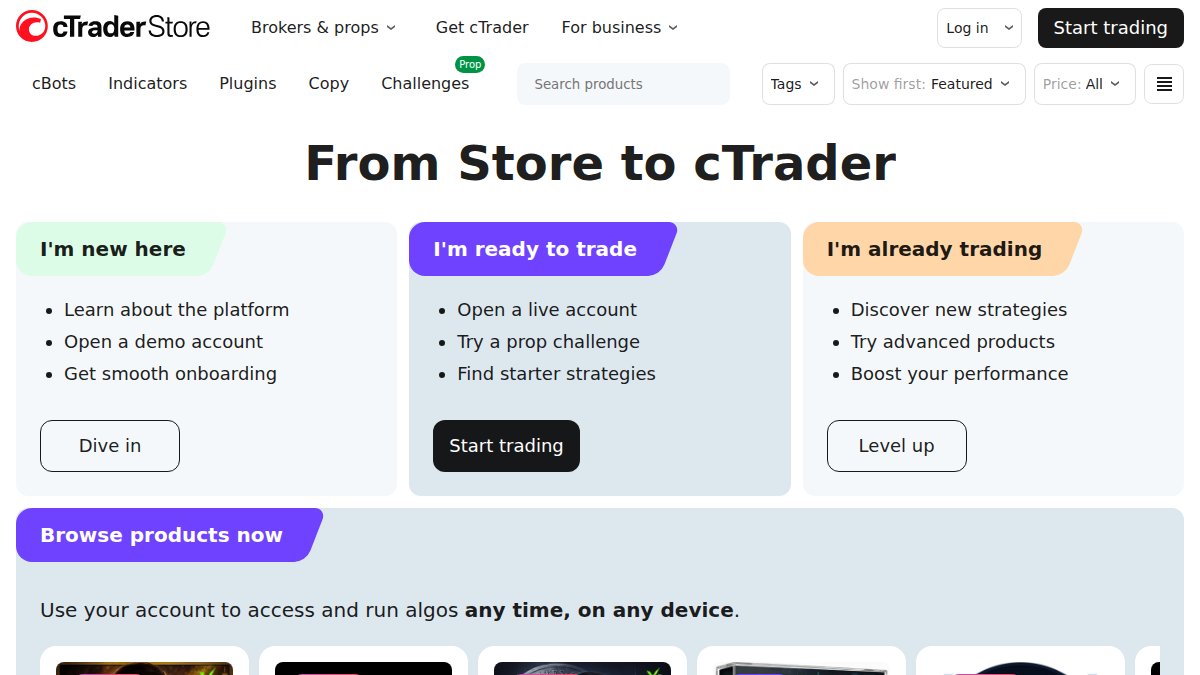
cTrader is the most direct MT5 alternative. Built specifically for ECN brokers, it offers execution transparency that MT5 cannot match.
Standout features:
- Advanced order types including VWAP, market depth display, and detachable order tickets
- cAlgo for algorithmic trading using C#, significantly more accessible than MQL5
- Built-in copy trading with transparent performance statistics
- 50+ timeframes and high-performance charting
Pros: Superior ECN execution, modern interface, transparent order routing
Cons: Steeper learning curve; broker availability narrower than MT5
cTrader is best for serious forex traders and scalpers who prioritize execution quality. The real difference comes down to transparency: cTrader shows you exactly how your orders are filled.
If you have existing automated strategies, cAlgo supports C# natively. Rebuilding Expert Advisors in C# typically takes less time than expected, and the result is more maintainable code.
TradingView: Superior Charting and Social Trading
TradingView’s strength is its community. The social trading layer, where traders publish ideas, annotated charts, and Pine Script strategies, creates a living knowledge base that no proprietary platform can replicate.

TradingView integrates directly with over 100 brokers for live order execution. Paid plans start at $15.50 per month.
Pros: Best-in-class charting, browser and mobile access, massive indicator library
Cons: Automated trading capabilities are limited compared to cTrader or NinjaTrader
TradingView is ideal if your primary workflow is analysis and discretionary trading. For pure automation, pair it with a dedicated execution platform.
NinjaTrader: Professional-Grade Backtesting
For active day traders who need to validate strategies before deploying real capital, NinjaTrader is the most capable platform. Its backtesting engine runs multi-threaded simulations with genetic optimization, and market replay lets you re-trade historical sessions tick by tick.
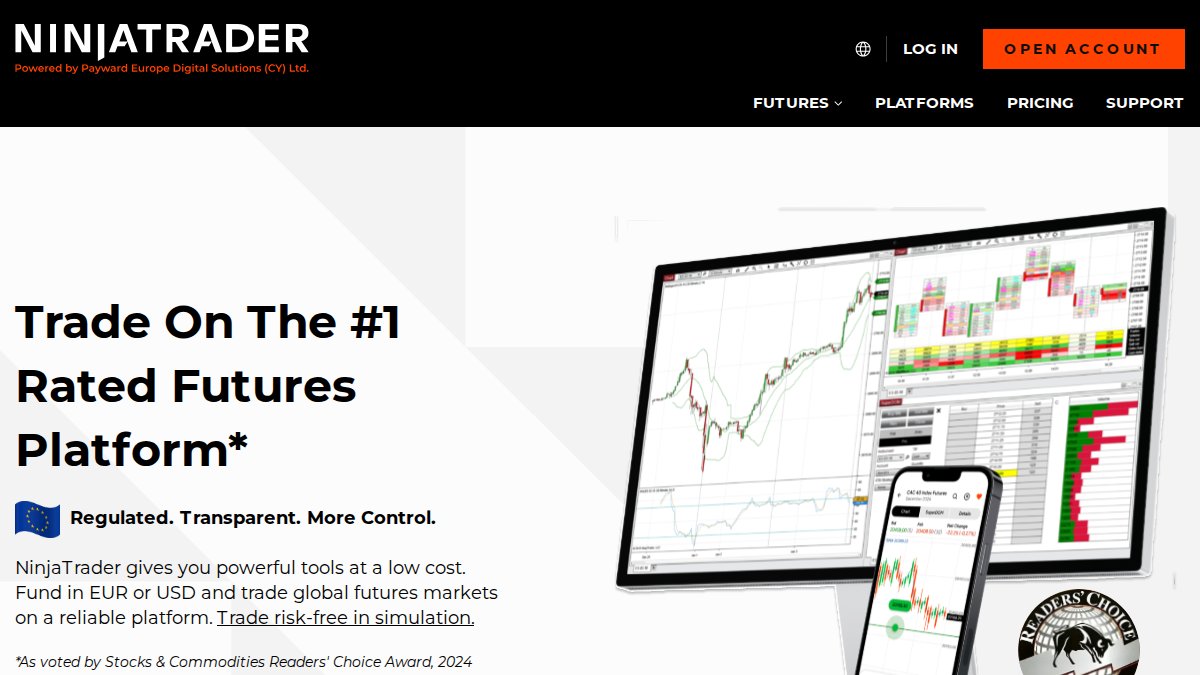
Pros: Highly customizable, excellent backtesting and simulation tools
Cons: Resource-intensive and complex for beginners
NinjaTrader’s freemium model gives you access to simulation and charting at no cost. Live trading requires a license.
TradeLocker: Modern Web-Based Alternative
TradeLocker competes on accessibility and design. The platform integrates TradingView charts natively, includes built-in risk management calculators, and works cleanly on any device.

Pros: Easy to use, excellent mobile and web experience, one-click trading
Cons: Fewer advanced algorithmic tools compared to legacy platforms
TradeLocker is gaining traction among prop firm operators who want a clean, modern interface without the complexity of MT5 or cTrader.
EZMT5: Pre-Built Systems and Instant Automation
EZMT5 gives traders instant access to 11 professional, fully built, and optimized MT5 Trading Systems and TradingView indicators. Rather than replacing the platform, it accelerates your ability to start trading immediately.
The core value is time-to-execution. Most traders spend weeks developing and testing Expert Advisors before going live. EZMT5 eliminates that entirely. Each system is pre-optimized for precise automated trading, and every subscription includes two license keys per system that can be changed at any time.
Key advantages:
- Instant unlimited access to 11 professional MT5 trading systems
- Real-time trade opportunities delivered through the systems
- All future trading systems included at no additional cost
- No contracts, cancel anytime
- Two license keys per system with flexible reassignment
Best for: Traders who want professional-grade automation without development overhead.
Best Forex Trading Platforms for Beginners
The best platforms for beginners prioritize a clean interface, educational resources, and forgiving risk management defaults:
- TradeLocker for web-first simplicity and built-in risk calculators
- TradingView for learning technical analysis in a community environment
- thinkorswim by Charles Schwab for comprehensive education alongside the platform
Thinkorswim offers a dedicated Forex Trader interface, paper trading for risk-free practice, and excellent educational resources. Verify forex availability in your region before committing.
The main risk is trading live capital before you understand your own edge. Any platform with a paper trading or demo mode should be your starting point.
For beginners, the best forex trading platform is the one that lets you practice with real market conditions before risking real money. Demo accounts on cTrader, NinjaTrader, and thinkorswim are functionally identical to live trading environments.
Platform Comparison: Features, Pricing & Use Cases

| Platform | Starting Price | Best For | Automated Trading | Free Tier |
|---|---|---|---|---|
| EZMT5 | Monthly subscription | Instant MT5 automation | Yes, pre-built systems | No |
| cTrader | Free (broker-dependent) | ECN execution, scalping | Yes, via cAlgo (C#) | Yes |
| TradingView | $15.50/month | Charting, social trading | Limited | Yes |
| NinjaTrader | Free (sim/charting) | Backtesting, day trading | Yes, advanced | Yes |
| TradeLocker | Free (broker-dependent) | Beginners, prop firms | Limited | Yes |
| thinkorswim | Free (with account) | Analysis, education | Yes, via thinkScript | Yes |
| MultiCharts | $97/month | Systematic strategy dev | Yes, portfolio-level | No |
| Quantower | $70/month | Order flow analysis | Yes | Yes |
The pricing landscape skews heavily toward broker-licensed free tiers. For standalone tools like EZMT5, MultiCharts, and Quantower, the subscription cost reflects direct platform value rather than broker subsidy.
Migration Guide: Switching from MT5 to Alternatives
Switching platforms involves migrating your indicators, strategy logic, historical data, and broker connectivity. Done methodically, it takes less than two weeks.
Step-by-step migration framework:
-
Audit your current MT5 setup. List every Expert Advisor, custom indicator, and script you actively use.
-
Identify platform equivalents. For each MQL5 tool, find the equivalent in your target platform. cAlgo (C#) handles most EA logic. Pine Script covers most indicators.
-
Set up a demo account on the target platform. Run parallel paper trades for two weeks minimum. Compare fill prices, execution speed, and slippage.
-
Migrate broker connectivity. Confirm your broker supports the new platform natively.
-
Transfer historical data. Most platforms accept CSV imports for backtesting history.
-
Go live with reduced position sizing. For the first month, trade at 50% of your normal size.
According to CFTC guidance on retail forex trading platforms and broker obligations, traders should verify that any new platform is supported by a regulated broker before transferring funds.
Regulatory Compliance and Prop Firm Compatibility
Prop firm compatibility has become a major selection criterion for retail traders seeking funded accounts. Most prop firms have specific platform requirements. TradeLocker has been explicitly adopted by several prop firms as their preferred platform due to its clean interface and built-in risk management tools aligned with funded account risk parameters.
cTrader is also gaining prop firm traction due to its transparent execution logs, which make drawdown auditing straightforward.
Key regulatory variables:
- Audit trail quality: Does the platform log every order, modification, and cancellation with timestamps?
- Kill-switch capability: Can the broker or risk manager halt all automated trading instantly?
- Segregated account reporting: Does the platform support required reporting formats?
According to ESMA guidelines on algorithmic trading and platform requirements for retail CFD brokers, European brokers operating CFD and forex products must ensure their platforms meet specific pre-trade and post-trade transparency requirements. cTrader and TradeLocker were designed with these requirements in mind.
If evaluating platforms for a prop firm funded account, ask the firm directly which platforms they support before doing any technical evaluation.
Conclusion: Choosing Your Next Forex Trading Platform
The right MT5 alternative depends on a clear-eyed assessment of what you actually need: execution quality, automation depth, charting capability, or compliance infrastructure. cTrader wins on ECN execution. TradingView wins on charting and community. NinjaTrader wins on backtesting. TradeLocker wins on simplicity and prop firm adoption.
For traders who want professional-grade automated trading without spending weeks building and testing systems, EZMT5 is the most direct solution. With instant access to 11 fully built and optimized MT5 trading systems and TradingView indicators, real-time trade opportunities, and a no-contract monthly subscription with two flexible license keys per system, you can start trading like a professional immediately after download. Signup Now at EZMT5 and begin trading with precision execution from day one.
Frequently Asked Questions
What are the main reasons traders switch from MT5 to other platforms?
Traders seek MT5 alternatives for several reasons: limited charting customization, slower execution for scalping, lack of native copy trading, restricted API access for algorithmic development, and regulatory restrictions affecting app store availability. Platforms like cTrader offer superior ECN execution, while TradingView provides better technical analysis tools. Some traders prefer modern web-based interfaces over legacy desktop terminals for improved user experience and mobile accessibility.
Is cTrader better than MT5 for forex trading?
cTrader vs MT5 comparison shows distinct strengths: cTrader excels in ECN execution, advanced order types (VWAP, market depth), and transparent pricing structures, ideal for scalpers and serious forex traders. MT5 offers broader asset coverage and stronger automated trading via Expert Advisors. For pure forex trading with emphasis on execution quality and low slippage, cTrader's ECN model typically outperforms MT5's market execution model. The choice depends on your trading style and broker availability.
What are the best forex trading platforms for beginners?
Best forex trading platforms for beginners include TradeLocker (intuitive web interface, one-click trading), TradingView (excellent charting with social learning), and thinkorswim (comprehensive education resources). These platforms prioritize user experience over complexity. EZMT5 also serves beginners well by offering pre-built, fully optimized trading systems that eliminate the need to code Expert Advisors, traders start automating trades immediately after download with professional-grade tools already configured.
Can I use MT5 alternatives for automated forex trading?
Yes, most MT5 alternatives support automated trading: cTrader uses cAlgo (C# programming), NinjaTrader supports custom strategies, and TradingView offers Pine Script. However, automation depth varies, desktop platforms like NinjaTrader and MultiCharts provide more granular control than web-based solutions. EZMT5 stands out by offering instant access to 11 fully built and optimized trading systems with real-time trade opportunities, eliminating the need for manual strategy development and allowing traders to automate immediately.
Which MT5 alternative has the best charting tools?
TradingView offers industry-leading interactive charts with 50+ timeframes, Pine Script customization, and seamless integration with 100+ brokers. NinjaTrader provides advanced market replay and order flow analysis. For forex-specific charting, cTrader delivers clean, modern visuals with 50+ timeframes. ProRealTime excels in technical analysis with ProScreener and ProBuilder. Your choice depends on whether you prioritize social collaboration (TradingView), order flow analysis (NinjaTrader), or execution transparency (cTrader).
This article was written using GrandRanker