

Table of Contents
- What Makes Professional MT5 Trading Tools Stand Out
- MT5 Expert Advisors Review: Automated Trading Systems That Deliver
- Best MT5 Indicators for Technical Analysis and Entry Signals
- MT5 Risk Management Tools: Position Sizing and Drawdown Control
- MT5 Strategy Tester: Backtesting and Performance Validation
- Security, Code Auditing, and Integration Workflows
- Paid vs. Free MT5 Tools: Cost-Benefit Analysis for Serious Traders
- Mobile vs. Desktop Compatibility: Trading Tools That Work Anywhere
Last Updated: July 31, 2026
When traders evaluate professional MT5 trading tools, they’re making a decision that directly impacts their ability to execute strategies with precision and consistency. A professional MT5 trading tools review cuts through the noise to focus on what separates systems that work in live markets from those that fail when real money is on the line. At EZMT5, we’ve spent years analyzing which tools deliver measurable results and and which ones create more friction than they solve.
The real problem most traders face isn’t a shortage of tools, it’s knowing which ones to trust with their capital. According to MetaTrader research on trading platform adoption, fewer than 15% of traders report confidence in the tools they’re using.
What Makes Professional MT5 Trading Tools Stand Out
Professional-grade MT5 trading tools share three defining characteristics: backtesting rigor across multiple market conditions, seamless integration into existing workflows, and risk management prioritized above everything else. Most traders chase perfect entry signals then bolt on risk management later. Professional tools invert that priority, the entry is secondary to the framework that protects capital when the entry is wrong.
The best professional MT5 trading tools are those you can backtest rigorously before deploying. If a tool doesn’t include backtesting capability or verifiable historical performance data, it hasn’t earned the “professional” label.
EZMT5 addresses this directly by providing fully built and optimized systems pre-tested across multiple market conditions. Two license keys per system allow traders to test on demo while running live on another account.
MT5 Expert Advisors Review: Automated Trading Systems That Deliver
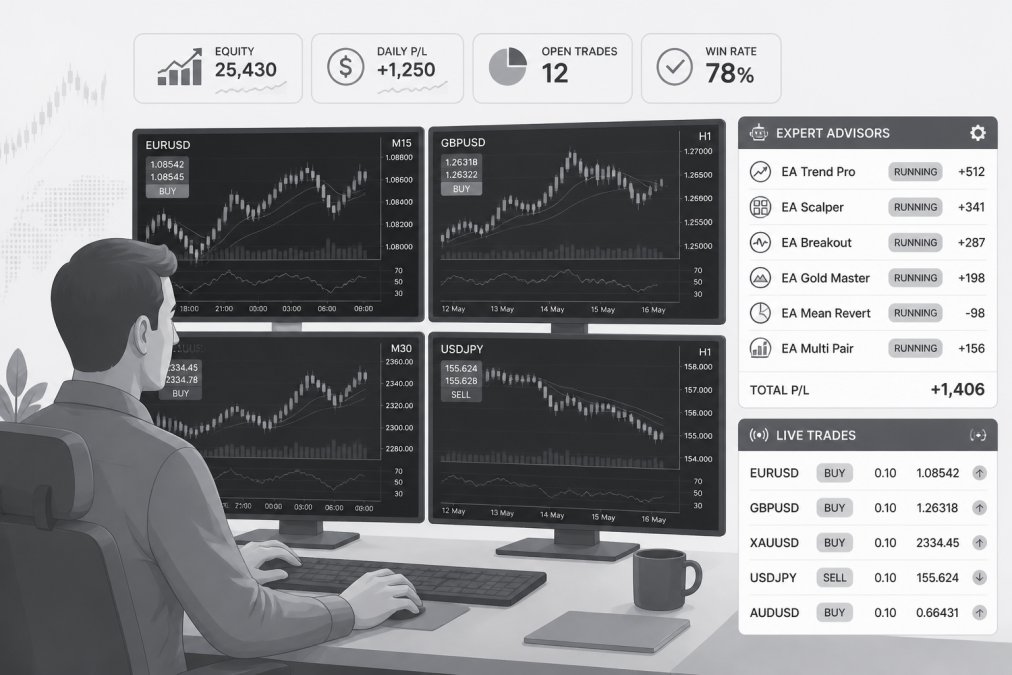
Expert advisors are the backbone of automated trading on MT5. An EA monitors price action, evaluates trading logic, and executes orders automatically 24 hours a day. The challenge is that most EAs are either over-optimized to historical data or so generic they lose money on most market conditions. Professional EAs use logic that adapts to current market regime rather than rigidly following a single rule set.
How Expert Advisors Execute Trades Automatically
An expert advisor works through a continuous loop: monitor → evaluate → execute. On every tick, the EA reads current market data, compares it against defined conditions, and places or closes trades when those conditions are met. Execution speed matters, a professional EA can enter a scalping trade in milliseconds, while a human trader using the same signal might take 3-5 seconds, which on volatile assets can mean the difference between a profitable entry and a losing one.
What separates professional EAs from amateur ones is how they handle edge cases: overnight gaps, broker disconnections, and regime changes. Professional EAs have explicit logic for these scenarios.
EAs that promise “set and forget” without requiring any monitoring are red flags. Markets change regime. Even the best EA needs periodic review and adjustment.
Key Evaluation Criteria for Expert Advisors
When reviewing an expert advisor, focus on four measurable dimensions: backtesting depth, live performance consistency, drawdown control, and code transparency.
Backtesting depth means the EA has been tested across at least 5-10 years of historical data across multiple market conditions. Live performance consistency requires the EA’s live performance to match backtest results within 10-15%. Drawdown control tells you how much capital the EA can lose, professional traders prioritize systems with drawdown under 25%. Code transparency means you can read the source code and understand the logic rather than trusting a compiled black box.
Best MT5 Indicators for Technical Analysis and Entry Signals
Indicators are the sensors of your trading system. The trap is indicator overload, most beginner traders stack 8-12 indicators on a single chart, creating conflicting signals. Professional traders typically use 2-3 core indicators plus price action confirmation.
Indicator Categories That Professional Traders Rely On
Trend indicators (moving averages, ADX, Ichimoku) answer: "Which direction is the market moving?" Momentum indicators (RSI, MACD, Stochastic) answer: "Is this move strong or weakening?" Volatility indicators (Bollinger Bands, ATR) answer: "How much is price moving right now?" and inform position sizing. Volume indicators (On-Balance Volume) answer: "Is this move backed by conviction?"
Professional traders combine these categories in specific ways. A common pattern: enter on a trend indicator signal, confirm with momentum, size position based on volatility, and exit when momentum diverges from price.
Master 2-3 indicators deeply rather than learning 10 superficially. The [best MT5 indicators](/best-mt5-indicators-for-beginners/) are those that consistently answer the same question across multiple market conditions.
MT5 Risk Management Tools: Position Sizing and Drawdown Control
Risk management is where amateur traders and professionals diverge most sharply. Amateurs focus on entry signals. Professionals focus on how much capital to risk on each trade and how to protect against catastrophic drawdowns.
Position sizing is the lever that controls risk. A professional position sizing tool calculates the exact number of lots or shares to trade based on account size, risk percentage per trade, entry price, stop loss price, and current market volatility.
Building a Risk Framework Into Your Trading Setup
Start with a fixed risk percentage per trade, most professionals use 1-2%. This means if your account is $10,000, you risk $100-200 per trade maximum. Next, calculate position size based on your entry and stop loss. Then implement a maximum daily loss limit, many professionals stop trading once they’ve lost 2-3% of account capital in a single day. Finally, track your drawdown continuously and set a maximum acceptable drawdown of 20-25%.
MT5 Strategy Tester: Backtesting and Performance Validation
The MT5 strategy tester is built into the platform, but most traders use it wrong. They backtest for 2-3 months, see positive results, and go live. Then the strategy fails. The issue is almost always insufficient backtesting depth or over-optimization.
Professional backtesting requires testing across at least 10 years of historical data across multiple market regimes: bull markets, bear markets, choppy sideways markets, and high-volatility crash environments.
From Backtest Results to Live Trading Confidence
When you run a backtest, examine: profit factor (above 2.0 is strong), Sharpe ratio (above 1.0 is respectable), maximum drawdown, recovery factor (above 2.0 is good), and win rate. Counterintuitively, win rate is often the least important metric, a strategy with 40% win rate but large average winners can outperform a strategy with 70% win rate but small average winners.
The critical step most traders skip: forward testing. After backtesting, run your strategy on recent data (the last 3-6 months) that wasn’t included in the backtest. If live performance matches backtest results within 10-15%, you have confidence.
Security, Code Auditing, and Integration Workflows
Before deploying any EA or custom script to a live account, security and code quality matter as much as performance.
Vetting Tools Before Live Deployment
An EA is essentially a program running on your trading account. Vetting requires three steps. First, check the source, reputable developers with long track records and public reviews are positive signals. Second, review the code if possible. Look for red flags: does it attempt to access files outside the MT5 folder? Does it send data to external servers? Third, test on a demo account for at least 2-4 weeks before going live.
Never deploy an EA to a live account without first testing it on demo. The EA might work perfectly in backtests but have bugs in live execution due to differences in broker feeds, latency, or order handling.
Integrating Professional Tools Into Your Existing Setup
Start by documenting your current setup: what indicators are you using, what timeframes, what’s your current win rate and drawdown? Add new tools incrementally, don’t replace your entire system at once. Finally, consider tool compatibility to avoid conflicts.
Paid vs. Free MT5 Tools: Cost-Benefit Analysis for Serious Traders
The MT5 ecosystem includes thousands of free tools and thousands of paid tools. The question isn’t whether free or paid is better, it’s whether a specific tool’s cost is justified by the improvement it generates.
When Subscription Models Make Financial Sense
Subscription models for MT5 tools are increasingly common. A subscription tool that costs $50 per month is $600 per year. If the tool generates an extra $200 per month in trading profits, it pays for itself within 3 months. Professional traders evaluate subscription tools by asking: "What is the minimum monthly improvement this tool needs to generate to justify its cost?"
EZMT5 operates on a subscription model with a key difference: the service includes 11 fully built and optimized trading systems plus all future systems, with two license keys per system that can be changed anytime. This model makes sense for traders who want immediate access to multiple pre-tested strategies without spending months building and optimizing their own. The no-contract structure means if the systems don’t work for your trading style, you can cancel without penalty.
| Tool Type | Best For | Key Consideration |
|---|---|---|
| Free indicators | Testing concepts, learning | Often outdated or poorly maintained |
| Paid indicators | Specific technical analysis | Limited ongoing support |
| Free EAs | Hobby trading, experimentation | High risk of poor code quality |
| Paid EAs | Single strategy deployment | Backtest results may not match live performance |
| Subscription suites | Professional traders needing multiple systems | Ongoing cost requires consistent profitability to justify |
Mobile vs. Desktop Compatibility: Trading Tools That Work Anywhere
MT5 has mobile apps for iOS and Android, but not all MT5 tools work equally well on mobile. Desktop tools (indicators, EAs, scripts) run only on the MT5 desktop terminal. Mobile-compatible tools are limited to viewing charts, placing manual trades, and using push notifications for price alerts.
Professional traders solve this with a hybrid approach: run EAs on a desktop terminal (or VPS) that stays on 24/7, and use the mobile app for monitoring and manual adjustments when away from their desk.
Professional MT5 trading tools separate traders who consistently profit from those who struggle with inconsistency. The difference isn’t the tools themselves, it’s how they’re integrated into a complete system that prioritizes risk management, backtesting rigor, and continuous improvement. EZMT5 simplifies this process by providing 11 fully optimized systems, real-time trade opportunities, and the flexibility to adjust deployments without locked-in contracts. Whether you’re automating execution with expert advisors, refining entries with professional indicators, or managing risk with position sizing tools, the key is choosing systems you’ve tested thoroughly and can trust with real capital. Start with EZMT5 and begin trading with the precision and automation that separates professional traders from the rest.
Frequently Asked Questions
What's the real difference between free MT5 tools and professional paid systems?
Free MT5 tools often provide basic technical indicators and limited customization, while professional systems offer fully built expert advisors, advanced risk management features, and ongoing optimization. Paid professional tools typically include backtesting data, real-time trade signals, and support for multiple strategies. The key trade-off is functionality depth and reliability, free tools may lack the execution speed, drawdown control, and strategy optimization that serious traders need for consistent results.
How do I know if a professional MT5 trading tool will work in live market conditions?
Backtesting through MT5's strategy tester provides historical performance data, but live trading introduces slippage, latency, and real market volatility that backtests don't fully capture. Look for tools with documented profit factors, reasonable drawdown limits, and transparent performance metrics across different market conditions. Test with small position sizes first, monitor trade execution quality, and verify that the tool's entry and exit signals remain consistent during volatile periods. Real-world performance validation takes time, avoid tools promising guaranteed results.
Can I use multiple professional MT5 trading systems on the same account simultaneously?
Yes, but it requires careful position sizing and risk management. Running multiple expert advisors on one account can amplify drawdown if they trade the same instruments or correlate during market stress. Use your MT5 risk management tools to calculate combined margin requirements and maximum allowable drawdown across all systems. Many professional traders use separate accounts for different strategies or limit each system to specific currency pairs (like XAUUSD for one EA, major pairs for another) to isolate risk and monitor performance independently.
How often should I expect new professional MT5 trading systems if I subscribe to a service?
Release frequency varies significantly by provider. Some services add systems quarterly, others monthly or less frequently. Before committing to a subscription, ask about the provider's typical release schedule and whether new systems are tested thoroughly before release or rushed to justify the subscription cost. Quality matters more than quantity, one well-optimized system beats five mediocre ones. Evaluate the provider's track record on strategy optimization and whether they retire underperforming systems or continuously add them.
What security concerns should I have when using third-party MT5 expert advisors and indicators?
Third-party code can pose risks if it's not audited or transparent. Before deploying any expert advisor or indicator, verify the source's credibility, check whether the code is open-source (allowing you to review it), and test in a demo account first. Avoid tools that require unusual broker permissions or request sensitive account information. Use MT5's built-in alerts and trade logs to monitor execution behavior. If possible, request a code review or audit report from the provider, and only use tools from established providers with documented trading history.
This article was written using GrandRanker