

Table of Contents
- What to Look for Before You Buy MT5 Expert Advisors
- Top MT5 Expert Advisors to Buy in 2026: Compared
- How to Test MT5 Expert Advisors Before Going Live
- Understanding Forex Robot Backtesting Results
- MT5 Automated Trading Risks Every Buyer Must Understand
- How to Install an Expert Advisor on MT5: Step-by-Step
- Custom EA Development vs. Buying a Ready-Made System
- Conclusion: Which MT5 Expert Advisor Is Right for You?
Last Updated: May 13, 2026
Deciding to buy MT5 expert advisors is one of the most consequential choices an algorithmic trader makes, and most people get it wrong on the first attempt. This guide from EZMT5 covers everything you need to evaluate, test, and deploy MT5 expert advisors safely in 2026, from security audits to backtesting interpretation to post-purchase optimization. The market for automated trading systems has expanded significantly, but so has the volume of poorly built, over-optimized, or outright fraudulent robots. Below, we’ll show you exactly how to separate professional-grade systems from the noise, which platforms deserve your money, and how to protect your capital once you go live.
An MT5 expert advisor is a program written in MQL5 that runs directly inside the MetaTrader 5 trading platform, executing trades automatically based on predefined rules, technical analysis signals, or algorithmic logic without manual intervention. Unlike manual trading, EAs operate around the clock, react to market behavior in milliseconds, and can manage complex order types across multi-asset portfolios simultaneously.
The thing nobody tells you when you first explore automated trading: the EA itself is rarely the weakest link. Risk management settings, account type mismatches, and poor VPS configuration cause far more live trading failures than the underlying algorithm.
What to Look for Before You Buy MT5 Expert Advisors
Most buyers focus entirely on the wrong thing. They look at a backtest equity curve, see a smooth upward line, and click purchase. That’s backwards. The pre-purchase evaluation process determines whether you’re buying a professional algorithmic trading tool or an expensive lesson.
Security and Malware Audits: A Step Most Buyers Skip
Compiled MQL5 .ex5 files are executable code. They run with full access to your MetaTrader 5 terminal, including your broker credentials and account data. Skipping a security review before installing any expert advisor is a genuine risk, not a theoretical one.
Before installing any EA from an unfamiliar source:
- Run the
.ex5file through a sandbox environment or use a dedicated VPS with no sensitive data stored - Check whether the seller provides source code or a verifiable MQL5 marketplace listing
- Verify the publisher’s reputation through community forums and Myfxbook-verified live results
- Never install EAs from anonymous Telegram channels or unverified file-sharing links
According to cybersecurity guidance for trading software from CISA, executable files from unverified sources represent a persistent threat vector for credential theft. The same principle applies directly to trading robots.
Installing an unverified EA on your primary trading terminal is the equivalent of running unknown software on a machine with your bank login saved. Always test new expert advisors on a demo account on a separate VPS first.
License Flexibility, Subscription Terms, and Hidden Costs
Pricing models for MT5 expert advisors vary enormously. Some vendors charge a one-time fee but lock the license to a single account number, making broker changes or account resets painful. Others use subscription models with automatic renewals, usage caps, or per-system charges that compound quickly.
Questions to ask before purchasing:
- How many license keys are included, and can they be reassigned to different accounts?
- Is there a contract period, or can you cancel monthly?
- Are future updates and new systems included, or charged separately?
- What happens to your license if the vendor discontinues the product?
These aren’t edge cases. They’re common situations that traders encounter within the first three months of live trading.
Top MT5 Expert Advisors to Buy in 2026: Compared
The current market for automated trading systems splits into three broad categories: curated subscription platforms, open marketplaces, and social copy-trading networks. Each has a distinct risk profile and suits different trader types.

| Platform | Systems Included | License Flexibility | Contract | Best For |
|---|---|---|---|---|
| EZMT5 | 11 + all future systems | 2 keys per system, changeable anytime | No contract, monthly | Serious traders wanting full automation |
| MQL5 Marketplace | Thousands (variable quality) | Per-product licensing | Varies by seller | Traders who want maximum selection |
| ZuluTrade | Signal-based copy trading | N/A (copy trading) | No contract | Beginners preferring passive following |
EZMT5: Unlimited Access to 11 Professional Trading Systems
EZMT5 is the top pick for traders who want professional-grade automated trading without the complexity of vetting individual systems or negotiating licensing terms. The platform provides instant, unlimited access to 11 fully built and optimized MT5 trading systems and TradingView indicators, and every future system released is included automatically at no additional cost.
What separates EZMT5 from the typical marketplace model is the licensing structure. Each system comes with two license keys that can be reassigned to different accounts at any time. For traders who switch brokers, run multiple accounts, or test across prop firm challenges, this flexibility is genuinely valuable. There are no contracts and no lock-in periods: the subscription runs monthly and can be cancelled at any time.
The systems are designed for immediate deployment. After download, traders receive real-time trade opportunities and can automate execution with precision entries and exits from day one. This matters because the most common failure point for new automated traders isn’t the strategy, it’s the setup delay and configuration errors that occur when working with systems that require extensive manual tuning.
Pros:
- Unlimited access to all current and future systems under one subscription
- Two reassignable license keys per system
- No contract, cancel anytime
- Immediate deployment with real-time trade signals
Cons:
- Systems are pre-built rather than customizable at the code level
- Traders who want full source code access will need to look elsewhere
If you’re running a prop firm challenge, EZMT5’s two-key system means you can simultaneously run the EA on your challenge account and your personal live account without purchasing additional licenses.
MQL5 Marketplace: Largest Selection, Highest Variability
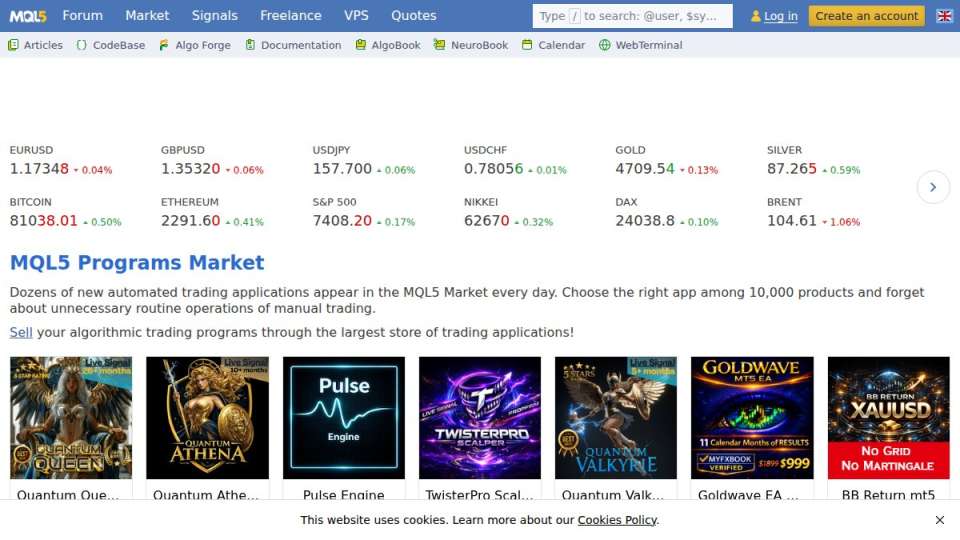
The MQL5 Marketplace hosts thousands of expert advisors across every conceivable strategy: scalping, hedging, trend-following, Gold (XAUUSD) specialists, ONNX neural network models, and more. The selection depth is unmatched. The quality control is not.
A common mistake buyers make on the marketplace is treating rental price as a proxy for quality. Some of the most aggressively marketed EAs with the highest rental fees have the worst verified live trading records. Conversely, genuinely solid systems sometimes sit with minimal reviews because the developer doesn’t invest in marketing.
The due diligence process for marketplace purchases should include:
- Checking for independently verified Myfxbook or FX Blue live accounts (not just backtests)
- Reading the "Comments" tab, not just the description
- Reviewing the drawdown profile across different market conditions
- Confirming the EA handles both hedging and netting account types if you trade on multiple brokers
ZuluTrade and Social Copy-Trading Alternatives
ZuluTrade operates on a fundamentally different model. Rather than running an expert advisor locally on your MetaTrader 5 terminal, you follow signal providers whose trades are copied to your account automatically. This removes the VPS requirement and simplifies the technical setup, but it introduces its own risks.
Signal provider performance on copy-trading platforms is notoriously inconsistent. A provider with a strong six-month track record can blow up in week seven. The economic calendar sensitivity of many signal providers is also poorly disclosed, meaning you may find your account taking large positions around high-impact news events without warning.
Copy trading suits traders who want passive exposure to Forex markets without managing EA configuration. For anyone serious about algorithmic trading with full control over execution, a locally-run MT5 expert advisor on a dedicated VPS remains the more reliable path.
How to Test MT5 Expert Advisors Before Going Live
Testing MT5 expert advisors before committing real capital is not optional. It’s the difference between a controlled deployment and an expensive surprise.
The standard testing sequence runs in three stages:
- Strategy Tester backtesting – Run the EA through historical data using MetaTrader 5’s built-in Strategy Tester. Use tick data for accuracy, set realistic spread and commission values, and test across at least 12 months of data including volatile periods.
- Demo account forward testing – Run the EA on a live demo account for a minimum of four to six weeks. Backtests can’t replicate slippage, requotes, or weekend gap behavior accurately.
- Micro-lot live testing – Before scaling, run the EA with minimum position sizes on a live account for two to four weeks. This confirms broker compatibility, VPS latency, and order execution behavior under real conditions.
A common mistake is skipping straight from backtest to live trading at full size. Even a well-designed expert advisor can behave differently across brokers due to differences in order execution, depth of market, and server-side latency.
Forward testing on a demo account is the single most underused step in EA evaluation. Four weeks of forward data is worth more than five years of backtested results when assessing whether an EA will perform in current market conditions.
Understanding Forex Robot Backtesting Results
Backtesting results are the most misread data in automated trading. The equity curve looks clean, the profitability numbers are strong, and the drawdown seems manageable. Here’s what most guides miss: those results were generated on the same data the EA was likely optimized against.
Key Metrics: Drawdown, Profitability, and Myfxbook Verification
Drawdown is the peak-to-trough decline in account equity during a specific period. Maximum drawdown tells you the worst historical loss the system experienced. A drawdown figure without context is nearly meaningless: a 20% drawdown on a system with a 60% annual return is a different risk profile than a 20% drawdown on a system returning 15%.
Profitability in backtesting should be evaluated as profit factor (gross profit divided by gross loss) rather than absolute return. A profit factor above 1.5 across multiple test periods suggests the strategy has genuine edge. Below 1.2, the margin for real-world execution degradation is thin.
Myfxbook verification is the closest thing to an independent audit available to retail traders. A Myfxbook-verified live account connected directly to a broker confirms that the results shown are real, not fabricated. According to Myfxbook’s methodology for verified trading accounts, verified accounts require direct broker data feed connections that cannot be manually edited.
Always ask sellers for a Myfxbook verified live account link, not a screenshot. Screenshots prove nothing.
MT5 Automated Trading Risks Every Buyer Must Understand
Automated trading removes emotional decision-making from execution, but it introduces a different category of risk that manual traders rarely encounter. Understanding these risks before you buy MT5 expert advisors is essential for capital preservation.
Prop Firm Rules, Hedging vs. Netting Accounts, and Regulatory Considerations
Prop firm compatibility is a major practical consideration in 2026. Many funded account providers restrict or prohibit specific EA behaviors: high-frequency scalping, news trading, grid strategies, and hedging positions. Before running any expert advisor on a prop firm challenge account, verify that the EA’s trading style complies with the firm’s rules in writing, not just in the EA’s marketing description.
The hedging vs. netting account distinction matters at the execution level. MetaTrader 5 supports both account types, but not all EAs handle both correctly. A hedging account allows simultaneous long and short positions on the same instrument. A netting account consolidates them. An EA designed for hedging accounts running on a netting account may generate unexpected position sizes or fail to execute intended risk management logic.
On the regulatory side, automated trading in Forex markets is subject to the rules of the jurisdiction where your broker operates. As noted in FCA guidance on algorithmic trading for retail clients, retail traders using automated systems remain responsible for the trading activity generated by those systems, regardless of whether a human placed the orders manually. This has tax and compliance implications that vary significantly by country.
How to Install an Expert Advisor on MT5: Step-by-Step
Installing an expert advisor on MetaTrader 5 takes under five minutes once you know the correct file paths. The process is the same whether you’re on a Windows desktop or a VPS.
Total Time: 5-10 minutes
What You’ll Need: MetaTrader 5 terminal installed, the EA’s .ex5 file, and any required set files provided by the vendor.
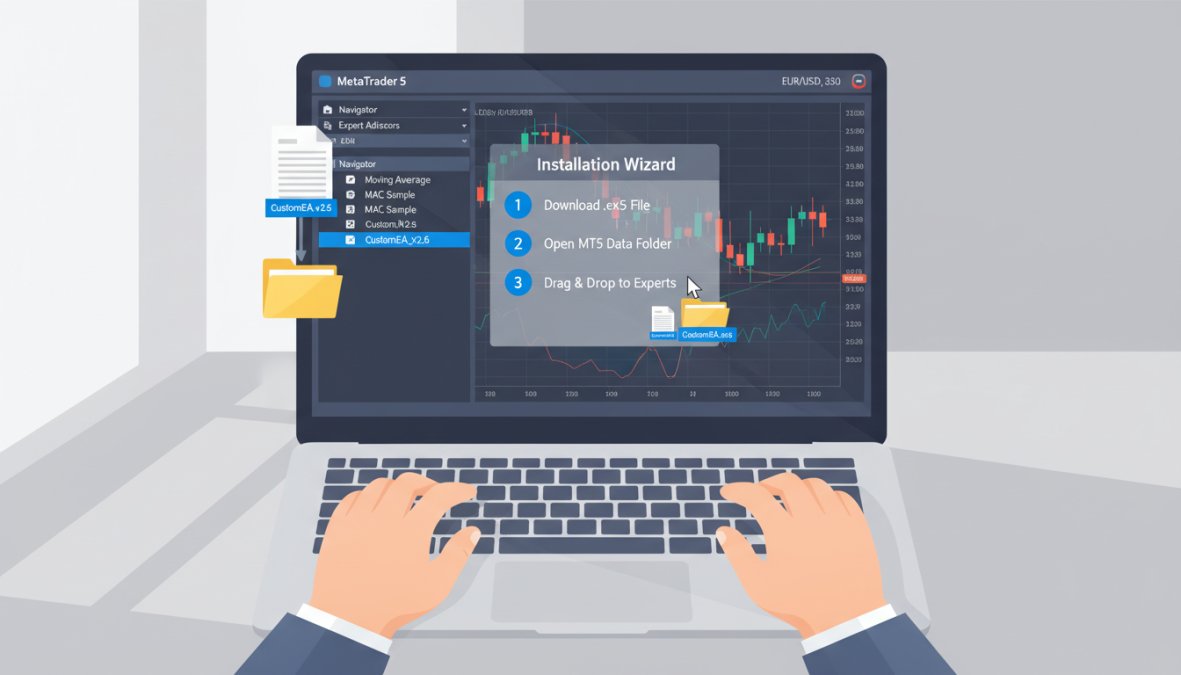
Step 1: Open the MT5 Data Folder [Time: 1 minute]
In MetaTrader 5, go to File > Open Data Folder. This opens the directory where the terminal stores all its files.
Step 2: Navigate to the Experts Folder [Time: 1 minute]
Inside the data folder, open MQL5 > Experts. This is where all expert advisor files must be placed.
Step 3: Copy the EA File [Time: 1 minute]
Copy your .ex5 file into the Experts folder. If the vendor provided custom indicators, place those in MQL5 > Indicators.
Step 4: Refresh the Navigator [Time: 1 minute]
In MetaTrader 5, right-click the Expert Advisors section in the Navigator panel and select Refresh. Your EA should now appear.
Step 5: Attach to Chart and Configure [Time: 3-5 minutes]
Drag the EA onto the chart for your target instrument. In the configuration window, load the vendor’s set file if provided, enable "Allow automated trading," and confirm live trading is active in the toolbar.
Expected Result: The EA’s name and a smiley face icon appear in the top-right corner of the chart, confirming it’s running correctly.
Always load the vendor’s set files rather than using default parameters. Default settings are rarely optimized for current market behavior and are often included only as a starting point.
Custom EA Development vs. Buying a Ready-Made System
Here’s a genuine tension that most buyers don’t think through before committing: custom EA development gives you complete control and full source code ownership, but it costs significantly more in time and money, and the outcome is uncertain. Buying a ready-made system gives you immediate deployment capability, but you’re dependent on the vendor for updates and support.
Custom development makes sense when your trading strategy is genuinely unique, when you need integration with proprietary data sources, or when you’re building for institutional-grade scale. Expect development timelines of weeks to months for a properly tested system, and budget for ongoing maintenance as market behavior evolves.
Ready-made systems are the better choice for the majority of retail and semi-professional traders. The key is choosing a provider whose systems are actively maintained and updated. A static EA built for 2022 market conditions may underperform significantly in 2026’s different volatility environment.
The middle path, which many experienced traders use, is to buy a professionally built system and work with the vendor to adjust parameters through set files rather than modifying the underlying code. This captures most of the customization benefit without the development cost.
As documented in MetaQuotes developer resources for MQL5 expert advisor creation, building a production-ready EA requires proficiency in MQL5, understanding of order management, error handling, and broker-specific execution nuances. For most traders, the opportunity cost of learning all of this exceeds the cost of purchasing a proven system.
Conclusion: Which MT5 Expert Advisor Is Right for You?
Choosing where to buy MT5 expert advisors comes down to three factors: how much control you want over the system, how quickly you need to deploy, and what your ongoing cost tolerance is. For traders who want professional systems without the friction of marketplace vetting or the cost of custom development, a curated subscription platform is the most practical path.
The biggest challenge most traders face isn’t finding an expert advisor. It’s finding one that’s professionally built, actively maintained, and flexible enough to adapt to their trading setup. EZMT5 solves this directly: unlimited access to 11 optimized MT5 trading systems and all future systems, two reassignable license keys per system, real-time trade opportunities, and a no-contract monthly subscription that you can cancel at any time. Get started with EZMT5 and begin trading with professional-grade automation from day one.
Frequently Asked Questions
Are MT5 expert advisors worth buying?
MT5 expert advisors can be worth buying if you choose a verified, well-documented system with transparent backtesting results and live trading history. They automate trade execution, remove emotional decision-making, and can run 24 hours on a VPS. However, no EA guarantees profit. The value depends heavily on your risk management settings, the market conditions the EA was designed for, and whether you take time to test it properly before committing real capital.
How do I know if an MT5 expert advisor is legitimate?
Look for verified live trading results on platforms like Myfxbook rather than relying solely on backtesting screenshots. Legitimate EAs provide clear documentation, an installation manual, and set files. Check whether the vendor offers a trial period or demo mode. Before you buy MT5 expert advisors, scan the downloaded MQL5 files with antivirus software and confirm the vendor has transparent licensing terms with no hidden auto-renewal clauses.
What should I check in forex robot backtesting results before purchasing?
Focus on maximum drawdown, net profitability, the number of trades sampled, and the date range tested. A forex robot backtesting result covering only a bull market period is misleading. Check whether the backtest uses 99% tick data quality and realistic spread settings. Also verify the EA was not curve-fitted to past data by looking for consistent performance across multiple currency pairs or assets like Gold (XAUUSD), not just one optimized instrument.
How do I install an expert advisor on MT5?
To install an expert advisor on MT5, open the platform and go to File > Open Data Folder, then navigate to MQL5 > Experts and paste your EA file there. Restart MetaTrader 5, open the Navigator panel, and drag the EA onto your chosen chart. In the EA settings window, enable 'Allow Automated Trading' and configure your risk management parameters. Always test on a demo account first using the built-in Strategy Tester before switching to live trading.
Is buying an EA better than custom MQL5 development?
Buying a ready-made expert advisor is faster and lower cost upfront, making it ideal for traders who want to start automated trading immediately without coding knowledge. Custom MQL5 development gives you a proprietary algorithmic trading system tailored to your exact strategy, but costs more and takes weeks or months. For most retail traders, a well-vetted subscription-based EA with flexible licensing and ongoing updates offers the best balance of speed, cost, and performance.
This article was written using GrandRanker