

Table of Contents
- What Is MT5 for Options Trading Explained
- Understanding Options CFDs vs Traditional Options on MT5
- MT5 Options Board Explained: Access and Navigation
- Best MT5 Brokers for Options Trading and Setup
- Automated Options Trading MT5: Execution and Strategy Analysis
- Risk Management and Hedging Strategies in MT5 Options
- MT5 vs Dedicated Options Platforms: When to Choose Each
- Troubleshooting Missing Options and Common Setup Issues
MT5 for Options Trading Explained: A Complete Guide
Last Updated: July 2, 2026
MetaTrader 5 (MT5) has become one of the most accessible platforms for traders seeking to expand into options trading. This guide walks you through how to access options trading on MT5, what makes it different from dedicated options platforms, and how to execute your first trade with confidence.
What Is MT5 for Options Trading Explained
MetaTrader 5 serves as a multi-asset trading terminal that handles stocks, commodities, forex, and options contracts through a single interface. Unlike MT4, which was designed primarily for forex, MT5 introduced the Options Board, a dedicated feature that displays available options contracts with their strike prices, expiration dates, and market data in real time.
MT5 doesn’t create options contracts itself; it connects you to your broker’s liquidity and market data. Your broker determines which options are available, which exchanges they trade on, and what the contract specifications are. Two traders using MT5 with different brokers may see entirely different options available.
Options trading on MT5 works through the Market Watch window (displaying available symbols), the Options Board (showing strike prices and open interest), and the Order Entry system (executing buy and sell commands). Many traders find this integrated approach efficient because they can analyze stocks and options charts using the same technical analysis tools, then execute from a single terminal.
The most overlooked fact about MT5 options trading: the platform itself doesn’t determine what’s available. Your broker’s symbol settings and exchange partnerships do. If your broker doesn’t list options in your Market Watch, contact your broker to confirm they support options on your account type.
Understanding Options CFDs vs Traditional Options on MT5
MetaTrader 5 can handle both traditional options and options-like contracts called CFDs (contracts for difference) on options. The difference matters for your trading strategy, risk profile, and cost structure.
Traditional options give you the right, but not the obligation, to buy or sell an underlying asset at a specific price (strike price) by a specific date (expiration). When you buy a call option on a stock, you control 100 shares with a defined maximum loss (the premium you paid). Traditional options have intrinsic value based on how far in or out of the money they are, and they decay in time value as expiration approaches.
Options CFDs are bets on how an option’s price will move. You’re not buying the option contract itself; you’re betting on its price movement. This means your losses can exceed your initial deposit. Options CFDs typically offer tighter spreads and lower commissions than traditional options, but they’re riskier for inexperienced traders.
On MT5, your broker decides which type you get access to. Some brokers offer traditional options through connected exchanges; others offer options CFDs as proprietary products. The contract specifications window in MT5 will show whether you’re looking at traditional options (with an expiration date and fixed contract size) or CFDs (with variable availability and size).
Traditional options have defined maximum loss but unlimited profit potential on short calls and puts. Options CFDs have theoretically unlimited loss on both sides if you don’t manage your position.
MT5 Options Board Explained: Access and Navigation
The Options Board is your visual gateway to understanding what contracts are available and at what prices. To access it, ensure your broker has enabled options trading on your account and that you’ve added at least one options symbol to your Market Watch.
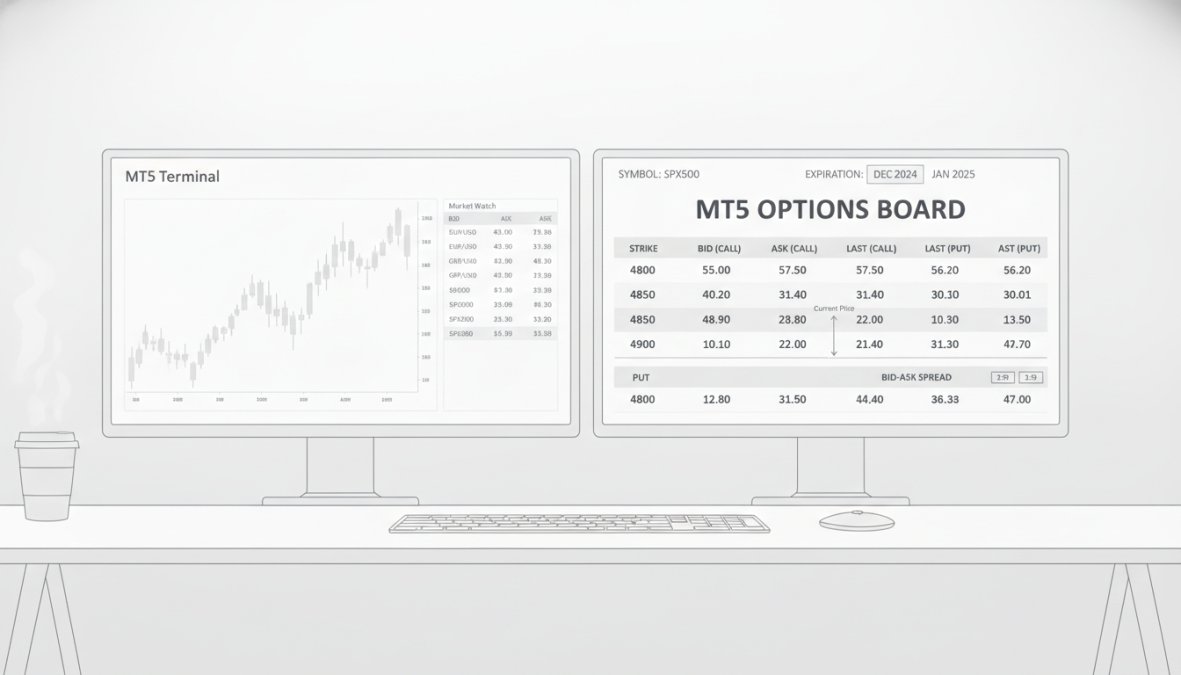
Here’s the step-by-step access process:
- Open your MetaTrader 5 terminal and confirm you’re logged in with an account that supports options.
- Right-click on any symbol in Market Watch and select "Symbols" or use View → Market Watch → Symbols.
- Search for options contracts by typing the underlying asset name (e.g., "AAPL" for Apple options).
- Look for symbols ending in "C" (calls) or "P" (puts) followed by the strike price and expiration date.
- Double-click the contract to add it to your Market Watch.
- Right-click the symbol and select "Options Board" or use View → Options Board from the menu.
The Options Board displays the Strike Price (exercise price), Bid and Ask columns (current market prices), Open Interest (number of contracts held; higher means better liquidity), and Expiration date. A wide bid-ask spread signals low liquidity and higher execution costs. A call option with a strike price of $150 and the stock trading at $155 is in-the-money by $5.
Many traders misread the expiration date and execute positions in contracts expiring in days instead of weeks. Always verify the full contract symbol and expiration date before clicking the buy button. Options expire worthless on their expiration date if they’re out of the money, and your entire premium is lost.
Best MT5 Brokers for Options Trading and Setup
Not all brokers offering MT5 provide options trading, and those that do often have specific account types or minimum deposits that unlock the feature. Fewer than 30% of MT5 brokers globally offer options trading.
For traditional options access, brokers like Interactive Brokers and Saxo Bank connect MT5 to US equity options exchanges. Your setup involves opening an account, funding it (often with minimum deposits of $2,000-$10,000 for options approval), and requesting options trading permission.
For options CFDs, brokers like Deriv enable options directly without exchange partnerships. The setup is simpler, options are usually enabled by default, but the contracts themselves are broker-provided CFDs, not exchange-traded options.
The critical step most traders miss is checking the Symbol Settings in your terminal. Go to Tools → Options → Symbol Settings and verify that options symbols are listed there. If the list is empty, your broker hasn’t enabled options on your account. Contact their support team and request options trading activation.
The fastest way to determine if your broker supports options: search for any option symbol (like “AAPL23C150”) in your Market Watch. If it appears with current bid-ask prices, you’re ready. If you get a “symbol not found” error, your broker doesn’t support options or hasn’t enabled them for your account type.
Automated Options Trading MT5: Execution and Strategy Analysis
Once you have options access, many traders want to automate their trading using Expert Advisors (EAs), the algorithmic trading programs that run on MT5. Options EAs work differently than forex EAs because options contracts have expiration dates and rapidly changing Greeks (delta, gamma, theta, vega), which measure how the option’s price changes with underlying asset movement, time decay, and volatility.
Building an options EA requires sophisticated logic. Your EA needs to check the current delta to understand the option’s sensitivity to the underlying asset’s price movement, monitor theta decay (daily loss in premium as expiration approaches), and model how the option’s price will change if the underlying asset moves.
Many traders use EAs to execute portfolio modeling strategies. For example, you might set up an EA that automatically buys protective puts when your stock portfolio drops more than 5%. The EA monitors your open stock positions, calculates the appropriate put strike prices, and executes the hedge automatically.
The execution price and slippage matter more with options than stocks because options are less liquid. Your EA should include logic to check the bid-ask spread before executing. If the spread is wider than acceptable, the EA should wait or skip the trade. Automated traders who include spread checks and liquidity filters reduce execution costs by 15-25%.
Risk Management and Hedging Strategies in MT5 Options
Options trading on MT5 introduces risks that don’t exist in forex or stock trading: time decay, volatility risk, and assignment risk (for short options).
Time decay (theta) works against long options. Every day your call or put loses value simply because there’s less time until expiration. A call option that’s $2 out of the money with one week to expiration might lose $0.30 per day just from time decay, regardless of whether the underlying asset moves.
Volatility risk (vega) means your option’s price changes when market volatility changes, independent of the underlying asset’s price movement. If you buy a call option and implied volatility drops, your option loses value even if the stock stays flat.
The technical analysis tools in MT5 help you manage these risks visually. Use Bollinger Bands to identify when volatility is high (wider bands) or low (tighter bands). High volatility is typically a good time to sell premium; low volatility is better for buying it.
For hedging, the covered call strategy involves owning the stock and selling a call option against it. This generates income from the premium you collect, but caps your upside if the stock rallies. Another common hedge is the protective put: you own the stock and buy a put option. This costs premium upfront but protects you if the stock crashes.
When hedging with options, calculate your cost of protection as a percentage of your position size. If you own $10,000 of stock and pay $200 for a protective put, that’s a 2% cost. Many traders find this cost acceptable for portfolio insurance, especially during high-volatility periods.
MT5 vs Dedicated Options Platforms: When to Choose Each
MetaTrader 5 is excellent for traders who want options alongside stocks and other assets in one terminal. Dedicated options platforms like thinkorswim and Tastyworks offer specialized features that MT5 doesn’t have, including more advanced Greeks visualization, probability analysis, and options-specific order types like spreads and butterflies.
MT5’s advantage is integration. If you trade stocks and options together, you can analyze a stock chart, decide to buy the stock and sell a covered call against it, and execute all of this in one terminal. MT5 also offers lower commissions on stocks for many brokers.
The choice depends on your trading style. If options are your primary focus and you want advanced Greeks analysis, a dedicated platform is better. If you trade a mix of assets and want simplicity, MT5 is superior.
Troubleshooting Missing Options and Common Setup Issues
The most common problem traders face is that options symbols don’t appear in their Market Watch. This is always a broker configuration issue, not a platform issue.
Here’s the step-by-step troubleshooting process:
-
Verify your account supports options. Log into your broker’s website and check your account settings. Some brokers require you to request options approval separately.
-
Check the Symbol Settings window. Go to Tools → Options → Symbol Settings. If the options section is empty, your broker hasn’t enabled options on your account.
-
Search for a known options symbol. Try adding "AAPL23C150" or "SPY23C400". If you get a "symbol not found" error, your broker doesn’t support those options.
-
Contact your broker’s support team. Ask them to enable options trading and confirm which exchanges and symbols are available.
-
Refresh your symbol cache. Close MT5 completely and restart it. The terminal needs to reload the symbol database.
| Troubleshooting Step | What It Checks | How to Fix |
|---|---|---|
| Verify account approval | Whether your broker has enabled options on your account | Request options approval from broker support |
| Check Symbol Settings | Whether options symbols are loaded in MT5 | Contact broker to enable options in backend |
| Search for known symbol | Whether your broker supports the exchange/contract type | Confirm broker supports that exchange with support |
| Refresh symbol cache | Whether MT5 has loaded the latest symbol database | Close and restart MT5 completely |
MetaTrader 5 opens options trading to traders who want multi-asset access without switching platforms. The setup process varies by broker, but once you understand the Options Board and how to navigate strike prices and expiration dates, execution becomes straightforward. EZMT5 helps traders with fully built and optimized MT5 trading systems that automate options strategies with precision entries and exits. Our platform delivers real-time trade opportunities and professional-grade tools, letting you start trading options immediately after download. With two license keys per system that can be changed anytime, you get the flexibility to test strategies across multiple accounts. Sign up with EZMT5 and begin automating your options trading today.
Frequently Asked Questions
What is the difference between options and options CFDs on MT5?
Options CFDs on MT5 are derivative contracts that track traditional options prices without requiring you to own the underlying asset. Traditional options give you the right to buy or sell a financial instrument at a specific strike price by expiration. CFDs offer leveraged exposure with lower capital requirements, while traditional options have defined risk and require full contract value. Both are available through MT5 depending on your broker's offerings and regulatory framework.
How do I access the Options Board in MetaTrader 5?
Open MetaTrader 5 and navigate to the Market Watch panel on the left. Right-click and select 'Symbols' to view available instruments. Find options contracts listed by underlying asset, strike price, and expiration date. Once enabled by your broker, options appear in the Terminal window. Enable specific symbols in Symbol Settings to display them in your Market Watch. Your broker must support options trading on FORTS or other derivative exchanges for access.
Do all brokers support options trading on MT5?
No. Options availability depends entirely on your broker and regulatory jurisdiction. Some brokers offer options on FORTS (Russian exchange), while others provide options CFDs or no options at all. Check your broker's account specifications and supported asset classes before opening an account. Brokers may require specific account types or minimum deposits to access options trading. Contact your broker directly to confirm options availability and any additional setup requirements needed.
Can I use Expert Advisors for automated options trading in MT5?
Yes. MT5 supports Expert Advisors (EAs) for algorithmic options trading. EAs can analyze open positions, calculate strike prices, manage expiration dates, and execute trades automatically based on technical analysis and predefined rules. However, not all EAs are optimized for options, ensure your EA supports options contract specifications. Backtesting options strategies requires accurate market data and volatility modeling. Risk management rules must be built into your EA to prevent excessive losses on derivative trading.
This article was written using GrandRanker