

Table of Contents
- What Professional MT5 Trading Tools Actually Do (And Why It Matters)
- Top-Rated Professional MT5 Trading Tools Compared
- MT5 Expert Advisors for Professional Traders: What to Look For
- Best MT5 Indicators for Day Trading: Building a Signal Stack
- MT5 Risk Management Tools Every Serious Trader Needs
- Paid vs. Free MT5 Tools: An Honest Cost-Benefit Analysis
- Security, Vetting, and VPS Requirements for MT5 Tools
- Conclusion: Choosing the Right Professional MT5 Trading Tools for Your Strategy
Last Updated: June 12, 2026
The MetaTrader 5 platform hosts thousands of trading tools, yet most traders either pick the wrong ones or run them without proper vetting. Professional MT5 trading tools are the difference between systematic, rule-based execution and reactive, emotion-driven trading. This guide from EZMT5 covers the top-rated tools for 2026, Expert Advisors, technical indicators, risk management systems, and VPS requirements, showing you exactly how to evaluate, install, and use them safely on a live account.
Here’s what most guides get wrong: they rank tools by popularity rather than fit. A scalping EA optimized for EURUSD has no business running on a gold portfolio. The tools that actually perform are matched precisely to your strategy, timeframe, and risk tolerance.
What Professional MT5 Trading Tools Actually Do (And Why It Matters)
Professional MT5 trading tools are MQL5-based software components that extend MetaTrader 5’s native capabilities, enabling automated execution, advanced signal generation, and systematic risk control across forex, stocks, futures, and other markets.
MetaTrader 5 ships with basic charting and order management, not algorithmic strategy, drawdown protection, or multi-asset correlation analysis. Professional tools fill that gap, executing trades at speeds no human can match, enforcing position sizing automatically, and monitoring equity curves in real time.
Expert Advisors vs. Indicators vs. Custom Scripts: Key Differences
Expert Advisors (EAs) are fully automated trading programs that open, manage, and close positions based on coded logic, running continuously while the terminal is active.
Technical indicators process price and volume data to generate signals. They don’t trade autonomously; they inform decisions or feed data into EAs.
Custom scripts execute a single action when triggered, such as closing all open positions, and don’t run continuously.
Understanding this hierarchy is essential before purchasing anything. The wrong tool category guarantees poor results regardless of strategy quality.
Before purchasing any MT5 tool, confirm whether it’s an EA, indicator, or script. Check the MQL5 file extension and verify the product type in the description. Running a script expecting EA behavior is a common and costly mistake.
Top-Rated Professional MT5 Trading Tools Compared
 dashboards in a professional home office setup, with warm ambient lighting and a second screen showing position management data](https://cdn.grandranker.com/articles/professional-mt5-trading-tools-top-picks-for-2026-content-1-1781227916.jpg)
| Tool | Pricing | Best For | Key Differentiator |
|---|---|---|---|
| EZMT5 | Monthly subscription | Traders wanting instant, full-system access | 11 optimized systems + all future systems included |
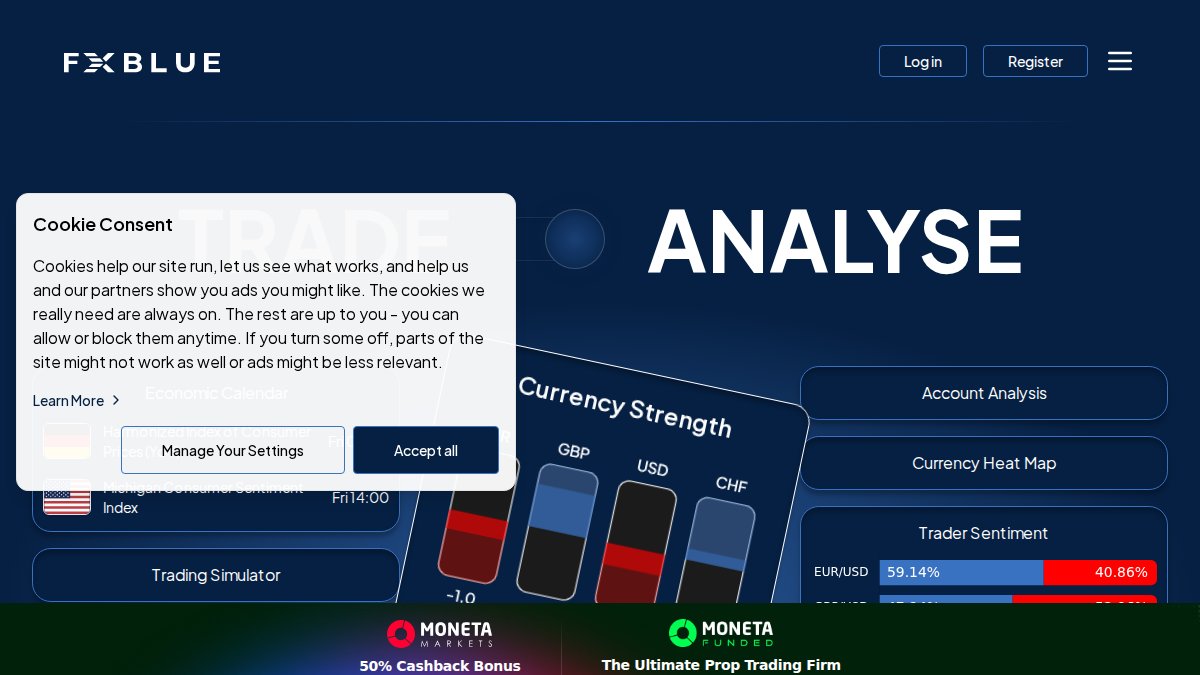
| FX Blue Tools | Free | Utility and trade management | 35+ free professional utilities |
| Smart Trader Tools | Pepperstone clients only | Institutional execution features | 28 apps including stealth mode |
| Autochartist | Broker-provided | Pattern recognition | Automated chart scanning |
| Mad Turtle EA | ~$1,000+ one-time | AI-driven gold trading | ONNX neural network logic |
| Quantum Queen EA | ~$1,300 one-time | Trend-following gold strategies | Adaptive position sizing |
EZMT5: Instant Access to 11 Fully Optimized Trading Systems
EZMT5 is the top pick for traders who want to start executing immediately without spending weeks configuring individual tools. The subscription delivers instant, unlimited access to 11 professional MT5 trading systems and TradingView indicators, all fully built and optimized out of the box. Every future system is included automatically, two license keys per system can be reassigned at any time, and there’s no long-term contract.
Pros:
- All 11 systems ready to deploy immediately after download
- Real-time trade opportunities with precision execution
- Includes all future trading systems at no additional cost
- Two license keys per system, changeable anytime
- No contract, cancel anytime
The honest trade-off: EZMT5 is a curated subscription rather than an open marketplace. For traders who want a pre-vetted, professional-grade starting point, that’s a feature, not a limitation.
MQL5 Market: Largest Library, Variable Quality
The MQL5 Market hosts thousands of Expert Advisors, indicators, and utilities with direct platform integration and a built-in strategy tester. Pricing ranges from free to over $30,000, with rental options for shorter commitments. The library size is both the strength and the problem, finding a well-coded EA requires significant due diligence, and forward-testing results often diverge sharply from backtested data. Use the rental option before committing to any purchase above $200.
Pros: Largest selection globally, secure native installation, rental flexibility
Cons: Quality varies enormously; no editorial curation
FX Blue Advanced Trading Tools: Best Free Utility Suite
Over 35 professional trading utilities at no cost, including a trading simulator, position size calculator, advanced alarm manager, and trade analysis reporting. The position size calculator alone is worth the download for any trader managing risk by fixed percentage.
Pros: Extensive feature set, free for retail traders, well-regarded by the community
Cons: Manual installation; no automated execution capabilities
Smart Trader Tools by Pepperstone: Institutional-Grade Features
Pepperstone’s Smart Trader Tools suite includes 28 professional applications: a Trade Terminal for multi-order management, a Correlation Matrix for identifying non-correlated pairs, and a Stealth Mode feature that hides stop-loss and take-profit levels from broker visibility.
Pros: Seamless MT5 integration, institutional risk management features
Cons: Broker-exclusive; not available to traders on other platforms
Autochartist: Automated Pattern Recognition for Technical Traders
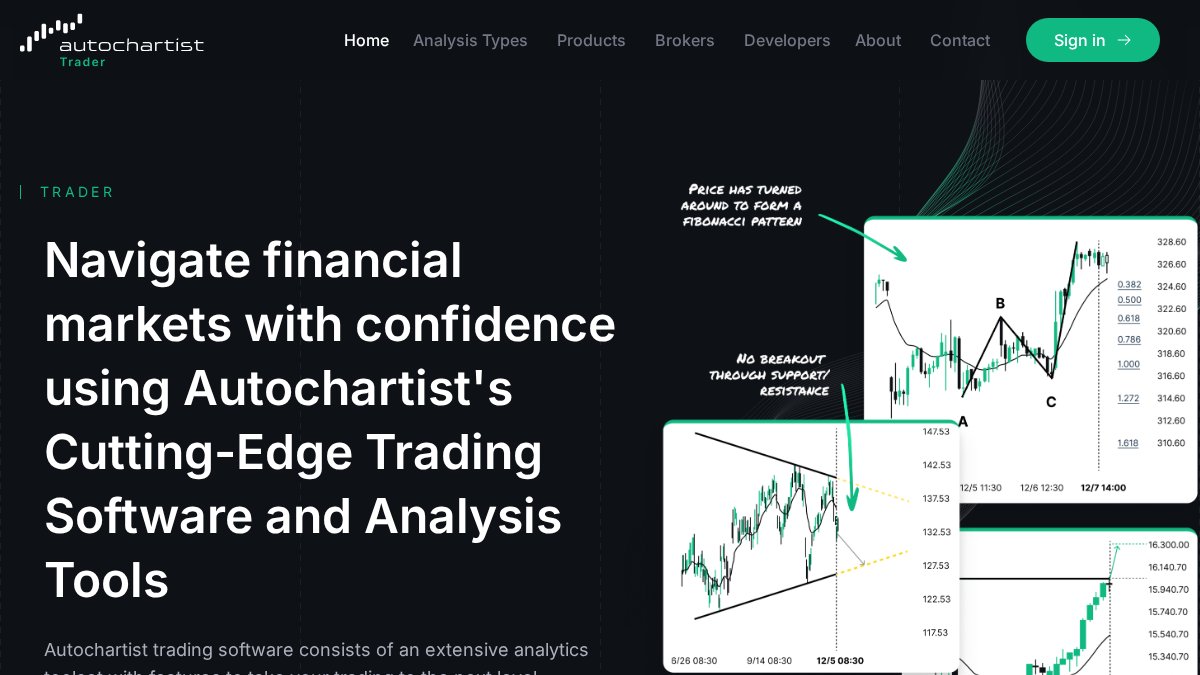
Autochartist automatically scans markets for chart patterns and Fibonacci levels, generates volatility analysis for setting stop-loss and take-profit levels, and provides historical performance statistics on pattern accuracy. For traders relying heavily on technical analysis, it eliminates hours of manual chart scanning. Access typically comes through broker partnerships.
Pros: Saves significant time on manual analysis, data-driven trade setups
Cons: Full access often requires a broker partnership
MT5 Expert Advisors for Professional Traders: What to Look For
The best MT5 expert advisors share three characteristics: transparent logic, hard stop-losses on every position, and verifiable forward-test results. Live account performance tracked over a minimum of six months distinguishes a credible EA from a backtested story. Avoid any EA using martingale or unlimited grid logic without a hard equity stop, these strategies can appear profitable for extended periods, then lose an entire account in a single adverse move.
AI-Driven EAs vs. Rule-Based Algorithmic Strategies
Rule-based EAs follow fixed conditional logic that is transparent and auditable. AI-driven EAs, like the Mad Turtle EA which uses ONNX neural networks for gold price prediction, operate on pattern recognition that can adapt to conditions fixed rules miss. Mad Turtle’s single-trade-at-a-time approach and hard stop-loss on every position are the right safeguards for this category. The Quantum Queen EA takes a hybrid approach, trend-following logic with adaptive position sizing, but its grid-based elements introduce compounding risk during sharp reversals, worth understanding before deployment.
Never run a grid-based EA without a hard equity stop configured. Grid strategies compound position size during drawdown, which can accelerate losses exponentially during trend reversals. Configure a maximum drawdown limit before enabling any grid logic on a live account.
Best MT5 Indicators for Day Trading: Building a Signal Stack
The best MT5 indicators for day trading work as a stack, not in isolation. The professional approach combines a trend filter, momentum oscillator, and volatility measure for three-layer confirmation before any entry.
A practical day trading signal stack:
- Trend filter: 200-period EMA to establish directional bias
- Momentum oscillator: RSI or MACD for entry timing
- Volatility filter: ATR-based indicator to avoid low-liquidity entries
- Volume confirmation: On-balance volume or tick volume to validate breakouts
Most professional traders eventually customize standard indicators rather than relying on default parameters, because defaults are calibrated for average conditions, not specific instruments or timeframes. According to MetaQuotes official MT5 documentation, MT5 supports up to 100 indicators simultaneously per chart, though running more than 10-15 complex indicators noticeably increases CPU load and can introduce latency into EA execution.
MT5 Risk Management Tools Every Serious Trader Needs
Risk management is where most automated strategies fail, not signal generation. A system with a 55% win rate and poor risk controls will lose money; a system with a 45% win rate and disciplined risk controls can be consistently profitable.
Position Size Calculators, Drawdown Limits, and Equity Protection
Three tools belong in every serious MT5 setup:
Position size calculators automatically compute lot size based on account equity, risk percentage, and stop-loss distance. FX Blue’s calculator handles this for manual traders; properly coded EAs should have this logic built in.
Drawdown limits cap maximum account loss before trading halts. ASQ RiskGuard implements this with real-time equity monitoring, daily loss limits, and a kill-switch that stops all trading when thresholds are breached, running silently alongside other strategies without interfering with execution. Set daily loss limits at 2-3x your expected maximum daily drawdown, not at your absolute maximum tolerance.
Equity protection logic closes all positions when account equity drops below a defined threshold, the last line of defense against catastrophic loss when running multiple EAs simultaneously.
Configure your drawdown limit before your first live trade, not after. Risk management tools are the foundation, everything else runs on top of them.
Paid vs. Free MT5 Tools: An Honest Cost-Benefit Analysis
Free tools are not inferior by default, FX Blue’s suite is free and genuinely professional-grade. The real question is whether a paid tool’s capabilities justify its cost relative to your trading capital. A $500 EA on a $5,000 account is a 10% overhead cost requiring substantial outperformance to justify; the same EA on a $50,000 account is a rounding error if it improves execution quality meaningfully.
Where paid tools consistently outperform free alternatives:
- Specialized market optimization: EAs like Mad Turtle are built for a single instrument (XAUUSD) with architecture free generic tools can’t replicate
- Ongoing development and support: Paid developers have financial incentive to maintain and update their tools
- Advanced algorithmic logic: Neural network integration and adaptive position sizing require significant development investment
Where free tools hold their own:
- Utility functions: Position calculators, alarm managers, and trade simulators don’t require proprietary logic
- Standard indicators: Classic indicators (MACD, RSI, Bollinger Bands) are available free with quality equivalent to paid versions
The EZMT5 subscription model occupies an interesting middle ground: a predictable monthly cost covering 11 complete systems plus all future releases. For traders who would otherwise purchase multiple individual EAs, the subscription math often favors the bundle.
Security, Vetting, and VPS Requirements for MT5 Tools
Third-party MT5 tools present real security risks most traders underestimate. An EA has full access to your trading account when running, a malicious or poorly coded EA can open positions, modify orders, and drain an account through intentional or accidental over-trading.

How to Vet Third-Party EAs Before Running Them on a Live Account
A structured vetting checklist before any live deployment:
- Review source code if available, or inspect compiled
.ex5files for suspicious network calls - Run the EA on a demo account for a minimum of 30 trading days before live deployment
- Check the developer’s history on the MQL5 marketplace: account age, number of products, response rate to questions
- Verify the EA uses hard stop-losses on every position, not just virtual stops
- Confirm the EA does not use martingale or unlimited grid logic unless you explicitly want that exposure
- Test behavior during high-impact news events by reviewing backtest periods that include major volatility events
According to CFTC guidance on algorithmic trading risks, retail traders using automated systems remain personally responsible for all trading activity on their accounts, regardless of whether an EA generated the orders.
VPS Hosting: Why Latency and Uptime Determine Execution Speed
Running MT5 tools on a local desktop introduces two critical vulnerabilities: internet outages and machine downtime. A VPS eliminates both by hosting the terminal on always-on infrastructure close to broker servers. A VPS co-located in the same data center as your broker can achieve sub-10ms round-trip times; a home connection to the same broker might see 50-200ms latency, a material difference for scalping strategies and high-frequency EAs.
Key VPS selection criteria for MT5:
- Location: Choose a VPS in the same city or data center as your broker’s servers (New York, London, or Frankfurt for most major brokers)
- RAM: Minimum 2GB for a single MT5 instance; 4GB if running multiple terminals or more than 5 active EAs
- Uptime guarantee: Target 99.9% or higher
- Windows compatibility: MT5 requires a Windows environment; confirm your VPS provider supports Windows Server
As documented in MetaQuotes VPS hosting overview, MetaQuotes also offers virtual hosting directly within the MT5 platform, providing seamless integration with minimal configuration.
Conclusion: Choosing the Right Professional MT5 Trading Tools for Your Strategy
The biggest mistake in building an MT5 toolkit is treating it as a shopping exercise rather than a system design problem. Every tool needs a defined role: signal generation, execution, risk control, or analysis. Tools without a defined role create noise, not edge.
Start with risk management infrastructure before adding any EA or indicator. Configure drawdown limits and equity protection first, then layer in signal tools and execution logic. Risk controls must be in place before any automated system touches a live account.
For regulatory compliance, review NFA guidance on automated trading systems to understand your obligations as a retail trader using algorithmic tools in regulated markets.
Frequently Asked Questions
What is the difference between an MT5 indicator and an Expert Advisor?
An MT5 indicator is a visual analysis tool that plots data on your chart, such as moving averages or oscillators, to help identify trade setups. An Expert Advisor (EA) is an automated trading robot built in MQL5 that can open, manage, and close trades without manual input. Indicators inform decisions; EAs execute them. Many professional MT5 trading tools combine both: indicators generate signals, and an EA acts on them automatically for precision execution.
Are paid MT5 trading tools worth the investment compared to free ones?
It depends on what you need. Free tools like FX Blue provide solid utility functions, position size calculators, alarm managers, and trade simulators, at no cost. Paid Expert Advisors and premium systems, like those offered by EZMT5, deliver fully built, optimized algorithmic strategies with ongoing updates and support. For traders who lack the time or technical skill to build and backtest their own systems, a subscription-based service with pre-optimized tools can offer strong cost-benefit value over building from scratch.
Where can I find reliable professional MT5 trading tools?
Reliable professional MT5 trading tools come from several vetted sources. The MQL5 Marketplace is the largest, offering thousands of EAs and indicators with verified performance statistics and strategy tester integration. FX Blue provides free, community-trusted utilities. EZMT5 offers a curated subscription bundle of 11 fully optimized MT5 trading systems plus TradingView indicators with no contracts. Always backtest any tool using MT5's built-in strategy tester before running it on a live account.
Do I need a VPS to run MT5 Expert Advisors professionally?
Yes, a VPS is strongly recommended for running MT5 Expert Advisors around the clock. Without a VPS, your EA stops executing trades whenever your computer is off or loses internet connection. A VPS provides continuous uptime, low latency to your broker's servers, and stable execution speed, all critical for algorithmic trading performance. Some premium EA providers, like Kraitos Elite, even include a personal VPS with their subscription to ensure optimal conditions from day one.
Can professional MT5 trading tools guarantee profits in forex or other markets?
No tool or system can guarantee profits in financial markets. Professional MT5 trading tools, including Expert Advisors, technical indicators, and risk management utilities, are designed to improve consistency, reduce emotional errors, and enforce rule-based strategies. Performance depends heavily on market conditions, configuration, risk settings, and the underlying algorithmic strategy. Always evaluate tools using backtesting and forward-testing data, and apply strict risk management regardless of how well a system has performed historically.
How do I install custom tools and Expert Advisors in MetaTrader 5?
To install a custom EA or indicator in MetaTrader 5, download the .ex5 or .mq5 file, then open MT5 and navigate to File > Open Data Folder. Place the file in the MQL5/Experts folder for EAs or MQL5/Indicators for indicators. Restart MT5 or refresh the Navigator panel, and the tool will appear. For marketplace purchases via MQL5, installation is handled directly through the platform. Always verify the source before installing any third-party tool to protect your trading account.
The challenge most traders face isn’t finding MT5 tools; it’s finding ones that are pre-built, optimized, and ready to deploy without months of configuration. EZMT5 solves this directly: instant access to 11 professional trading systems and TradingView indicators, all fully optimized, with two license keys per system and no contract. Get started with EZMT5 and begin trading with professional-grade systems from day one.
This article was written using GrandRanker