

Table of Contents
- Optimized MT5 Trading Systems Review: How We Evaluated Each Platform
- Quick Comparison: Top MT5 Trading Systems at a Glance
- MT4 vs MT5: Why the Platform You Choose Changes Everything
- The Best MT5 Expert Advisors and Optimized Systems Reviewed
- How to Optimize MT5 Trading Robots for Maximum Performance
- MT5 Trading System Performance Metrics You Must Track
- Risk Management for MT5 Trading Systems: What the Best Systems Get Right
- Which Optimized MT5 Trading System Is Right for You?
- Conclusion
Last Updated: May 16, 2026

Choosing the right automated trading setup is harder than most guides admit. This optimized MT5 trading systems review covers every major platform, Expert Advisor, and performance factor serious algorithmic traders need to evaluate before committing capital. EZMT5 has helped traders cut through the noise by delivering 11 fully built, professional-grade systems ready to deploy immediately after download. Below, we’ll show you exactly how each system performs, where the real optimization gains live, and which setup fits your trading style.
Here’s what most reviews get wrong: they compare features on paper without addressing execution quality, latency, or the practical cost of a poorly optimized EA running on underpowered hardware. This guide fixes that.
Optimized MT5 Trading Systems Review: How We Evaluated Each Platform
Evaluating MT5 trading systems requires more than reading a product description. The criteria that separate a functional system from a genuinely optimized one come down to five areas: execution speed and latency handling, backtesting fidelity using tick data, code efficiency at the MQL5 level, risk management architecture, and the flexibility of licensing and deployment.
Evaluation Criteria: What Separates a Good System from a Great One
A great MT5 trading system delivers consistent performance across varying broker conditions, not just on a curated demo account. Specifically, we assessed each system against:
- Execution quality: How the system handles slippage and partial fills under real market conditions
- Backtesting depth: Whether the system supports multi-threaded tick data replay or only OHLC approximations
- Code architecture: MQL5 efficiency, memory usage, and CPU load on multi-core systems
- Risk controls: Built-in stop loss logic, position sizing, and drawdown limits
- Deployment flexibility: VPS compatibility, license portability, and broker compatibility
Systems that scored well on paper but required extensive manual configuration to run cleanly were marked down. The goal here is practical readiness, not theoretical performance.
Quick Comparison: Top MT5 Trading Systems at a Glance
| System | Pricing | Best For | Key Approach | Risk Model |
|---|---|---|---|---|
| EZMT5 | Monthly subscription | All-in-one access | 11 optimized systems | Built-in per system |
| Quantum Queen EA | ~$1,300 one-time | Gold (XAUUSD) traders | Multi-strategy trend | Adaptive, grid on drawdown |
| Mad Turtle EA | Contact for pricing | AI-driven Gold trading | ONNX neural network | Single-trade, hard stop |
| WallStreet Forex Robot 3.0 | Contact for pricing | Stable Forex growth | Scalping + trend hybrid | Built-in money management |
| MQL5 Wizard | Free | Custom EA builders | No-code prototyping | Manual configuration |
EZMT5 is the only option on this list that gives traders immediate access to multiple optimized systems under a [single subscription](/mt5-trading-systems-monthly-subscription/), including all future releases, without a long-term contract commitment.
MT4 vs MT5: Why the Platform You Choose Changes Everything
The difference between MT4 and MT5 is not cosmetic, and for algorithmic traders specifically, it is not even primarily about features. The architectural gap between the two platforms has direct, measurable consequences for how fast your Expert Advisors execute, how accurately your backtests reflect live conditions, and how much of your hardware you can actually use.
Here is the core technical distinction that most comparisons bury: MT4 runs on a single-threaded execution engine. Every calculation, indicator updates, order logic, position checks, queues behind the previous one. MT5 was rebuilt with a multi-threaded engine from the ground up. During Strategy Tester optimization passes, MT5 distributes work across all available CPU cores simultaneously. On a modern 8-core machine, that is not a marginal improvement. Optimization runs that take hours on MT4 complete in a fraction of the time on MT5, which directly affects how thoroughly you can test a system before deploying real capital.
The Multi-Threading Advantage in Practice
For live trading, the threading model matters differently. Live EA execution in MT5 still runs on a single thread per chart, so raw single-core clock speed remains the priority for latency-sensitive strategies. The multi-threading benefit is concentrated in the Strategy Tester, where parallel optimization passes allow you to test thousands of parameter combinations in the time MT4 would test hundreds.
According to MetaQuotes official MT5 platform documentation, MT5 supports 21 timeframes versus MT4’s 9, but the more operationally significant difference is the tick data model. MT5’s Strategy Tester can replay real tick data at the millisecond level, including bid/ask spread variation across the test period. MT4’s backtester approximates intra-bar movement using a mathematical model. For any scalping system or strategy with stops tighter than 10 pips, this distinction is the difference between a backtest you can trust and one that systematically flatters your results.
Order Architecture: Where MT5 Changes Execution Logic
MT5 introduced the Stop Limit order type, which combines a stop trigger price with a limit execution price. For algorithmic systems, this matters because it eliminates the slippage risk of a pure stop order during fast markets while still automating entry. A system that previously required two separate orders, a stop to trigger and a limit to fill, can now handle this in a single instruction, reducing the window for partial fills and requotes.
The account mode distinction is equally significant for strategy design:
- Netting mode (common with futures and stock brokers): All positions in the same instrument are merged into a single net position. You cannot hold simultaneous long and short positions on the same symbol.
- Hedging mode (common with Forex brokers): Multiple independent positions can be open simultaneously on the same symbol in opposite directions.
This is not a preference setting you adjust after deployment. It is a broker-level account configuration that determines whether certain EA strategies are even executable. A grid EA designed for hedging mode will behave incorrectly on a netting account. Verifying your broker’s account mode before deploying any EA is a non-negotiable step that many traders skip until they encounter unexpected behavior live.
Multi-Asset Trading: The Practical Implication for Automated Systems
MT5 supports Forex, stocks, futures, and options on a single platform instance. MT4 is Forex-only in its native form. For algorithmic traders, this matters less as a feature checklist item and more as a portfolio construction question: if your strategy logic applies to correlated assets across different classes, for example, a volatility breakout system that could run on currency pairs and commodity futures simultaneously, MT5 is the only platform that lets you do this without managing separate platform instances and separate data feeds.
The practical ceiling on MT4 is not just technical. The MetaQuotes development roadmap has been MT5-focused for years. New MQL5 language features, ONNX neural network integration, and the expanded economic calendar are MT5-exclusive. Traders building or buying systems today who remain on MT4 are working against a platform that is no longer receiving meaningful development investment.
For algorithmic traders, the MT4-to-MT5 migration decision comes down to one question: do you want your backtesting engine to use your full hardware, and do you want your tick data to reflect what actually happened in the market? If yes to either, MT5 is not optional.
The Best MT5 Expert Advisors and Optimized Systems Reviewed
The MT5 Expert Advisor market ranges from genuinely sophisticated algorithmic tools to thinly disguised curve-fitted backtests. After reviewing the leading options available in 2026, the systems below represent the most credible choices across different trading goals and risk profiles.
A focused trader sitting at a multi-monitor desktop workstation, MetaTrader 5 charts and automated system dashboards filling each screen, late afternoon sunlight cutting across the desk in a professional home office.
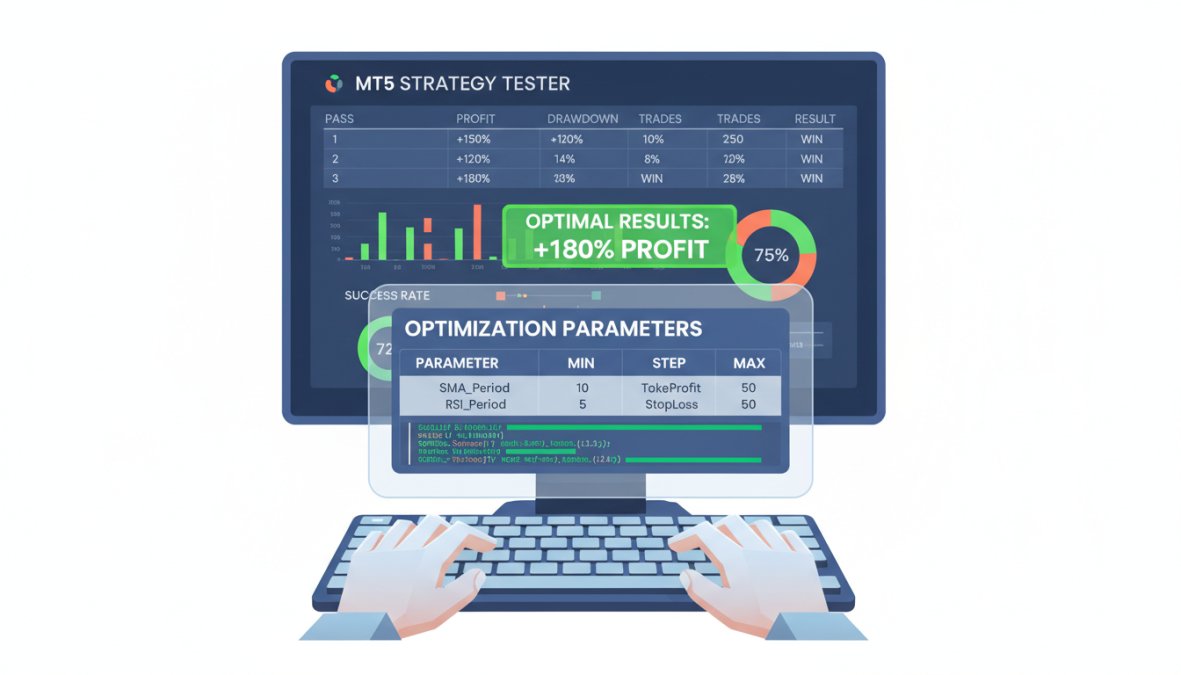
EZMT5: Instant Access to 11 Fully Built, Professional Systems
EZMT5 is the top pick for traders who want to start trading immediately without spending weeks configuring individual Expert Advisors. The service provides unlimited access to 11 professional, fully built, and optimized MT5 trading systems plus TradingView indicators, all available immediately after download.
What genuinely sets EZMT5 apart from every other option on this list is the subscription model. Rather than paying $1,000+ for a single EA, traders get all 11 systems, every future system release, and two license keys per system that can be reassigned at any time. There are no contracts. Cancel whenever the situation changes.
Pros:
- Instant access to 11 professional systems plus all future releases
- Two reassignable license keys per system
- Real-time trade opportunities across multiple instruments
- No long-term commitment
Cons:
- Subscription model means ongoing cost rather than a one-time purchase
Traders who want professional-grade automated systems without the technical overhead of building or extensively configuring individual EAs.

Quantum Queen EA: Multi-Strategy Gold Trading on MT5
Unlike single-strategy Gold EAs that break down when market conditions shift, Quantum Queen integrates six sub-strategies that activate based on trend conditions. This multi-strategy approach makes it more adaptive than most single-logic systems on the MQL5 Market.
The EA runs on the M1 timeframe and uses adaptive risk management that adjusts position sizing based on current volatility and account balance. With over 400 verified reviews on the MQL5 Market, it has a legitimate track record.
Pros:
- Six integrated sub-strategies with adaptive risk management
- Extensive verified live performance history
Cons:
- Uses a grid approach during drawdowns, which compounds risk during sustained adverse moves
- Entry price of approximately $1,300 is high relative to alternatives
Best for: Traders focused exclusively on XAUUSD who want a well-documented, community-vetted system.
Mad Turtle EA: AI-Driven Neural Network Execution
Mad Turtle EA represents a genuine MT5-native advantage: it integrates ONNX neural networks directly into the MetaTrader 5 environment for AI-driven price direction prediction. This is not a marketing claim. ONNX model support is an MT5-exclusive feature, and Mad Turtle uses it to inform entry decisions on Gold.
The single-trade-at-a-time execution model limits exposure at any given moment, and every position carries a hard stop loss. For traders who have watched grid-based systems blow accounts during volatile sessions, this architecture is a meaningful differentiator.
Pros:
- Avoids grid and martingale tactics entirely
- Leverages MT5-exclusive ONNX neural network capabilities
Cons:
- Lower trade frequency means slower equity curve progression
- Requires low-spread ECN broker conditions to perform as designed
WallStreet Forex Robot 3.0: Proven Hybrid Strategy
WallStreet Forex Robot 3.0 has been in the market long enough to have a genuine performance history across multiple market cycles. The hybrid approach, combining scalping logic with trend-following filters, gives it adaptability that pure scalpers lack during trending conditions.
The system includes built-in money management and risk controls, and it runs on a broad range of currency pairs. The honest limitation: performance varies significantly depending on broker execution speeds. On a slow broker, the scalping component degrades noticeably.
Pros:
- Long-standing market presence with documented performance
- Highly adaptable to different market conditions
Cons:
- Less specialized than newer AI-driven MT5-native systems
- Broker execution quality has an outsized impact on results
MQL5 Wizard: Build Your Own EA for Free
The MQL5 Wizard is built directly into MetaEditor, the development environment that ships with MetaTrader 5. It allows traders to generate custom Expert Advisors by selecting predefined signal modules, timeframes, and technical indicators without writing a single line of MQL5 code.
It is completely free and an excellent learning tool. The limitation is real, though: the Wizard is constrained to predefined logic blocks. Complex AI models, custom execution logic, or advanced risk architectures require manual MQL5 coding. For beginners testing strategy concepts before committing to a paid system, it is genuinely useful.
Pros:
- Free, integrated directly into MT5
- Ideal for learning algorithmic strategy construction
Cons:
- Cannot replicate the complexity of professionally coded systems
- Requires manual backtesting and optimization before any live deployment
How to Optimize MT5 Trading Robots for Maximum Performance
Most traders deploy an EA and assume the platform handles the rest. That assumption costs real money. Optimization happens at three distinct levels: the MQL5 code itself, the hardware running the platform, and the deployment environment. Ignoring any one of these creates a ceiling on what the system can achieve.
Close-up of hands typing MQL5 code on a laptop keyboard, a secondary monitor in the background displaying MT5 Strategy Tester results with optimization pass data visible on screen.
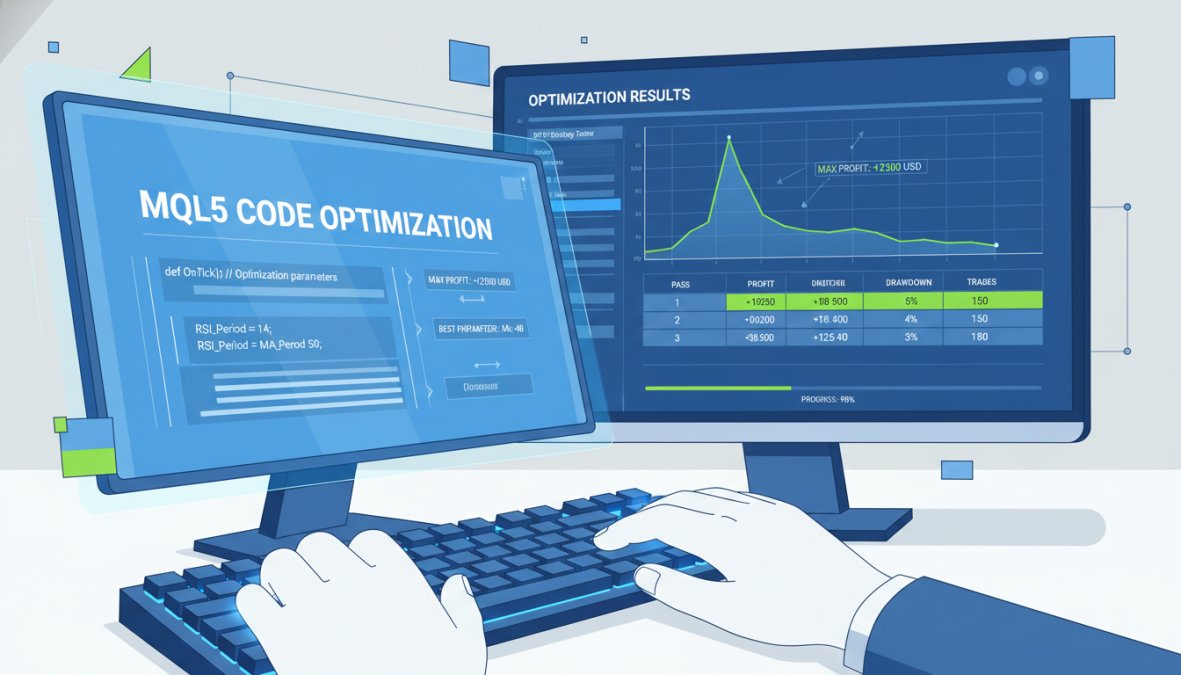
MQL5 Code Optimization: Reducing Latency at the Logic Level
The biggest source of unnecessary latency in MT5 Expert Advisors is inefficient MQL5 code. Specifically, two patterns cause the most damage: recalculating indicator values on every tick when they only need recalculating on bar close, and using iCustom() calls inside the OnTick() function without caching results.
Practical fixes that reduce execution latency at the logic level:
- Cache indicator handles in
OnInit(), not insideOnTick() - Use
CopyBuffer()with a fixed array size rather than dynamic allocation on every tick - Limit the number of open order queries per tick cycle
- Replace nested loops with pre-sorted data structures where possible
- Use
ENUM_TIMEFRAMESconstants explicitly to avoid implicit casting overhead
According to MetaQuotes MQL5 optimization documentation, multi-threaded strategy testing in MT5 allows optimization passes to run across all available CPU cores simultaneously, which makes properly structured code dramatically faster to test and refine.
Running indicator recalculations inside `OnTick()` without caching can multiply CPU load by 10x or more during high-frequency market conditions. On a VPS with limited resources, this causes visible execution delays.
Hardware-Specific Optimization: Multi-Core Systems and VPS Hosting
MT5’s multi-threaded engine benefits directly from multi-core processors during backtesting and optimization. A quad-core system running parallel optimization passes will complete the same job significantly faster than a dual-core machine. For live trading, however, single-thread performance matters more than core count, since live execution runs on one thread.
For VPS hosting, the priority hierarchy is: low latency to broker server first, then RAM availability, then CPU clock speed. Memory usage spikes during complex EA operation and multi-symbol monitoring. A VPS with less than 4GB RAM dedicated to MT5 will experience performance degradation during volatile sessions.
Practical VPS selection criteria for MT5 deployment:
- Server location within 10ms of your broker’s execution server
- Minimum 4GB RAM allocated to the MT5 instance
- SSD storage for tick data history (spinning disk creates I/O bottlenecks)
- Windows Server OS for full MT5 compatibility
MT5 Mobile vs. Desktop: Which Delivers Better Execution?
For execution of automated systems, desktop wins without qualification. The MT5 mobile application is designed for monitoring and manual trade management, not for running Expert Advisors. EAs cannot execute on the mobile platform at all. They require a running desktop instance or a VPS.
Where mobile genuinely adds value: real-time monitoring of positions opened by desktop-based systems, manual intervention when an EA needs to be paused, and reviewing the economic calendar before high-impact news events. Treat mobile as a monitoring layer, not an execution environment.
MT5 Trading System Performance Metrics You Must Track
Tracking the right performance metrics separates traders who improve systematically from those who chase drawdowns reactively. The core metrics for any MT5 trading system are profit factor, maximum drawdown, Sharpe ratio, and trade frequency relative to expected slippage. But the metric most algorithmic traders underweight, and the one that most directly explains the gap between backtested and live results, is execution latency, measured independently, not assumed from a broker’s marketing page.
This section covers both the standard performance metrics and a practical framework for real-world latency benchmarking that no broker-sponsored review will give you.
Standard Performance Metrics: What They Tell You and What They Hide
Profit Factor is gross profit divided by gross loss. A profit factor above 1.5 is generally considered the minimum threshold for a system worth running live. Below 1.3, the margin for real-world degradation, slippage, spread widening, latency, is too thin. The problem with profit factor in isolation: it says nothing about the distribution of wins and losses. A system with a 2.0 profit factor built on a small number of large winners can fail silently for months before producing those winners.
Maximum Drawdown should always be evaluated as a percentage of peak equity, not in absolute dollar terms. A 20% maximum drawdown on a $10,000 account is a $2,000 loss. The same system on a $100,000 account produces a $20,000 loss. More importantly, drawdown figures from backtests consistently understate live drawdowns because backtests cannot fully model spread widening during news events, requotes, or the compounding effect of consecutive losses on position sizing.
Sharpe Ratio measures return per unit of risk. For MT5 trading systems, a Sharpe ratio above 1.0 on live data (not backtested data) indicates the system is generating returns that justify its volatility. The critical qualifier is live data. Backtested Sharpe ratios are routinely inflated by overfitting, particularly in systems that have been optimized extensively on historical data without out-of-sample validation.
Trade Frequency vs. Expected Slippage is the metric most traders ignore until it destroys a strategy. High-frequency systems that generate 50+ trades per day on a broker with 1.5-pip average slippage are paying a cost that compounds across every session. Calculate your system’s expected slippage cost annually: average slippage per trade × average trades per day × 252 trading days. For many scalping systems, this number exceeds the system’s annual profit expectation.
Backtesting with Tick Data: The Only Method Worth Trusting
OHLC-based backtesting, the default mode for many traders, uses only the open, high, low, and close price of each bar to simulate trade execution. The problem is structural: the backtester does not know the order in which the high and low were reached within the bar, so it makes assumptions. For strategies with tight stops, those assumptions systematically produce better results than live trading will deliver.
MT5’s Strategy Tester supports real tick data replay when historical tick data is available from your broker. This means every bid and ask price movement is replayed in sequence, and your EA’s logic responds to the actual price path, not a mathematical approximation of it. The difference in backtest accuracy between OHLC mode and real tick mode is most pronounced for:
- Scalping strategies with stops under 10 pips
- News-trading systems that rely on fast execution around economic releases
- Any system using trailing stops, where the exact path of price movement determines the exit
To access tick data in MT5’s Strategy Tester, select "Every tick based on real ticks" in the modeling dropdown. If your broker does not provide sufficient tick data history, third-party tick data providers offer downloadable history files compatible with MT5’s import format.
A backtest run in “Open prices only” mode on a scalping EA can show a profit factor of 2.0 or higher. The same system run on real tick data with accurate spread modeling frequently shows a profit factor below 1.0. Always validate on real tick data before drawing any conclusions about a system’s viability.
Real-World Latency Benchmarking: The Independent Framework Brokers Won’t Provide
This is the content gap that almost no MT5 review addresses: how to independently measure and compare execution latency across brokers, rather than accepting a broker’s claimed execution speed at face value.
Execution latency in MT5 has three components:
- Signal-to-order latency: The time between your EA’s signal firing and the order being submitted to the broker’s server. This is determined by your hardware, your VPS location, and your MQL5 code efficiency.
- Order-to-fill latency: The time between the broker receiving your order and returning a fill confirmation. This is the broker’s internal processing speed and is what brokers typically advertise.
- Fill-to-confirmation latency: The time between the fill occurring and your EA receiving the confirmation and updating its internal state. This affects how quickly your EA can respond to the next signal.
Most brokers advertise only component 2. Components 1 and 3 are your responsibility to measure and minimize.
Practical latency benchmarking process:
- Enable MT5’s internal journal logging at the maximum verbosity level (Tools → Options → Expert Advisors → log level)
- Record the timestamp of each
OrderSend()call in your EA usingGetTickCount()orGetMicrosecondCount()for millisecond-level precision - Record the timestamp of the returned order ticket confirmation
- Calculate the delta across a minimum of 50 trades under normal market conditions
- Repeat the measurement during a high-volatility session (major economic release, market open) to capture latency under load
- Compare average fill price to the price at signal time across the same 50+ trades to calculate realized slippage in pips
- If evaluating multiple brokers, run identical EA logic on identical VPS hardware in the same geographic region to isolate broker-side latency from infrastructure variables
The geographic relationship between your VPS and your broker’s execution server is the single largest controllable variable in components 1 and 3. A VPS located within the same data center as your broker’s matching engine, common options include LD4 in London for European Forex brokers and NY4/NY5 in New Jersey for US-regulated brokers, can reduce round-trip latency to under 1 millisecond. A VPS in a different country connecting to the same broker can add 20 to 80 milliseconds of latency per order, which is significant for any strategy executing more than a few trades per day.
MT5’s built-in ping display (visible in the bottom right corner of the platform) shows your connection latency to the broker’s server in real time. Use this as a quick diagnostic, but do not confuse it with order execution latency. Ping measures the round-trip time for a small data packet. Order execution involves order validation, margin checking, and matching engine processing on the broker’s side, which adds time beyond what the ping display shows.
Out-of-Sample Validation: The Step Between Backtesting and Live Deployment
The standard practice for validating a backtested system before live deployment is out-of-sample testing: optimize the system’s parameters on one historical period, then test the resulting parameters on a separate historical period the optimizer never saw. A system that performs well in-sample but degrades significantly out-of-sample is curve-fitted to historical noise, not a genuine edge.
A practical out-of-sample framework for MT5:
- Use 70% of your available historical tick data for optimization (in-sample period)
- Reserve the remaining 30% as a held-out test set (out-of-sample period)
- Run the optimizer on the in-sample period and select the parameter set with the best risk-adjusted performance (Sharpe ratio, not raw profit)
- Apply those parameters without modification to the out-of-sample period
- If out-of-sample performance is within roughly 30% of in-sample performance on key metrics, the system has passed a basic robustness check
- If out-of-sample performance degrades by more than 50%, the system is likely overfit and requires simplification before live deployment
No backtesting process eliminates live trading risk. But the combination of real tick data, accurate spread modeling, and rigorous out-of-sample validation produces results that are meaningfully more predictive than the OHLC backtests most traders rely on.
Risk Management for MT5 Trading Systems: What the Best Systems Get Right
Risk management for MT5 trading systems is the variable that determines whether an EA survives a volatile month or blows an account. The best systems treat risk as a first-class design constraint, not an afterthought.
Three risk management patterns separate the systems worth running from the ones that look good in backtests:
1. Hard stop losses on every position. Systems without a hard stop loss rely on logic-based exits that can fail during extreme volatility or connectivity interruptions. Mad Turtle EA’s architecture enforces this correctly. Any system without a hard stop is a liability.
2. Volatility-adjusted position sizing. Fixed lot sizing ignores the fact that a 1-lot position carries different risk during a low-volatility Asian session versus a high-volatility London open. Quantum Queen EA’s adaptive sizing addresses this directly.
3. Drawdown circuit breakers. Professional systems include a maximum daily or total drawdown threshold that halts trading when breached. This prevents a losing streak from compounding into an account-ending event.
The grid and martingale approaches used by some popular EAs violate all three of these principles. They can produce smooth equity curves for months before a single adverse sequence erases the gains. According to CFTC investor guidance on automated trading risks, traders should carefully evaluate the risk profile of any automated system before deploying it with real capital.
Which Optimized MT5 Trading System Is Right for You?
The right system depends on three variables: your available capital, your tolerance for drawdown, and how much time you want to spend on configuration and maintenance.
- If you want immediate deployment across multiple strategies: EZMT5 is the clear answer. Eleven optimized systems, no configuration overhead, and a subscription model that includes every future release.
- If you trade Gold exclusively and want a community-vetted single EA: Quantum Queen EA has the track record, though the grid drawdown approach requires careful account sizing.
- If you prioritize AI-driven execution without grid risk: Mad Turtle EA’s ONNX neural network architecture is the most technically sophisticated non-grid option available.
- If you trade multiple Forex pairs and want a proven hybrid system: WallStreet Forex Robot 3.0 remains a credible option, with the caveat that broker execution quality matters significantly.
- If you want to build and test your own strategy without cost: The MQL5 Wizard is a legitimate starting point, understanding that it cannot replicate professionally coded system complexity.
The honest answer for most traders: managing multiple individual EA licenses, monitoring separate performance metrics, and staying current with updates across different vendors is a significant operational burden. A unified access model like EZMT5’s removes that friction entirely.
Frequently Asked Questions
What are optimized MT5 trading systems and how do they differ from standard EAs?
Optimized MT5 trading systems are Expert Advisors or algorithmic strategies that have been fine-tuned for execution speed, risk parameters, and signal accuracy on the MetaTrader 5 platform. Unlike generic EAs, optimized systems account for real-world variables like slippage, latency, spread conditions, and broker execution quality. They are typically backtested using high-quality tick data and forward-tested under live conditions before being deployed, resulting in more consistent and reliable automated trading performance.
How do I choose the best MT5 expert advisors for my trading style?
Choosing the best MT5 expert advisors depends on your risk tolerance, preferred financial instruments, and level of technical involvement. Start by reviewing verified performance metrics: drawdown, win rate, profit factor, and trade frequency. Consider whether the system uses hedging or netting account modes, which timeframes it targets, and whether it requires specific broker conditions like low spreads. Services like EZMT5 simplify this by offering 11 pre-built, fully optimized systems with instant access, removing the guesswork for traders who want to start immediately.
What is the difference between MT4 and MT5 for automated trading systems?
MT5 offers significant advantages over MT4 for automated trading. It features a multi-threaded strategy tester that leverages multi-core systems for faster backtesting, supports more order types including Stop Limit orders, and allows trading across more asset classes such as stocks, futures, and options alongside Forex. MT5 also supports both hedging and netting account modes, provides access to more technical indicators and timeframes, and enables advanced MQL5 code optimization, making it the superior platform for serious algorithmic trading.
How can I backtest an MT5 trading system effectively?
Effective backtesting on MT5 requires using tick data rather than modeled data for the highest accuracy. Open the Strategy Tester in MetaTrader 5, select 'Every Tick Based on Real Ticks' as the modeling method, and ensure you have sufficient historical data downloaded from your broker. Run optimization passes across key parameters like lot size and stop loss levels. Critically, always forward-test on a demo account after backtesting to validate MT5 trading system performance metrics under live market conditions before risking real capital.
Are optimized MT5 trading systems safe to use?
No automated trading system is risk-free, but properly optimized MT5 trading systems incorporate built-in risk management features that significantly reduce exposure. Look for systems with hard stop losses on every trade, adaptive position sizing, and defined maximum drawdown limits. Avoid systems relying solely on martingale or unlimited grid strategies. Strong risk management for MT5 trading systems also includes VPS hosting to minimize latency and ensure the EA runs uninterrupted, reducing the chance of missed exits or runaway losses during volatile market conditions.
Can I run multiple MT5 trading systems simultaneously?
Yes, MT5 supports running multiple Expert Advisors simultaneously across different charts and instruments, which is one of its key advantages. However, performance depends on your hardware, specifically available RAM and CPU cores, and your VPS hosting plan if trading remotely. When running multiple optimized systems, monitor total margin usage carefully and ensure your broker supports the account type (hedging vs. netting) required by each system. Services like EZMT5 provide two license keys per system, giving traders flexibility to deploy systems across multiple environments simultaneously.
Finding genuinely optimized MT5 trading systems that perform under real market conditions, not just in backtests, is the central challenge for algorithmic traders in 2026. EZMT5 addresses this directly by providing instant, unlimited access to 11 professional systems, two reassignable license keys per system, and all future trading systems included, all under a no-contract monthly subscription. Get started with EZMT5 and begin trading with professional-grade automated systems from day one.
This article was written using GrandRanker