
Table of Contents
- What Are Pre-Built MT5 Systems and How Do They Work?
- MT5 Expert Advisors: The Engine Behind Automated Trading
- Key Benefits of Pre-Built MT5 Systems for Retail and Institutional Traders
- MT5 Backtesting: How to Validate a Pre-Built System Before Going Live
- Where to Acquire Pre-Built MT5 Systems: The MQL5 Marketplace and Beyond
- MT5 VPS Hosting: Keeping Your Pre-Built Systems Running 24/7
- Pros, Cons, and Hidden Risks of Pre-Built MT5 Systems
- Conclusion
Last Updated: May 15, 2026
Automated trading has fundamentally changed how retail and institutional traders approach the forex and CFD markets. Understanding what are pre-built MT5 systems is the first step toward deploying algorithmic trading without writing a single line of code. This guide from EZMT5 covers everything from how these systems work under the hood to the cybersecurity risks most traders never think about. Below, we’ll show you exactly how to evaluate, acquire, and run these systems so you can start trading with the precision of a professional desk.
Here’s what most guides get wrong: they treat pre-built systems as a shortcut for lazy traders. The reality is that institutional desks have used algorithmic execution for decades precisely because it outperforms discretionary trading on consistency and speed. The question for retail traders isn’t whether to automate, but how to choose and validate the right system.
What Are Pre-Built MT5 Systems and How Do They Work?
Pre-built MT5 systems are ready-to-deploy algorithmic trading programs that run on the MetaTrader 5 platform, executing trades automatically based on pre-programmed rules without requiring manual intervention from the trader. These systems are developed in MQL5, the native programming language of the MT5 platform, and cover a broad range of strategies including trend-following, mean reversion, scalping, and multi-asset portfolio approaches.
The core appeal is straightforward: you get a fully coded, tested strategy that connects directly to your broker’s live feed, monitors market conditions in real time, and places orders faster than any human could react.
Pre-Programmed Rules and Automated Execution
Every pre-built system operates on a defined logic tree. The system reads incoming financial symbol quotes, applies technical indicators such as moving averages, RSI, or Bollinger Bands, and fires trade execution signals when specific conditions align. Risk management parameters, including stop-loss levels, take-profit targets, and maximum drawdown thresholds, are baked into the code.
The automated execution layer is where MT5 genuinely separates itself from older platforms. Order routing happens in milliseconds, which matters enormously in volatile market conditions where a manual entry can slip by several pips before you click the button.
How Pre-Built Systems Differ From Custom-Built Strategies
Custom-built strategies require proficiency in MQL5 IDE, debugging skills, and significant development time. Pre-built systems eliminate that barrier entirely. The trade-off is transparency: with a custom system, you understand every decision the algorithm makes. With a pre-built system, you’re trusting the developer’s logic and backtesting methodology.
This distinction matters most during periods of unusual market volatility. A trader who built their own system can adjust parameters on the fly. A trader running a pre-built system needs to understand its documented behavior well enough to know when to switch it off.
Never run a pre-built MT5 system on a live account without first reviewing its documented risk parameters. Systems optimized for low-volatility conditions can produce severe drawdown during news events or liquidity gaps.
MT5 Expert Advisors: The Engine Behind Automated Trading
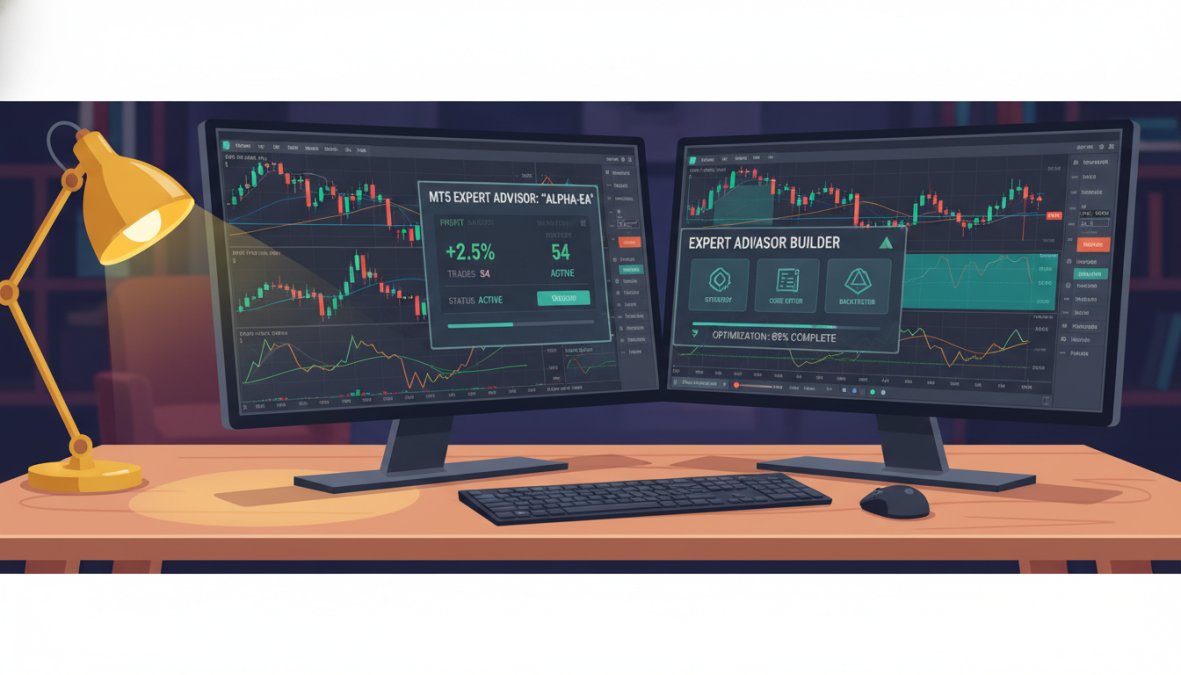
Expert Advisors (EAs) are the technical implementation of pre-built MT5 systems. An Expert Advisor is a program written in MQL5 that attaches to a specific chart in MetaTrader 5 and autonomously manages trade entry, exit, and position sizing according to its embedded strategy logic.
MetaQuotes, the company behind the MT5 platform, designed the EA framework to give both retail traders and institutional traders access to the same automated execution infrastructure. The MQL5 IDE provides the development environment, while the Strategy Tester module handles backtesting against historical data.
 office, warm desk lamp illuminating keyboard and screens in a focused evening work environment](https://cdn.grandranker.com/articles/pre-built-mt5-systems-explained-what-traders-need-to-know-content-1-1778808707.jpg)
How Expert Advisors Use Technical Indicators and Trade Signals
EAs process trading signals by continuously polling the market for conditions defined in their code. A trend-following EA might check whether price is above a 200-period moving average while the RSI remains below 70, then trigger a buy order when both conditions are met simultaneously. More sophisticated systems incorporate multiple timeframe analysis and dynamic position sizing based on real-time analysis of account equity.
The MT5 platform supports custom technical indicators that EAs can call directly, which means a pre-built system can use proprietary signal logic that isn’t available in standard charting packages. This is one reason why professional-grade pre-built systems often outperform basic manual strategies, particularly in identifying market opportunities across multiple correlated instruments.
According to MetaQuotes official MT5 platform documentation, the MT5 platform supports hedging and netting account modes, giving EAs more flexibility in managing open positions compared to its predecessor.
Key Benefits of Pre-Built MT5 Systems for Retail and Institutional Traders
The case for algorithmic trading isn’t philosophical. It comes down to measurable, structural advantages that compound over time: consistency of execution, elimination of emotional interference, speed at the order level, and the ability to operate across multiple markets simultaneously without additional cognitive load. Pre-built MT5 systems deliver all of these without requiring the trader to develop programming expertise, but understanding why each benefit matters mechanically is what separates traders who use automation effectively from those who deploy it and wonder why results don’t match the backtest.
Removing Emotional Bias From Trade Execution
Emotional bias doesn’t just affect bad traders. It affects every discretionary trader, including experienced ones, because it’s a structural feature of human decision-making under uncertainty, not a character flaw. Fear causes traders to exit winning positions before their target is reached. Loss aversion, the well-documented tendency to feel losses more acutely than equivalent gains, causes traders to hold losing positions past their defined stop-loss, hoping for a reversal. Overconfidence after a winning streak leads to oversized positions.
Pre-built MT5 systems execute according to their programmed rules regardless of account equity swings, recent trade history, or market sentiment. The system that took a stop-loss on Monday will execute an identical setup on Tuesday with zero hesitation. This consistency compounds over a large sample of trades in a way that discretionary execution simply cannot replicate under real market pressure.
The structural edge here is specific: a system that executes its defined rules correctly on every trade, including during drawdown periods when a human would be most tempted to override, will produce results that match its backtested expectancy over time. A discretionary trader running the same strategy will produce results that diverge from that expectancy in proportion to the psychological pressure they experience.
Speed, Latency, and Precision in Live Markets
Manual trade execution introduces latency at every step of the chain: perceiving the signal on the chart, deciding to act, moving to the order panel, entering the parameters, and clicking to confirm. In liquid forex markets during normal conditions, this might cost a few pips of slippage. During high-impact news events, Non-Farm Payrolls, central bank rate decisions, CPI releases, the same delay can mean the difference between a filled order at the intended price and a requote, a partial fill, or no fill at all.
Pre-built systems collapse that entire chain to a single automated instruction that fires the moment the programmed conditions are met. MT5’s architecture supports direct connection to broker execution servers, and when the terminal is running on a VPS hosted in close physical proximity to that server infrastructure, the round-trip latency from signal generation to order confirmation can drop to single-digit milliseconds.
For strategies that depend on precise entry timing, breakout systems, scalping approaches, or news-adjacent setups, this execution precision isn’t a marginal improvement. It’s a prerequisite for the strategy to function as designed.
Run your pre-built system on a VPS located in the same data center as your broker’s execution server. Many brokers publish their server locations. Matching geography cuts round-trip latency significantly and reduces the risk of missed fills during high-frequency signals.
24/7 Market Operation Without Attention Cost
The forex market operates nearly 24 hours a day, five days a week, cycling through the Sydney open, the Tokyo session, the London open, the New York session, and the London-New York overlap, the highest-liquidity window of the trading day. Many pre-built strategies are specifically designed to capture patterns that occur during session transitions or during the Asian session when volatility is lower and range-bound strategies perform differently than during the European open.
A discretionary trader physically cannot monitor all of these windows. A pre-built system running on a VPS can. This isn’t just a convenience feature, it’s a genuine expansion of the strategy’s opportunity set. A system that only runs during the hours a trader is awake is, by definition, missing a portion of the setups its logic was designed to capture.
The attention cost reduction also matters for multi-asset approaches. MT5 supports trading across forex pairs, commodities, indices, and CFDs from a single platform. Running multiple EAs simultaneously across correlated and uncorrelated instruments is operationally straightforward for an automated system and practically impossible for a single discretionary trader to manage with consistent execution quality.
Consistency Across Market Sessions and Instruments
Consistency is the benefit that is most often cited and least often explained precisely. What it means in practice is this: a pre-built system applies its entry criteria, position sizing rules, and exit logic identically on the hundredth trade as it did on the first. There is no fatigue, no recency bias from the last three trades, no adjustment based on how the trader is feeling about the market that week.
For retail traders, this consistency is most valuable during drawdown periods. The natural human response to a sequence of losing trades is to reduce position size, skip setups, or abandon the strategy entirely, often just before the statistical edge reasserts itself. A pre-built system continues executing through the drawdown according to its risk parameters, which is the only way to capture the long-run expectancy the strategy was designed to deliver.
For institutional traders and those managing larger accounts, consistency has a second dimension: auditability. Every trade executed by a pre-built system is logged with a timestamp, entry price, exit price, and the conditions that triggered it. This creates a complete, reviewable record of strategy behavior that discretionary trading cannot produce at the same level of granularity.
MT5 Backtesting: How to Validate a Pre-Built System Before Going Live
Backtesting is the process of running a trading strategy against historical market data to evaluate how it would have performed under past conditions. MT5’s Strategy Tester module is one of the most capable backtesting environments available to retail traders, supporting tick-by-tick simulation using real historical data downloaded directly through the platform. But the tool is only as useful as the methodology behind it, and the methodology is where most traders using pre-built systems make critical errors that don’t surface until real money is at risk.
Before deploying any pre-built system, independent backtesting is non-negotiable. A system that looks profitable on a vendor’s marketing page needs to be validated using your own historical data and your broker’s specific spread and commission structure. As documented in Investopedia’s guide to algorithmic trading backtesting, backtesting results that don’t account for real-world trading costs routinely overstate profitability by a significant margin.
Configuring MT5 Strategy Tester for Accurate Results
The default Strategy Tester settings in MT5 are not optimized for accuracy, they’re optimized for speed. Running a backtest on "Open prices only" mode is fast but only checks conditions at the open of each bar, which means intra-bar price movements, stop-loss triggers, and take-profit hits that occurred within a candle are not simulated. For any strategy that uses stop-loss or take-profit orders, which is most pre-built systems, this produces results that are materially different from what would have happened in live trading.
The correct configuration for a rigorous backtest:
- Modeling method: Set to "Every tick based on real ticks" for the highest fidelity, or "Every tick" if real tick data isn’t available for your instrument. Avoid "Open prices only" for any strategy with intra-bar exits.
- Spread: Set to a fixed value matching your broker’s typical spread for that instrument during the session your strategy trades. Do not use the default "Current spread" setting, which reflects the spread at the moment you run the test, not the historical average.
- Initial deposit: Use a value that reflects your actual intended starting capital. Position sizing calculations in many EAs are equity-relative, so testing with an unrealistic deposit produces unrealistic position sizes.
- Date range: Cover at least three full years, and deliberately include periods of high volatility (such as 2020 or 2022 for forex and equity-linked instruments) alongside low-volatility trending periods. A system that only performs well in one regime is not robust.
The backtesting checklist every trader should run:
- Test across at least three years of historical data covering different market regimes
- Apply realistic spread and commission values from your actual broker
- Check maximum drawdown against your personal risk tolerance
- Verify that profitability holds across multiple currency pairs or instruments
- Compare in-sample and out-of-sample performance to detect overfitting
- Review the trade log for suspiciously large single-trade gains that may indicate a data artifact
The Overfitting Problem: When Backtests Lie
This is the part most guides skip entirely, and it is the single most important concept for any trader evaluating a pre-built system’s historical performance.
Overfitting, also called curve fitting, occurs when a system’s parameters are tuned so precisely to historical data that the strategy has effectively memorized the past rather than identified a genuine, repeatable market pattern. An overfitted system produces spectacular backtest results and then fails immediately in live trading, because the specific noise patterns it learned to exploit do not repeat in new data.
The mechanism is straightforward: MT5’s Strategy Tester includes an optimization function that allows you to test thousands of parameter combinations, different moving average periods, RSI thresholds, stop-loss distances, and rank them by profitability. If you run enough combinations, you will always find a set of parameters that produced excellent results on your historical data. But those parameters were selected because they fit that specific historical data. They have no predictive validity for future data.
The warning signs of an overfitted system are specific:
- A large number of adjustable parameters relative to the number of trades in the backtest (a common heuristic is that you need at least 30 trades per free parameter to have any statistical confidence)
- A backtest Sharpe ratio that appears implausibly high, most robust strategies produce Sharpe ratios in the range of 0.5 to 1.5 over multi-year periods; results significantly above 2.0 warrant scrutiny
- Results that only hold on a single instrument during a specific time window and degrade sharply when tested on related instruments or adjacent time periods
- A smooth, nearly linear equity curve with very few drawdown periods, real markets produce variance, and a backtest that doesn’t reflect that variance has likely been over-optimized
Walk-Forward Analysis: The Correct Fix for Overfitting
The standard advice is to use out-of-sample testing: optimize parameters on a portion of your historical data (commonly 70%), then validate on the remaining 30% that the optimizer never saw. If performance degrades sharply on the out-of-sample period, the system is overfit. This is a necessary minimum, but it has a limitation: a single out-of-sample window can itself be a lucky or unlucky period that doesn’t represent the system’s true behavior.
Walk-forward analysis is the more rigorous approach. Instead of a single in-sample/out-of-sample split, you divide your historical data into multiple sequential windows. You optimize on the first window, validate on the next, then roll forward and repeat. The result is a series of out-of-sample performance periods that together give a much more reliable picture of whether the system’s edge is genuine or an artifact of curve fitting.
MT5’s Strategy Tester supports walk-forward analysis natively through its optimization settings. Running a walk-forward test on a pre-built system before deployment is the closest a retail trader can get to the kind of robustness testing that institutional quant teams apply before committing capital to a new strategy.
Never evaluate a pre-built system solely on the vendor’s provided backtest report. Vendor backtests are almost always run on in-sample data with optimized parameters and idealized spread assumptions. Run your own backtest using the configuration settings above, on your broker’s data, before making any deployment decision.
Monte Carlo Simulation: Stress-Testing Beyond Historical Data
Even a well-constructed walk-forward test is limited to the specific sequence of market conditions that occurred in your historical data. Monte Carlo simulation addresses this by randomly reordering the sequence of trades from your backtest thousands of times and measuring the distribution of outcomes. The goal is to understand not just what happened in your specific historical window, but what range of drawdowns and returns is plausible given the system’s trade-by-trade statistics.
If a Monte Carlo simulation run on your backtest results shows that a meaningful percentage of randomized sequences produce a maximum drawdown that would wipe out your account or breach your risk tolerance, that is critical information, even if the original historical sequence looked acceptable. Most practitioners use this analysis to size their initial capital allocation relative to the system’s worst-case simulated drawdown, rather than its average or best-case outcome.
MT5 does not include Monte Carlo simulation natively, but the trade log exported from Strategy Tester can be processed in external tools. Several third-party MT5 analysis utilities support this workflow for traders who want to apply it before going live.
Where to Acquire Pre-Built MT5 Systems: The MQL5 Marketplace and Beyond
The MQL5 marketplace is the largest repository of pre-built Expert Advisors and technical indicators for the MT5 platform. Thousands of systems are listed, ranging from free community contributions to premium commercial products. The marketplace includes user ratings, verified backtesting reports, and live trading signal subscriptions that let you evaluate a system’s real-world performance before purchasing.
The challenge with large marketplaces is signal-to-noise ratio. Many listed systems are overfit to recent market conditions, and vendor-provided backtests are rarely subjected to independent scrutiny.
EZMT5 takes a different approach. Rather than sending traders to browse an unfiltered marketplace, EZMT5 provides instant, unlimited access to 11 professional, fully built, and optimized MT5 trading systems plus TradingView indicators, with all future systems included. Two license keys per system are available and can be changed at any time, and there are no contracts, so traders aren’t locked in. For traders who want professional-grade tools without the research overhead of vetting marketplace listings individually, this is the more direct path.
Other acquisition channels include independent developer networks, broker-affiliated strategy platforms, and prop trading firm tool libraries. Each source carries different vetting standards, so always request verified live trading data, not just backtests.
MT5 VPS Hosting: Keeping Your Pre-Built Systems Running 24/7
Pre-built MT5 systems only generate returns when they’re running. A home computer that sleeps, restarts for updates, or loses internet connectivity during a volatile session can miss critical trade signals or, worse, leave open positions unmanaged.
MT5 VPS hosting solves this by moving your trading terminal to a dedicated server that operates continuously. The forex market runs five days a week, nearly 24 hours a day. A VPS ensures your Expert Advisors are active for every session, including the Asian open, London session, and New York overlap that many strategies specifically target.
Key factors when selecting a MT5 VPS hosting provider:
- Physical server location relative to your broker’s execution infrastructure
- Guaranteed uptime SLA (look for 99.9% or higher)
- RAM allocation sufficient for multiple simultaneous EAs
- Automated backup and recovery options
- Windows Server OS compatibility with MT5 terminal
Security and Cybersecurity Risks of Running Automated Systems
Most traders spend considerable time evaluating a system’s trading logic and almost no time thinking about its attack surface. This is a serious oversight.
Running an MT5 terminal on a VPS introduces cybersecurity risks that don’t exist when trading manually from a secured home network. A compromised VPS can expose broker login credentials, API keys, and account access. Poorly coded EAs can contain malicious functions that execute unauthorized trades or transmit account data to external servers.
Practical security measures for automated MT5 systems:
- Source EAs only from verified developers with auditable code or established track records
- Use a dedicated broker account for automated trading, separate from your primary account
- Enable two-factor authentication on both your broker account and VPS provider
- Regularly audit VPS access logs for unauthorized login attempts
- Keep MT5 terminal and Windows Server fully patched
According to CISA cybersecurity guidance for financial software users, remote desktop protocol (RDP) vulnerabilities are among the most common attack vectors for compromised cloud servers, and financial trading terminals are a high-value target.
Pros, Cons, and Hidden Risks of Pre-Built MT5 Systems
The honest assessment of pre-built MT5 systems looks like this:
| Factor | Advantage | Limitation |
|---|---|---|
| Speed | Millisecond execution | Latency still varies by VPS location |
| Consistency | No emotional deviation | Rigid logic fails in regime changes |
| Accessibility | No coding required | Limited transparency into strategy logic |
| Backtesting | Historical validation available | Overfitting risk is high |
| Scalability | Run multiple EAs simultaneously | Resource demands increase with EA count |
| Cost | One-time or subscription pricing | Quality varies enormously by source |
The advantages are real and well-documented. The limitations deserve equal attention. A pre-built system cannot adapt to structural market changes the way a skilled discretionary trader can. When central bank policy shifts dramatically, or when a new market correlation breaks down, a static algorithm will continue executing its pre-programmed rules until the drawdown forces intervention.
Maintenance, Monitoring, and Regulatory Compliance
Pre-built systems are not set-and-forget tools. This is the misconception that causes the most real-world losses.
Regular maintenance involves reviewing system performance weekly, checking that execution quality matches backtested assumptions, and updating broker connectivity settings when your provider makes infrastructure changes. Many traders deploy a system, walk away for a month, and return to find it has been trading incorrectly due to a broker server migration or a change in symbol specifications.
Regulatory compliance is an often-ignored dimension. In several jurisdictions, automated trading systems are subject to specific disclosure requirements, particularly for traders operating under a managed account structure. Traders in the EU should be aware of MiFID II obligations around algorithmic trading, while US-based traders should review CFTC regulations on automated trading systems before deploying systems on regulated broker platforms.
The monitoring framework that works in practice:
- Daily: Check open positions and confirm EA is running on VPS
- Weekly: Review trade log against expected strategy behavior
- Monthly: Compare live performance to backtested benchmarks
- Quarterly: Re-evaluate whether current market conditions suit the system’s design
Pre-built MT5 systems deliver their greatest value when treated as managed infrastructure rather than passive income machines. The traders who get consistent results are the ones who monitor performance actively and know exactly when to intervene.
The throughline across every section of this guide is the same: automation amplifies discipline, not negligence. A pre-built system running on solid infrastructure, validated through rigorous backtesting, and monitored consistently gives retail traders access to institutional-grade execution. The same system, deployed carelessly, compounds mistakes at machine speed.
Choosing the right pre-built MT5 system is straightforward when you know what to look for, but finding a reliable source for professional-grade systems is a different challenge. EZMT5 addresses this directly by providing instant access to 11 fully built and optimized MT5 trading systems and TradingView indicators, with two license keys per system, no contracts, and all future systems included. Get started with EZMT5 and begin trading with professional-grade automation from your first day of access.
Frequently Asked Questions
What are pre-built MT5 systems?
Pre-built MT5 systems are ready-made automated trading programs, commonly called Expert Advisors (EAs), designed to run on the MetaTrader 5 platform. They execute trades based on pre-programmed rules using technical indicators, risk management parameters, and market conditions. Unlike custom-built strategies that require coding knowledge, pre-built systems allow retail traders to deploy algorithmic trading immediately after installation, without needing to write a single line of MQL5 code.
How do Expert Advisors (EAs) work in MT5?
Expert Advisors in MT5 are scripts written in MQL5 that monitor financial symbol quotes in real time, analyze technical indicators, and automatically open, manage, or close trades based on pre-programmed rules. Once attached to a chart, an EA runs continuously, even when the trader is away, reacting to market volatility faster than any human could. They can manage multiple assets simultaneously, making them useful for portfolio diversification across Forex, CFD trading, and other markets.
What is the difference between an MT5 indicator and an Expert Advisor?
An MT5 indicator analyzes price data and displays trading signals visually on a chart, it does not place trades. An Expert Advisor (EA), by contrast, acts on those signals automatically, executing buy or sell orders without manual input. Many pre-built MT5 systems combine both: a TradingView or MT5 indicator identifies the opportunity, while the EA handles automated execution with defined risk management rules such as stop-loss and drawdown limits.
Are pre-built trading robots profitable?
Profitability depends heavily on the quality of the underlying strategy, proper MT5 backtesting, and current market conditions. No pre-built system guarantees returns. Key risks include overfitting, where a system performs well on historical data but fails in live markets, and lack of ongoing maintenance. Traders should evaluate any system's drawdown history, strategy logic, and whether it has been tested across different market volatility conditions before committing real capital.
How do I install a pre-built trading system on MetaTrader 5?
To install a pre-built MT5 system, download the EA file (typically a .ex5 file) from your provider or the MQL5 marketplace. Open MetaTrader 5, navigate to File > Open Data Folder, and place the file in the MQL5/Experts directory. Restart the platform, locate the EA in the Navigator panel, and drag it onto your chosen chart. Configure the input parameters, including lot size and risk management settings, then enable automated trading using the platform's AutoTrading button.
What are the risks of using automated trading systems?
The main risks include strategy overfitting from poor MT5 backtesting, cybersecurity vulnerabilities when running systems on unprotected MT5 VPS hosting, and regulatory compliance issues depending on your broker and jurisdiction. Systems also require ongoing maintenance, market conditions change, and a strategy that worked last quarter may underperform today. Traders should monitor drawdown levels regularly, keep software updated, and ensure their broker permits the use of Expert Advisors before deploying any pre-built MT5 system.
This article was written using GrandRanker