
Table of Contents
- What Automated Trading with TradingView Indicators Actually Means
- TradingView Webhook Automation: How to Connect Alerts to a Broker
- Pine Script Automation Strategies: Building Indicators That Trade
- Backtesting TradingView Strategies Before You Go Live
- Automated Trading Risk Management: Rules Every System Needs
- Latency, Slippage, and Security: What Most Guides Skip
- Cost-Benefit Analysis: Choosing the Right TradingView Indicators for Automated Trading
- Conclusion
Last Updated: June 10, 2026
TradingView indicators for automated trading represent one of the most practical on-ramps into algorithmic execution available to retail traders today. This guide from EZMT5 breaks down exactly how those indicators connect to live order execution, what the technical stack looks like, and where most implementations quietly break down. Below, we’ll show you exactly how to configure webhooks, write executable Pine Script signals, backtest without fooling yourself, and protect your setup from the security and latency issues that most tutorials skip entirely.
Here’s what most guides get wrong: they treat automation as a feature you toggle on. It’s not. It’s a system with at least five moving parts, and each one can fail independently.
What Automated Trading with TradingView Indicators Actually Means
Automated trading with TradingView indicators is the practice of using TradingView’s alert system to trigger real buy and sell signals that a middleware layer or signal bot then forwards to a broker’s API for live order execution, without manual intervention at the point of trade.
TradingView itself does not place trades, it generates signals. Execution happens downstream through a webhook receiver, third-party platform, or custom API integration. Understanding this distinction prevents the most common setup mistake: expecting TradingView to do more than it actually does.
The system has three distinct layers. First, the signal layer: Pine Script indicators running on TradingView charts. Second, the middleware layer: a webhook receiver that translates alerts into broker-compatible order instructions. Third, the execution layer: the brokerage API that receives and fills the order. Each layer introduces its own latency, failure modes, and configuration requirements.
How TradingView Alerts Become Executed Orders
When a Pine Script condition evaluates to true, TradingView fires an alert containing a JSON payload specifying the ticker, action, and execution parameters. That payload travels via HTTP POST to a webhook URL belonging to your middleware platform. The middleware validates the message, maps it to your brokerage credentials, and submits the order through the broker’s API. The entire chain can execute in under a second under ideal conditions, expect variability in practice.
The Role of Pine Script in Signal Generation
Pine Script is TradingView’s native scripting language for custom indicators and strategy scripts. Strategy scripts generate strategy.entry() and strategy.exit() calls for backtesting. Indicator scripts generate plot values and alert conditions wired to webhooks manually. For automated trading, most practitioners use a hybrid: a strategy script for backtesting, then port the core logic to an indicator for live signal generation.
When writing Pine Script for automation, keep your alert message payload structured as JSON from the start. A message like `{“action”:”buy”,”ticker”:”{{ticker}}”,”price”:”{{close}}”}` is far easier for middleware to parse than plain text strings.
TradingView Webhook Automation: How to Connect Alerts to a Broker
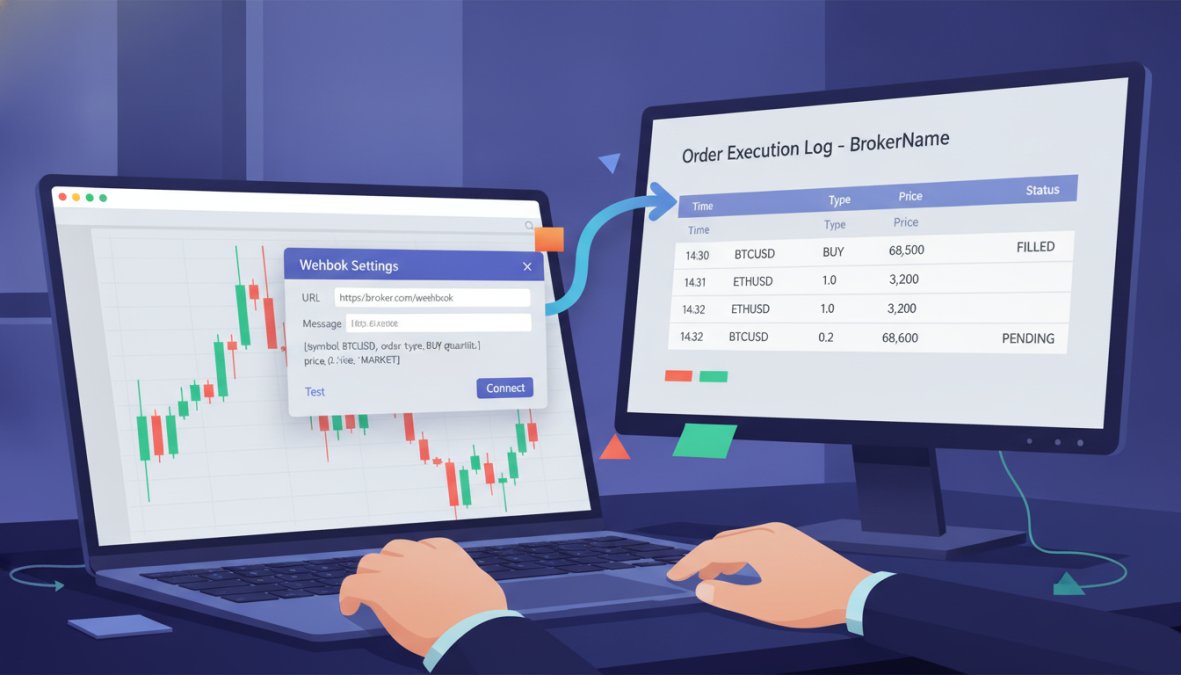
A webhook is an HTTP callback, a URL endpoint that receives data when a specified event occurs. When TradingView fires an alert, it sends a POST request to that URL with your configured message body. Setting this up correctly is the difference between a system that executes reliably and one that silently drops orders.
Step-by-Step: Setting Up a Webhook Alert in TradingView
Total Time: 20-30 minutes
What You’ll Need: TradingView paid plan (webhooks require at least the Essential tier), a middleware account, and a brokerage account with API access.
- Open your chart and add your Pine Script indicator or strategy
- Click the "Alerts" clock icon and select "Create Alert"
- Set the condition to match your signal logic (e.g., indicator crosses above threshold)
- Under "Notifications," enable "Webhook URL" and paste your middleware endpoint
- In the "Message" field, enter your JSON payload with TradingView dynamic variables
- Set alert expiration and recurrence (select "Once Per Bar Close" for most strategies)
- Save the alert and verify it appears in your Alerts panel
One critical caveat: TradingView’s webhook delivery is not guaranteed. If your middleware endpoint is down or returns a non-200 response, TradingView will retry, but there’s no dead-letter queue or persistent retry mechanism. Your middleware needs to be highly available.
Choosing a Signal Bot or Middleware Platform
| Platform | Supported Exchanges | Futures Trading | Crypto Exchanges | Monthly Cost |
|---|---|---|---|---|
| 3Commas | Limited | No | Yes (major CEXs) | From ~$14.50/mo |
| Alertatron | Broad | Yes | Yes | From ~$15/mo |
| WunderTrading | Moderate | No | Yes | Free tier available |
| AutoView | Chrome-based | Limited | Yes | From ~$5/mo |
| Custom webhook server | Any (via broker API) | Yes | Yes | Infrastructure cost only |
Building a custom webhook server gives you the most control over execution and latency, but requires development work and ongoing maintenance. For most traders, a dedicated middleware platform is the practical starting point.
Never use a free-tier middleware plan for live trading. Free tiers frequently impose rate limits, delayed processing, or uptime restrictions that can cause missed or duplicated orders during high-volatility periods.
Pine Script Automation Strategies: Building Indicators That Trade
The most common mistake in Pine Script automation strategies is treating the indicator as the entire system. The indicator is only the signal generator. System quality depends equally on how cleanly that signal translates into an executable order.
Turning Technical Indicators into Executable Buy and Sell Signals
A Pine Script indicator generates buy and sell signals by evaluating conditions against market data and attaching alertcondition() calls to each direction.
//@version=5
indicator("EMA Cross Signal", overlay=true)
fastEMA = ta.ema(close, 9)
slowEMA = ta.ema(close, 21)

bullSignal = ta.crossover(fastEMA, slowEMA)
bearSignal = ta.crossunder(fastEMA, slowEMA)

alertcondition(bullSignal, title="Buy Signal", message='{"action":"buy","ticker":"{{ticker}}","close":"{{close}}"}')
alertcondition(bearSignal, title="Sell Signal", message='{"action":"sell","ticker":"{{ticker}}","close":"{{close}}"}')
The JSON message structure matters, your middleware parses this payload to determine order direction, size, and execution parameters. Standardize your message schema early and don’t change it without updating your middleware configuration simultaneously. For more complex strategies, you can include position sizing, stop-loss levels, or take-profit targets directly in the alert message. According to TradingView’s Pine Script documentation, dynamic variables like {{close}}, {{volume}}, and {{time}} are available in alert messages, giving you access to real-time market data at signal fire.
Backtesting TradingView Strategies Before You Go Live
Backtesting TradingView strategies runs your Pine Script strategy against historical price data to evaluate past performance. TradingView’s Strategy Tester provides net profit, drawdown, win rate, and trade-by-trade breakdowns. It’s genuinely useful, and genuinely dangerous if misread. The Strategy Tester shows how a strategy performed on the data you tested it on. That’s not the same as how it will perform going forward.
Avoiding Curve-Fitting and Parameter Sensitivity Traps
Curve-fitting occurs when you optimize parameters so precisely to historical data that the strategy memorizes the past rather than identifying a repeatable edge. Parameter sensitivity is the related problem: a strategy where changing one input dramatically changes outcomes is fragile.
Practical defenses:
- Walk-forward testing: Optimize on one data segment, validate on the next unseen segment, repeat. Performance that holds across multiple out-of-sample periods is more credible.
- Heatmap dashboard analysis: Test across a grid of parameter combinations and look for a broad plateau of good performance, not a single sharp peak, which is a curve-fitting red flag.
- Robustness checks: Run the strategy on correlated instruments or different timeframes. A genuine edge tends to appear across related markets.
As noted in [research on algorithmic trading(/what-is-algorithmic-trading-mt5/) strategy evaluation | ssrn.com], the gap between backtested and live performance is one of the most documented phenomena in quantitative finance. Treat backtest results as a lower bound for risk, not an upper bound for profit.
A backtest that looks too good almost certainly is. Target strategies with moderate win rates, consistent drawdown profiles, and performance that holds across parameter ranges, not just at the optimized setting.
Automated Trading Risk Management: Rules Every System Needs
Automated trading risk management is not optional configuration. It’s the difference between a system that survives a bad week and one that blows an account before you notice something went wrong. Every automated trading system needs at least four hard rules baked into its execution layer.
Position sizing: Define maximum position size as a percentage of account equity, not a fixed lot size. Percentage-based sizing keeps risk proportional as account size changes.
Maximum daily loss limit: Set a circuit breaker that halts all new orders if the account loses more than a defined threshold in a single session. Many middleware platforms support this natively; if yours doesn’t, build it at the strategy level.
Maximum concurrent positions: Limit how many open trades can exist simultaneously. Correlated signals from multiple instruments can stack exposure in ways that look diversified but aren’t.
Manual intervention protocol: Know exactly what you’ll do when the system behaves unexpectedly, how to pause the strategy, review open positions, and resume. Real-time monitoring is not optional for live automated systems.
According to guidance on algorithmic trading risk controls from the CFA Institute, systematic pre-trade and post-trade risk checks are considered baseline requirements for any automated execution environment, retail algorithmic traders included.
Latency, Slippage, and Security: What Most Guides Skip
This is where live trading performance diverges most sharply from backtested results, and where most automation tutorials go quiet.
Measuring and Reducing Latency in Webhook Execution
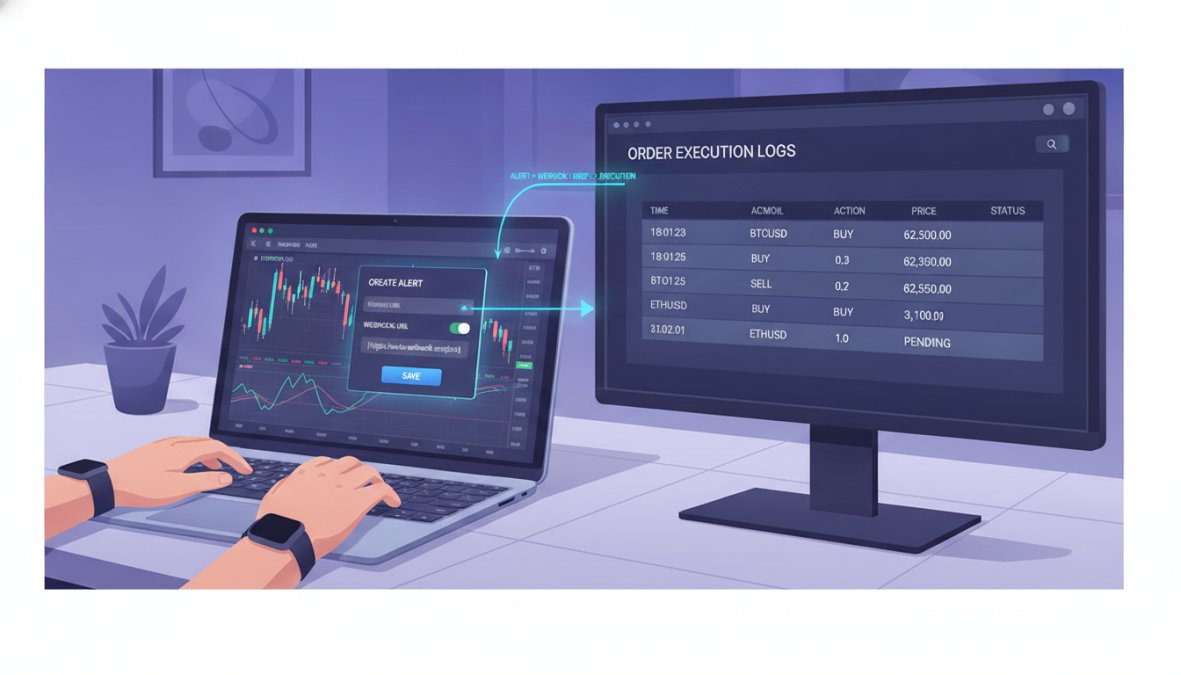
Latency accumulates across four stages: TradingView alert generation, HTTP transit to middleware, middleware processing, and broker API response. Practical steps to reduce total latency:
- Host middleware on a cloud server geographically close to your broker’s API endpoint
- Use a VPS or dedicated server rather than a consumer internet connection
- Monitor webhook delivery timestamps against order fill timestamps regularly
- Prefer brokers with low-latency REST APIs or FIX protocol access for futures trading
Slippage, the difference between expected and actual fill price, is partly a function of latency and partly market liquidity. For crypto exchanges and thin futures markets, slippage can materially erode strategy performance.
API Key Security Best Practices
A compromised API key gives an attacker full control over your brokerage account’s trading functions. Non-negotiable security practices:
- Restrict permissions: Generate API keys with only the permissions your system needs, if it only places market orders, the key should not have withdrawal permissions.
- IP whitelisting: Restrict API key usage to your middleware server’s IP address and nothing else.
- Key rotation: Rotate API keys at minimum every 90 days, and immediately after any suspected exposure.
- Environment variables: Never hardcode API keys in scripts or configuration files that might be committed to version control.
- Audit logs: Review broker API activity logs regularly for unexpected requests.
A single misconfigured permission on an API key has cost traders entire account balances. This is not a theoretical risk.
Troubleshooting Webhook Failures
The most frequent failure modes are:
- Alert not firing: Condition logic error in Pine Script, or the alert expired. Check the Alerts panel and review the condition against current chart data.
- Webhook URL unreachable: Middleware server is down or URL has changed. Test the endpoint directly with a tool like Postman before assuming TradingView is the problem.
- Middleware parsing error: JSON payload format mismatch. Log every incoming webhook payload on the middleware side and compare it to what TradingView is sending.
- Order rejected by broker: Insufficient margin, incorrect instrument symbol, or API permission issue. Check broker error logs directly.
- Duplicate orders: Alert set to "Every tick" instead of "Once per bar close." Always use "Once Per Bar Close" for strategies based on confirmed candles.
Build logging into every layer of your system. Silent failures, where the webhook fires but the order never executes, are the hardest to diagnose without a complete audit trail.
Cost-Benefit Analysis: Choosing the Right TradingView Indicators for Automated Trading
The question of which TradingView indicators for automated trading to use is inseparable from cost and what they actually deliver. Free Pine Script indicators from TradingView’s public library carry real risks: undocumented logic, no maintenance, no support, and no guarantee the signal generation is sound. For backtesting exploration they’re fine; for live automated trading, the risk profile is different.
Professionally built systems address those gaps but vary significantly in what they include. Key evaluation criteria:
| Criteria | What to Look For |
|---|---|
| Signal quality | Documented backtesting across multiple market conditions |
| Execution compatibility | Works with your broker and middleware platform |
| Ongoing updates | Developer actively maintains and improves the system |
| Support | Responsive support when webhook or signal issues arise |
| License flexibility | Can be deployed across multiple accounts or devices |
| Contract terms | No long-term lock-in; monthly subscription preferred |
EZMT5 addresses this directly with instant, unlimited access to 11 professional, fully built, and optimized MT5 trading systems and TradingView indicators, covering all future systems as they’re added. The service includes two license keys per system that can be changed at any time, operates on a no-contract monthly subscription, and is designed for traders who want to start executing immediately after download rather than spending weeks configuring and debugging from scratch.
The build-versus-buy decision comes down to one honest question: is your edge in system development, or in trading? If it’s the latter, buying a professionally built system and focusing on execution quality, risk management, and strategy refinement is the higher-value use of your time.
Building a reliable automated trading system on TradingView requires more than a good indicator. The webhook infrastructure, security configuration, latency management, and risk controls all determine whether the system performs in live conditions. EZMT5 provides fully built and optimized TradingView indicators and MT5 trading systems with real-time trade opportunities, two flexible license keys per system, and no long-term contracts, so you can focus on trading rather than infrastructure. Signup Now and start executing with professional-grade tools from day one.
Frequently Asked Questions
Can you automate trading directly on TradingView?
TradingView does not execute trades natively, it generates buy and sell signals via alerts. To automate execution, you must connect TradingView alerts to a broker or crypto exchange through a webhook and a middleware signal bot or API integration. The alert fires a JSON payload to a third-party platform, which then places the order on your brokerage account. This makes TradingView indicators for automated trading a two-part system: signal generation on TradingView, execution handled externally.
Do I need to know Pine Script to automate TradingView indicators?
Basic Pine Script automation strategies are helpful but not strictly required. Many pre-built indicators already include alert conditions you can use without writing code. However, understanding Pine Script allows you to customize entry and exit logic, add execution rules, and fine-tune technical indicators to match your strategy. For serious automated trading, even a basic familiarity with Pine Script gives you significantly more control over signal quality and reduces reliance on third-party configurations.
What is the difference between a TradingView alert and automated execution?
A TradingView alert is a notification, it tells you a condition has been met on a chart but takes no trading action itself. Automated execution means that alert triggers an actual order on your brokerage account without manual intervention. The bridge between the two is a webhook: TradingView sends the alert as an HTTP request to a signal bot or API integration, which interprets the message and submits the order. Without this webhook layer, every alert still requires a manual trade.
How do backtesting TradingView strategies help reduce risk in automated trading?
Backtesting TradingView strategies lets you evaluate how your indicator-based signals would have performed on historical market data before risking real capital. It exposes weaknesses like curve-fitting, poor parameter sensitivity, and low robustness across different asset classes. A well-backtested automated trading system gives you realistic expectations on win rate, drawdown, and slippage. Always test across multiple market conditions and avoid optimizing solely on one dataset, as this can produce results that fail in live trading environments.
What are the biggest security risks when automating TradingView indicators?
The primary risk is compromised API keys. If your broker or crypto exchange API key is exposed, a bad actor can execute trades or withdraw funds. Best practices include using IP whitelisting on your API keys, granting only trade permissions, never withdrawal access, rotating keys regularly, and storing them in environment variables rather than hardcoded in scripts. When using third-party signal bot platforms for TradingView webhook automation, verify they use encrypted connections and have a clear data security policy before connecting your brokerage account.
This article was written using GrandRanker