

Table of Contents
- Top Alternatives to FXPro for Automated Trading Strategies
- Best Automated Trading Platforms for MT5
- How to Backtest Automated Trading Strategies
- Automated Trading Risk Management Best Practices
- Comparing Key Features: Execution Speed, Latency, and API Support
- Manual vs Automated Trading: When Each Approach Makes Sense
- Choosing the Right Alternative for Your Trading Style
- Conclusion
Last Updated: August 21, 2026
Top Alternatives to FXPro for Automated Trading Strategies
When evaluating fxpro alternative for automated strategies, you’re deciding between execution speed, cost structure, and whether your systems perform in live markets as they did in backtests. FXPro has limitations for algorithmic trading; the platforms here address those gaps with stronger API integration, lower latency execution, and deeper backtesting capabilities.
At EZMT5, we’ve worked with traders across multiple platforms. The best alternative depends on whether you’re trading forex, futures, stocks, or a mix, and whether you need pre-built systems or the freedom to code your own. This guide covers actual trade-offs, not just feature lists.
Best Automated Trading Platforms for MT5
MetaTrader 5 remains the standard for retail forex and CFD traders building automated strategies. The ecosystem is mature, documentation extensive, and execution handles high-frequency trading without latency issues.

EZMT5 inverts the typical workflow. Instead of building from scratch, you get 11 professional, fully built MT5 trading systems immediately upon download, optimized and ready to deploy. You receive real-time trade opportunities and can change license keys anytime across two accounts, which matters when testing across multiple brokers or account sizes. The no-contract structure means you’re not locked in while evaluating fit.
The critical advantage over marketplace systems: pre-built systems from EZMT5 include all future releases. You’re not paying per-system; you’re paying for continuous access to an evolving toolkit.
EZMT5: Pre-Built Systems with Instant Setup
EZMT5 delivers professional-grade systems that work immediately. Download, configure your broker connection, and automated trading begins. No coding required. No months of backtesting to validate logic. The systems are already optimized for real market conditions.
Two license keys per system let you run the same strategy across multiple accounts or brokers simultaneously. If testing whether a system performs differently on a micro versus standard account, or comparing execution across brokers, you can do that without buying separate subscriptions. The ability to change keys anytime matters: you’re not trapped if a broker changes terms or you want to migrate accounts.
Pre-built systems carry execution risk that raw code doesn’t. EZMT5 positions systems as tested across real market conditions, not just historical data. Validate them yourself in a demo environment before committing real capital. No system works in every market regime.
OANDA: API-Driven Automation with VPS Hosting
OANDA is a broker with serious automation infrastructure. Code custom strategies in Python, C++, or other languages using OANDA’s API. You get access to 48 currency pairs and CFDs for diversification beyond major pairs.
VPS hosting is the differentiator. Run automated strategies 24/7 without keeping your computer on. Your algorithms execute continuously, capturing opportunities across forex sessions. Integration with MetaTrader 4 and TradingView lets you test on familiar platforms, then deploy through OANDA’s infrastructure.
OANDA is a broker first. You’re subject to their execution policies, spreads, and risk management rules. Rapid orders might trigger throttling. Leverage amplifies both profits and losses, position sizing discipline is non-negotiable.

Interactive Brokers: Institutional-Grade Execution
Interactive Brokers (IBKR) provides access to stocks, options, futures, forex across global markets with institutional-grade execution speed. Sub-millisecond latency is available for algorithmic strategies requiring it.
API documentation is comprehensive. Build bots in Python, Java, C++, or other languages. Advanced order types include bracket orders, trailing stops, and conditional orders. Risk management tools set predefined parameters like stop-loss levels.
The friction: learning curve and commission structure. IBKR Lite offers zero commissions on US stocks and ETFs, but algorithmic traders often pay per-order. The API team doesn’t support third-party software built on their infrastructure, so debugging custom bots falls on you. This platform rewards traders who can code and understand market microstructure.
TradeStation: Advanced Backtesting and EasyLanguage
TradeStation pioneered industry-standard backtesting tools (investopedia.com). If validating strategies before deployment matters, TradeStation’s backtesting engine is exceptional. You get 30 days of tick data and 10 years of 1-minute bars free.
EasyLanguage is the native scripting language, designed specifically for trading logic. Build complex algorithms without being a software engineer. The platform supports US stocks, ETFs, options, futures, and options on futures.
Fee structure: zero commissions on US stocks and ETFs up to 10,000 shares, then $0.60 per options contract and $1.50 per futures contract. There’s a $10 monthly inactivity fee if your account balance is below $5,000 or you make fewer than 10 trades in 90 days.
NinjaTrader: Futures-Focused Automation
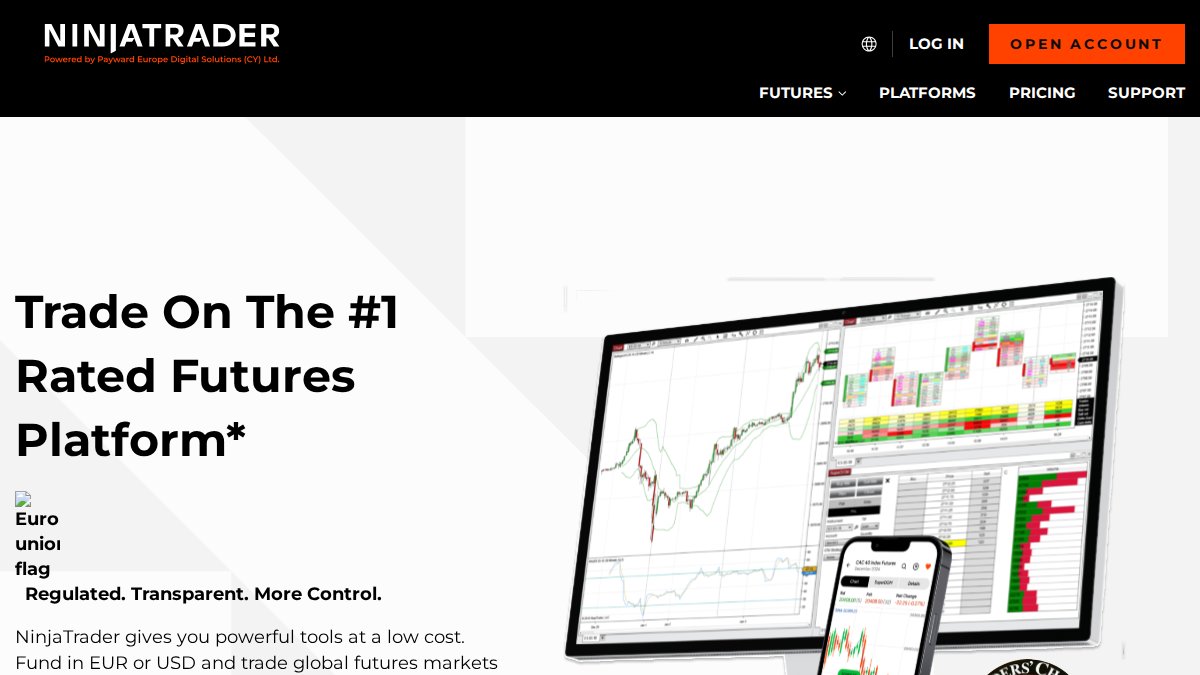
NinjaTrader dominates retail futures trading with execution speed optimized for micro and standard contracts (cftc.gov). Order flow tools and SuperDOM (Depth of Market) provide market structure visibility that forex platforms don’t offer.
Strategy automation uses NinjaScript, a C#-based language. Tick-level backtesting lets you test at the highest resolution, seeing exactly how your algo would have performed on every tick of historical data. That precision matters for scalping and high-frequency strategies.
The platform is free for charting, backtesting, and simulated trading. Live trading requires commissions or software purchase. Commissions start at $0.39 per side for micro contracts. Minimum account balance is $400 for futures, $50 for forex.
How to Backtest Automated Trading Strategies
Backtesting is where most traders fool themselves. A strategy that crushes historical data often fails in live markets because you’re testing against clean, known data. Real markets have gaps, flash crashes, liquidity crunches.
Start with realistic assumptions. Don’t assume you’ll enter at exact signal prices. Assume slippage: the difference between intended entry and actual fill. Assume commissions and spreads. If your backtest shows 40% annual returns and you account for realistic slippage and fees, that number usually drops to 15-20%.
Use out-of-sample testing. Build your strategy on one data period, then test on a completely different period it’s never seen. If performance degrades significantly, your strategy is curve-fit to historical conditions, not robust to new markets.
Walk-forward testing is the next level. Divide historical data into chunks. Optimize parameters on the first chunk, test on the second. Move forward: optimize on chunks one and two, test on chunk three. This simulates real trading where you optimize on the past and deploy into the unknown future.
Test across multiple market regimes: high volatility, low volatility, trending, and range-bound markets. If your strategy only works when markets trend, you need to know that before deploying real capital.
Automated Trading Risk Management Best Practices
Your strategy can have positive expected value and still blow up your account without proper risk management. Position sizing is the foundation. The Kelly Criterion provides a mathematical framework: size positions so that even a string of losses won’t wipe you out (peer-reviewed research). Most traders should use a fraction of Kelly, half-Kelly or quarter-Kelly, to account for model uncertainty.

Set maximum drawdown limits before deploying. Decide in advance: if your account drops 15%, stop trading and reassess. If it drops 25%, shut down completely. Automation enforces discipline. Your algorithm should have hard stops built in.
Correlation risk matters more than most traders realize. If running multiple strategies, check whether they move together during stress periods. Two seemingly independent strategies might both short volatility, meaning they both blow up simultaneously when volatility spikes.
Rebalance your strategy portfolio regularly. If one strategy outperforms, it becomes a larger portfolio portion by default, concentrating risk. Rebalance quarterly to maintain intended risk allocation.
Monitor slippage and execution quality continuously. If actual slippage consistently exceeds your model’s predictions, your edge has eroded. That’s the signal to adjust position size or revisit strategy logic.
Comparing Key Features: Execution Speed, Latency, and API Support
Execution speed separates platforms designed for algorithmic trading from those that tolerate it. Latency, the time between your order signal and actual fill, directly impacts strategy profitability. A strategy with a 50-millisecond edge becomes worthless if your platform adds 200 milliseconds of latency.
Interactive Brokers and NinjaTrader are built for low-latency execution with infrastructure specifically for fast order routing. OANDA offers respectable latency with VPS hosting, eliminating your internet connection as a bottleneck. TradeStation and EZMT5 prioritize ease of use over raw speed, which is fine for position trades or swing trades where milliseconds don’t matter.
API support determines whether you can build custom strategies or you’re locked into the platform’s native language. Interactive Brokers wins: Python, Java, C++, and other languages are fully supported. NinjaTrader requires C#. TradeStation uses EasyLanguage. OANDA supports multiple languages through REST APIs. EZMT5 doesn’t offer API access because it’s designed for traders wanting pre-built systems, not custom development.
Real-time data quality matters as much as order execution latency. If your strategy depends on technical indicators from real-time price feeds, delays in data propagation cause signals to lag.
| Feature | EZMT5 | OANDA | Interactive Brokers | TradeStation | NinjaTrader |
|---|---|---|---|---|---|
| Pre-Built Systems | Yes | No | No | No | No |
| Custom API Development | No | Yes | Yes | Limited | Yes |
| Backtesting Tools | Included | Basic | Advanced | Exceptional | Advanced |
| VPS Hosting | No | Yes | No | No | No |
| Futures Support | Limited | No | Yes | Yes | Yes |
| Execution Latency | Standard | Low | Ultra-Low | Standard | Ultra-Low |
| License Key Flexibility | 2 per system | N/A | N/A | N/A | N/A |
Manual vs Automated Trading: When Each Approach Makes Sense
Manual trading gives you discretion. You can skip setups that don’t fit your rules and adjust position size based on conviction. Automated trading removes that flexibility; your algorithm executes exactly as programmed.
Automated trading wins when you have a mechanical, repeatable edge. If your strategy is "enter when the 20-period moving average crosses above the 50-period moving average," automation ensures you never miss a setup and never override signals based on emotion.
Automated trading loses when your edge depends on interpretation or judgment. If your strategy is "buy oversold stocks showing reversal patterns," that requires human pattern recognition. Automation can’t reliably codify that.
The hybrid approach works for many traders: automate the mechanical parts, keep manual oversight for discretionary parts. Run automated systems while monitoring actively. Set alerts for certain conditions, then decide whether to trade. This combines automation’s discipline with human judgment’s adaptability.
Most professionals use automation for execution, not decision-making. They decide which positions to take, then automate order entry and position management. That’s the sweet spot: you keep control over big decisions, automation handles details.
Choosing the Right Alternative for Your Trading Style
If you’re a beginner wanting to start immediately without building systems from scratch, EZMT5 is the obvious choice. You get 11 professional systems, real-time signals, and deployment across two accounts with no contracts. Download, configure your broker, and trade. Test them in a demo account first to ensure they match your risk tolerance and market outlook.
If you’re a developer wanting to build custom strategies in Python or another language, Interactive Brokers or OANDA are your platforms. IBKR offers institutional-grade execution and access to every asset class. OANDA offers VPS hosting and broader forex coverage. Both require coding skill and API documentation comfort.
If you’re a futures trader focused on scalping or high-frequency strategies, NinjaTrader is the standard. The platform is built for that market with optimized execution for micro contracts. If trading stocks or options, TradeStation’s backtesting and EasyLanguage make it the better choice.
If you want one platform handling stocks, options, futures, forex across global markets, Interactive Brokers is the only real answer. You’ll pay more in commissions and deal with a steeper learning curve, but you get access to everything with genuinely institutional execution quality.
The decision hinges on three questions: Do you want pre-built systems or custom development? Do you need low-latency execution or is standard latency acceptable? Do you want a broker handling everything or a specialist platform? Answer those honestly, and your choice becomes clear.
Choosing between automated trading platforms isn’t about finding the objectively "best" option; it’s about matching the platform to how you actually trade. EZMT5 removes the friction of building systems from scratch, giving you 11 professional strategies that start working immediately. If you’re serious about automated trading but don’t want to spend months coding and backtesting, EZMT5’s pre-built systems with real-time trade opportunities and flexible license keys let you begin trading like a professional immediately after download. Signup Now.
Frequently Asked Questions
Which platform is best for automated trading with MT5?
The best choice depends on your experience level and needs. EZMT5 suits traders wanting pre-built, fully optimized systems ready to deploy immediately without technical setup. OANDA appeals to those needing API integration and VPS hosting for continuous execution. Interactive Brokers serves experienced traders wanting institutional infrastructure and diverse asset classes. TradeStation excels for backtesting-focused traders, while NinjaTrader dominates for futures-specific automation. Evaluate based on your preferred asset classes, technical skill level, and whether you need pre-built systems or custom development.
How do I backtest automated trading strategies before going live?
Most platforms offer historical backtesting using tick-level or minute-level data. TradeStation provides free access to 10 years of 1-minute data and 30 days of tick data, making it excellent for comprehensive testing. NinjaTrader offers tick-level backtesting for futures strategies. When backtesting, use at least 2-3 years of historical data, test across different market conditions (trending, ranging, volatile), and account for slippage and commissions. Avoid overfitting to past data; focus on strategies that perform consistently across multiple timeframes and currency pairs or instruments.
What risk management tools should I use with automated trading platforms?
Essential risk management includes position sizing based on account percentage, stop-loss orders on every trade, maximum daily loss limits, and leverage restrictions. Most platforms like OANDA, Interactive Brokers, and TradeStation offer predefined risk parameters and conditional orders. Set stops at logical technical levels, not arbitrary percentages. Use trailing stops to protect profits in trending markets. Implement account-level maximum drawdown limits to halt trading if losses exceed your tolerance. Monitor real-time execution to catch slippage or unexpected market gaps that could exceed your intended risk.
What's the difference between API integration and pre-built trading systems?
API integration lets you build custom strategies using programming languages like Python, C++, or Java, connecting your logic directly to the broker's execution engine. This suits experienced developers but requires technical knowledge. Pre-built systems like EZMT5 come fully developed and optimized, requiring only download and activation, no coding needed. Pre-built systems trade speed for flexibility; you get faster deployment but less customization. APIs offer unlimited customization but demand development time and testing. Choose APIs if you have specific, unique strategies; choose pre-built systems if you want immediate, proven automation.
This article was written using GrandRanker