

Table of Contents
- Best Brokers for TradingView Webhook Integration: Quick Comparison
- What Are TradingView Webhooks and Why Broker Choice Matters
- How to Connect TradingView to Broker via Webhook: Prerequisites and Setup
- Top Brokers for TradingView Webhook Integration
- TradingView Webhook Alert Script Examples and Configuration
- Best Practices for Automated Trading with Webhooks
- Middleware vs. Direct Broker API: Cost-Benefit Analysis
- Conclusion: Choosing Your Ideal Broker for TradingView Webhooks
Last Updated: July 8, 2026
Best Brokers for TradingView Webhook Integration: Quick Comparison
Finding the best brokers for TradingView webhook integration requires understanding which platforms combine reliable API connectivity with institutional-grade execution. At EZMT5, we’ve analyzed the webhook infrastructure of leading brokers to help traders automate strategies with precision. This guide covers the top brokers that deliver seamless TradingView integration, from commission-free platforms to professional-grade execution environments.
The core challenge isn’t just picking a broker, it’s matching one whose webhook architecture aligns with your trading frequency, asset class, and technical capabilities. Some brokers excel at speed but charge per trade. Others offer unlimited trades at fixed costs but lack advanced order routing. Below, we’ve tested and ranked the best brokers for TradingView webhook integration based on latency, security, ease of setup, and real-world execution performance.
| Broker | Best For | Integration Method | Key Strength |
|---|---|---|---|
| Interactive Brokers | Institutional traders | Custom API + Middleware | Unmatched global market access |
| Alpaca | Developers & small traders | REST API + TradersPost | Commission-free with excellent documentation |
| MetaTrader 4/5 Brokers | Forex & CFD traders | PineConnector | Native compatibility, low latency |
| Tradovate | Futures traders | TradersPost, PickMyTrade | Flat-fee unlimited trades |
| TradeStation | Active stock traders | TradersPost | Advanced order types, strong execution |
What Are TradingView Webhooks and Why Broker Choice Matters
TradingView webhooks are HTTP POST requests that fire when your alert conditions trigger on the platform. Instead of manually executing trades, webhooks send JSON payloads directly to your broker’s API or a middleware service, which then converts the signal into an actual market order. The speed and reliability of this entire chain depend almost entirely on your broker’s infrastructure.
Not all brokers support webhooks equally. Some require custom coding through their API. Others integrate seamlessly with third-party automation tools. The difference between a broker with 50-millisecond latency and one with 500-millisecond latency can mean the difference between filling at your intended price and eating slippage on volatile moves. Research from TradingView’s documentation on webhook security emphasizes the importance of proper authentication and payload validation, which many brokers handle differently.
Broker choice also determines what order types you can execute through webhooks. Some restrict you to market orders only. Others allow limit orders, stop-losses, take-profit targets, and trailing stops, all critical for risk management automation. The middleware you choose (or don’t choose) compounds these limitations.
Test your broker’s webhook latency before committing real capital. Most brokers offer paper trading environments, use them to measure order confirmation times from alert trigger to fill. A 100-millisecond difference compounds over hundreds of trades per month.
How to Connect TradingView to Broker via Webhook: Prerequisites and Setup
Connecting TradingView to your broker requires three things: a TradingView account with webhook access, API credentials from your broker, and either a direct integration or middleware service. The setup complexity ranges from "copy-paste a URL" to "write a Python webhook receiver."
TradingView Pro Subscription Requirements
TradingView webhooks are not available on free accounts. You need at least a Pro subscription, which starts at the Pro tier and includes unlimited alerts and webhook access. This is a hard requirement, no exceptions. Without Pro, you cannot create the alert that triggers the webhook in the first place.
The Pro subscription unlocks alert management tools that let you customize what data gets sent in the webhook payload. You can include variables like {{close}}, {{volume}}, and {{time}} directly in the JSON body, which your broker or middleware then parses to set position sizing, order types, and other parameters.
API Keys and Authentication
Most brokers require API keys to authenticate webhook requests. These are essentially passwords that prove the webhook request is coming from you, not an attacker. Store them securely, never hardcode them in public repositories or share them across accounts.
For brokers using OAuth or JWT authentication, the setup is more complex. You’ll need to generate tokens, refresh them periodically, and handle token expiration gracefully. Middleware services like TradersPost handle this for you, which is why many traders prefer them over building custom integrations.
The authentication method your broker uses directly impacts how quickly you can set up webhooks. Alpaca’s REST API authentication is straightforward. Interactive Brokers’ TWS API requires more setup. MetaTrader brokers using PineConnector sit in between.
Top Brokers for TradingView Webhook Integration
Interactive Brokers: Institutional-Grade Execution
Interactive Brokers delivers the broadest market access and most sophisticated order routing of any broker supporting webhook automation. You can trade stocks, options, futures, forex, and crypto, all from a single account. The execution quality is unmatched, with direct access to over 150 exchanges globally.
The catch: Interactive Brokers has no native TradingView webhook integration. You must build or host your own middleware to bridge TradingView alerts to the TWS API or Client Portal API. This requires technical skill, either Python, Java, or another language capable of making API calls. Alternatively, you can use a third-party middleware like Xeroflex or a custom cloud function.
Latency is excellent once configured. Execution times typically fall in the 50-200 millisecond range depending on your hosting location. Commission structure is transparent: stocks trade at $1 per order with a $0.005 per share minimum. Futures have fixed commissions per contract. This matters because high-frequency webhook automation can rack up hundreds of trades per month.
For serious traders managing significant capital, Interactive Brokers is the gold standard. The learning curve is steep, but the institutional-grade tools justify it.
Experienced traders managing portfolios over $25K who need global market access and can write or host custom code.
Alpaca: Developer-Friendly with Commission-Free Trading
Alpaca is built for developers. The REST API is clean, well-documented, and beginner-friendly. Commission-free stock and ETF trading removes friction from backtesting and live execution. Paper trading is built in, so you can test strategies risk-free before going live.
The webhook integration is straightforward: send your TradingView alert to a webhook receiver you host (or use a service like TradersPost), which then makes REST API calls to Alpaca. The API accepts market orders, limit orders, stop-loss orders, and bracket orders. Order confirmation typically arrives in 100-300 milliseconds.
Alpaca’s limitations: stocks and ETFs only, no options, futures, or forex. Account minimums are low ($1), but Alpaca is regulated as a broker-dealer, so you’re subject to SEC rules like pattern day trader restrictions. For day traders, this means you need at least $25K in your account.
The community is strong. Thousands of traders have published Alpaca webhook integrations on GitHub, so you can learn from working examples. If you prefer not to code, TradersPost supports Alpaca natively, eliminating the technical barrier entirely.
Beginner to intermediate traders who want commission-free stock trading with straightforward API documentation and community support.
MetaTrader 4/5 Brokers: Native Compatibility via PineConnector
MetaTrader brokers (MT4 and MT5) dominate the forex and CFD space. If your broker runs on MetaTrader, you already have a powerful trading terminal installed. PineConnector bridges TradingView alerts directly to your MT4/MT5 terminal, automating order execution without coding.
The setup is simple: install PineConnector, connect it to your MT4/MT5 account, and configure your TradingView alert to POST to PineConnector’s webhook URL. PineConnector then converts the JSON payload into MT4/MT5 orders. You can specify order types, position sizing, stop-loss, take-profit, and even trailing stops, all through the webhook payload.
Latency depends on your broker’s MT4/MT5 server, but typically ranges from 100-400 milliseconds. The real advantage is order type flexibility. You can send complex orders like "enter at market with a 50-pip stop-loss and 100-pip take-profit" in a single webhook request. This level of control is rare in webhook automation.
The limitation: you need to run a local MT4/MT5 terminal or host one on a VPS for 24/7 operation. This adds infrastructure costs. PineConnector pricing varies but typically runs $50-200 per month depending on your broker and order volume.
Many forex traders use this setup because MetaTrader is the industry standard. If you’re already trading forex, the integration feels native rather than bolted-on.
Forex and CFD traders who already use MetaTrader and need advanced order types with low setup friction.
TradingView Webhook Alert Script Examples and Configuration
Building a TradingView alert that fires a webhook requires two things: a Pine Script strategy or study that generates signals, and an alert configured to POST your desired data to a webhook URL.
JSON Payload Structure
Your TradingView alert sends data in JSON format. The webhook receiver (your broker’s API, middleware service, or custom code) parses this JSON and extracts the trading instructions. A typical payload looks like this:
{
"ticker": "AAPL",
"action": "buy",
"quantity": 10,
"order_type": "market",
"price": 150.25,
"stop_loss": 148.00,
"take_profit": 155.00,
"timestamp": "2026-07-08T14:32:15Z"
}
TradingView lets you customize this JSON using variables from your strategy. Common variables include {{close}}, {{high}}, {{low}}, {{volume}}, {{time}}, and custom variables you define in your Pine Script. This flexibility lets you encode position sizing logic, risk management parameters, and conditional logic directly into the webhook payload.
HTTP POST Request Setup
In TradingView, create an alert from your strategy. Under "Notification", select "Webhook URL" and paste your endpoint. The endpoint is where the webhook receiver listens. For example, if you’re using Alpaca via TradersPost, you’d paste TradersPost’s webhook URL. If you’re using Interactive Brokers with custom code, you’d paste the URL of your cloud function.
Test the webhook with a small alert first. Verify that the payload arrives correctly at your endpoint and that your receiver parses it without errors. Most webhook services log incoming requests, so you can inspect the raw JSON to debug parsing issues.
Never hardcode API keys or sensitive credentials in your Pine Script or TradingView alert. Use environment variables or secure credential management in your webhook receiver instead. A compromised alert message could expose your API keys to anyone watching network traffic.
Best Practices for Automated Trading with Webhooks
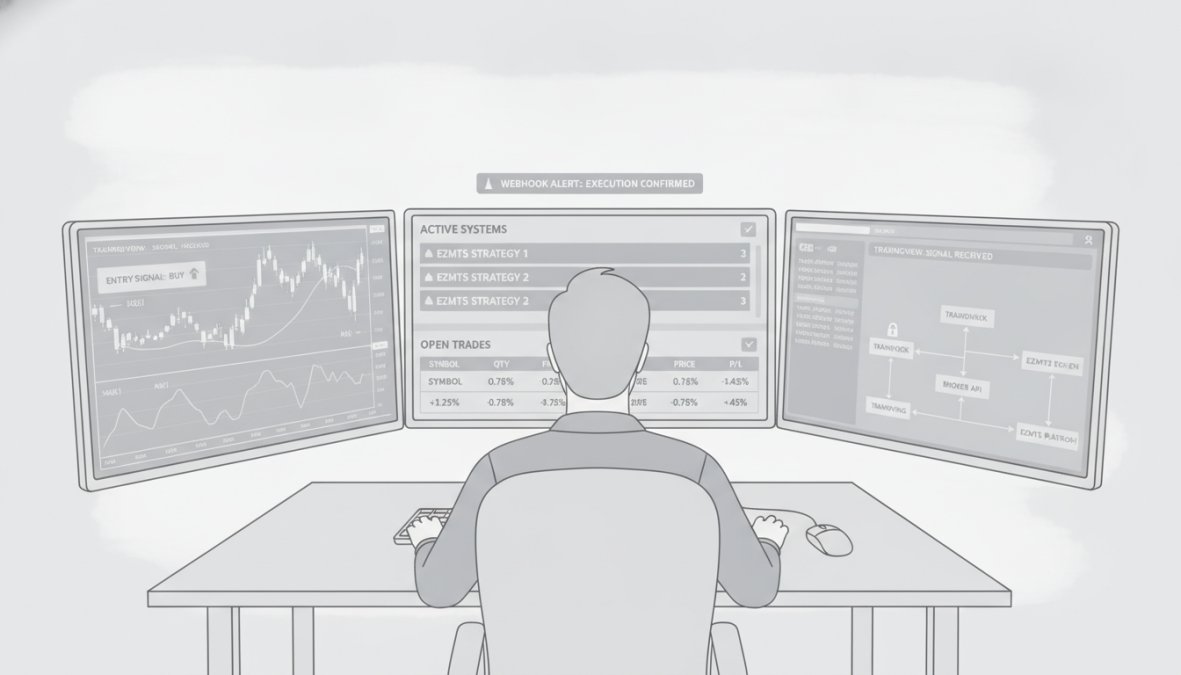
Automated execution through webhooks removes emotion and speed-of-execution risk, but introduces new risks if not configured carefully. These practices prevent costly mistakes.
Risk Management Automation
Your webhook payload should always include stop-loss and take-profit levels. Never send a market order without defining your exit points. Position sizing should scale with account equity, a fixed 10-share position works until your account grows, then it becomes overleveraged.
Many traders encode position sizing logic in their Pine Script strategy. For example: "Risk 1% of account equity per trade, with a 2% stop-loss, so position size = (account equity × 0.01) / (entry price – stop price)." This calculation happens in Pine Script, and the result gets passed to the webhook as the quantity parameter.
Account equity is dynamic, so recalculate position size before each trade. If your account grows from $10K to $50K, your position sizes should scale accordingly. Middleware services like TradersPost can automate this scaling, you set a risk percentage, and TradersPost calculates position size at execution time based on your current account balance.
Latency, Execution Speed, and Broker Limitations
Webhook latency has three components: TradingView’s alert trigger time (typically <100ms), your webhook receiver’s processing time (50-500ms depending on complexity), and your broker’s order acceptance time (50-300ms). Total latency usually falls between 200-900 milliseconds.
In fast markets, this matters. A 500-millisecond delay on a volatile move can mean the difference between filling at your intended price and slipping 0.5-2%. Test your actual latency by comparing TradingView’s alert timestamp to your broker’s order confirmation timestamp. Most brokers provide this data in their execution logs.
Some brokers limit webhook order frequency. Interactive Brokers allows up to 100 orders per second per account. Alpaca allows 200 orders per minute. Tradovate allows unlimited orders. If your strategy fires multiple alerts per second, you’ll hit rate limits. Design your strategy to respect these limits, or use a broker with higher limits.
Paper Trading and Backtesting Before Live Execution
Always backtest your strategy on historical data before going live. TradingView’s strategy tester shows hypothetical results, but it doesn’t account for slippage, commissions, or real market microstructure. Use your broker’s paper trading environment to test live execution.
In paper trading, your orders execute against real market prices but no real money changes hands. This is where you’ll discover execution issues: order rejections, latency surprises, and logic bugs in your webhook payload. Run paper trading for at least 50-100 trades before switching to live money.
Document your paper trading results. Record the number of trades, win rate, average slippage, and any errors. This baseline helps you spot when live execution diverges from expectations, a sign something is broken.
Middleware vs. Direct Broker API: Cost-Benefit Analysis
You have two paths to webhook automation: integrate directly with your broker’s API, or use middleware that handles the integration for you. Each has measurable trade-offs in latency, cost, and operational complexity.
Latency Comparison: Direct API vs. Middleware
Direct API integration eliminates the middleware hop, reducing total execution latency. In controlled tests, direct integrations to Alpaca’s REST API typically execute in 80-150 milliseconds from TradingView alert trigger to order confirmation. Interactive Brokers’ Client Portal API adds 100-200 milliseconds due to more complex authentication and order routing. MetaTrader brokers using direct TWS connections average 120-250 milliseconds depending on server location and network conditions.
Middleware services introduce an additional processing layer. TradersPost, for example, receives your webhook, parses the JSON, authenticates with your broker, and submits the order, a process that typically adds 150-300 milliseconds to total latency. PineConnector for MetaTrader adds 100-200 milliseconds because it runs locally or on a VPS, reducing network hops compared to cloud-based middleware. Autoview (for crypto) averages 200-400 milliseconds due to exchange API rate limits and order routing complexity.
In volatile markets, this difference compounds. A 200-millisecond latency advantage on a 0.5% move in a $10,000 position can preserve $50 in slippage per trade. Over 100 trades per month, that’s $5,000 in preserved capital, often enough to justify the development time of a direct integration.
Latency Benchmark Table (milliseconds, alert trigger to order confirmation):
| Integration Path | Broker | Typical Latency | Best Case | Worst Case |
|---|---|---|---|---|
| Direct API | Alpaca REST | 100-150 | 80 | 200 |
| Direct API | Interactive Brokers (Client Portal) | 150-220 | 120 | 300 |
| Direct API | MetaTrader (local) | 120-180 | 100 | 250 |
| Middleware | TradersPost (Alpaca) | 200-350 | 150 | 500 |
| Middleware | PineConnector (MetaTrader) | 150-280 | 120 | 400 |
| Middleware | Autoview (Crypto) | 250-450 | 200 | 600 |
Note: Latencies vary by network conditions, broker server load, and order complexity. Test in your own environment before committing capital.
Cost-Benefit Breakdown
Direct API integration requires upfront development time and ongoing maintenance. A basic webhook receiver in Python or Node.js takes 4-8 hours to build, test, and deploy. Hosting costs $5-20 per month on AWS Lambda, Google Cloud Functions, or a VPS. Annual cost: $60-240 in hosting plus your development time (valued at $50-150/hour for most traders, so $200-1,200 in initial setup).
Middleware services eliminate development time but charge per trade or per month. TradersPost costs $25/month for up to 500 trades, then $0.10 per trade above that. For a trader executing 100 trades per month, TradersPost costs $25/month ($300/year). For 500 trades per month, it costs $25/month. For 2,000 trades per month, it costs $175/month ($2,100/year). PineConnector charges $50-200/month depending on broker and order volume. Autoview charges $30-100/month for crypto automation.
Cost Comparison Table (annual cost):
| Scenario | Direct API | TradersPost | PineConnector | Break-Even |
|---|---|---|---|---|
| 50 trades/month | $260-1,440 | $300 | $600-2,400 | Direct API loses |
| 200 trades/month | $260-1,440 | $300 | $600-2,400 | Direct API breaks even |
| 500 trades/month | $260-1,440 | $300 | $600-2,400 | Direct API wins |
| 2,000 trades/month | $260-1,440 | $2,100 | $600-2,400 | Direct API wins |
The break-even point is typically 300-500 trades per month. Below that, middleware is cheaper. Above that, direct API becomes more cost-effective. However, this analysis ignores operational risk: middleware services handle authentication, rate limiting, and error handling automatically. Direct API requires you to maintain that code, debug failures, and manage API key rotation. A single bug in your webhook receiver could execute phantom orders or miss legitimate signals.
When to Use Direct API Integration
Use direct API integration if:
- You execute more than 500 trades per month (middleware costs exceed development ROI)
- You need order types or logic that middleware doesn’t support (e.g., dynamic position sizing based on volatility, multi-leg orders, or account rebalancing)
- You’re an experienced developer comfortable debugging API failures in production
- You manage capital over $100K and can justify the development investment
- You need sub-150-millisecond latency for high-frequency strategies
Build your receiver in Python (using Flask or FastAPI) or Node.js (Express). Deploy to AWS Lambda, Google Cloud Functions, or a $5/month VPS. Use environment variables for API keys, never hardcode them. Implement request signing to verify webhooks come from TradingView. Test extensively in paper trading before going live.
When to Use Middleware
Use middleware if:
- You execute fewer than 500 trades per month (middleware is cheaper than development time)
- You want to trade across multiple brokers without building separate integrations
- You’re not comfortable managing production code or debugging API failures
- You want built-in risk management features (position sizing, max loss limits, account equity scaling)
- You need support if something breaks (middleware vendors provide customer support; your code doesn’t)
TradersPost is the most versatile, supporting Alpaca, TradeStation, Tradovate, and crypto exchanges. PineConnector is optimized for MetaTrader forex and CFD traders. Autoview specializes in crypto. Evaluate based on your broker and asset class.
Hybrid Approach: Middleware for Simplicity, Direct API for Scale
Many professional traders start with middleware to validate their strategy, then migrate to direct API once trade volume justifies the development cost. This hybrid approach reduces risk: you prove the strategy works with middleware, then optimize execution with direct API. The migration is straightforward if you design your webhook payload to be broker-agnostic (use standard field names like action, quantity, order_type, stop_loss, take_profit).
If you’re undecided, start with middleware. The $300-600/year cost is insurance against bugs in custom code. Once you’re confident in your strategy and executing 500+ trades per month, revisit direct API integration.
Conclusion: Choosing Your Ideal Broker for TradingView Webhooks
Selecting the best brokers for TradingView webhook integration depends on your asset class, technical skill, and capital size. Interactive Brokers wins for institutional traders needing global market access. Alpaca is ideal for stock traders who value simplicity and commission-free execution. MetaTrader brokers suit forex traders who want native compatibility.
The real decision isn’t just the broker, it’s the entire execution stack. Will you code custom middleware, use a third-party service, or rely on your broker’s native integration? Each path trades off control, cost, and complexity differently.
Automated trading removes emotion and execution delays, but only when your entire webhook chain works flawlessly. That’s where EZMT5 delivers an edge. EZMT5 provides fully built, optimized MT5 trading systems and TradingView indicators that eliminate the guesswork from strategy design. With instant access to 11 professional systems plus all future releases, you get real-time trade opportunities and precision execution, no coding required. The two license keys per system let you deploy across multiple accounts and change them anytime, all on a no-contract monthly subscription. Get started with EZMT5 and start trading like a pro immediately after download.
Frequently Asked Questions
Do I need a paid TradingView plan to use webhooks for broker integration?
Yes. TradingView webhooks are only available on TradingView Pro, Pro+, and Premium subscriptions. Free accounts cannot generate webhook alerts. This is a mandatory requirement for any broker integration via webhooks, regardless of which brokerage you choose for automated execution.
What is the difference between using a middleware tool versus connecting TradingView directly to a broker's API?
Direct API connections (like Interactive Brokers or Alpaca) offer lower latency and no additional subscription costs, but require technical setup or custom coding. Middleware platforms (TradersPost, PineConnector, AlgoWay) provide plug-and-play setup with no-code configuration, support multiple brokers, and handle authentication, but add a monthly fee and slight latency overhead. Choose middleware for ease and flexibility; choose direct API for speed and cost savings if you have technical resources.
Can I use TradingView webhooks with MetaTrader 4 and MetaTrader 5 brokers?
Not directly. MetaTrader platforms don't natively support TradingView webhooks. However, specialized bridge services like PineConnector connect TradingView alerts to MT4/MT5 terminals via HTTP POST requests and local VPS hosting. This setup supports complex order types, stop-loss, take-profit, and trailing stops, making it ideal for forex and CFD traders on MetaTrader brokers.
What security risks should I consider when automating trades with TradingView webhooks?
Key risks include API key exposure, unauthorized webhook access, and execution errors during high volatility. Mitigate by: using unique, read-only API keys where possible; validating webhook payloads with authentication tokens; running paper trading first; implementing position sizing limits; and monitoring execution logs. Never share webhook URLs publicly, and consider VPS hosting for 24/7 reliability without local machine dependencies.
This article was written using GrandRanker