
Table of Contents
- What Are Forex Robots and Expert Advisors?
- Best Free Forex Robots for MT5 Beginners: Top Options
- How to Backtest MT5 Expert Advisors Before Live Trading
- Risks of Using Free Forex EAs: Safety and Scam Detection
- How to Set Up a VPS for MT5 Trading: Latency and Performance
- Installing and Optimizing Free Forex Robots on MT5
- Choosing the Best Free Forex Robot for Your Trading Style
- Conclusion
Last Updated: July 12, 2026
What Are Forex Robots and Expert Advisors?
A forex robot, or Expert Advisor (EA), is an automated trading program that executes trades on your behalf in the foreign exchange market without manual intervention. These algorithms analyze price data, identify trading opportunities based on predetermined rules, and execute buy or sell orders automatically when conditions match their strategy logic. The key advantage is that once configured, an EA operates around the clock, monitoring currency pairs and executing trades according to your predefined logic, even while you sleep.
Expert Advisors run on MetaTrader 5 (MT5) and are built using MQL5, a specialized programming language designed for trading algorithms. Research shows that traders using automated systems report fewer missed opportunities and more disciplined risk management compared to manual approaches.
Many beginners assume free EAs are inferior to paid ones. That’s not entirely true. The best free forex robots for MT5 beginners often come from experienced developers who share their systems with the community. The real difference is support; paid systems typically include optimization guidance, while free ones require more self-directed learning.
Best Free Forex Robots for MT5 Beginners: Top Options
Finding the best free forex robots for MT5 beginners requires balancing reliability, ease of use, and proven track records.
EZMT5: Professional Systems with Flexibility
EZMT5 offers 11 fully built and optimized MT5 Trading Systems with immediate access upon signup. What makes EZMT5 the top choice for beginners is flexibility: two license keys per system that you can change anytime, all within a no-contract monthly subscription. The systems come pre-optimized for common currency pairs and timeframes, eliminating the guesswork that typically frustrates new traders.
For beginners, the real value lies in precision execution. EZMT5’s systems improve entries and exits through advanced logic, reducing slippage and false signals that drain accounts quickly. The no-contract model means you can test the service risk-free and cancel anytime if it doesn’t match your trading style.
Open-Source and Community EAs
The MQL5 marketplace hosts thousands of free Expert Advisors built by independent developers. These range from simple trend-following robots to complex grid-trading systems. The advantage is variety; you can find EAs tailored to specific currency pairs, timeframes, and risk profiles.
The drawback is inconsistency. Some developers maintain and update their systems regularly; others abandon them after initial release. Code quality varies widely. You’ll need to evaluate each EA individually, checking the author’s reputation, user reviews, and whether the code has been verified by the community.
Never download an EA without checking user ratings and recent comments. Scammers occasionally upload EAs designed to steal account credentials or execute unauthorized trades. Look for verified authors with multi-year track records and hundreds of positive reviews.
How to Backtest MT5 Expert Advisors Before Live Trading
Backtesting is the process of testing an EA against historical price data to see how it would have performed in the past. This critical step reveals whether a robot’s logic actually works before you deploy it with real money.
Setting Up Your Backtest Environment
Open MetaTrader 5 and navigate to the Strategy Tester (Tools menu). Select your EA, choose your test parameters (currency pair, timeframe, and date range), and set your initial account balance. Most beginners start with at least one year of historical data to capture different market conditions. Select the "Every tick" model for the most accurate simulation, then click "Start."
Interpreting Backtest Results and Metrics
The most important metrics are profit factor, maximum drawdown, and win rate. Profit factor divides gross profit by gross loss; a ratio above 1.5 is generally acceptable for beginners, though 2.0 or higher is preferable. Maximum drawdown shows the largest peak-to-trough decline; above 30% means the EA can lose roughly a third of your account before recovering.
Win rate matters less than most beginners think. An EA with a 40% win rate can be profitable if winning trades are significantly larger than losing ones. Focus instead on the risk-reward ratio: average winning trade size divided by average losing trade size.
Look for consistency across different market periods. If an EA performed excellently in 2024 but poorly in 2025, it may have been curve-fitted to specific conditions rather than following a strong strategy.
A backtest showing 50% annual returns with 15% drawdown is a red flag. Unrealistic results usually mean the EA is over-optimized for historical data and will fail on live markets. Conservative backtest results (15-25% annual returns, 10-20% drawdown) are more likely to replicate in real trading.
Risks of Using Free Forex EAs: Safety and Scam Detection
Free forex robots carry legitimate risks beyond poor performance. Understanding these dangers protects your account and capital.
Red Flags to Watch
Avoid EAs that promise unrealistic returns; claims of consistent 50%+ monthly profits are fantasy. Real trading involves drawdowns and losing periods. Be suspicious of EAs with no author history or verified reviews. Legitimate developers have track records on MQL5 with multi-year activity and consistent ratings.
Some malicious EAs contain code designed to steal login credentials or execute unauthorized trades. Never download an EA from untrusted sources. Stick to official marketplaces like MQL5 or reputable broker sites.
Verifying EA Code and Author Reputation
MQL5 allows you to view source code for many free EAs. If available, review it for suspicious patterns like functions that send data to external servers or access your account credentials. Check the EA’s update history; abandoned EAs (no updates in 2+ years) may not work properly with current MT5 versions.
Author reputation is paramount. A developer with 10+ systems averaging 4.5+ stars across multiple years has proven credibility. Someone with one system, three stars, and complaints about crashes is risky.
How to Set Up a VPS for MT5 Trading: Latency and Performance
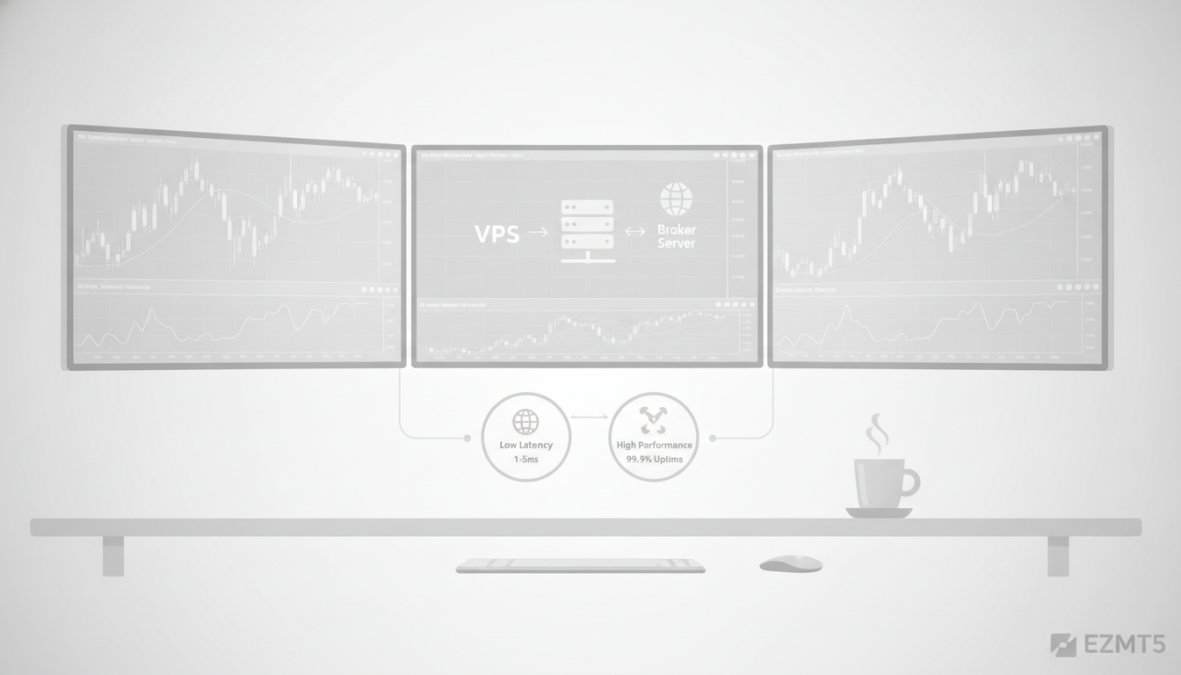
A Virtual Private Server (VPS) is a remote computer that runs your MT5 platform and EAs continuously, independent of your personal computer.
Why VPS Matters for Automated Trading
Your home internet connection isn’t reliable enough for professional automated trading. If your computer crashes or loses connectivity, your EA stops executing trades. A VPS runs 24/7 without interruption.
More importantly, VPS reduces latency, the delay between when your EA sends a trade order and when the broker receives it. Lower latency means better execution prices. A VPS hosted near your broker’s servers can reduce latency from 100+ milliseconds to 5-20 milliseconds, a meaningful difference for most trading styles.
Installation and Configuration Steps
Select a VPS provider offering Windows servers in locations near major forex brokers (London, New York, or Singapore typically have low latency). Once you’ve rented your VPS, use Remote Desktop Connection to connect using your login credentials.
Install MetaTrader 5 on the VPS just as you would on your home computer. Download MT5 from your broker’s website, run the installer, and log in with your trading account credentials. Install your EA files by copying them into the VPS’s Experts folder (Program Files > MetaTrader 5 > MQL5 > Experts).
Open MT5 on the VPS and enable AutoTrading (the robot icon in the toolbar). Configure your EA’s parameters, then attach it to your desired chart. The VPS will now execute trades automatically, 24/7. Most VPS providers charge $10-30 monthly for adequate trading-grade servers.
Installing and Optimizing Free Forex Robots on MT5
Getting an EA running on your MT5 platform involves several straightforward steps.
Step-by-Step Installation Process
Download your chosen EA file (typically a .ex5 file). Open MetaTrader 5 and navigate to File > Open Data Folder. Navigate to MQL5 > Experts and copy your EA file into this folder.
Restart MetaTrader 5 (or press F5 to refresh). Open a chart for your desired currency pair. In the Navigator panel (View > Navigator), find your EA under Expert Advisors and double-click it or drag it onto your chart.
A dialog box appears showing the EA’s parameters. Review the settings carefully, then check the "Allow automated trading" checkbox at the bottom. Click OK. You should see confirmation that the EA is running.
Optimization for Beginners: Key Settings
The most important parameter is lot size (position size). Start conservatively with 0.01 lots (one micro lot) to see how the EA performs without catastrophic losses.
Stop-loss and take-profit levels define your risk-reward ratio. A stop-loss 50 pips below your entry and take-profit 100 pips above creates a 1:2 risk-reward ratio. Most profitable EAs maintain ratios between 1:1.5 and 1:3.
Slippage tolerance allows the EA to execute trades even if prices move slightly. Set this to 10-20 pips for most EAs.
After configuring these basics, run a backtest. If the EA shows consistent profits with acceptable drawdown, gradually increase lot size in small increments. Never jump to full-size positions immediately.
Optimization doesn’t mean tweaking every parameter until backtests look perfect. Over-optimization causes EAs to fail on live markets. Instead, test with conservative settings across multiple currency pairs and timeframes. If the EA remains profitable under varied conditions, you’ve found strong settings worth trading with real money.
Choosing the Best Free Forex Robot for Your Trading Style
Different EAs suit different traders. Matching the right robot to your goals, risk tolerance, and available capital increases the likelihood of success.
| Trading Style | Best Robot Type | Key Characteristics | Risk Level |
|---|---|---|---|
| Scalping | High-frequency EA | 10-50 pip targets, many trades daily | Medium |
| Day Trading | Trend-following EA | 4-hour timeframe, 50-200 pip targets | Medium |
| Swing Trading | Breakout EA | Daily timeframe, 200+ pip targets | Low-Medium |
| Grid Trading | Volatility EA | Enters multiple positions in ranges | High |
Matching Robots to Strategy Types
Trend-following EAs work best if you have patience and can tolerate drawdowns. These robots identify directional moves and ride them for extended periods. They excel in strong trending markets but struggle during consolidation.
Breakout EAs enter trades when price breaks through key support or resistance levels. They capture explosive moves but generate more false signals than trend-followers.
Scalping robots execute dozens of trades daily, targeting small profits (5-20 pips) per trade. They require low latency and tight execution. Scalping works best on major pairs with tight spreads.
Grid trading EAs place multiple buy and sell orders at regular price intervals, profiting from volatility. They work well in ranging markets but can suffer massive drawdowns if the market trends strongly against your positions.
Consider your available capital. Scalping and grid trading typically require larger accounts ($5,000+). Trend-following EAs work on smaller accounts ($1,000-$2,000) because they target larger moves.
Risk Management and Position Sizing
Position sizing is the most critical factor in EA trading success. Never risk more than 1-2% of your account on a single trade. Calculate this by determining your EA’s average stop-loss distance, then sizing your position so that if the stop-loss triggers, you lose exactly 1-2% of your account.
For example, if your account is $1,000 and your EA typically sets a 50-pip stop-loss, you’d trade 0.02 lots. Each pip costs $0.20; a 50-pip loss equals $10, or 1% of your account.
Monitor your EA’s performance weekly. If it experiences a drawdown exceeding 20%, pause trading and review the backtest results. Quarterly optimization keeps your EA aligned with current market dynamics.
Automated trading offers genuine advantages for beginners willing to invest time in setup and testing. The best free forex robots for MT5 beginners eliminate emotional trading, execute with mechanical precision, and operate around the clock. However, success requires discipline: proper backtesting, conservative position sizing, and realistic expectations about returns. EZMT5 eliminates much of this friction by providing 11 fully optimized systems ready for immediate deployment within a no-contract subscription. Whether you choose EZMT5’s professional systems or community EAs, start small, backtest thoroughly, and scale gradually as your confidence grows.
Frequently Asked Questions
Are free forex robots for MT5 actually profitable?
Profitability depends on the EA's strategy, market conditions, and proper configuration. Many free EAs can generate consistent returns, but they require thorough backtesting and risk management. Start on a demo account to verify performance before risking real capital. Remember that past backtests don't guarantee future results, market conditions change constantly.
Is it safe to use free expert advisors on MetaTrader 5?
Safety varies significantly. Verify the EA's source, check the author's reputation on MQL5, and review the code if possible. Avoid EAs making unrealistic profit claims. Use a demo account first, employ strict risk management with position sizing and drawdown limits, and never automate your entire trading capital. Run on a VPS to reduce latency risks.
How do I backtest MT5 expert advisors before using them live?
Open MetaTrader 5, navigate to Strategy Tester, select your EA, choose a currency pair and timeframe, set the backtest period, and run the test. Review metrics like profit factor, drawdown, and win rate. Ensure you're using quality historical data. Test across multiple market conditions, bull, bear, and ranging markets, to assess robustness before deploying on a live account.
What should I look for when choosing a free forex robot for beginners?
Look for EAs with transparent backtesting results, documented trading logic (trend following, grid trading, scalping), and active community support. Check the profit factor and maximum drawdown metrics. Choose robots offering demo account testing and clear risk management features. Avoid robots with vague marketing claims. Start with simple strategies rather than complex Martingale-based systems to understand how automated trading works.
This article was written using GrandRanker