

Table of Contents
- What Is MQL5 Programming Language and Why Traders Use It
- How to Write MQL5 Scripts: From Basics to Execution
- Developing Expert Advisors and Technical Indicators
- MQL5 Expert Advisor Examples and Real-World Applications
- MQL5 vs Python for Trading: Which Language Should You Choose
- MQL5 Best Practices: Security, Risk Management, and Performance
- MetaTrader 5 Integration and the Standard Library
- Conclusion: Getting Started With MQL5 Programming Language
How to Write MQL5 Scripts: From Basics to Execution
Writing an MQL5 script starts with understanding three program types: Scripts, Expert Advisors, and Indicators. Scripts run once and exit. Expert Advisors run continuously while a chart is open, responding to price ticks. Indicators calculate values and display them on charts.
The simplest MQL5 program is a script that prints a message:
void OnStart() {
    Print("Hello, MQL5");
}
This script runs once. The OnStart() function executes immediately after compilation. Scripts are useful for one-time tasks: exporting data, adjusting settings, or testing calculations.
An Expert Advisor runs continuously:
void OnInit() {
    // Initialization code runs once
}

void OnTick() {
    // This runs with every new price tick
    double current_price = SymbolInfoDouble(_Symbol, SYMBOL_ASK);
    Print("Current price: ", current_price);
}

void OnDeinit(const int reason) {
    // Cleanup code
}
The OnInit() function runs once when the EA attaches to a chart. OnTick() fires with each new price bar. OnDeinit() executes when you remove the EA or close the chart.
Setting Up MetaEditor and Your First Script
MetaEditor is the IDE bundled with MetaTrader 5. Open MetaTrader 5, click Tools → MetaEditor, or press Ctrl+Shift+E.
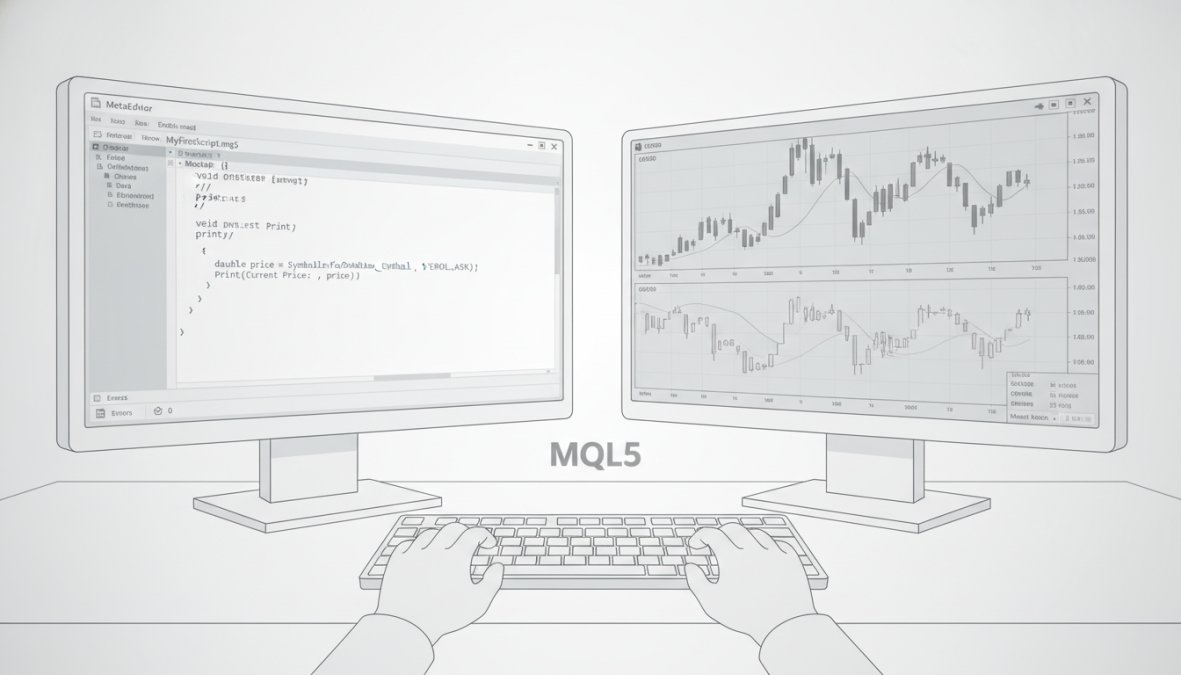
Create a new script: File → New → Script. Name it FirstScript. Replace the template with this code:
void OnStart() {
    int buy_count = 0;
    int sell_count = 0;

    for (int i = 0; i < 10; i++) {
        double ma = iMA(_Symbol, PERIOD_CURRENT, 20, 0, MODE_SMA, PRICE_CLOSE, i);
        double current = iClose(_Symbol, PERIOD_CURRENT, i);

        if (current > ma) {
            buy_count++;
        } else {
            sell_count++;
        }
    }

    Print("Buy signals: ", buy_count, " Sell signals: ", sell_count);
}
This script calculates a 20-period moving average and counts how many of the last 10 bars closed above or below it. Save the file (Ctrl+S) and compile it (Ctrl+Shift+F9). If you see "0 errors" in the Toolbox, compilation succeeded.
To run the script, attach it to a chart. Open MetaTrader 5, right-click a chart, select Scripts, then your script name. Check the Journal tab (View → Toolbox → Journal) to see the output.
Scripts run in the [strategy tester](/mt5-strategy-tester-explained/) only if you explicitly call them. Expert Advisors run automatically. Don’t confuse the two.
Compilation and Debugging Essentials
Compilation converts your code into machine code that MetaTrader 5 executes. Click Compile (Ctrl+Shift+F9) in MetaEditor. The Toolbox shows errors, warnings, or success. MQL5’s compiler is strict and catches mistakes that might slip past other languages.
Debugging lets you step through code line by line, inspecting variable values. Set a breakpoint by clicking the left margin next to a line number. A red dot appears. Run your script or EA in the strategy tester. Execution pauses at the breakpoint. The Debugger window shows variable values. Press F10 to step to the next line, or F9 to continue execution.
Watch expressions let you monitor specific variables. Right-click in the Debugger, select Add Watch, type a variable name.
Print statements are simpler for quick debugging:
Print("Variable value: ", my_variable);
Alert("Critical issue detected");
Comment("Status: Trading active");
Print() logs to the Journal. Alert() shows a popup and logs to Journal. Comment() displays text on the chart itself.
Developing Expert Advisors and Technical Indicators
An Expert Advisor is a complete trading system. It analyzes price data, generates signals, manages positions, and tracks performance. A minimal EA structure separates signal generation, position management, and order execution:
double signal_strength = 0;

void OnInit() {
    // Initialize EA
}

void OnTick() {
    signal_strength = CalculateSignal();
    ManagePositions();

    if (signal_strength > 0.7) {
        OpenPosition(ORDER_TYPE_BUY);
    } else if (signal_strength < -0.7) {
        OpenPosition(ORDER_TYPE_SELL);
    }
}

double CalculateSignal() {
    double ma_fast = iMA(_Symbol, PERIOD_CURRENT, 10, 0, MODE_SMA, PRICE_CLOSE, 0);
    double ma_slow = iMA(_Symbol, PERIOD_CURRENT, 20, 0, MODE_SMA, PRICE_CLOSE, 0);

    return (ma_fast > ma_slow) ? 1.0 : -1.0;
}

void OpenPosition(ENUM_ORDER_TYPE order_type) {
    MqlTradeRequest request = {};
    MqlTradeResult result = {};

    request.action = TRADE_ACTION_DEAL;
    request.symbol = _Symbol;
    request.volume = 0.1;
    request.type = order_type;
    request.price = (order_type == ORDER_TYPE_BUY) ? SymbolInfoDouble(_Symbol, SYMBOL_ASK) : SymbolInfoDouble(_Symbol, SYMBOL_BID);

    OrderSend(request, result);
}

void ManagePositions() {
    // Close positions if conditions change
}
Building Your First Expert Advisor
Your first EA should be simple: buy when a fast moving average crosses above a slow moving average, sell when it crosses below. Create a new Expert Advisor named SimpleCrossover:
input int FastPeriod = 10;
input int SlowPeriod = 20;
input double LotSize = 0.1;

void OnInit() {
    Print("SimpleCrossover EA initialized");
}

void OnTick() {
    double fast_ma = iMA(_Symbol, PERIOD_CURRENT, FastPeriod, 0, MODE_SMA, PRICE_CLOSE, 0);
    double slow_ma = iMA(_Symbol, PERIOD_CURRENT, SlowPeriod, 0, MODE_SMA, PRICE_CLOSE, 0);
    double fast_ma_prev = iMA(_Symbol, PERIOD_CURRENT, FastPeriod, 0, MODE_SMA, PRICE_CLOSE, 1);
    double slow_ma_prev = iMA(_Symbol, PERIOD_CURRENT, SlowPeriod, 0, MODE_SMA, PRICE_CLOSE, 1);

    // Buy signal: fast MA crosses above slow MA
    if (fast_ma_prev <= slow_ma_prev && fast_ma > slow_ma) {
        if (PositionSelect(_Symbol) == false) {
            MqlTradeRequest request = {};
            MqlTradeResult result = {};

            request.action = TRADE_ACTION_DEAL;
            request.symbol = _Symbol;
            request.volume = LotSize;
            request.type = ORDER_TYPE_BUY;
            request.price = SymbolInfoDouble(_Symbol, SYMBOL_ASK);

            OrderSend(request, result);
        }
    }

    // Sell signal: fast MA crosses below slow MA
    if (fast_ma_prev >= slow_ma_prev && fast_ma < slow_ma) {
        if (PositionSelect(_Symbol) == true) {
            MqlTradeRequest request = {};
            MqlTradeResult result = {};

            request.action = TRADE_ACTION_DEAL;
            request.symbol = _Symbol;
            request.volume = LotSize;
            request.type = ORDER_TYPE_SELL;
            request.price = SymbolInfoDouble(_Symbol, SYMBOL_BID);

            OrderSend(request, result);
        }
    }
}
The input variables let you adjust parameters without recompiling. Compile the EA and attach it to a chart. The EA trades automatically when the crossover signal triggers.
Creating Custom Technical Indicators
Custom indicators extend MetaTrader 5’s built-in indicators. Create a new Indicator named CustomRSI:
#property indicator_chart_window
#property indicator_buffers 1
#property indicator_plots 1
#property indicator_plot1_type DRAW_LINE
#property indicator_plot1_color clueBlue

double RSIBuffer[];

int OnInit() {
    SetIndexBuffer(0, RSIBuffer, INDICATOR_DATA);
    PlotIndexSetString(0, PLOT_LABEL, "Custom RSI");
    return INIT_SUCCEEDED;
}

int OnCalculate(const int rates_total, const int prev_calculated, const datetime &time[], const double &open[], const double &high[], const double &low[], const double &close[], const long &tick_volume[], const long &volume[], const int &spread[]) {
    int limit = prev_calculated - 1;

    for (int i = limit; i < rates_total; i++) {
        double rsi_value = CalculateRSI(14, i, close);
        RSIBuffer[i] = rsi_value;
    }

    return rates_total;
}

double CalculateRSI(int period, int shift, const double &close[]) {
    double up_sum = 0, down_sum = 0;

    for (int i = shift; i < shift + period; i++) {
        double change = close[i] - close[i + 1];
        if (change > 0) {
            up_sum += change;
        } else {
            down_sum += -change;
        }
    }

    double avg_up = up_sum / period;
    double avg_down = down_sum / period;
    double rs = avg_up / avg_down;
    double rsi = 100 - (100 / (1 + rs));

    return rsi;
}
This indicator calculates RSI and displays it on the chart. The #property directives configure how the indicator appears.
MQL5 Expert Advisor Examples and Real-World Applications
Real-world Expert Advisors combine multiple indicators, risk management rules, and position tracking. A practical example combines RSI, moving averages, and ATR-based stop losses:
input int RSI_Period = 14;
input int MA_Period = 20;
input int ATR_Period = 14;
input double Risk_Percent = 2.0;

void OnTick() {
    double rsi = iRSI(_Symbol, PERIOD_CURRENT, RSI_Period, PRICE_CLOSE, 0);
    double ma = iMA(_Symbol, PERIOD_CURRENT, MA_Period, 0, MODE_SMA, PRICE_CLOSE, 0);
    double atr = iATR(_Symbol, PERIOD_CURRENT, ATR_Period, 0);
    double current_price = SymbolInfoDouble(_Symbol, SYMBOL_ASK);

    // Buy: RSI oversold + above MA
    if (rsi < 30 && current_price > ma && PositionSelect(_Symbol) == false) {
        double stop_loss = current_price - (2 * atr);
        double lot_size = CalculateLotSize(Risk_Percent, atr);

        PlaceOrder(ORDER_TYPE_BUY, lot_size, stop_loss);
    }

    // Sell: RSI overbought + below MA
    if (rsi > 70 && current_price < ma && PositionSelect(_Symbol) == false) {
        double stop_loss = current_price + (2 * atr);
        double lot_size = CalculateLotSize(Risk_Percent, atr);

        PlaceOrder(ORDER_TYPE_SELL, lot_size, stop_loss);
    }
}

double CalculateLotSize(double risk_percent, double atr) {
    double account_balance = AccountInfoDouble(ACCOUNT_BALANCE);
    double risk_amount = account_balance * (risk_percent / 100);
    double point_value = SymbolInfoDouble(_Symbol, SYMBOL_POINT);
    double lot_size = risk_amount / (atr / point_value);

    return lot_size;
}
This EA combines technical signals with dynamic position sizing, ensuring consistent risk across different market conditions.
MQL5 vs Python for Trading: Which Language Should You Choose
Python dominates retail algorithmic trading because of libraries like pandas, NumPy, and scikit-learn. But MQL5 excels in direct execution on MetaTrader 5.
Python requires an API bridge. You write Python code, send orders through an API, and receive execution confirmations. This adds latency and complexity. MQL5 runs directly on the broker’s infrastructure, eliminating the API layer.
For backtesting and research, Python wins. Libraries like Backtrader and VectorBT handle historical analysis efficiently. For live trading on MT5, MQL5 is simpler. Your code executes immediately when conditions trigger.
A Python trader using the OANDA API might experience 100-200ms latency between signal generation and order placement. An MQL5 Expert Advisor on MT5 experiences 10-50ms latency. In high-frequency strategies, this matters.
| Aspect | MQL5 | Python |
|---|---|---|
| Execution Latency | 10-50ms | 100-300ms |
| Backtesting Tools | Built-in strategy tester | Backtrader, VectorBT |
| Learning Curve | Moderate (C++-like) | Gentle (beginner-friendly) |
| Machine Learning | Limited libraries | Extensive (TensorFlow, scikit-learn) |
| Live Trading Setup | Direct on MT5 | Requires API bridge |
| Community Size | Smaller, focused | Large, diverse |
Choose MQL5 if you trade primarily on MetaTrader 5 and value direct execution. Choose Python if you need advanced statistical analysis or plan to trade across multiple brokers.
MQL5 and Python serve different purposes. MQL5 is the execution engine; Python is the research laboratory. Many professional traders use both: Python for strategy development, MQL5 for live implementation.
MQL5 Best Practices: Security, Risk Management, and Performance
Production Expert Advisors require defensive programming, strong error handling, and careful resource management.
Security Considerations for Automated Trading
MQL5 Expert Advisors control real money. Security lapses can drain accounts. Implement these protections:
Input validation: Verify parameters are within acceptable ranges.
if (LotSize <= 0 || LotSize > MaxLotSize) {
    Alert("Invalid lot size");
    return;
}
Account verification: Confirm you’re trading the intended account before placing orders.
if (AccountInfoInteger(ACCOUNT_LOGIN) != ExpectedAccountNumber) {
    Alert("Wrong account");
    return;
}
Order confirmation checks: Verify orders executed as intended.
MqlTradeRequest request = {};
MqlTradeResult result = {};
OrderSend(request, result);

if (result.retcode != TRADE_RETCODE_DONE) {
    Alert("Order failed: ", result.comment);
    return;
}
Avoid hardcoded credentials: Never store passwords or API keys in source code.
Risk Management Coding Patterns
Risk management separates profitable traders from bankrupt ones. Implement position sizing, stop losses, and maximum drawdown limits in code.
Position sizing based on volatility:
double atr = iATR(_Symbol, PERIOD_CURRENT, 14, 0);
double account_balance = AccountInfoDouble(ACCOUNT_BALANCE);
double risk_per_trade = account_balance * 0.02; // 2% risk
double point_value = SymbolInfoDouble(_Symbol, SYMBOL_POINT);
double lot_size = risk_per_trade / (atr / point_value);
Maximum daily loss limit:
double daily_loss = 0;
datetime today = TimeCurrent();

for (int i = HistoryDealsTotal() - 1; i >= 0; i--) {
    ulong ticket = HistoryDealGetTicket(i);
    if (HistoryDealGetInteger(ticket, DEAL_TIME) >= today) {
        double profit = HistoryDealGetDouble(ticket, DEAL_PROFIT);
        if (profit < 0) {
            daily_loss += -profit;
        }
    }
}

if (daily_loss > MaxDailyLoss) {
    Alert("Daily loss limit reached");
    return;
}
Maximum open positions:
int open_positions = 0;

for (int i = PositionsTotal() - 1; i >= 0; i--) {
    if (PositionGetSymbol(i) == _Symbol) {
        open_positions++;
    }
}

if (open_positions >= MaxPositions) {
    return; // Don't open new positions
}
MetaTrader 5 Integration and the Standard Library
The MQL5 Standard Library provides classes and functions for common trading tasks. Key classes include:
CSymbolInfo: Retrieves symbol properties.
CSymbolInfo symbol;
symbol.Name(_Symbol);
double bid = symbol.Bid();
double ask = symbol.Ask();
CPositionInfo: Accesses open position details.
CPositionInfo position;
if (position.Select(_Symbol)) {
    double profit = position.Profit();
    double volume = position.Volume();
}
COrderInfo: Retrieves pending order information.
COrderInfo order;
if (order.Select(ticket)) {
    double open_price = order.PriceOpen();
    datetime time_open = order.TimeOpen();
}
CArrayObj: Dynamic array management.
CArrayObj signals;
signals.Add(new_signal);
signals.Delete(0);
Frequently Asked Questions
What is MQL5 programming language used for?
MQL5 is a high-level programming language designed specifically for developing Expert Advisors, technical indicators, and automated trading scripts on the MetaTrader 5 platform. It enables traders to automate trading strategies, execute orders based on algorithmic conditions, and create custom tools for financial markets analysis. MQL5 handles event-driven programming, allowing your code to respond to price changes, order execution, and other market events in real time.
Is MQL5 hard to learn if I'm new to programming?
MQL5 is relatively accessible for beginners because its syntax is similar to C++ but simplified for trading-specific tasks. If you have basic programming knowledge, you can pick up MQL5 in weeks. The MetaEditor IDE provides debugging tools and the MQL5 Standard Library offers pre-built functions for common trading operations, reducing the learning curve. However, understanding algorithmic trading concepts and backtesting fundamentals is equally important as learning the syntax itself.
Can I use Python instead of MQL5 for MetaTrader 5?
While Python is powerful for algorithmic trading, it cannot directly integrate with MetaTrader 5 like MQL5 does. Python requires additional API connections or third-party bridges to communicate with MT5. MQL5 is the native language for MT5, offering direct access to order execution, latency optimization, and the Marketplace for publishing trading systems. If you prefer Python, you'd need to use alternative platforms or build custom API connections, adding complexity and potential latency issues.
What are MQL5 best practices for writing secure trading code?
Key MQL5 best practices include: implementing strict risk management rules (position sizing, stop-loss validation), using error handling to catch failed orders, validating all user inputs, avoiding hardcoded credentials, and testing thoroughly via backtesting before live deployment. Always use the Standard Library's built-in functions rather than custom implementations for critical operations. Implement logging to track trade execution, and regularly review your code for security vulnerabilities. Never expose API keys or sensitive data in your scripts.
This article was written using GrandRanker