

Table of Contents
- How MT5 Delivers Real-Time Trade Opportunities to Active Traders
- Best MT5 Indicators for Scalping and Real-Time Signal Detection
- How to Set Price Alerts in MT5 for Instant Trade Notifications
- MT5 Expert Advisors for Trade Entry: Automate Your Opportunities
- Latency, Execution Speed, and Slippage: The Hidden Edge in Real-Time Trading
- Trading Signals, Copy Trading, and External Real-Time Data Feeds
- The Psychology of Real-Time Decision Making on MT5
- Configuring MT5 to Capture Real-Time Trade Opportunities Like a Pro
- Conclusion
Last Updated: May 27, 2026
Spotting real-time trade opportunities MT5 delivers is the core skill separating profitable active traders from those who react too slowly to matter. EZMT5 has helped serious traders configure MetaTrader 5 to detect, analyze, and act on market signals the moment they form, not minutes later when the edge has already disappeared. The difference between a winning setup and a missed trade often comes down to platform configuration, indicator selection, and execution speed. Below, we’ll show you exactly how to build a real-time opportunity detection system inside MT5 from the ground up.
Most guides focus on what MT5 is. This one focuses on what MT5 does for traders who configure it correctly.
How MT5 Delivers Real-Time Trade Opportunities to Active Traders
MetaTrader 5 is a professional multi-asset trading platform developed by MetaQuotes that provides real-time data feeds, advanced charting, automated execution, and direct broker connectivity in a single environment. Unlike its predecessor, MT4, the platform supports stocks, futures, and Forex simultaneously, which fundamentally changes how traders approach opportunity scanning.
The architecture matters here. MT5 runs on a 64-bit infrastructure, supports 21 timeframes, and processes tick data continuously. That continuous tick processing is what makes real-time opportunity detection possible at the granular level scalpers and intraday traders require.
Trading Platform Overview: What Makes MT5 Different
MT5 differs from other retail platforms in three concrete ways: asset class breadth, scripting depth, and execution architecture. The platform supports Forex pairs, equities, futures, options, and CFDs through a single interface, meaning traders don’t need to switch environments when rotating between asset classes.
The MQL5 programming language gives MT5 its real edge. Traders can write Expert Advisors, custom indicators, and scripts that interact directly with the platform’s real-time data engine. According to MetaQuotes official platform documentation, MT5 supports netting and hedging account types simultaneously, a feature most competing platforms still lack.
One thing most reviews miss: MT5’s built-in economic calendar is connected to live data, which means fundamental triggers can be integrated directly into EA logic. That’s not a cosmetic feature. It’s a legitimate trading edge for news-based strategies.
Market Access: Forex, Stocks, and Futures in One Platform
MT5 provides access to financial markets across asset classes through a single broker connection. Forex remains the dominant use case, with access to major, minor, and exotic pairs. Stocks and futures access depends on broker configuration, but the platform’s architecture natively supports exchange-traded instruments with full order book data.
The practical implication: traders scanning for real-time trade opportunities across MT5’s multi-asset environment can run correlated strategies. A breakout in crude oil futures can trigger an alert on energy-sector equities within the same platform session, without switching tools or data sources.
Best MT5 Indicators for Scalping and Real-Time Signal Detection
Listing indicator combinations is what every competitor does. What none of them explain is how to configure MT5 to actively scan for those setups across multiple instruments simultaneously, so the platform surfaces opportunities rather than requiring you to manually cycle through charts. This section covers both the indicator selection logic and the scanning architecture that makes it actionable in real time.
 office](https://cdn.grandranker.com/articles/real-time-trade-opportunities-mt5-a-2026-guide-content-1-1779845706.jpg)
Indicator Selection: Fewer, Faster, More Specific
A common mistake is loading six or seven indicators onto a single chart and expecting them to produce clear signals. In practice, indicator overlap creates confirmation paralysis, and by the time three indicators align, the move is already 60% complete. The goal is a minimal stack where each indicator answers a different question about market state.
MT5 ships with 38 built-in technical indicators across trend, oscillator, volume, and Bill Williams categories. For real-time signal detection, the question each indicator should answer is explicit:
High-frequency scalping stack (1-minute to 5-minute charts):
- EMA 8 and EMA 21, answers: what is the current trend direction and is price above or below short-term momentum?
- RSI 7-period, answers: is momentum overextended or is there room to run in the trend direction?
- Bollinger Bands (20, 2.0), answers: is volatility contracting (squeeze) or expanding (breakout condition)?
- Tick Volume, answers: is the current candle’s move supported by participation or is it a low-conviction spike?
Swing intraday stack (15-minute to 1-hour charts):
- MACD (12, 26, 9), answers: is momentum shifting or confirming the current directional move?
- ATR (14-period), answers: what is the current volatility range for stop placement and realistic target sizing?
- Stochastic Oscillator (5, 3, 3), answers: within the current trend, is price at a high-probability pullback entry point?
The principle behind both stacks is the same: each indicator occupies a distinct analytical role. If two indicators answer the same question, one of them is redundant and should be removed.
Save each stack as a named chart template in MT5 via Charts → Template → Save Template. Label them by strategy type (e.g., “Scalp_5M” and “Swing_15M”). Switching between setups takes under three seconds. Most traders rebuild their charts manually each session, which introduces inconsistency in indicator parameters and wastes 10-15 minutes of pre-market preparation time.
The Real-Time Scanning Architecture Competitors Don’t Explain
Knowing which indicators to use is only half the problem. The harder problem is monitoring 20 or 30 instruments simultaneously and being notified the moment a setup forms, without watching each chart manually. MT5 has three native mechanisms for this, and most traders use none of them.
Mechanism 1: Multi-Chart Workspaces with Indicator Alerts
MT5 supports multiple chart windows within a single profile. A practical scanning workspace uses a grid of 9 to 16 small charts (set to the same timeframe) covering your watchlist instruments, each loaded with the same saved template. This gives a visual overview, but the real-time trigger comes from indicator-based alerts configured on each chart.
To set an indicator-based alert: right-click the indicator line on the chart, select Properties, and use the Levels tab to define alert conditions. For RSI, this means setting an alert when the RSI line crosses the 30 or 70 level. MT5 fires the alert with a sound, popup, email, or mobile push notification the moment the condition is met on any chart in the workspace.
Mechanism 2: Custom Scanner Scripts in MQL5
This is the most powerful and least-used scanning approach available in MT5. A scanner script iterates through every symbol in your Market Watch list, checks indicator conditions on a specified timeframe, and outputs a list of instruments currently meeting your criteria, all within a single script execution.
The core structure of a multi-symbol scanner in MQL5 follows this logic:
- Loop through all symbols in Market Watch using
SymbolsTotal()andSymbolName(). - For each symbol, use
iRSI(),iMA(), or any built-in indicator function to calculate the current indicator value on the target timeframe. - Compare the value against your entry criteria.
- If criteria are met, call
Alert()or write the symbol name to a dashboard panel on the chart.
The result is a live dashboard that updates on every tick, showing only the instruments currently in a setup condition. This eliminates manual chart cycling entirely. The MQL5 community at mql5.com hosts numerous open-source scanner templates that can be adapted without writing the loop logic from scratch.
Mechanism 3: MT5’s Built-In Signals Tab as a Passive Scanner
For traders who don’t want to write MQL5 code, MT5’s Signals tab in the Terminal window provides a passive scanning layer. When an EA is running, even a simple one that only monitors conditions without trading, it can populate the Experts log with alerts that appear in the terminal in real time. Traders can monitor the log tab as a text-based signal feed while the EA scans in the background.
This is a lower-fidelity approach than a custom scanner but requires no programming beyond configuring an existing EA’s alert parameters.
Market Depth (DOM) and Order Flow for Scalpers
Market Depth, also called the Depth of Market or DOM, is a real-time display of pending buy and sell orders at each price level above and below the current market price. MT5 includes a native DOM window that updates tick-by-tick, accessible by right-clicking any instrument in Market Watch and selecting Depth of Market.
For scalpers, DOM data reveals where institutional liquidity clusters. Large bid walls below current price often act as dynamic support; large ask walls above act as resistance. These levels don’t appear on standard candlestick charts, which makes DOM an asymmetric information source for traders who use it alongside their indicator stack.
The practical scanning application: before entering a scalp trade triggered by your indicator stack, check the DOM for the nearest large order cluster. If your indicator setup signals a long entry but a large ask wall sits 3 pips above current price, the risk-reward on that entry is compressed. The DOM check takes under five seconds and filters out a meaningful percentage of low-quality entries.
One important caveat: DOM data quality depends entirely on your broker’s data feed. Retail Forex brokers showing aggregated liquidity pools provide less granular DOM data than ECN brokers with direct market access. Verify your broker’s feed type before using DOM data as a primary execution input.
The real-time scanning advantage in MT5 comes from combining a minimal indicator stack with an automated scanning mechanism, either a multi-symbol MQL5 script or a workspace of alert-configured charts. Traders who rely on manual chart cycling are doing the job the platform can do for them, and they will always be slower than a configured scanner firing alerts the moment a setup forms.
How to Set Price Alerts in MT5 for Instant Trade Notifications
Setting price alerts in MT5 takes under two minutes and eliminates the need to watch charts continuously. MT5 alerts trigger based on price levels, indicator values, time conditions, or custom MQL5 logic.
To configure a basic price alert in MT5:
- Right-click on any chart at the target price level
- Select "Trading" then "Alert" from the context menu
- Set the condition: price crossing above or below the level
- Choose notification type: sound, email, push notification to mobile, or all three
- Enable mobile push by connecting your MetaQuotes ID in the platform settings
- Test the alert with a nearby price level before relying on it for live trades
MT5 also supports indicator-based alerts through the Alert() function in MQL5. This means traders can trigger notifications when RSI crosses 70, when a moving average crossover occurs, or when volume spikes beyond a defined threshold. These alerts are the foundation of any real-time opportunity detection workflow that doesn’t require constant screen monitoring.
MT5 alerts do NOT execute trades automatically. They notify you that a condition has been met. Confusing alerts with [automated](/benefits-of-automated-trading-mt5/) execution is a common mistake that causes traders to miss entries because they expected the platform to act when it only notified them.
MT5 Expert Advisors for Trade Entry: Automate Your Opportunities
Expert Advisors (EAs) are the most direct path to capturing real-time trade opportunities MT5 presents without manual intervention. An EA is a program written in MQL5 that runs inside the MT5 platform, monitors market conditions continuously, and executes trades automatically when predefined criteria are met.
How EAs Use MQL5 to Scan Financial Markets in Real Time
MQL5 is an event-driven programming language built specifically for MetaTrader 5. EAs respond to four core events: new tick arrival, new bar formation, trade execution, and timer-based triggers. The OnTick() function runs every time price updates, which on liquid Forex pairs can be dozens of times per second.
This architecture allows EAs to scan financial markets at a speed no manual trader can match. A well-built EA can simultaneously monitor 20 currency pairs, check indicator conditions on three timeframes, calculate position sizing based on account equity, and submit a market order, all within a single tick event.
EZMT5 provides 11 fully built and optimized MT5 Trading Systems that traders can deploy immediately after download, without writing a single line of MQL5 code. Each system includes pre-configured entry and exit logic, removing the development barrier that keeps most traders from using EAs effectively.
Using the Strategy Tester Before Going Live
The MT5 Strategy Tester is a backtesting and optimization engine built directly into the platform. Before deploying any EA on a live account, running it through the Strategy Tester against historical data is non-negotiable.
The Strategy Tester supports three modes: single pass, optimization, and forward testing. The optimization mode runs an EA across thousands of parameter combinations to identify which settings produced the best historical performance. Forward testing then validates those parameters on out-of-sample data.
According to financial trading risk education resources, backtesting without forward testing produces overfitted results that fail in live conditions. Always reserve at least 30% of your historical data for forward testing before treating any EA result as reliable.
Latency, Execution Speed, and Slippage: The Hidden Edge in Real-Time Trading
Execution speed is where real-time trade opportunities MT5 surfaces get won or lost. A signal that appears at the right moment is worthless if the order reaches the broker 800 milliseconds later than a competing order. Slippage, the difference between the expected execution price and the actual fill price, compounds this problem during high-volatility events.
The average retail trader ignores latency entirely. That’s a mistake. On a 1-minute scalping strategy where the target profit is 5-8 pips, a 2-pip slippage event on both entry and exit eliminates half the edge.
VPS Hosting and One-Click Trading for Faster Order Execution
A Virtual Private Server (VPS) solves the latency problem by hosting MT5 on a server physically close to your broker’s execution infrastructure. Instead of your order traveling from your home internet connection to the broker’s servers, it travels from a data center potentially co-located in the same building.
For traders running EAs, a VPS also eliminates downtime from power outages, internet interruptions, and computer restarts. The EA runs continuously regardless of what happens to your local machine.
One-click trading, enabled through MT5’s toolbar or the Trade tab in the terminal, removes the confirmation dialog from manual order submission. For scalpers, eliminating that one extra click can mean the difference between a full-target fill and a partial fill as price moves away.
| Execution Method | Typical Latency | Best For | Risk |
|---|---|---|---|
| Home PC, retail ISP | 80-200ms | Swing trading | High slippage on fast moves |
| VPS near broker | 1-10ms | Scalping, EAs | Monthly hosting cost |
| One-click trading | Removes UI delay | Manual scalpers | Accidental orders |
| EA with market orders | Sub-tick execution | Automated strategies | Requires tested logic |
For any strategy with a target profit under 15 pips, VPS hosting is not optional. The latency reduction directly protects your edge. Budget for it as a trading cost, not a luxury.
Trading Signals, Copy Trading, and External Real-Time Data Feeds
MT5’s native trading signals service and copy trading infrastructure are well-documented elsewhere. What almost no guide explains is the practical path to pulling external real-time data, news sentiment, options flow, economic surprise indices, directly into MT5’s decision logic. That integration is where independent traders can build an edge that broker-supplied data alone cannot produce.
MT5 Native Signals and Copy Trading: What You Actually Get
MT5’s built-in signals marketplace transmits trade instructions through the MetaQuotes server network. When a signal provider opens a position, that instruction travels from the provider’s MT5 instance to MetaQuotes servers, then to your broker’s server, then to your account. Each hop adds latency. In practice, copy trades on fast-moving instruments can arrive 1-5 seconds after the provider’s fill, which on a 10-pip scalping signal represents a structurally disadvantaged entry.
For real-time trade opportunities, this makes native copy trading most reliable for swing-style signal providers with targets above 30 pips, where a 2-3 second delay doesn’t materially affect the risk-reward. Scalping signal providers are a poor fit for the copy trading architecture regardless of their track record.
When evaluating signal providers in the marketplace, filter by three metrics before looking at profit figures: maximum drawdown percentage, the number of consecutive losing trades in the history, and the average trade duration. A provider showing 200% annual return with a 60% maximum drawdown and 15 consecutive losers in the history is not a viable signal source regardless of the headline number.
Bridging External Real-Time Data Feeds into MT5: The Technical Path
This is the gap competitors don’t cover. MT5’s broker data feed gives you price, volume, and tick data. It does not give you real-time news sentiment scores, options market put/call flow, economic surprise indices, or order flow from dark pools. Professional trading desks combine these data types routinely. MT5’s MQL5 language makes a version of this accessible to independent traders through two mechanisms: DDE connections and WebRequest/socket functions.
Method 1: WebRequest() for HTTP-based data feeds
MQL5’s WebRequest() function allows an EA or script to make HTTP GET or POST calls to any external URL. This means an EA can query a REST API endpoint, a news sentiment aggregator, an economic calendar with surprise scores, or a custom data service, on a timer and parse the JSON or CSV response directly inside MT5.
A practical implementation pattern:
- Subscribe to a data provider that exposes a REST API (many economic data and sentiment services offer this at the retail level).
- Write an MQL5 EA that calls
WebRequest()on a 60-second timer to fetch the current sentiment score or surprise index value. - Store the returned value as a global variable inside MT5.
- Reference that global variable inside your entry logic, for example, only allowing long entries when the sentiment score is above a neutral threshold.
The key configuration step most traders miss: MT5 blocks WebRequest() calls by default for security reasons. You must manually whitelist each external URL in Tools → Options → Expert Advisors → Allow WebRequest for listed URL. Without this step, the function returns error code 5203 and the data feed never connects.
Method 2: Named Pipes and Socket Connections for Low-Latency Feeds
For data that needs to update faster than a 60-second HTTP poll, tick-level sentiment or real-time news event flags, MQL5 supports TCP socket connections through the Socket() family of functions introduced in MT5 build 2485. This allows an EA to maintain a persistent connection to an external data server and receive pushed updates in near real time, rather than polling on a timer.
The architecture requires a local or VPS-hosted middleware process (typically a lightweight Python script using a library like zmq or a simple TCP socket server) that subscribes to the external data source and rebroadcasts it on a local port that the MT5 EA connects to. This is a more complex setup than WebRequest() but reduces data latency from seconds to milliseconds.
Method 3: CSV File Drop for Simpler Integrations
The lowest-friction external data integration uses MT5’s FileOpen() and FileReadString() functions. An external process, a Python script, a spreadsheet macro, a third-party tool, writes a value to a CSV file in MT5’s MQL5/Files directory. The EA reads that file on each tick or timer event. This approach introduces file I/O latency (typically 10-50ms) but requires no socket programming and works reliably for data that updates on a per-minute or per-event basis, such as economic release surprise scores.
What External Data Is Actually Worth Integrating
Not all external data improves real-time signal quality. The integrations that consistently add value in practice:
- Economic surprise indices: When an economic release beats or misses consensus by a significant margin, the directional move is often sustained for 15-60 minutes. An EA that knows a surprise has occurred before the price chart fully reflects it can filter entries or increase position sizing on aligned setups.
- Real-time news sentiment scores: Services that score newswire headlines by currency or asset in real time allow EAs to avoid entering positions during negative sentiment spikes on the traded instrument.
- Session volume profiles from external sources: Some data providers publish real-time volume-at-price data that is more granular than what retail broker feeds provide, improving DOM-based decision logic.
Integrations that typically add noise rather than signal: social media sentiment (too noisy at the tick level), options flow data without context on expiry and strike (misinterpreted more often than not), and any data source with update latency above 5 minutes for intraday strategies.
MQL5’s `WebRequest()` function executes synchronously in the EA’s main thread by default. On slow API endpoints, this can cause the EA to pause tick processing while waiting for a response, creating its own latency problem. For production EAs, run external data requests in a separate timer thread or use asynchronous socket patterns to prevent data fetch delays from blocking order execution logic.
The practical path to external data integration in MT5 follows a complexity ladder: start with CSV file drops for event-based data, move to `WebRequest()` for REST APIs when you need per-minute updates, and implement socket connections only when sub-second data latency is genuinely required by the strategy. Most intraday traders get 80% of the benefit from the first two methods alone.
The Psychology of Real-Time Decision Making on MT5
The hardest part of capturing real-time trade opportunities MT5 generates isn’t technical. It’s psychological.
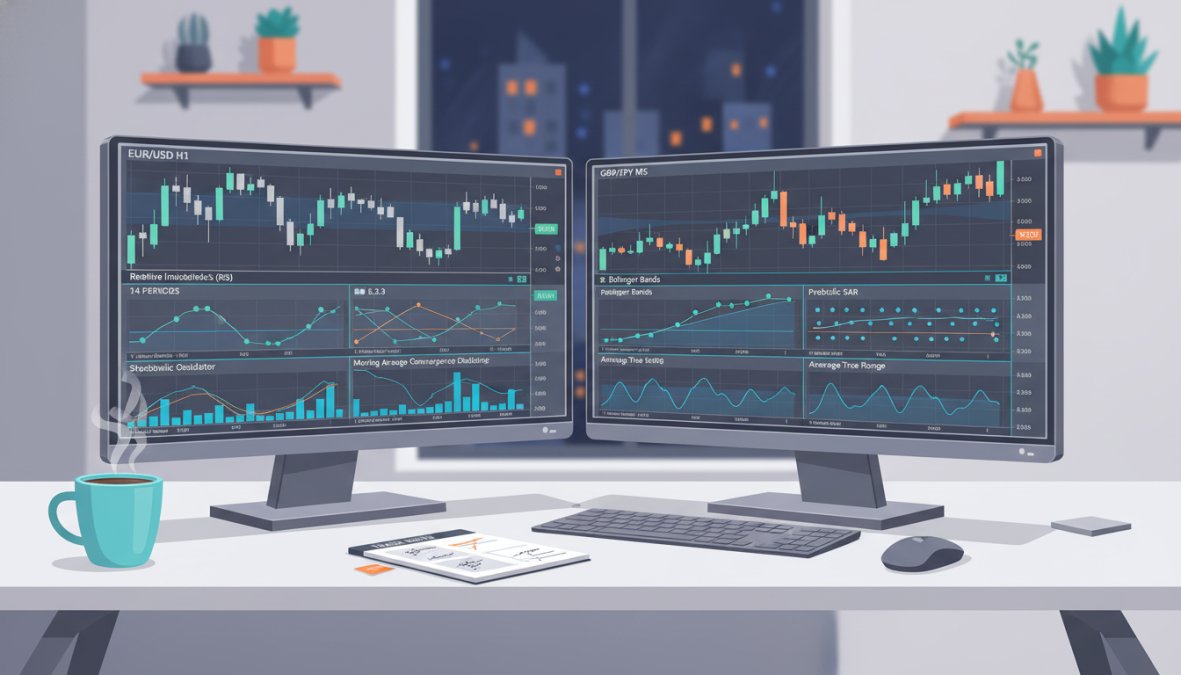
Real-time trading compresses decision cycles to seconds. A signal appears, the trader evaluates it, and either acts or passes. The problem is that under time pressure, the brain defaults to pattern-matching shortcuts that work well in stable conditions and catastrophically in volatile ones.
The most common failure mode isn’t missing trades. It’s taking trades that don’t meet the criteria because the price is moving fast and inaction feels like losing money. This is called action bias, and it’s responsible for more blown accounts than bad strategies.
Three practices that address this directly:
- Pre-define your trade criteria in writing before each session. "I will only take a long trade on EUR/USD if RSI is below 35 on the 5-minute chart AND price is above the 20 EMA." Specific rules eliminate ambiguous judgment calls under pressure.
- Use MT5’s one-click trading only after setting stops first. Entering a position without a stop because you’ll "add it right after" is how traders end up holding losing trades through news events.
- Review your trade history in MT5 weekly. The platform’s trading history tab shows every entry, exit, and the exact conditions at the time. Pattern recognition in your own behavior is more valuable than any indicator.
The traders who perform consistently in real-time environments aren’t faster. They’re more systematic.
Configuring MT5 to Capture Real-Time Trade Opportunities Like a Pro
Configuring MT5 for real-time opportunity detection follows a logical sequence. Start with data, then signals, then execution, then review.
MT5 Real-Time Configuration Checklist:
- Enable tick data display on all active charts
- Set chart refresh rate to maximum in platform settings
- Configure Market Watch to show only traded instruments (reduces visual noise)
- Save indicator templates for each strategy type
- Set up price and indicator alerts for key levels
- Connect MetaQuotes ID for mobile push notifications
- Test EA in Strategy Tester with forward testing before live deployment
- Configure VPS if running EAs or scalping strategies
- Enable one-click trading for manual scalping setups
- Review trading history tab weekly for behavioral pattern analysis
This sequence matters because traders who skip the alert configuration step end up screen-watching, which introduces emotional decision-making. Traders who skip the Strategy Tester step deploy EAs that fail in live conditions. Each step in the sequence prevents a specific failure mode.
Mobile and Web Platform Accessibility for On-the-Go Traders
MT5 is available as a native iOS and Android application, and as a web-based terminal accessible through any browser without installation. Both versions provide real-time data, full charting with technical analysis indicators, and order execution capabilities.
The mobile platform supports the same alert system as the desktop version, meaning push notifications configured on desktop deliver to the mobile app automatically. For traders who can’t be at their desk continuously, this creates a viable monitoring workflow: alerts fire to mobile, the trader evaluates on the mobile chart, and executes if the setup confirms.
The web terminal is best used for monitoring and light execution. It doesn’t support EA execution or advanced scripting, so it’s not a replacement for the desktop platform in automated strategies.
Order Execution Types: Market Orders, Pending Orders, and Position Management
MT5 supports six order types that cover the full range of real-time and conditional execution scenarios:
- Market orders execute immediately at the best available price. Used when speed matters more than price precision.
- Limit orders (Buy Limit, Sell Limit) execute at a specified price or better. Used when entry price precision matters more than guaranteed execution.
- Stop orders (Buy Stop, Sell Stop) execute when price reaches a specified level, used for breakout entries.
- Stop Limit orders combine a stop trigger with a limit execution price, providing control over both trigger and fill.
Position management in MT5 includes partial close functionality, which allows traders to lock in partial profits while leaving a portion of the position running. This is particularly useful for real-time trade opportunities MT5 generates on trending instruments where the full move is unclear at entry.
Pending orders are the professional’s tool for real-time trading. Rather than watching for a level and placing a market order manually, pending orders sit at the broker’s server waiting for price to arrive. This eliminates the reaction delay entirely and removes emotion from the entry decision.
Capturing consistent real-time trade opportunities MT5 offers requires more than knowing the platform’s features. It requires a configured, systematic approach where alerts, indicators, execution speed, and psychological discipline work together. EZMT5 removes the setup barrier by providing instant access to 11 fully built and optimized MT5 Trading Systems, two license keys per system with flexibility to change them anytime, and a no-contract monthly subscription that lets traders start executing professionally from day one. Get started with EZMT5 and begin trading with pre-built systems that deliver real-time signals, precise entries, and automated execution without the months of development time most traders spend building from scratch.
Frequently Asked Questions
How do I find trade opportunities on MT5 in real time?
To find real-time trade opportunities on MT5, combine technical analysis indicators like moving averages and RSI with price alerts and custom Expert Advisors. Set up watchlists across Forex, stocks, and futures instruments, use the Market Depth window to gauge order flow, and configure push notifications so you never miss a signal. Platforms like EZMT5 provide pre-built, optimized MT5 trading systems that deliver real-time trade opportunities immediately after download, removing the setup burden entirely.
Can MT5 automatically identify trading opportunities using Expert Advisors?
Yes. MT5 Expert Advisors (EAs) written in MQL5 can scan financial instruments continuously, apply your strategy rules, and trigger market orders or pending orders automatically when conditions are met. MT5 expert advisors for trade entry can monitor dozens of symbols simultaneously, something manual trading cannot match. Always validate any EA using the built-in Strategy Tester on historical data before deploying it on a live broker account to assess performance and slippage behavior.
What are the best MT5 indicators for scalping and short-term signals?
The best MT5 indicators for scalping include fast-period moving averages (EMA 8/21), the Stochastic Oscillator, Bollinger Bands, and volume-based tools like the Market Depth (DOM) panel. For real-time signal detection, combining a momentum indicator with a volatility filter reduces false entries. MQL5's library also offers thousands of custom indicators. Pre-optimized indicator bundles, such as those offered by EZMT5 alongside TradingView indicators, give scalpers professional-grade tools without manual configuration.
How do I set price alerts in MT5 to catch trade opportunities instantly?
To set price alerts in MT5, right-click any price level on a chart or in the Quotes window and select 'Alert.' You can trigger alerts based on price crossing a level, bid/ask conditions, or indicator values using custom MQL5 scripts. Alerts can be delivered as platform pop-ups, sounds, emails, or push notifications to your mobile app. For traders who need hands-free monitoring, combining price alerts with an EA ensures no real-time trade opportunity is missed even when you step away.
Does latency and execution speed really matter for real-time trading on MT5?
Absolutely. In fast-moving Forex and futures markets, even milliseconds of latency can mean the difference between your target price and significant slippage. Using a VPS (Virtual Private Server) located near your broker's servers dramatically reduces round-trip execution time. Pair VPS hosting with one-click trading in MT5 to minimize manual delay. Choosing a broker with low-latency infrastructure and monitoring your trading history for consistent slippage patterns are practical steps every serious real-time trader should take.
Is MT5 suitable for day trading and real-time market analysis?
MT5 is widely considered one of the most capable platforms for day trading and real-time analysis. It supports multiple financial instruments including Forex, stocks, and futures, offers 21 timeframes, over 80 built-in technical analysis tools, and graphical objects for chart annotation. Its algorithmic trading infrastructure via MQL5, combined with copy trading and trading signals through the MQL5 community, makes it a comprehensive solution for traders who need both manual and automated real-time trade opportunity detection.
This article was written using GrandRanker