

Table of Contents
- What Are Automated Trading Systems for Beginners?
- How to Enable and Run Automated Trading in MetaTrader 5
- Backtesting Trading Strategies for Beginners Using MT5
- Automated Trading System Examples That Beginners Actually Use
- Best Automated Trading Software for Beginners in 2026
- Risks of Algorithmic Trading Every Beginner Must Understand
- Common Mistakes Beginners Make With Automated Trading Systems
- Conclusion
Last Updated: May 21, 2026
Automated trading systems for beginners represent one of the fastest-growing areas of retail finance, and the learning curve is steeper than most introductory guides admit. This guide from EZMT5 covers everything you need to deploy your first trading robot on MetaTrader 5, from understanding algorithmic logic to managing real risk with live capital. Most beginners assume the hard part is finding a profitable strategy. The hard part is actually everything that happens after that: configuration, testing, security, and keeping emotions out of the equation entirely.
Here’s what most guides get wrong: they teach you what automated trading is without showing you where it breaks down. Below, we’ll show you exactly how to set up, test, and protect an automated system, plus the mistakes that cause most beginners to blow their accounts before the strategy even gets a fair test.
What Are Automated Trading Systems for Beginners?
Automated trading systems for beginners are software programs that execute buy and sell operations in financial markets based on pre-defined rules, without requiring manual intervention for each trade. The system monitors price analysis signals, triggers entries and exits automatically, and manages positions according to parameters you set in advance.
Algorithmic trading operates on a simple principle: if a set of market conditions is true, execute a trade. The "if/then" logic can be as simple as a moving average crossover or as complex as a multi-indicator confluence model. What matters is that the rules are fixed, consistent, and not subject to emotional interference.
How Algorithmic Trading Works Step by Step
- Define your strategy rules – Specify entry conditions, exit conditions, stop-loss levels, and position sizing logic
- Code the logic – Translate rules into MQL5 (for MetaTrader 5) or another supported language
- Backtest against historical data – Run the strategy tester to evaluate past performance across different market conditions
- Optimize parameters – Adjust variables to improve performance without overfitting
- Forward test on a demo account – Validate backtest results with live market conditions before risking capital
- Deploy to live trading – Attach the Expert Advisor to a chart with a real or demo account
- Monitor and maintain – Review performance regularly and update logic when market changes demand it
The discipline built into systematic trading is its biggest practical advantage. A human trader second-guesses entries. An automated system does not.
Expert Advisors (EAs) Explained
An Expert Advisor (EA) is a program written in MQL5 that runs directly inside the MetaTrader 5 platform, capable of analyzing markets, opening trades, and managing positions automatically. EAs are the primary vehicle for automated trading on MT5 and form the backbone of most retail algorithmic strategies.
EAs differ from Scripts and Indicators in a critical way. Scripts execute once and stop. Indicators display data but do not trade. EAs run continuously on a chart, reacting to every new tick or bar depending on how they’re coded. This persistent execution model is what makes them suitable for fully automated systems.
According to MetaTrader 5 official platform documentation, EAs can be attached to any financial instrument and timeframe, giving traders flexibility across forex markets, commodities, indices, and more.
How to Enable and Run Automated Trading in MetaTrader 5
Enabling automated trading in MT5 takes less than five minutes once you know where to look. The process involves two separate permission layers: the terminal-level setting and the EA-level setting. Missing either one means your robot will load but never execute a single trade.
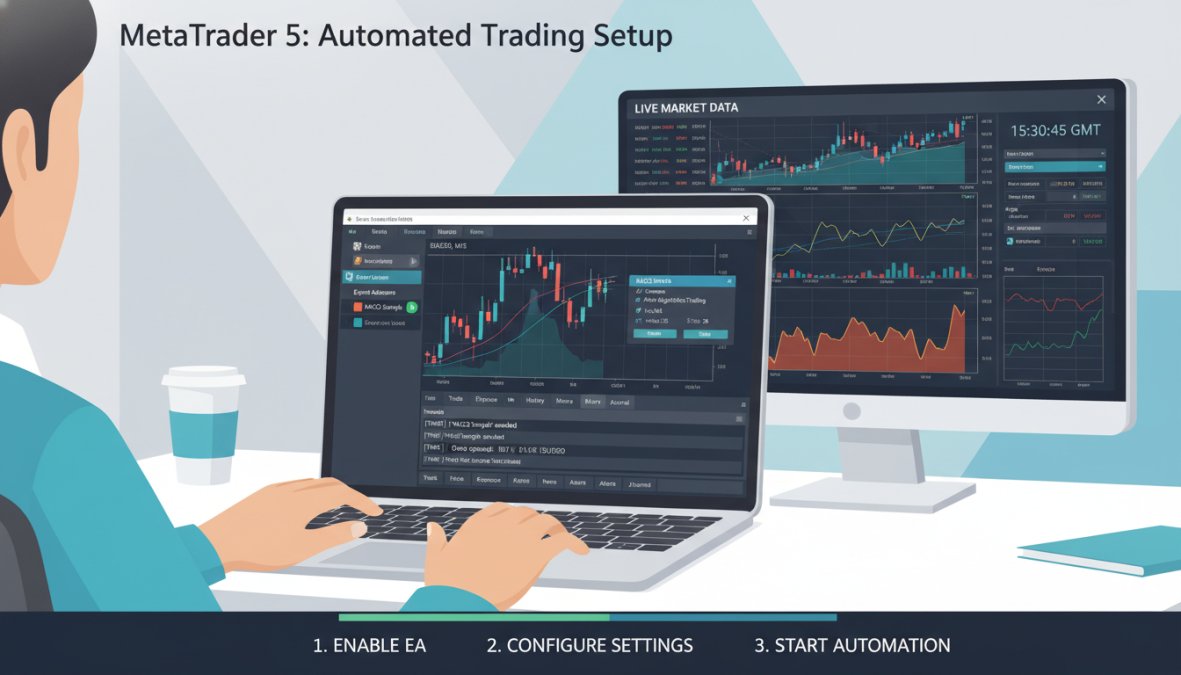
Here is the step-by-step process:
- Open MetaTrader 5 and navigate to Tools > Options > Expert Advisors
- Check "Allow Automated Trading" at the terminal level
- Optionally enable "Allow DLL imports" if your EA requires external library calls
- Click OK to save settings
- In the toolbar, confirm the "Algo Trading" button is active (it turns green when enabled)
- Attach your EA to a chart by dragging it from the Navigator panel
- In the EA properties dialog, confirm "Allow Algo Trading" is checked at the EA level
- Click OK – the EA icon in the chart’s top-right corner should show a green smiley face
If the smiley face on your EA shows a grey or red expression, automated trading is disabled at either the terminal or EA level. Trades will not execute. Always verify both permission layers before going live.
Setting Terminal Permissions and DLL Imports
DLL imports are external dynamic-link libraries that some EAs use to access system functions or third-party data feeds not natively available in MQL5. Enabling DLL imports introduces a security consideration: you are granting the EA permission to call code outside the MT5 sandbox.
The practical rule here is straightforward. Only enable DLL imports for EAs from sources you explicitly trust. For most beginner strategies, DLL imports are unnecessary. If a vendor insists you enable them without a clear technical justification, treat that as a red flag.
Terminal permissions also control whether EAs can trade on specific instruments, access external URLs, or modify account settings. Review each permission category in Tools > Options before deploying any new system.
Running Your Trading Robot 24/7 with a VPS
A VPS (Virtual Private Server) is a remote computer that runs your MT5 platform continuously, even when your local machine is off. For automated trading, this is not optional equipment. It is a requirement.
Without a VPS, your EA stops trading the moment your computer sleeps, loses internet connection, or restarts. For strategies that trade during Asian or London sessions while you sleep, that means missed entries, unmanaged positions, and potential account damage.
Most forex brokers offer VPS hosting directly, and several independent providers offer MT5-compatible environments. When selecting a VPS, prioritize low latency to your broker’s server, ideally under 10 milliseconds. The closer the VPS is geographically to your broker’s execution server, the faster your trade execution will be.
Backtesting Trading Strategies for Beginners Using MT5
Backtesting is the process of running a trading strategy against historical price data to evaluate how it would have performed. For beginners, backtesting trading strategies in MT5 is the single most important step between "this looks good on paper" and "this is worth real money." It is also the step most beginners do wrong, not because the tool is hard to use, but because they misread what the results are actually telling them.
The critical caveat before anything else: backtest results are not guarantees. They are evidence that a strategy had a statistical edge under specific historical conditions. Markets shift in structure, volatility regime, and liquidity. What worked in 2021 may underperform in 2026. Use backtests to eliminate bad strategies, not to confirm good ones.
Using the MQL5 Strategy Tester and MetaEditor
The Strategy Tester is MT5’s built-in backtesting engine, accessible via View > Strategy Tester or the Ctrl+R shortcut. The MetaEditor is the integrated development environment (IDE) for writing, editing, and compiling MQL5 code, launched via Tools > MetaEditor or F4.
To run a basic backtest:
- Open the Strategy Tester (Ctrl+R)
- Select your EA from the Expert Advisor dropdown
- Choose the financial instrument and timeframe
- Set the date range for historical data
- Select modeling type: "Every tick based on real ticks" for the highest accuracy, this uses actual recorded tick data rather than interpolated bars, which matters most for scalping EAs and any strategy with tight stop-losses
- Enable "Use date" and set a specific range; avoid testing on less than 12 months of data for any strategy you intend to trade live
- Click Start
The “Open prices only” modeling mode runs significantly faster but only evaluates the EA at bar open, missing intra-bar stop-loss triggers. For strategies with stops tighter than the average bar range, this mode will produce artificially inflated results. Always use “Every tick” for final validation.
Reading the Backtest Report: The Metrics That Actually Matter
The Strategy Tester generates a multi-tab report. Most beginners look at one number, net profit, and stop there. That is the single most common reason beginners deploy losing systems with confidence.
The metrics worth examining in order of importance:
Maximum Drawdown (absolute and percentage)
This is the largest peak-to-trough equity decline during the test period. A strategy that shows 40% net profit but a 35% maximum drawdown is not a good strategy, it means at some point you would have lost more than a third of your account before recovery. Most practitioners consider anything above 20% maximum drawdown unsuitable for live deployment without significant position-size reduction.
Profit Factor
Profit factor is gross profit divided by gross loss. A value of 1.0 means the strategy broke even. Values below 1.3 are generally considered marginal, small changes in spread or slippage can push them below 1.0 in live conditions. Values above 1.5 across a large sample of trades are a stronger signal of genuine edge.
Number of Trades
A backtest with 15 trades over three years is statistically meaningless. The result could be luck. Most quantitative practitioners want a minimum of 100 trades in a backtest before drawing conclusions, and preferably several hundred. If your strategy trades infrequently, extend the test period rather than shortening it.
Recovery Factor
Net profit divided by maximum drawdown. A recovery factor above 3 indicates the strategy earned at least three times what it risked in its worst drawdown period. This is a useful single-number summary of risk-adjusted performance.
Expected Payoff
Average profit per trade. If this number is smaller than your broker’s typical spread on that instrument, the strategy’s edge may be entirely consumed by transaction costs in live trading.
Optimization: Useful Tool, Dangerous Shortcut
The Optimization tab lets you test multiple parameter combinations simultaneously, identifying which settings produced the best historical results. This is genuinely useful for narrowing a parameter range. It is dangerous when used to find the single "best" setting and then deploy it.
Over-optimization, also called curve fitting, occurs when you tune parameters so precisely to historical data that the strategy has essentially memorized the past rather than identified a repeatable pattern. The result looks exceptional in backtesting and fails immediately in live trading.
The practical safeguard is an out-of-sample test:
- Split your historical data: use the first 70-75% for optimization, reserve the final 25-30% untouched
- Run your optimization on the training period only
- Take the top 3-5 parameter sets from the optimization results (not just the single best performer)
- Run those parameter sets on the reserved out-of-sample period without any further adjustment
- If performance holds up reasonably well on the out-of-sample data, the edge has a better chance of being genuine
- If performance collapses on the out-of-sample period, the optimization found noise, not signal
When reviewing optimization results, look for parameter stability rather than peak performance. If a parameter set performs well across a range of nearby values (e.g., a 14-period setting works similarly to 12 and 16), that robustness is a better sign than a single setting that dramatically outperforms all neighbors. Fragile peaks in optimization grids are a classic curve-fitting signature.
From Backtest to Forward Test: The Step Most Beginners Skip
A backtest that passes all the above checks is not permission to go live with real capital. The next mandatory step is forward testing on a demo account, running the EA in real-time market conditions without risking real money.
Forward testing reveals what backtesting cannot:
- Real spread behavior: Spreads widen during news events and low-liquidity sessions. Your backtest may have used fixed or average spreads that understate actual transaction costs.
- Execution latency: The Strategy Tester assumes instant execution. In live markets, there is always some delay between signal and fill, which affects strategies with tight entries.
- Broker-specific behavior: Minimum stop-loss distances, requote policies, and swap rates vary by broker and are not always reflected in backtest data.
- Current market regime: If you backtested on 2020-2024 data and the current market structure has shifted, forward testing will surface that divergence quickly.
A minimum forward test period of four to six weeks is a reasonable baseline for strategies that trade daily. For lower-frequency systems, extend this to three months or more before committing live capital. The goal is to accumulate enough live trades to compare the forward test’s profit factor and drawdown profile against the backtest’s equivalent figures. Material divergence is a signal to investigate before proceeding.
Automated Trading System Examples That Beginners Actually Use
Most beginners gravitate toward a handful of strategy archetypes before developing more nuanced approaches. Understanding these common examples helps you evaluate EAs you encounter in the market.
Moving Average Crossover EAs generate buy signals when a fast moving average crosses above a slow one, and sell signals on the reverse. Simple to understand, easy to code, and widely available. The drawback is that they perform poorly in ranging markets, generating frequent false signals.
Grid Trading Systems place a series of buy and sell orders at fixed intervals above and below the current price, profiting from market oscillation. These systems can generate steady returns in low-volatility conditions but carry significant risk during strong directional moves. Many beginners underestimate how quickly a grid system can accumulate losses in a trending market.
Trend-Following EAs use indicators like the Average Directional Index (ADX) or Bollinger Bands to identify and trade in the direction of established trends. These tend to perform better in trending forex markets and are generally more forgiving for beginners than counter-trend approaches.
Scalping Robots execute many trades per day, targeting small profits on each. They require low-latency execution, tight spreads, and a broker that permits high-frequency trading. Not all brokers do.
The honest assessment: no strategy type is universally superior. The best automated trading system examples for beginners are the ones with clear, testable logic and defined risk parameters, not the ones with the most impressive backtest equity curves.
Best Automated Trading Software for Beginners in 2026
Choosing the right platform is a foundational decision. The best automated trading software for beginners balances accessibility, execution quality, and the availability of pre-built systems that reduce the barrier to entry.
| Platform | Best For | EA Support | Key Strength |
|---|---|---|---|
| EZMT5 | Beginners wanting instant deployment | 11 built-in MT5 systems | Pre-optimized, no coding required |
| MetaTrader 5 (standalone) | Traders building custom EAs | Full MQL5 support | Deep strategy tester |
| Python + MT5 API | Quantitative developers | Via socket bridge | Flexible data science integration |
| TradingView | Strategy visualization | Pine Script alerts | Clean charting, broad community |
EZMT5 is the top pick for beginners who want to start trading immediately without writing a single line of code. The platform provides instant, unlimited access to 11 professional, fully built, and optimized MT5 trading systems plus TradingView indicators, all available immediately after download. Two license keys per system that can be changed at any time, and no long-term contract, make it the most practical starting point for traders who want precision execution without the development overhead. Every future system is included in the subscription, so the value compounds over time.
For traders who want to build their own systems from scratch, MetaTrader 5 with MQL5 remains the industry standard. The learning curve is real, but the depth of control is unmatched.
The best automated trading software for beginners is the one that gets you into live, tested markets fastest without exposing you to unnecessary technical complexity. Start with pre-built, optimized systems before attempting custom development.
MT5 vs Python API: Which Integration Makes Sense for You?
The MT5 Python API allows developers to connect Python scripts directly to a live MetaTrader 5 terminal, accessing real-time price data, account information, and trade execution functions. As documented in MetaTrader 5 Python integration guide, the library supports order placement, position management, and historical data retrieval.
The honest comparison: MQL5 is faster and more tightly integrated with the platform. Python is more flexible for data analysis, machine learning models, and backtesting frameworks like Backtrader or Zipline. For a beginner, Python integration adds significant complexity without a proportional advantage. For a quantitative trader comfortable with pandas and scikit-learn, Python opens doors that MQL5 cannot.
The practical decision framework:
- Choose MQL5 if your goal is deploying and running EAs within MT5 with minimal friction
- Choose Python API if you’re building quantitative models, using external data sources, or integrating with broader data science workflows
- Choose pre-built systems like EZMT5 if you want none of the above complexity and just want to trade
Risks of Algorithmic Trading Every Beginner Must Understand
Algorithmic trading does not eliminate risk. It systematizes it. The risks of algorithmic trading are real, and beginners who underestimate them tend to learn expensive lessons quickly, often before the strategy itself even gets a fair test.

The most common risk categories include:
- Over-optimization (curve fitting): A strategy tuned to perform perfectly on historical data often fails on new data because it learned noise, not signal
- Execution risk: Slippage, requotes, and broker latency can erode the edge a strategy showed in backtesting
- Technical failure: Internet outages, platform crashes, and VPS downtime can leave positions open without management
- Market regime change: A strategy built for trending markets will underperform or lose money in ranging conditions
- Position sizing errors: Automated systems can open positions faster than a human could intervene; without hard lot-size limits, a single miscalculation can cause disproportionate account damage
Risk Management Settings Inside Your Automated System
Every EA should have hard-coded risk controls that operate independently of the strategy logic. These are not optional features, they are the difference between a controlled loss and an account wipeout.
The minimum risk management settings any beginner’s EA should include:
- Maximum lot size per trade, Prevents the EA from opening oversized positions due to a calculation error or an unexpected leverage condition
- Daily loss limit, Halts all trading if losses exceed a defined threshold in a single session; many professional systems set this at 2-3% of account equity
- Maximum open trades, Caps simultaneous exposure, particularly important when running EAs on correlated instruments like EURUSD and GBPUSD
- Stop-loss on every trade, No exceptions; any EA that opens trades without a stop-loss is a liability, not a tool
- Equity drawdown circuit breaker, Stops the EA entirely if account equity drops below a set percentage from its peak, preventing a bad run from becoming a catastrophic one
Position sizing should be based on a fixed percentage of account equity per trade, most conservative automated systems risk between 1% and 2% per trade. This approach scales position size proportionally with account growth and limits damage during losing streaks without requiring manual adjustment.
Security Best Practices for Third-Party EAs
This is the topic most automated trading guides skip entirely. It is also one of the most practically important for beginners, who are most likely to download EAs from unverified sources.
The core risk: An EA is executable code running inside your trading terminal with access to your account credentials, open positions, and, if DLL imports are enabled, your operating system. A malicious EA can execute unauthorized trades, drain an account through rapid position opening, or exfiltrate login credentials to a remote server. This is not a theoretical risk; it is a documented pattern in retail trading communities.
Concrete security practices to follow before attaching any third-party EA to an account:
1. Review the source code in MetaEditor before attaching anything to a live account.
Legitimate EAs from reputable vendors are typically provided as compiled .ex5 files without readable source. If source code is available, open it in MetaEditor and look for any WebRequest() calls (which send data to external URLs), DLL import declarations, or file write operations that have no obvious strategic purpose. You do not need to understand every line, you need to identify calls that reach outside the MT5 environment.
2. Treat DLL import requests as a serious red flag unless you have a specific technical reason to trust them.
Most legitimate retail EAs do not require DLL imports. When a vendor instructs you to enable DLL imports without a clear explanation of why, that is a warning sign. In MT5, DLL imports allow the EA to call Windows system functions and third-party libraries, capabilities that are unnecessary for standard price-action or indicator-based strategies.
3. Use a dedicated, funded-separately account for any new EA you are testing.
Never attach an untested third-party EA to your primary trading account. Open a separate account with a limited deposit specifically for testing. This contains the blast radius if the EA behaves unexpectedly, whether due to malicious code, a logic error, or simply a strategy that performs differently than advertised.
4. Check the EA’s behavior on a demo account for at least one full week before any live deployment.
Observe what instruments it trades, what lot sizes it uses, and whether its behavior matches what the vendor described. Discrepancies between documented and actual behavior are a signal to investigate before proceeding.
5. Use a read-only investor password for monitoring, not your master password.
MT5 accounts have two password levels: the master password (full trading access) and the investor password (read-only monitoring). If you share account access with a signal provider or a managed account service, share only the investor password. Never share your master password.
Downloading EAs from unverified forums, Telegram channels, or file-sharing sites is the single highest-risk action a beginner can take. The MT5 marketplace (MQL5.community) provides a degree of vendor accountability that random downloads do not. When in doubt, use pre-built systems from established providers rather than sourcing EAs from unverified communities.
Debugging Common EA Errors: A Practical Troubleshooting Guide
When an EA loads but does not trade, or trades unexpectedly, the Experts tab in the MT5 terminal is your first diagnostic stop. Every EA action, warning, and error is logged there in real time with timestamps. The Journal tab logs platform-level events. Check both before assuming a strategy problem.
The most common EA errors beginners encounter, and what to do about each:
"Trade context is busy"
Another trade operation is already being processed by the terminal. The EA is retrying automatically. This usually resolves within seconds. If it persists, it may indicate a broker-side execution delay or a conflict between multiple EAs running simultaneously on the same account.
"Not enough money"
The EA is attempting to open a position at a lot size the account’s available margin cannot support. Solutions: reduce the EA’s lot size parameter, deposit additional margin, or close other open positions to free margin. If this error appears at lot sizes that should be well within margin requirements, verify that your account leverage settings match what the EA was configured for.
"Invalid stops"
The stop-loss or take-profit level the EA is attempting to set is closer to the current price than the broker’s minimum stop distance (also called the freeze level or stops level). This is broker-specific and varies by instrument. To resolve it: check your broker’s instrument specification (right-click the instrument in Market Watch > Specification) for the "Stops level" value, then increase the EA’s stop-loss distance parameter to exceed that minimum.
EA loads but no trades open
This is the most common beginner complaint and has several possible causes, which should be checked in order:
- Confirm the terminal-level "Algo Trading" button in the toolbar is green (active)
- Confirm the EA-level "Allow Algo Trading" checkbox is enabled in the EA properties (double-click the EA on the chart)
- Confirm the market is currently open for the instrument the EA is attached to
- Check the Experts tab for any logged errors or warnings
- Verify the EA’s entry conditions are actually being met, many EAs have filters (time filters, spread filters, volatility filters) that prevent trading under certain conditions; review the EA’s parameter list for any active filters
- If the EA uses a DLL and DLL imports are not enabled, it will load silently but fail to execute
"Off quotes" or "Requote"
The broker could not fill the order at the requested price. Common during high-impact news events or low-liquidity sessions. If this occurs frequently outside of news windows, it may indicate a broker execution quality issue worth investigating.
EA stops trading after running correctly
Check whether the EA has a built-in daily loss limit or maximum trade count that has been reached. Also check whether the account has hit a margin call level that prevents new positions. Review the Experts tab log for the timestamp when trading stopped and look for any error or status message at that point.
The MetaEditor’s built-in debugger (accessible via Debug > Start / F5 in MetaEditor) allows you to step through MQL5 code line by line and inspect variable values at each step. For EAs where the Experts tab shows no errors but behavior is still unexpected, the debugger is the most efficient way to identify exactly where the logic diverges from your expectations. Attach it to a demo account rather than a live one during any debugging session.
Common Mistakes Beginners Make With Automated Trading Systems
The gap between a beginner who succeeds with automated trading and one who doesn’t usually comes down to a handful of avoidable errors.
Skipping forward testing. A backtest that looks excellent is not permission to go live. Forward testing on a demo account for at least 4-6 weeks reveals execution gaps, slippage effects, and strategy behavior in current market conditions that historical data cannot replicate.
Ignoring broker compatibility. Not all brokers execute automated orders the same way. Some widen spreads during news events. Some have minimum stop-loss distances that break EA logic. Test your EA on the specific broker account you intend to use, not a generic demo environment.
Running too many EAs simultaneously. More systems does not mean more profit. Correlated EAs on similar instruments can compound drawdowns during adverse conditions. Start with one system, understand it fully, then expand.
Treating backtests as forecasts. The Strategy Tester shows what happened, not what will happen. Past performance in financial markets is genuinely not indicative of future results. Use backtests as a filter, not a promise.
Neglecting ongoing monitoring. Automated does not mean unsupervised. Markets change, broker conditions shift, and EAs can malfunction. Schedule regular reviews, at minimum weekly, to confirm your systems are performing within expected parameters.
As noted in CFA Institute guidance on algorithmic trading best practices, systematic traders who establish clear performance review protocols significantly reduce the incidence of undetected strategy degradation over time.
Most traders who struggle with automated systems are not failing because of bad strategies. They’re failing because they skipped the testing, ignored the risk controls, or deployed tools they didn’t fully understand. EZMT5 addresses this directly: 11 professional, fully built, and optimized MT5 trading systems available immediately after download, with real-time trade opportunities and two license keys per system that can be changed at any time, all on a no-contract monthly subscription. Get started with EZMT5 and begin trading with professional-grade tools from day one.
Frequently Asked Questions
How do automated trading systems work for beginners?
Automated trading systems use pre-programmed rules, based on price analysis, indicators, or quantitative signals, to execute buy and sell operations without manual input. In MetaTrader 5, these are called Expert Advisors (EAs). Once attached to a chart and given terminal permissions, the EA monitors the market continuously and places trades when its conditions are met. Beginners benefit because the system removes emotional interference and enforces discipline on every trade.
Do I need to know how to code for automated trading?
Not necessarily. Platforms like MT5 offer a marketplace where you can acquire pre-built Expert Advisors without writing a single line of MQL5. Services like EZMT5 go further by providing fully built and optimized MT5 trading systems ready to deploy immediately after download. If you do want to customize, the MetaEditor and MQL5 Integrated Development Environment make it accessible, but coding is optional for most beginners starting with automated trading systems.
What are the risks of using automated trading systems?
The main risks of algorithmic trading include over-optimization during backtesting (curve-fitting), system failures during live trading, connectivity issues if you're not using a VPS, and poor risk management settings that allow large drawdowns. Automated systems also cannot adapt to sudden news events the way a human can. Beginners should always run a strategy on a demo account first, set strict stop-loss parameters, and monitor performance regularly even after going live.
Which automated trading platform is best for beginners?
MetaTrader 5 is widely considered the best automated trading software for beginners due to its built-in Strategy Tester, MetaEditor, MQL5 environment, and broad broker support across forex markets and other financial instruments. It supports Expert Advisors, Scripts, and Indicators out of the box. For beginners who want to skip setup entirely, platforms like EZMT5 offer instant access to 11 professional, pre-optimized MT5 trading systems, letting you start trading immediately after download.
How much money do I need to start automated trading?
There is no universal minimum, as it depends on your broker and the financial instruments you trade. Many forex brokers allow accounts starting from $100-$500. However, proper risk management in automation typically requires enough capital so that individual position sizes remain a small percentage of your account, commonly 1-2% per trade. Starting with a demo account first costs nothing and is strongly recommended before committing real capital to any automated trading system.
What is backtesting and why does it matter for beginners?
Backtesting trading strategies for beginners means running your Expert Advisor or trading rules against historical price data to see how they would have performed. MT5's Strategy Tester makes this straightforward, you select your EA, choose a financial asset, set a date range, and let the tester simulate trade execution. It helps you identify weaknesses before risking real money. A key warning: strong backtesting results do not guarantee future live trading performance, so always validate on a demo account next.
This article was written using GrandRanker