

Table of Contents
- What Unlimited Access to MT5 Indicators Actually Means
- Best Free MT5 Indicators Worth Using in 2026
- Paid vs Free MT5 Indicators: Which Option Delivers More Value?
- Safe MT5 Indicator Sources You Can Actually Trust
- How to Install MT5 Custom Indicators Step by Step
- Why Unlimited Access to MT5 Indicators Changes Your Trading Edge
- Common Mistakes Traders Make When Loading MT5 Indicators
- Conclusion
Last Updated: May 29, 2026
Traders who chase indicators without a system end up with cluttered charts and worse decisions. The real edge comes from having unlimited access to MT5 indicators that are already optimized, tested, and ready to deploy. EZMT5 was built specifically to solve this problem, giving serious traders instant access to 11 professional MT5 trading systems plus every future system released, all under a no-contract monthly subscription. Below, we cover exactly what that access means, which indicators are worth your time, and how to avoid the mistakes that slow most traders down.
The throughline of this guide is simple: more indicators is not the same as better indicators. The traders who outperform are the ones who understand what they’re running, why it’s configured the way it is, and how to manage it without killing their platform’s performance.
What Unlimited Access to MT5 Indicators Actually Means
Unlimited access to MT5 indicators means subscribing to a system where every indicator, every trading system, and every future release is available to you immediately, without paying per tool or waiting for new launches. It is the difference between building a toolkit one piece at a time and receiving a fully stocked workshop on day one.
Most traders don’t realize how fragmented the alternative is. The standard approach involves downloading free indicators from forums, purchasing individual tools from the MQL5 marketplace, and stitching together a setup that may or may not be compatible. That process takes weeks and produces inconsistent results.
The smarter model is structured access: a curated library of professional-grade systems that are pre-built, pre-optimized, and immediately usable.
Built-In Indicators vs. Custom Indicators in MetaTrader 5
MetaTrader 5 ships with a solid set of built-in indicators covering the core categories of technical analysis: trend direction, momentum, volatility, and volume. These include Moving Averages, the Alligator indicator, Bollinger Bands, the Money Flow Index, and ZigZag, among others. They’re reliable, well-documented, and run efficiently on the platform.
Custom indicators are a different category entirely. Built using MQL5, they extend MetaTrader 5 beyond its defaults, adding proprietary logic, multi-timeframe analysis, signal generation, and visual overlays that the standard library doesn’t offer. The best custom indicators are not just cosmetic additions; they encode specific trading logic that would otherwise require manual interpretation.
MetaTrader 5 (MT5) is the multi-asset trading platform developed by MetaQuotes that supports Forex, stocks, futures, and CFDs, with a built-in MQL5 development environment for creating and running custom indicators and Expert Advisors.
The practical distinction matters for traders: built-in indicators are good for foundational analysis, while custom indicators are where real differentiation happens.
Expert Advisors vs. Indicators: Key Differences
The most common point of confusion for newer MT5 users is the difference between Expert Advisors (EAs) and indicators.
An indicator is a visual or signal-generating tool. It reads price data and outputs a value, a line, or an alert. It does not place trades.
An Expert Advisor is a trading robot. It reads market conditions, often using indicator logic, and executes trades automatically without manual input.
The distinction matters because many traders assume that loading an indicator is enough to automate their trading. It isn’t. Automation requires an EA. However, the best professional trading systems combine both: indicators that generate precise entry and exit signals, and EAs that act on those signals with speed and consistency that manual trading cannot match.
When evaluating any MT5 system, ask whether it includes both the indicator logic and the EA execution layer. A signal without execution is just analysis. An EA without good signal logic is just noise acting fast.
Best Free MT5 Indicators Worth Using in 2026
The free MT5 indicator landscape is large and uneven. Most of what’s available on public forums is either poorly coded, untested, or built for a market condition that no longer exists. That said, the built-in MetaTrader 5 library contains several genuinely useful tools that professional traders still rely on.
Here’s what’s worth your time.
Trend-Following Indicators: Moving Averages, Alligator, and ZigZag
Moving Averages remain the foundation of trend-following in financial markets. The 50-period and 200-period exponential moving averages are the most widely watched, and their crossovers generate some of the most reliable directional signals available in MT5. The reason they persist is simple: they work because enough participants watch them, which makes the signals partially self-fulfilling at key levels.
The Alligator indicator, developed by Bill Williams and built into MT5, uses three smoothed moving averages with specific offsets to identify trending versus ranging conditions. When the three lines are intertwined, the market is sleeping. When they separate and align directionally, a trend is forming. It’s one of the cleaner built-in tools for avoiding false breakouts.
ZigZag is underrated. It filters minor price movements and identifies significant swing highs and lows, making it particularly useful for support and resistance mapping and for identifying market reversals. The key limitation is that ZigZag repaints on the current bar, so it should never be used for live signal generation on the most recent candle.
According to MetaQuotes’ official MQL5 documentation and indicator reference, all three of these indicators are available natively in MT5 with no additional download required.
Momentum and Volume Tools: Money Flow Index and Volatility Analyzers
Momentum indicators tell you not just which direction price is moving, but how much conviction is behind that move. The Money Flow Index (MFI) combines price and volume data to identify overbought and oversold conditions. Unlike RSI, which uses price alone, MFI incorporates actual trading volume, making it a more complete picture of market participation.
Readings above 80 suggest overbought conditions. Readings below 20 suggest oversold conditions. Divergences between MFI and price action are often more valuable than the absolute readings themselves.
Volatility analyzers, including Average True Range (ATR) and custom volatility bands, are essential for position sizing and stop placement. A common mistake is setting fixed stop-loss distances regardless of current volatility. ATR-based stops adjust to market conditions automatically, which reduces the frequency of being stopped out by normal price noise.
Loading multiple momentum indicators that measure the same thing (MFI, RSI, and Stochastic simultaneously) creates the illusion of confirmation when you’re actually seeing the same signal three times. This is indicator redundancy, and it distorts your read of actual market conditions.
Paid vs Free MT5 Indicators: Which Option Delivers More Value?
The honest answer is that the best free indicators are often more reliable than mediocre paid ones, but that framing misses the real question, which is not about price. It is about maintenance, compatibility, and what happens to your platform performance when you stack multiple indicators on top of each other.
Here is a practical comparison across the dimensions that actually matter:
| Indicator Type | Code Quality | Active Maintenance | MT5 Build Compatibility | Platform Load | Optimization |
|---|---|---|---|---|---|
| Built-in MT5 | High | MetaQuotes (continuous) | Always current | Minimal | Pre-optimized |
| Free community (forums) | Variable | Rarely updated post-2021 | Often outdated | Unpredictable | Usually none |
| MQL5 Marketplace paid | Generally high | Vendor-dependent | Usually current | Moderate | Sometimes |
| Professional subscription systems | Highest | Included in subscription | Actively maintained | Controlled | Fully optimized |
The Maintenance Gap Is the Real Cost of Free
The problem with free community indicators is not the price. It is the maintenance gap. An indicator posted on a forum in 2019 may use MQL5 functions that have since been deprecated, reference broker feed structures that have changed, or simply not account for the MT5 platform updates MetaQuotes has shipped since then. You are running code that nobody is actively watching.
This creates a specific failure mode: the indicator compiles without errors, loads on your chart, and appears to work, but produces subtly incorrect outputs because an underlying function now behaves differently than it did when the code was written. This is harder to catch than an outright crash, and it is far more dangerous.
Indicator Bloat: The Performance Cost Nobody Talks About
This is the angle most paid-vs-free comparisons skip entirely, and it is one of the most significant practical concerns for active traders.
Every indicator you load adds computational overhead to the MT5 terminal. Each one runs a calculation loop on every incoming tick. On a single chart with a handful of indicators, this is negligible. But most active traders run multiple charts across multiple timeframes simultaneously, and that is where indicator bloat becomes a real performance problem.
The symptoms are recognizable: chart rendering slows down, the terminal lags during fast market conditions, signal alerts fire late, and in extreme cases the platform becomes unresponsive during high-volatility events like NFP releases or central bank announcements. These are exactly the moments when platform speed matters most.
A practical framework for managing indicator load:
Tier your indicators by function. Separate your indicators into three categories: execution indicators (directly trigger entries and exits), context indicators (define the broader market condition), and reference indicators (historical mapping tools like ZigZag or Fibonacci). Only execution and context indicators need to be live on your trading charts. Reference indicators can be loaded on demand and removed afterward.
Audit your chart templates regularly. It is common to accumulate indicators over months of testing and never remove the ones that didn’t make the cut. A quarterly audit of every active chart template, removing anything you cannot immediately explain the purpose of, keeps platform load under control.
Use separate chart profiles for analysis vs. execution. Run a clean, minimal chart profile during live trading hours with only your execution indicators active. Use a separate, more indicator-heavy profile for off-hours analysis. This prevents your analysis setup from degrading your execution environment.
Watch your CPU and memory usage. MetaTrader 5’s built-in Toolbox panel does not expose per-indicator resource usage, but Windows Task Manager will show you if the terminal process is consuming abnormal CPU during market hours. If it is, indicator bloat is the most likely cause.
Running more than 8-10 active indicators across multiple open charts on a standard consumer laptop is a known performance risk during high-volatility sessions. If you trade news events or session opens, strip your charts to the minimum before those windows.
The Redundancy Problem: When More Indicators Mean Less Information
Beyond platform speed, there is a signal quality problem with stacking multiple paid or free indicators without a coherent system design.
Many popular indicators, RSI, Stochastic, MFI, and CCI, for example, are all measuring variations of the same underlying concept: momentum relative to recent price range. Loading three of them simultaneously does not give you three independent data points. It gives you the same data point expressed three different ways, which creates the illusion of confirmation without the substance of it.
This is indicator redundancy, and it is one of the most common reasons traders with sophisticated-looking setups underperform traders with simpler ones. The chart looks comprehensive. The signals feel confirmed. But the underlying information content is no higher than a single well-chosen momentum indicator would provide.
The solution is not to choose between paid and free. It is to choose indicators that measure genuinely different things, trend direction, momentum, volatility, and volume, and ensure each one earns its place on the chart by providing information the others do not.
This is where the EZMT5 model changes the calculation. Instead of assembling individual indicators and hoping they form a coherent system, subscribers get 11 fully built and optimized MT5 trading systems where the indicator selection, redundancy filtering, and platform load management have already been handled. The value is not in any single indicator; it is in the integrated, immediately deployable system that has already solved the problems described above.
Safe MT5 Indicator Sources You Can Actually Trust
Downloading indicators from unverified sources is one of the fastest ways to compromise your trading terminal. Malicious MQL5 code can access your account credentials, execute unauthorized trades, or simply corrupt your platform configuration.
The safe sources for MT5 indicators are:
- MetaTrader 5 built-in library: Zero risk, maintained by MetaQuotes
- The official MQL5 Code Base: Community-submitted, but reviewed and publicly visible
- Established brokers’ indicator libraries: Reputable brokers like those integrated with Signal Centre, Autochartist, or FX Blue maintain vetted indicator sets
- Professional subscription services with verified code: Where the developer is identifiable and accountable
As documented in MetaQuotes’ security guidelines for MQL5 code, any indicator that requests unusual permissions or attempts to access external URLs should be treated as suspicious.
Indicator Compatibility, Versioning, and Platform Speed
This is the part most guides skip entirely.
MT5 indicators are compiled for specific platform builds. An indicator compiled against an older MetaTrader 5 build may run with errors, produce incorrect outputs, or fail silently on a newer platform version. Before loading any custom indicator, verify that it was compiled against a recent MT5 build and that the developer actively maintains it.
Versioning matters more than most traders realize. The MQL5 language has evolved significantly, and older indicators may use deprecated functions that still technically run but produce inconsistent results.
Platform speed is the second overlooked issue. Every indicator you load adds computational load to your trading terminal. On a standard setup, loading 10-15 indicators across multiple charts and timeframes can noticeably slow rendering, delay signal generation, and in extreme cases cause the terminal to lag during fast market conditions. This is indicator bloat, and it’s a real performance risk.
A practical rule: run only the indicators you actively trade with. Archive the rest. If you can’t articulate why a specific indicator is on your chart, remove it.
Indicator bloat is a silent performance killer. A clean chart with three well-chosen indicators consistently outperforms a cluttered one with fifteen. Speed and clarity matter most when markets move fast.
How to Install MT5 Custom Indicators Step by Step
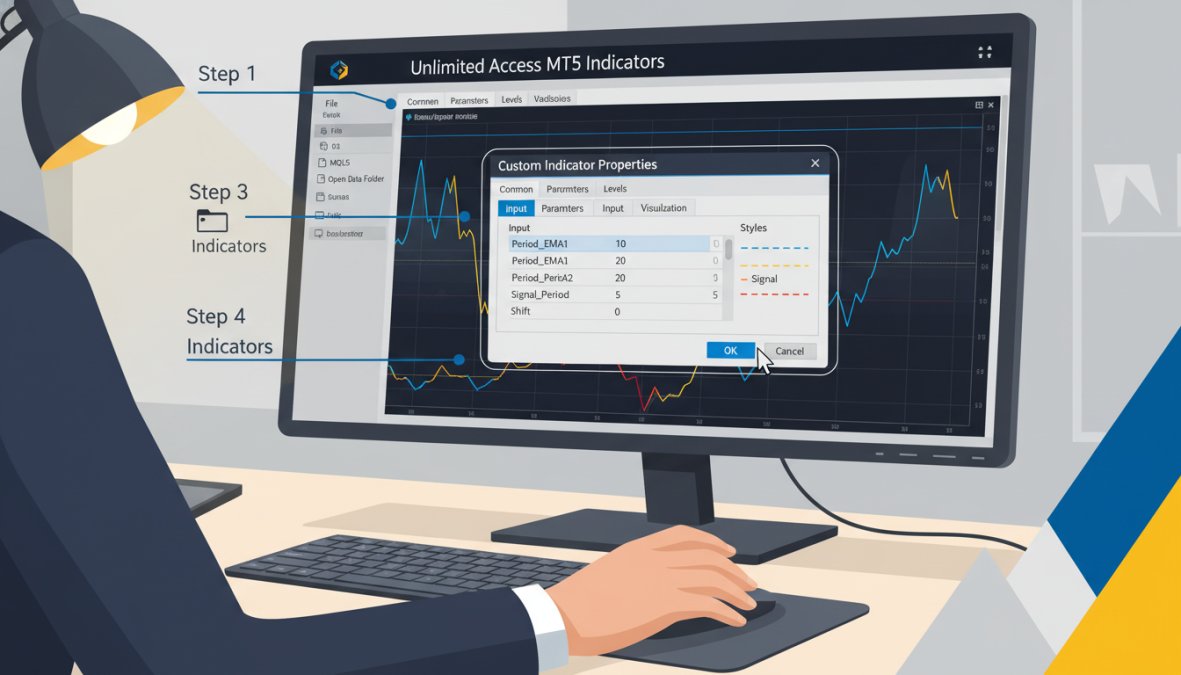
Installing a custom indicator in MetaTrader 5 takes under five minutes when you know the correct file path and process. Setup time: approximately 3-5 minutes per indicator.
What You’ll Need:
- MetaTrader 5 installed and connected to your broker
- The
.ex5or.mq5indicator file from a trusted source - Basic familiarity with the MT5 file directory
Step 1: Locate the MT5 Data Folder [Time: 30 seconds]
Open MetaTrader 5. Click File in the top menu, then select "Open Data Folder." This opens the root directory for your MT5 installation.
Step 2: Navigate to the Indicators Folder [Time: 30 seconds]
Inside the data folder, open MQL5, then Indicators. This is where all custom indicator files must be placed.
Step 3: Copy the Indicator File [Time: 30 seconds]
Paste your .ex5 file (the compiled indicator) into the Indicators folder. If you have the source file (.mq5), paste it here as well.
Step 4: Refresh the Navigator Panel [Time: 30 seconds]
Return to MT5. In the Navigator panel on the left, right-click on "Indicators" and select "Refresh." Your new indicator should appear in the list.
Step 5: Apply to a Chart [Time: 1 minute]
Drag the indicator from the Navigator onto any open chart. A settings dialog will appear. Configure your preferred parameters and click OK.
Expected Result: The indicator appears on your chart immediately. If it doesn’t, check that the file is in the correct folder and that the MT5 build matches the indicator’s compilation target.
Using MetaEditor for Custom Indicator Development
MetaEditor is the integrated development environment built into MetaTrader 5 for writing, editing, and compiling MQL5 code. It’s accessible directly from MT5 via Tools > MetaEditor or by pressing F4.
For traders who want to build custom indicators from scratch, MetaEditor provides syntax highlighting, a built-in debugger, and direct access to the MQL5 reference library. The learning curve is real but manageable. The MQL5 language is C++-based, so traders with any programming background will find it familiar.
For beginners, the most practical starting point is modifying an existing open-source indicator rather than building from zero. Change the period values, add an alert condition, or adjust the visual output. This teaches the structure of MQL5 code without requiring you to architect a complete indicator from scratch.
According to the official MQL5 language reference and developer documentation, the MetaEditor environment includes a strategy tester integration that allows backtesting indicator-based logic directly within the development workflow.
Why Unlimited Access to MT5 Indicators Changes Your Trading Edge
The real advantage of unlimited access to MT5 indicators is not the number of tools. It’s the elimination of the setup and sourcing problem that consumes most traders’ time before they ever place a trade.
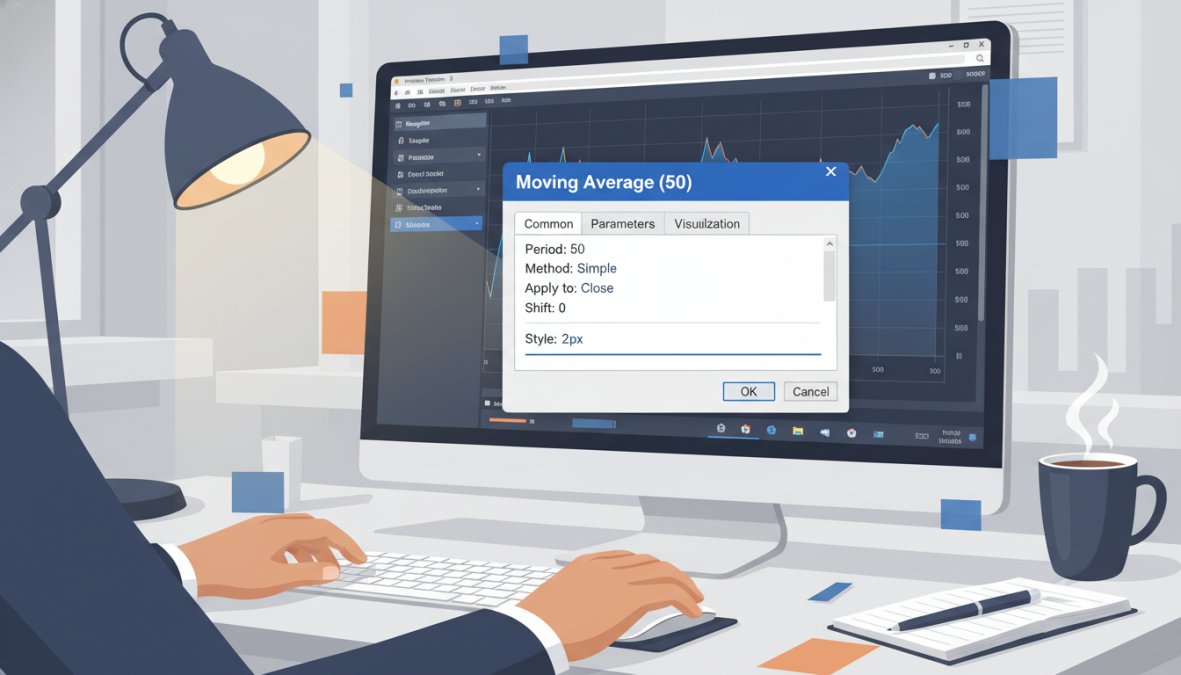
Most traders spend more time configuring their setup than actually trading. They research indicators, download files, test compatibility, troubleshoot errors, and repeat the cycle when something doesn’t work. Unlimited, pre-built access removes this entirely. You download, you configure your license keys, and you trade.
Automated Trading, Backtesting, and Performance Benchmarking
Automated trading in MT5 operates through Expert Advisors that execute trades based on predefined logic. The quality of that logic depends entirely on the quality of the underlying indicator signals. Poorly calibrated indicators produce false signals that EAs execute faithfully and expensively.
Backtesting is the process of running a trading strategy against historical price data to evaluate its performance before risking live capital. MT5’s Strategy Tester supports both single-currency and multi-currency backtesting, with variable spread simulation and tick data precision. As noted in Investopedia’s guide to algorithmic trading and backtesting methodology, backtesting results are only meaningful when the historical data quality matches the conditions of live trading.
Performance benchmarking goes one step further: comparing your system’s live results against its backtested projections over time. If live performance diverges significantly from backtest results, the cause is usually overfitting, data-snooping bias, or a change in market conditions that the historical data didn’t capture.
The practical implication: never deploy an automated system without at minimum a 6-month backtest across multiple market conditions, including trending, ranging, and high-volatility periods.
Risk Management Tools Built Into Professional MT5 Systems
Risk management is not a separate layer you add after building a strategy. It’s embedded in the strategy architecture from the start.
Professional MT5 systems include risk management parameters as core components:
- Position sizing logic: Calculates lot size based on account equity and defined risk percentage per trade
- Stop-loss automation: Places stops at volatility-adjusted levels using ATR or fixed pip values
- Drawdown limits: Halts trading when account drawdown exceeds a defined threshold
- Correlation filters: Prevents simultaneous exposure in highly correlated pairs
The traders who blow accounts are rarely undone by bad entry signals. They’re undone by position sizes that are too large, stops that are too tight, or no mechanism to halt trading during adverse conditions. A professional system builds these guardrails in so they can’t be overridden in the heat of a losing streak.
Common Mistakes Traders Make When Loading MT5 Indicators
Most of these mistakes are invisible until they cost you real money.
1. Running too many indicators simultaneously. The chart looks comprehensive. The platform runs slow. The signals conflict. Strip your setup down to the indicators that directly inform your entry, exit, and risk decisions. Everything else is noise.
2. Using indicators without understanding their calculation. A Moving Average crossover means something specific. If you don’t know what the calculation is measuring, you can’t interpret edge cases correctly. Spend 20 minutes reading the MQL5 documentation for any indicator you trade with.
3. Optimizing indicators on the same data you’ll trade. Curve-fitting an indicator’s parameters to historical data produces a setup that looks perfect in backtesting and fails in live trading. Always reserve out-of-sample data for validation.
4. Ignoring indicator lag. Most technical indicators are lagging by definition. They confirm what has already happened. Treating a lagging indicator as a predictive signal is a category error that produces late entries and poor risk-reward ratios.
5. Downloading indicators from unverified sources. This has already been covered, but it bears repeating: one compromised .ex5 file can expose your entire trading account. The source matters as much as the indicator itself.
6. Never benchmarking performance. Traders load an indicator, run it for a few weeks, and judge it by feel. Without systematic performance tracking, you have no objective basis for keeping or removing any tool from your setup.
What most guides miss is that the indicator selection problem is secondary to the system problem. Individual indicators don’t produce consistent results. Integrated systems, properly backtested and risk-managed, do.
Building a consistent trading edge requires more than a list of indicators. The real challenge is sourcing tools that are already optimized, compatible, and integrated into a coherent system. EZMT5 addresses this directly with instant, unlimited access to 11 professional MT5 trading systems and TradingView indicators, including all future releases, with two license keys per system and no long-term contract. Get started with EZMT5 and begin trading with a complete, professional-grade system from day one.
Frequently Asked Questions
Are there truly free unlimited MT5 indicators available?
Free MT5 indicators do exist, the MQL5 Code Base and community forums offer hundreds at no cost. However, 'unlimited access' in the truest sense usually refers to subscription-based platforms that bundle multiple professional systems together. Free indicators are often single tools with no support or updates, whereas paid unlimited-access plans like EZMT5 include 11 fully optimized systems plus all future releases under one monthly subscription.
How do I install custom indicators on MetaTrader 5?
To install MT5 custom indicators, download the .ex5 or .mq5 file, then open your MT5 trading terminal. Navigate to File > Open Data Folder, then go to MQL5 > Indicators and paste the file there. Restart MT5, and the indicator will appear in your Navigator panel under Custom Indicators. Drag it onto any chart to activate it. Always verify the source before installing to avoid malicious code on your trading terminal.
Is it safe to download unlimited MT5 indicator bundles?
Safety depends entirely on the source. Reputable platforms like the official MQL5 marketplace, established brokers, and vetted subscription services such as EZMT5 are generally safe. Risks arise from unofficial forums, random file-sharing sites, and unverified Telegram groups where indicators may contain harmful code. Always scan downloaded files, check reviews, and prefer providers who offer transparent documentation, version history, and customer support for their MT5 indicator packages.
What is the difference between custom and built-in MT5 indicators?
Built-in MT5 indicators, like Moving Averages, Bollinger Bands, and the Alligator indicator, come pre-installed in the trading terminal and require no download. Custom indicators are developed using MQL5 code, either by independent developers or professional platforms, and must be manually installed. Custom indicators can be far more specialized, combining multiple signals, price action logic, or breakout detection that built-in tools simply cannot replicate on their own.
Can unlimited access to MT5 indicators genuinely improve trading performance?
Access to more indicators alone does not guarantee better results, the quality, optimization, and correct application of those indicators matter most. Unlimited access to MT5 indicators from a structured, professionally built system means traders can test multiple strategies through backtesting, identify the best fit for their timeframe and risk tolerance, and automate execution with precision. The real edge comes from having fully optimized, ready-to-use systems rather than raw indicator files that still require manual configuration.
What should I look for in a paid MT5 indicator subscription?
When evaluating a paid MT5 indicator subscription, prioritize: the number of fully built systems included, whether future systems are covered at no extra cost, licensing flexibility (such as multiple license keys that can be changed), backtesting data availability, and the ability to cancel without long-term contracts. Platforms offering real-time trade signals alongside the indicators provide additional value, reducing the gap between having a tool and knowing how to use it effectively in live financial markets.
This article was written using GrandRanker