

Table of Contents
- What Makes MT5 the Most Flexible Trading Platform Available
- MT5 Algorithmic Trading Development: Building Smarter Systems
- MetaTrader 5 API Integration for Advanced Connectivity
- MT5 Expert Advisor Hosting: Running Your Systems 24/7
- Custom MetaTrader 5 Indicators and Institutional-Grade Features
- Cost-Benefit Analysis: Flexible MT5 Trading Solutions vs. MT4
- Security, Regulatory Compliance, and Implementation Roadmap
- Conclusion
Last Updated: June 4, 2026
Flexible MT5 trading solutions represent the clearest path from basic forex execution to a fully institutional trading infrastructure, and the gap between brokers who understand this and those who don’t is widening fast. At EZMT5, we work with serious traders who want more than a platform: they want a system. This guide covers every layer of MetaTrader 5’s architecture, from multi-asset trading and algorithmic development to API connectivity, white label deployment, and security. Below, we’ll show you exactly how to build, optimize, and scale a professional trading operation on MT5 in 2026.
Most guides treat MetaTrader 5 as a retail charting tool. It isn’t. It’s a full-stack financial markets infrastructure supporting everything from single-account manual trading to enterprise brokerage operations handling thousands of concurrent positions across multiple asset classes.
What Makes MT5 the Most Flexible Trading Platform Available
MetaTrader 5 is an institutional-grade, multi-asset trading platform developed by MetaQuotes that supports forex, futures, stocks, and CFDs within a single unified environment. Built from the ground up for depth, deeper order books, more sophisticated accounting, broader instrument coverage, and a scripting language designed for serious algorithmic development, it’s a meaningful step beyond MT4.
The platform’s flexibility stems from a deliberate architectural choice: MetaQuotes separated the client terminal, server infrastructure, and back-end functionality so each layer can be extended independently. A retail trader and a brokerage firm run fundamentally different configurations of the same core technology.
According to MetaQuotes official platform documentation, MT5 supports 21 timeframes, 38 built-in technical indicators, and MQL5 as its native programming language, a significant capability jump over MT4’s 9 timeframes and MQL4 environment.
Multi-Asset Trading Across Forex, Futures, and Stock Markets
A single MT5 terminal can access forex pairs, commodity futures, equity CFDs, and stock exchange instruments simultaneously. For traders running correlated strategies across asset classes, this eliminates the fragmentation of managing multiple platforms and data feeds.
Liquidity providers connect through server-side gateway infrastructure, allowing brokers to aggregate feeds and present best-bid-ask pricing. Retail traders benefit from tighter spreads; institutional clients benefit from deeper Market Depth visibility. The platform itself imposes no hard limits on asset class coverage, what’s available depends entirely on the broker’s configuration.
Hedging Mode vs. Netting Mode: Choosing the Right Accounting System
Hedging mode allows multiple positions in the same instrument to coexist simultaneously, each with independent stop-loss and take-profit levels. A trader can hold a long and a short on EUR/USD at the same time. This is standard for forex trading and required for many EA-based strategies that build layered position structures.
Netting mode consolidates all positions in the same instrument into a single net position, opening a counter-trade reduces the existing position rather than creating a new one. This is standard for futures and stock exchange trading.
Switching between hedging and netting modes after deploying an Expert Advisor can break position tracking logic entirely. Decide on your accounting system before writing or purchasing any EA, and confirm your broker’s default setting before going live.
The choice isn’t about preference: it’s about matching the platform’s accounting model to your strategy’s logic and your broker’s regulatory requirements.
MT5 Algorithmic Trading Development: Building Smarter Systems
Algorithmic trading on MT5 is not a feature bolted onto a manual platform, it’s the primary use case the architecture was designed around. The Strategy Tester, MQL5 language, and MetaEditor IDE form an integrated development environment that takes a strategy from concept to live deployment without leaving the platform.

The real difference between disciplined MT5 development and what most traders do comes down to backtesting rigor. A common mistake is optimizing an EA on a single instrument over a single time period. MT5’s multi-currency backtesting lets you test across correlated pairs simultaneously, the only way to catch strategies that profit on one pair at the expense of correlated losses on another.
Expert Advisors, MQL5, and Trading Robots
Expert Advisors are executable trading robots that run natively within MT5, operating on tick data and managing the full trade lifecycle: entry, position sizing, trailing stop adjustment, and exit. MQL5 is the C++-derived language used to write them.
For traders who don’t want to write code, the MQL5 Wizard within MetaEditor provides a no-code interface for assembling EAs from pre-defined signal blocks, combining up to 64 trading signals with direct Strategy Tester integration. The limitation is real, complex strategies require custom MQL5 code, but for validating a concept before committing to development, it’s a legitimate starting point. Custom EAs have access to the full MT5 API: order management, account information, market data, and custom indicators.
Backtesting, Strategy Optimization, and Performance Benchmarking
MT5’s Strategy Tester supports three testing modes: single-pass historical simulation, genetic algorithm optimization, and cloud-based distributed optimization. The genetic algorithm optimizer is useful for parameter optimization across large search spaces, though optimization on historical data does not guarantee forward performance.
Performance benchmarking should include at minimum: profit factor, maximum drawdown, Sharpe ratio approximation, and trade frequency relative to spread cost, all generated natively by the Strategy Tester. Walk-forward analysis requires custom scripting or third-party tools.
Run your backtests on tick data with real spread modeling enabled, not fixed spreads. The difference in reported performance can be dramatic, particularly for scalping strategies operating on tight margins.
MetaTrader 5 API Integration for Advanced Connectivity
The MetaTrader 5 API integration layer separates MT5 from closed-ecosystem platforms. The platform exposes connectivity at multiple levels: the native MQL5 API for internal development, the Python API for external data science workflows, and FIX protocol gateways for institutional connectivity.
Python API, Connectivity Gateways, and Third-Party Tools
The MetaTrader 5 Python API connects MT5 directly to Python’s data analysis ecosystem, providing access to market data, order execution, and account management with native integration for Pandas, NumPy, and Scikit-learn. Quantitative traders use this to build machine learning-driven strategies that execute through MT5 while using Python’s modeling libraries. The practical limitation: the library currently requires a Windows environment, ruling out Linux-based cloud deployments for the Python API specifically.
For traders who prefer TradingView’s charting interface, tools like MetaConnector bridge the gap using webhook-based automation, TradingView alerts trigger MT5 order execution with no manual coding required.
According to MetaQuotes developer documentation on API connectivity, MT5’s connectivity gateways support FIX protocol integration, enabling direct connections to liquidity providers, prime brokers, and institutional execution venues.
MetaTrader 5 API integration operates at three distinct levels: internal MQL5 scripting, external Python connectivity, and institutional FIX gateway integration. Choosing the right level depends on your technical resources and execution requirements, not on platform limitations.
MT5 Expert Advisor Hosting: Running Your Systems 24/7
Expert Advisors only generate returns when they’re running, the most frequently underestimated operational requirement in algorithmic trading.
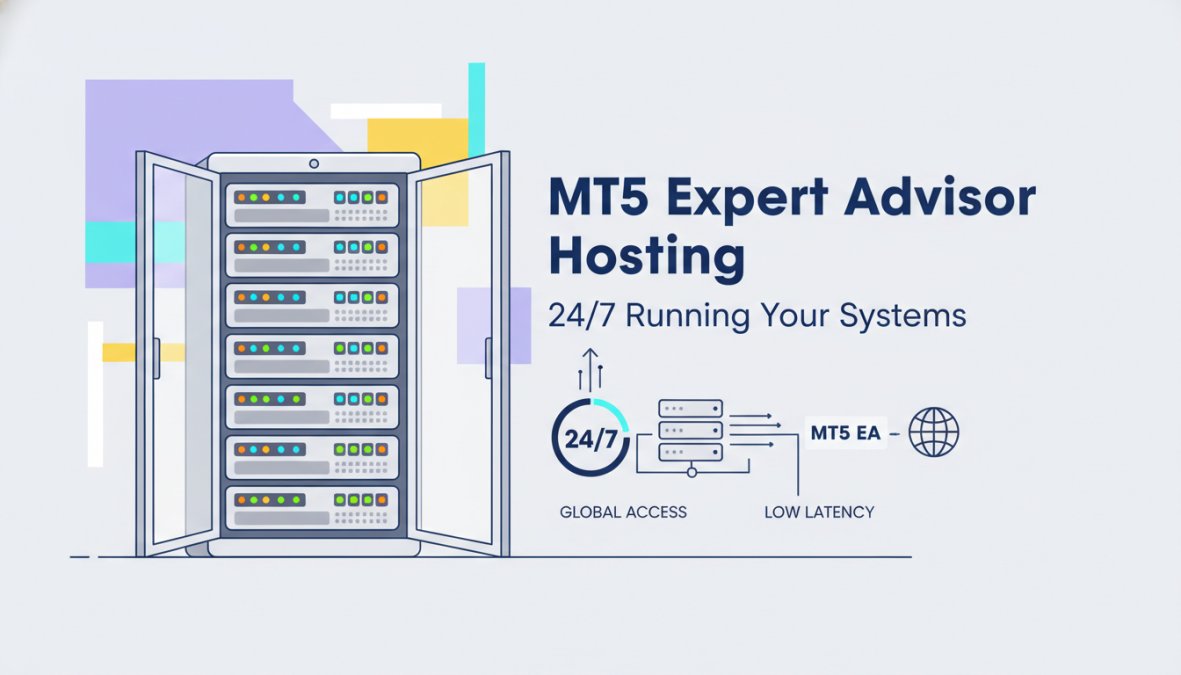
MT5 expert advisor hosting requires a Windows-based environment with continuous internet connectivity, stable power, and low-latency connection to your broker’s servers. The standard solution is a Virtual Private Server running Windows Server, located in a data center geographically close to your broker’s execution servers. Latency matters most for high-frequency and scalping EAs; for swing trading systems on H4 or daily charts, a standard VPS in any major data center works fine.
For traders managing multiple MT5 accounts, FX Blue Personal Trade Copier handles cross-platform copying between MT4 and MT5 accounts with lot-size scaling and custom symbol mapping. For cloud-based copying without local VPS management, Social Trader Tools hosts the service on their servers and supports unlimited MT4 and MT5 accounts with real-time monitoring.
The operational reality: EA hosting is not a one-time setup. VPS instances need monitoring, MT5 terminals need periodic restarts, and brokers occasionally change server addresses. Build a maintenance routine into your deployment plan from day one.
Custom MetaTrader 5 Indicators and Institutional-Grade Features
Custom MetaTrader 5 indicators are compiled MQL5 programs that run in the terminal’s indicator buffer system, rendering calculations directly on charts without consuming trade execution resources. The separation between indicator computation and order execution is deliberate, it prevents poorly coded indicators from introducing latency into order processing. Serious traders build proprietary indicators as a competitive advantage and protect them using MQL5’s obfuscation and licensing system.
Market Depth, Order Types, and Execution Modes
Market Depth in MT5 displays the full order book, volume available at each price level on both bid and ask sides. For traders executing large orders or running liquidity-sensitive strategies, this visibility changes execution quality significantly.
MT5 supports six order types: Market, Limit, Stop, Stop Limit, Trailing Stop, and a close-by order for hedging mode positions. The Trailing Stop follows price at a defined distance and triggers a close if price reverses by the specified amount, particularly useful for automated position management.
Execution modes include instant, request, market, and exchange execution. The mode is set by the broker, not the trader. Market execution mode is standard for most forex brokers and processes orders at the best available price without requoting.
White Label Solutions and Brokerage Business Infrastructure
White label MT5 deployment is the standard path for new brokerages. MetaQuotes licenses the server infrastructure to brokers, who brand the client terminal and configure back-end functionality for their market and regulatory environment. The brokerage infrastructure includes the trade server, administrator terminal, manager terminal, and liquidity provider gateways. Plugin suites like the Brokeree MetaTrader Plugin Suite extend this with advanced risk management, automated reporting, and centralized multi-server configuration.
The server architecture supports horizontal scaling, so brokers can add capacity as client volume grows without migrating platforms. According to Brokeree Solutions brokerage infrastructure documentation, enterprise MT5 deployments regularly handle thousands of concurrent connections with sub-millisecond execution latency.
Cost-Benefit Analysis: Flexible MT5 Trading Solutions vs. MT4
The MT4-to-MT5 migration debate is largely settled in 2026, but the cost-benefit framing still matters for traders and brokers evaluating their options.
| Feature | MT4 | MT5 |
|---|---|---|
| Asset Classes | Forex, CFDs | Forex, CFDs, Futures, Stocks |
| Timeframes | 9 | 21 |
| Order Types | 4 | 6 |
| Accounting Modes | Hedging only | Hedging + Netting |
| Strategy Tester | Single-currency | Multi-currency |
| Python API | No | Yes |
| MQL Language | MQL4 | MQL5 (faster, more capable) |
| Market Depth | Limited | Full DOM display |
| Copy Trading | Third-party only | Native signals + third-party |
MT4 retains one practical advantage: a larger legacy EA library. If you’re running a specific MT4 EA that generates consistent returns, the migration cost may not justify the switch.
For anyone building new systems or deploying flexible MT5 trading solutions from scratch in 2026, MT5 is the correct choice. The multi-asset support, improved backtesting, and Python API access represent capabilities MT4 cannot match. The transition cost is real but one-time; the capability gap compounds over time.
A common mistake is treating EA conversion as a simple syntax replacement. MQL4 and MQL5 are related but distinct languages, conversion requires full code review, particularly for position management logic that behaves differently between hedging-only MT4 and the dual-mode MT5 environment.
Security, Regulatory Compliance, and Implementation Roadmap
The platform uses 128-bit encryption for client-server communication, but the attack surface extends well beyond the terminal. For individual traders, primary risks include credential theft through compromised VPS environments, EA source code theft, and unauthorized API access. Mitigations include two-factor authentication where brokers support it, VPS access restricted to specific IP addresses, and MQL5 compilation with obfuscation enabled.
For brokers, the regulatory compliance layer adds significant complexity. Most regulated environments require client fund segregation, transaction reporting, and audit trail maintenance. The MT5 server generates detailed transaction logs natively, but formatting these for regulatory submission typically requires additional back-end tooling.
As documented in ESMA guidelines on algorithmic trading and platform requirements, regulated brokers face specific obligations around system resilience, kill-switch functionality, and pre-trade risk controls. MT5’s administrator terminal supports kill-switch functionality at the account and group level, satisfying basic requirements in most jurisdictions.
MT5 Implementation Roadmap for New Deployments:
- Define asset class scope and select a broker with appropriate instrument coverage
- Choose hedging vs. netting mode based on strategy requirements before any EA development
- Set up a Windows VPS with low-latency connection to broker servers
- Install MT5 terminal and configure data feed and execution settings
- Develop or acquire EAs, test on demo with tick data and real spread modeling
- Run backtests across multiple instruments and time periods before live deployment
- Configure Python API connection if quantitative workflows are required
- Set up trade copying infrastructure if managing multiple accounts
- Establish VPS monitoring and maintenance schedule
- Review broker’s regulatory documentation for any platform configuration requirements
Brokerage deployments add server procurement, liquidity provider connectivity, regulatory licensing, and client onboarding infrastructure as additional phases.
Building a serious trading operation requires more than a good strategy: it requires infrastructure that can execute that strategy reliably, scale with your needs, and adapt as markets change. EZMT5 gives traders instant access to 11 fully built and optimized MT5 Trading Systems and TradingView indicators, all ready to deploy immediately after download, with two license keys per system that can be changed at any time and no contract commitment. If you’re ready to stop configuring and start trading, sign up with EZMT5 and begin executing like a professional from day one.
Frequently Asked Questions
What are flexible MT5 trading solutions?
Flexible MT5 trading solutions refer to the range of customizable tools, systems, and integrations built on the MetaTrader 5 platform. These include Expert Advisors, custom indicators, API connections, and white label infrastructure that allow both retail traders and brokers to tailor the platform to their specific strategies. Services like EZMT5 extend this flexibility further by offering pre-built, optimized trading systems with no-contract subscriptions and changeable license keys.
Are MT5 trading solutions suitable for algorithmic trading development?
Yes. MT5 is one of the most capable platforms for MT5 algorithmic trading development. It supports MQL5 programming, a built-in Strategy Tester for backtesting, and an official Python API for data science workflows. Traders can build fully automated trading robots, combine up to 64 signals via the MQL5 Wizard, and connect external tools like TradingView via bridge utilities, making it suitable for beginners and quantitative developers alike.
What is the difference between MT4 and MT5 trading solutions?
MT5 offers significant upgrades over MT4: it supports multi-asset trading across forex, futures, and stocks, while MT4 is primarily forex-focused. MT5 includes both hedging and netting accounting modes, more order types, Market Depth visibility, and a more powerful MQL5 language with object-oriented programming. For brokers, MT5 also provides better back-end functionality, scalability, and post-trading system integration, making it the stronger choice for long-term infrastructure.
How do I integrate third-party tools into MetaTrader 5?
MetaTrader 5 API integration is achievable through several methods: the official Python library connects MT5 to data analysis ecosystems like Pandas and NumPy; webhook-based bridge tools like MetaConnector link TradingView alerts to MT5 execution; and connectivity gateways allow institutional-grade liquidity provider connections. For brokers, plugin suites such as Brokeree add advanced risk management and reporting layers. Most integrations require either minimal coding or zero-code webhook configuration.
Can custom MetaTrader 5 indicators improve trading performance?
Custom MetaTrader 5 indicators can meaningfully improve trade timing and decision quality when built on sound logic. Unlike generic built-in indicators, custom ones can be coded in MQL5 to reflect a trader's specific strategy rules, filter noise, or combine multiple signals into a single visual cue. Platforms like EZMT5 provide pre-optimized indicators alongside trading systems, allowing traders to benefit from professional-grade tools immediately without needing to code from scratch.
What should I look for in MT5 expert advisor hosting?
Reliable MT5 expert advisor hosting requires low-latency server proximity to your broker, 99.9%+ uptime guarantees, Windows-compatible VPS environments, and stable internet connectivity. Cloud-based options eliminate local hardware dependency, while dedicated VPS solutions offer more control. Key factors include execution speed, server location relative to liquidity providers, ease of MT5 installation, and support responsiveness, especially critical for EAs running around the clock on live accounts.
This article was written using GrandRanker