
Table of Contents
- What Separates Professional Grade Trading Tools from the Rest
- Quick Comparison: Top Professional Grade Trading Tools at a Glance
- Best Trading Platforms for Day Trading: Our Top Picks Ranked
- 1. EZMT5, Best for Automated MT5 Systems & TradingView Integration
- 2. Interactive Brokers (TWS), Best for Multi-Asset Global Access
- 3. NinjaTrader, Best for Futures Backtesting & Algorithmic Trading
- 4. MetaTrader 5 (MT5), Best Free Platform for Forex & CFD Traders
- 5. Tradovate, Best Cloud-Based Platform for Futures Traders
- Advanced Technical Analysis Software Worth Paying For
- Trading Tools for Risk Management Every Pro Trader Needs
- How to Build a Professional Trading Setup That Actually Performs
- Which Professional Grade Trading Tools Are Right for Your Strategy?
- Conclusion
Last Updated: June 2, 2026
The gap between retail and professional grade trading tools is not a matter of aesthetics. It’s the difference between reacting to the market and anticipating it. At EZMT5, we’ve analyzed what separates traders who consistently perform from those who struggle, and the answer almost always comes back to tooling, workflow, and execution infrastructure. Below, we’ll show you exactly which platforms and systems belong in a serious trading stack for 2026, how they integrate, and which gaps most guides never bother to address.
Most traders overspend on charting and underspend on execution. That’s the part this guide gets right.
What Separates Professional Grade Trading Tools from the Rest
Professional grade trading tools are platforms, systems, and infrastructure that provide institutional-quality data, low-latency execution, and algorithmic automation, giving traders the same operational edge that hedge funds and proprietary desks have historically reserved for themselves.
The distinction matters because retail-grade tools are built for accessibility. Professional-grade tools are built for performance.
Institutional-Grade vs. Retail-Grade: Key Differences
Retail platforms prioritize ease of onboarding. Institutional-grade systems prioritize execution speed, data fidelity, and API access for custom strategy deployment. Here’s where the gap shows up in practice:
- Execution speed: Institutional platforms process orders with minimal slippage through smart routing. Retail platforms often route through market makers who profit from the spread.
- Data depth: Professional tools include tick-level data, order flow visualization, and depth-of-market (DOM) analysis. Retail tools typically show delayed or aggregated quotes.
- Automation: Algorithmic trading via Expert Advisors (EAs), NinjaScript, or custom API integrations is standard on professional platforms. Retail tools offer limited or no automation.
- Multi-asset coverage: Serious traders need equities, options, futures, forex, and crypto under one roof, not five separate apps.
- Risk controls: Position sizing, use controls, and real-time margin monitoring are built into the workflow, not bolted on as an afterthought.
The real cost of using retail-grade tools is not the subscription fee. It’s the slippage, missed entries, and lack of backtesting that compound into real losses over time.
Quick Comparison: Top Professional Grade Trading Tools at a Glance
| Tool | Starting Price | Best For | Free Tier | Key Strength |
|---|---|---|---|---|
| EZMT5 | Monthly subscription | Automated MT5 + TradingView | No | 11 pre-built systems, instant deployment |
| Interactive Brokers TWS | Commission-based | Multi-asset global access | No | 170+ markets, DMA |
| NinjaTrader | Free (platform) | Futures backtesting | Yes | NinjaScript, Market Replay |
| MetaTrader 5 | Free via brokers | Forex & CFD automation | Yes | EA ecosystem, MQL5 |
| Tradovate | $99/month | Cloud-based futures | No | Cross-device, analytics |
| TradingView | $15.50/month | Charting & custom indicators | Yes | Pine Script, accessibility |
| TrendSpider | $39/month | AI chart automation | No | Pattern recognition, alerts |
| Bookmap | $49/month | Order flow visualization | Yes | Liquidity heatmaps |
| MotiveWave | $49/month | Elliott Wave & Fibonacci | No | Broker-neutral, Java studies |
Best Trading Platforms for Day Trading: Our Top Picks Ranked
Choosing the best trading platforms for day trading comes down to three variables: what you trade, how you trade it, and how much automation you need. The platforms below represent the strongest options across each major use case in 2026.
1. EZMT5, Best for Automated MT5 Systems & TradingView Integration
EZMT5 is the top pick for traders who want to deploy professional-grade automation without building systems from scratch. The platform provides instant, unlimited access to 11 fully built and optimized MT5 Trading Systems and TradingView indicators, covering everything from entry signals to exit logic. Every system is ready to run immediately after download.
What makes EZMT5 stand out from alternatives is the combination of flexibility and completeness. Two license keys per system can be reassigned at any time, which matters when you’re switching brokers or testing on a separate account. There are no contracts, so you’re not locked into a commitment while you evaluate performance. All future trading systems are included in the subscription, meaning the value compounds over time without additional cost.
For traders moving from manual to automated execution, this is the most direct path. Real-time trade opportunities are delivered through the system, and the precision execution logic handles entries and exits with the kind of consistency that manual trading rarely achieves.
Pros: Pre-built systems eliminate development time; unlimited access to current and future systems; flexible licensing; no long-term commitment.
Cons: Requires MT5-compatible broker; not designed for equity or options traders.
If you’re evaluating automated trading systems, run any new EA on a demo account for at least two weeks across different volatility conditions before committing real capital. EZMT5’s flexible licensing makes this easy to do without extra cost.
2. Interactive Brokers (TWS), Best for Multi-Asset Global Access
Few platforms match the breadth of Interactive Brokers’ Trader Workstation. Direct Market Access across more than 170 markets globally covers equities, options, futures, forex, and crypto from a single interface. For quantitative traders who need algorithmic trading and basket order execution, TWS is the institutional standard at retail pricing.
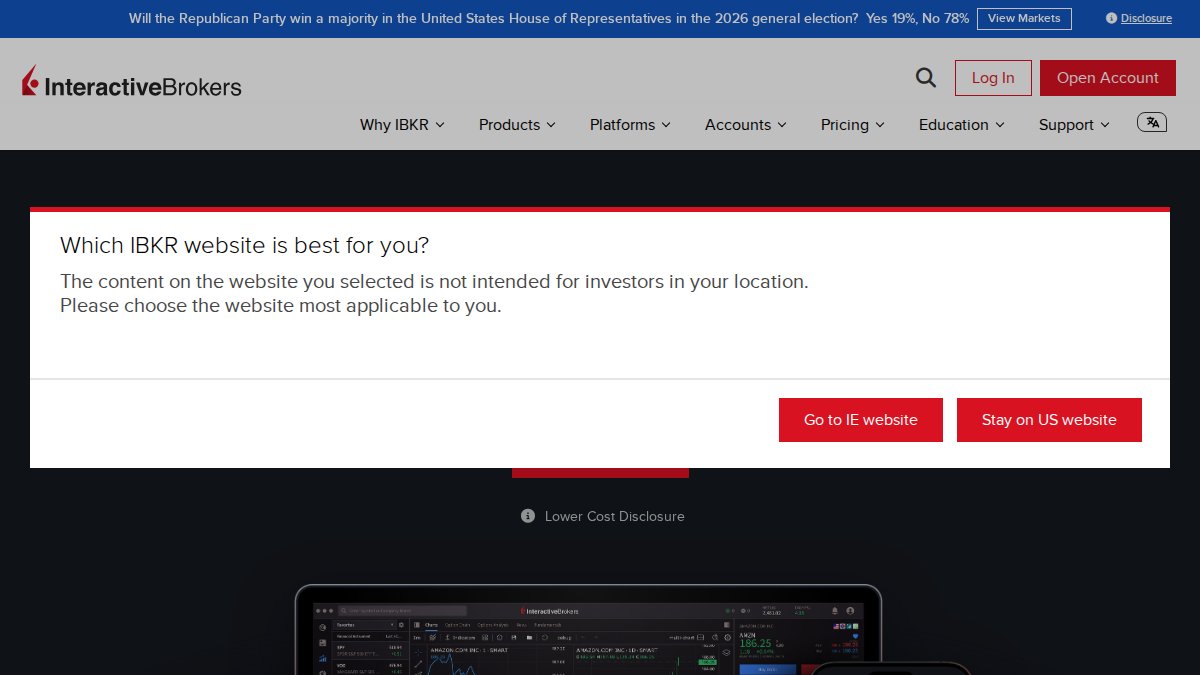
The API support is genuinely comprehensive, allowing custom trading applications to connect directly to IB’s execution infrastructure. The learning curve is steep, particularly for the order management interface, but traders who invest the time get access to smart routing, real-time risk management tools, and execution speed that most retail platforms cannot match.
Pros: Unmatched global market coverage; highly customizable for power users.
Cons: Interface complexity is a real barrier for traders without a technical background.
3. NinjaTrader, Best for Futures Backtesting & Algorithmic Trading
NinjaTrader’s Market Replay feature is one of the best backtesting tools available for futures traders. The ability to replay historical market data tick-by-tick and test strategies against real order flow conditions, rather than just price data, sets it apart from most strategy testers. NinjaScript gives developers the control to build custom automated strategies with institutional-level logic.
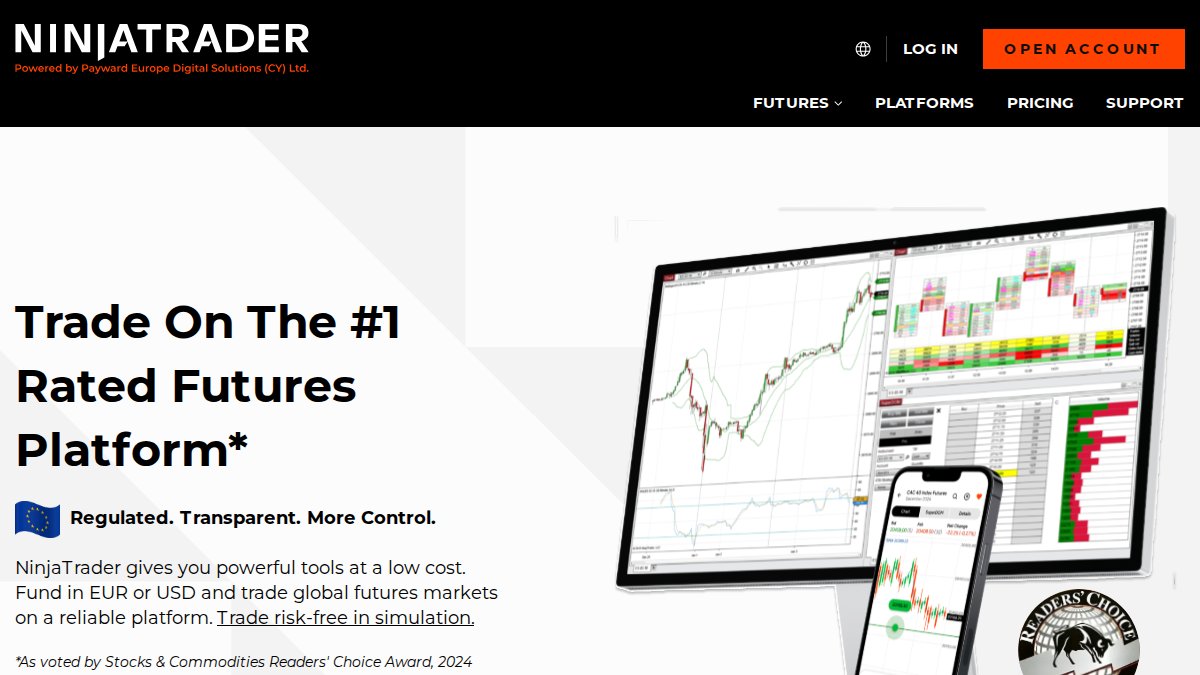
The platform is free to use for simulation and backtesting, which makes it a low-risk entry point. Commissions apply when trading live. The community ecosystem for custom indicators is substantial, and the order flow and DOM visualization tools are genuinely useful for reading market microstructure.
Pros: Industry-leading backtesting; strong community support for custom indicators.
Cons: Primarily optimized for futures; equity traders will find better options elsewhere.
4. MetaTrader 5 (MT5), Best Free Platform for Forex & CFD Traders
MetaTrader 5 remains the most widely deployed platform in forex and CFD markets for one simple reason: broker support. The MQL5 language powers a massive ecosystem of Expert Advisors and custom indicators. Depth-of-market analysis, tick charts, and an integrated economic calendar make it a capable analytical environment.
The interface shows its age compared to modern web platforms, but the underlying execution infrastructure is reliable and the EA ecosystem is unmatched. For traders building or deploying automated strategies in forex and CFDs, MT5 is still the default choice.
Pros: Massive EA ecosystem; widely supported by brokers worldwide; free via brokers.
Cons: Dated UI; less suitable for equities or options.
5. Tradovate, Best Cloud-Based Platform for Futures Traders
Tradovate solves a specific problem: futures traders who need seamless cross-device access without sacrificing execution quality. The cloud-based architecture means your charts, settings, and positions are synchronized across desktop, web, and mobile. One-click execution and integrated performance analytics make it a genuinely modern trading environment.
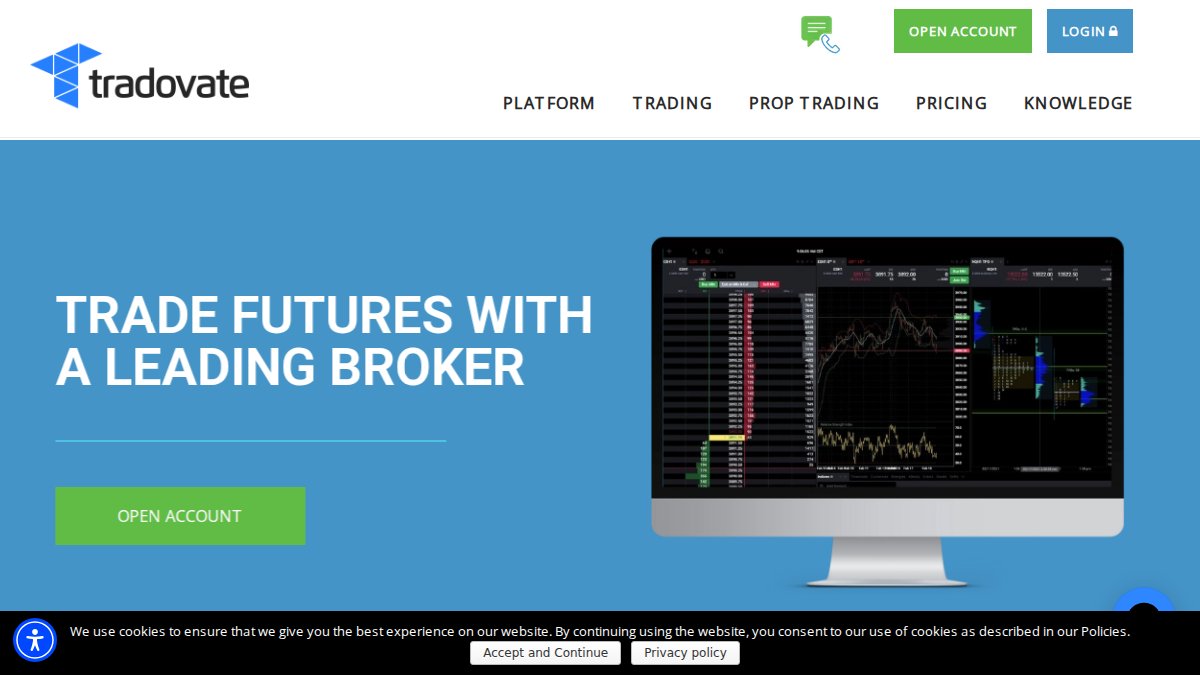
At $99/month for the membership plan, it’s priced at the higher end for a single-asset platform. Traders who focus exclusively on futures and value workflow efficiency over breadth will find the cost justified.
Pros: Fast, modern interface; excellent performance analytics.
Cons: Limited to futures trading; monthly cost is high for part-time traders.
Advanced Technical Analysis Software Worth Paying For
The best advanced technical analysis software does one of two things well: it either shows you something about the market that price alone cannot reveal, or it automates the pattern recognition work that would otherwise consume hours of screen time. The tools below each excel at one of those two functions, and understanding why they work, not just that they work, is what separates traders who use them effectively from those who pay for subscriptions they underuse.
TradingView, Best for Charting Accessibility & Custom Indicators
TradingView is the most accessible professional charting platform available. The HTML5 interface runs in any browser without installation, Pine Script allows custom indicator development without deep programming knowledge, and the global market data coverage includes equities, crypto, futures, and forex with real-time quotes at the paid tiers.
What most reviews skip is how TradingView fits into a professional workflow rather than replacing one. The platform’s real leverage is its alert system combined with Pine Script logic. A trader can write a Pine Script condition, for example, a confluence of a 20-period EMA cross, RSI above 55, and a volume spike above the 20-bar average, and set an alert that fires to a webhook URL. That webhook can trigger an execution signal in a connected broker API or an MT5 EA, effectively turning TradingView into a signal generation layer that feeds an automated execution layer. This is the integration workflow most guides never explain.
At the Pro tier ($15.50/month), you get five indicators per chart and intraday data. At Pro+ ($29.95/month), you get 10 indicators, second-based alerts, and volume profile tools that are genuinely useful for identifying high-volume nodes and value areas. The Premium tier adds 25 indicators per chart and priority customer support. For traders using TradingView purely as an analysis layer connected to a separate execution platform, the Pro+ tier is the practical ceiling, Premium features are primarily relevant for traders who live inside the platform all day.
The limitation is execution: TradingView depends entirely on brokerage integration for order placement, so it functions as an analysis and signal layer rather than a complete trading platform. Treat it as the front end of a stack, not the whole stack.
Best for: Technical analysts who need cross-platform accessibility, Pine Script-based signal generation, and webhook integration with execution platforms.
TrendSpider, Best AI-Powered Chart Automation
TrendSpider applies machine learning to automate the parts of technical analysis that consume the most time: drawing trendlines, identifying chart patterns, and setting conditional price alerts. The automated trendline recognition scans historical price data to identify statistically significant support and resistance levels, not levels drawn by eye, but levels that have been tested multiple times across the visible price history.
The mechanism worth understanding is multi-timeframe analysis automation. In manual charting, a trader checks the daily chart for trend direction, drops to the 4-hour for structure, and then to the 15-minute for entry timing, a process that takes 10-20 minutes per instrument. TrendSpider’s multi-timeframe mode displays all three timeframes simultaneously on a single chart with automated trendlines drawn on each, compressing that workflow significantly.
The Raindrop chart visualization adds a volume analysis layer that standard candlestick charts miss. Each Raindrop shows the open, close, and volume distribution within the candle’s range, specifically, whether volume was concentrated in the upper or lower half of the candle. A candle with heavy volume in the lower half and a close near the high indicates buying absorption of selling pressure, a nuance that a standard candlestick body does not convey.
At $39/month for the basic tier, it is a reasonable cost for traders who find themselves spending more time analyzing than executing. The strategy backtesting feature, available at higher tiers, allows conditional alert logic to be tested against historical data before deployment.
Best for: Traders who want to automate trendline identification, compress multi-timeframe analysis, and reduce time spent on chart preparation before the trading session.
Bookmap, Best for Order Flow & Liquidity Visualization
Bookmap shows what price charts cannot: where real money is sitting in the order book and where it has been removed. This distinction, between resting orders and executed orders, is the core of order flow analysis, and Bookmap’s heatmap is the clearest visual representation of it available to retail traders.
The mechanism: the liquidity heatmap displays the limit order book in real time, with color intensity representing the size of resting orders at each price level. Bright yellow or white areas indicate large clusters of limit orders, potential support or resistance zones where price is likely to react. When price approaches a large resting order cluster and that cluster disappears without price trading through it (a phenomenon called order absorption or spoofing, depending on intent), it signals that a large participant has either pulled their orders or had them filled in a way that is not visible on a standard chart.
Volume dots on the chart mark where trades actually executed, distinguishing between price levels that were merely visited and levels where significant volume changed hands. For scalpers and day traders, this is the difference between trading price and trading liquidity, two very different things in fast markets.
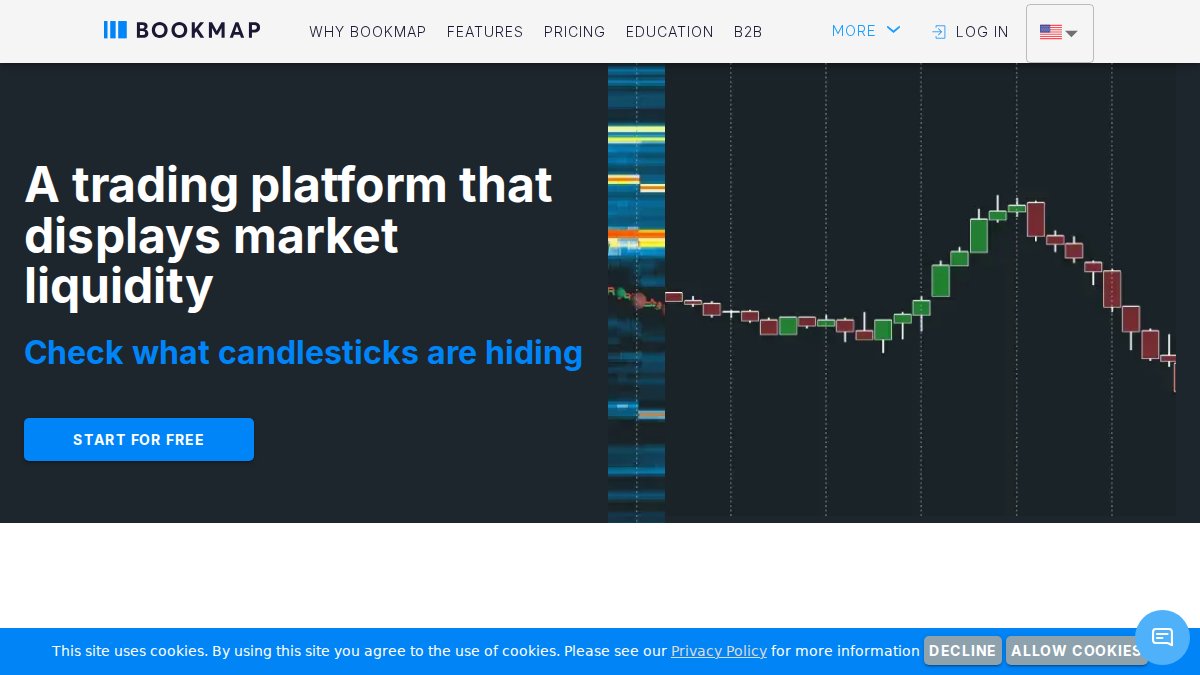
The learning curve for interpreting order flow data is genuine and should not be understated. Most traders need several weeks of observation before they can read a Bookmap heatmap fluently enough to make real-time decisions from it. The recommended approach is to run Bookmap in observation mode alongside your existing charting setup for two to four weeks before integrating it into entry and exit decisions. The low-latency data processing, Bookmap processes tick data rather than aggregated OHLC bars, makes it viable for scalping strategies where milliseconds matter, but it also means the data volume is significantly higher than standard charting platforms, which has implications for hardware and internet connection requirements.
Bookmap connects to Interactive Brokers, Tradovate, Rithmic, and several other data feeds. The Global+ plan ($49/month) includes crypto order book data in addition to futures, making it one of the few platforms that applies order flow visualization to both asset classes simultaneously.
Best for: Scalpers and day traders in futures and crypto who need real-time visibility into market depth, resting order clusters, and the difference between absorbed and executed volume.
MotiveWave, Best for Elliott Wave & Fibonacci Specialists
MotiveWave is a broker-neutral platform built specifically for traders who use Elliott Wave theory and Fibonacci analysis as their primary framework. The depth of the Elliott Wave toolset, including automated wave counting, wave degree labeling, and Fibonacci extension and retracement projection across multiple wave degrees simultaneously, is unmatched in any other retail platform.
The broker-neutral architecture is the feature that matters most for serious practitioners. MotiveWave connects to multiple data feeds (including Interactive Brokers, TD Ameritrade, and Rithmic) and multiple brokers simultaneously, which means your analysis environment is completely decoupled from your execution environment. You can run MotiveWave analysis on an IB data feed while executing through a different broker with better commissions for your specific instrument, a workflow that platform-native charting tools make impossible.
The Java-based custom study support gives technically sophisticated traders significant extensibility. Custom indicators written in Java have access to the full MotiveWave API, including wave count data, which means you can build indicators that respond to wave degree context, something no other platform’s scripting environment supports natively.
At $49/month for the Ultimate edition (or a one-time purchase option), it is priced for traders who use Elliott Wave as a primary framework, not as an occasional reference. Traders who use Elliott Wave as one tool among many will find the cost difficult to justify relative to TradingView’s broader ecosystem.
Best for: Traders who specialize in Elliott Wave and complex Fibonacci-based technical patterns and who want a broker-neutral analysis environment that separates charting from execution.
How These Tools Connect: The Analysis-to-Execution Workflow
The most important thing most technical analysis guides omit is how these tools connect to each other and to execution. A professional analysis stack is not four separate subscriptions running in parallel, it is a layered workflow where each tool handles a specific function and passes information to the next layer.
A practical example for a futures day trader: TrendSpider runs automated multi-timeframe trendline analysis and fires a webhook alert when price approaches a key level. Bookmap is open simultaneously to confirm whether significant resting liquidity exists at that level. If both conditions align, TrendSpider’s trendline confluence and Bookmap’s liquidity cluster, the trader executes through NinjaTrader’s ATM strategy, which enforces the pre-set stop and target automatically. TradingView runs in a browser tab as a secondary reference for broader market context.
Each tool does one thing better than any alternative. The connections between them are what create a professional-grade analysis workflow rather than an expensive collection of subscriptions.
The ROI on advanced technical analysis software is not measured in features, it is measured in time saved per session and in the quality of information available at the moment of decision. If a tool does not change what you see or how fast you see it, it is not earning its subscription cost.
Trading Tools for Risk Management Every Pro Trader Needs
Risk management tools are not optional features. They are the infrastructure that keeps a trading account alive long enough to compound returns. The difference between a professional risk stack and a retail one is not philosophy, it is the presence of named, configured tools running in real time, not mental rules applied inconsistently under pressure.
Position Sizing, Leverage Controls & Slippage Monitoring
Every professional trading setup needs three active risk controls running simultaneously, and each one requires a dedicated mechanism rather than a mental note.
Position sizing should be calculated automatically, not estimated. On MT5, the built-in lot-size calculator or a dedicated EA parameter handles this per-trade based on account equity and a fixed risk percentage, most practitioners use 0.5%-2% per trade as a hard ceiling, with the exact figure determined by strategy volatility. On NinjaTrader, the ATM (Advanced Trade Management) strategy templates enforce position size and bracket orders at the point of entry, removing discretion from the execution moment entirely.
Leverage controls operate at two levels: broker-side margin limits and platform-side exposure rules. Interactive Brokers TWS includes a built-in Risk Navigator that displays real-time portfolio Greeks, margin utilization, and scenario analysis across all open positions simultaneously. For futures traders on Tradovate, the platform’s integrated risk dashboard shows daily loss limits and position exposure relative to account size with live updates. Setting a hard daily loss limit, a dollar amount at which the platform stops accepting new orders, is standard practice at proprietary trading firms and is replicable on most professional platforms through account-level risk settings.
Slippage monitoring is where most retail traders leave money on the table without realizing it. Slippage is the difference between your intended entry price and your actual fill price, and it compounds across hundreds of trades. NinjaTrader’s execution analytics report average slippage per instrument and per session, which lets you identify whether a strategy’s theoretical edge is being eroded by poor fill quality. If average slippage consistently exceeds 30%-40% of your average profit per trade, the broker’s routing, not the strategy, is the problem. Track this metric monthly and compare it across brokers if you are evaluating alternatives.
Never set maximum leverage without a corresponding hard daily loss limit. A position-sized correctly for 1% risk can still produce a 10% drawdown in a single session if you re-enter after losses without a stop on total daily exposure. Define both limits before the trading session opens, not during it.
Dedicated Risk Management Platforms: Beyond Broker-Native Tools
Broker-native risk tools cover intraday exposure. They do not cover portfolio-level correlation risk, drawdown analytics across strategies, or multi-account aggregation. For traders running more than one strategy or account simultaneously, dedicated risk platforms fill this gap.
Tradervue is one of the most widely used trade journaling and risk analytics platforms among active retail and semi-professional traders. It imports trade data directly from Interactive Brokers, TD Ameritrade, and several other brokers, then generates reports on win rate by setup type, average risk-reward ratio, performance by time of day, and drawdown curves. The ability to tag trades by setup and filter performance by tag is what separates it from a simple spreadsheet, patterns that are invisible in a raw P&L log become statistically visible across hundreds of tagged trades.
Edgewonk takes a similar approach with a stronger emphasis on behavioral analytics. It tracks not just trade outcomes but plan adherence, emotional state at entry, and deviation from the intended setup. For traders who suspect their edge is sound but their execution is inconsistent, Edgewonk’s behavioral scoring provides quantitative evidence rather than anecdotal self-assessment.
For options traders specifically, OptionStrat and the risk analysis tools inside tastytrade’s platform provide real-time Greeks visualization and probability-of-profit calculations that broker-native interfaces often display poorly.
The professional risk stack has three layers: broker-side margin controls for intraday exposure, platform-side ATM or EA-enforced position sizing for per-trade discipline, and a third-party analytics platform for post-session review and behavioral pattern identification. Most traders have the first layer. Few have all three.
Tax & Compliance Tools: The Gap Most Traders Ignore
This is the section most trading guides skip entirely, and it is one of the most consequential gaps in a professional stack. Active traders in equities, futures, and crypto generate tax obligations that generic accounting software, including standard versions of QuickBooks or TurboTax, handles poorly or incorrectly.
The core complexity breaks down by asset class:
- Equities: Wash sale rules under IRC Section 1091 disallow loss deductions when a substantially identical security is repurchased within 30 days before or after the sale. High-frequency equity traders can trigger hundreds of wash sale adjustments per year. Manual tracking is not realistic above roughly 200 trades per year.
- Futures (Section 1256 contracts): Futures and regulated futures contracts receive 60/40 tax treatment, 60% of gains are taxed at long-term capital gains rates and 40% at short-term rates, regardless of how long the position was held. This is a significant tax advantage over equities for active traders, but it requires correct classification at the instrument level.
- Crypto: Each trade is a taxable event. Cost basis method selection (FIFO, LIFO, specific identification) materially affects reported gains. Traders who move assets between wallets and exchanges compound the reconciliation problem.
- Mark-to-Market (MTM) election: Traders who qualify for Trader Tax Status under IRS Section 475(f) can elect mark-to-market accounting, which eliminates wash sale rules and allows ordinary loss treatment. The election must be made by the tax filing deadline of the prior year, missing it costs the benefit for the entire following year.
Dedicated trading tax platforms that address these requirements:
TradeLog is specifically built for active stock and options traders. It imports data from most major U.S. brokers, applies wash sale calculations automatically across the full year, and generates IRS Form 8949 and Schedule D output. It also supports MTM election accounting for traders who have made the Section 475(f) election.
TaxBit and Koinly serve crypto-focused traders, with direct API connections to major exchanges including Coinbase, Binance, and Kraken. Both platforms support multiple cost basis methods and generate the transaction-level reports required for accurate Schedule D filing.
GainsKeeper, offered through some brokers including Interactive Brokers, handles wash sale tracking at the account level and integrates directly with the broker’s transaction history.
The compliance obligation extends beyond annual tax filing. Traders running automated systems, EAs, bots, or algorithmic strategies, should maintain timestamped logs of all system activity, including entry signals, execution timestamps, and exit logic triggers. Some brokers require this documentation for audit purposes, and it is essential for distinguishing algorithmic trading activity from manual discretionary trading in the event of a regulatory inquiry.
If you are approaching 200+ trades per year in equities or executing any volume in crypto, evaluate a dedicated tax platform before year-end, not in April. Retroactive reconciliation of wash sales across a full year of high-frequency trading is significantly more expensive in accountant time than a $200-$500 annual software subscription.
How to Build a Professional Trading Setup That Actually Performs
Building a professional trading setup is not about buying the most expensive equipment. It’s about eliminating every source of latency, instability, and distraction that degrades execution quality and decision-making.
Hardware Requirements for Professional Trading
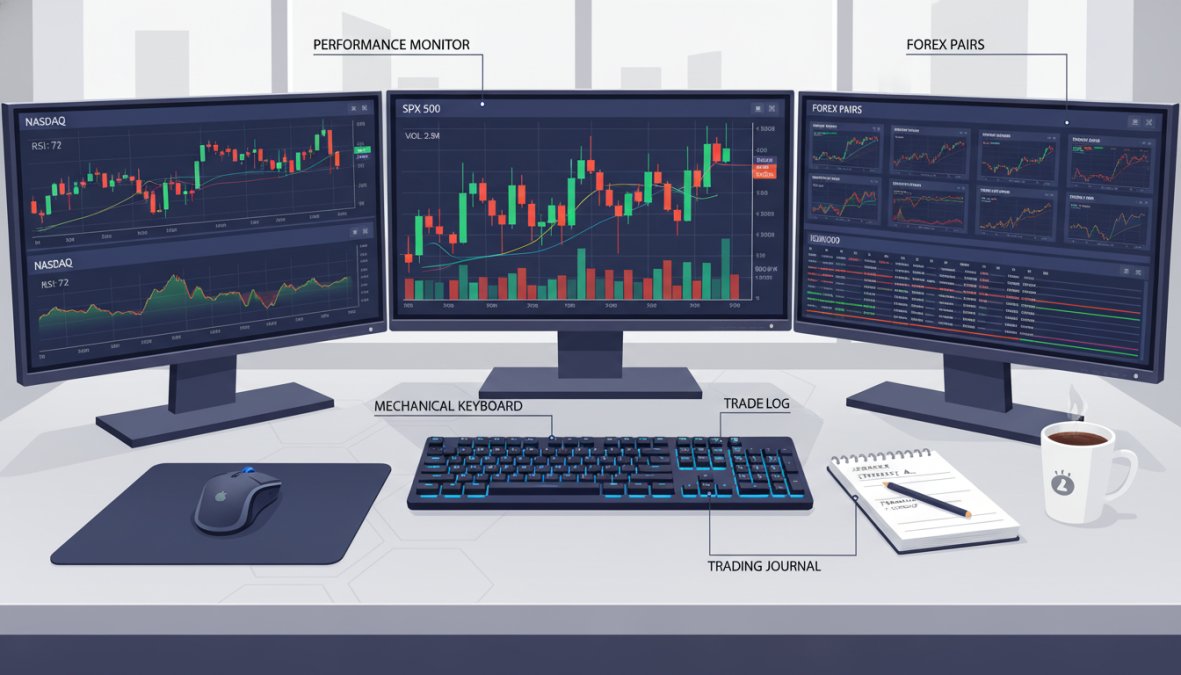
Hardware is where most guides go silent. The minimum viable professional trading setup in 2026 includes:
- Processor: A modern multi-core CPU (8+ cores) handles multiple platform instances, real-time data feeds, and backtesting simultaneously without throttling.
- RAM: 16GB minimum, 32GB recommended if running multiple platforms with live data.
- Monitors: Two to four monitors allow simultaneous display of charts, order management, news feeds, and risk dashboards. A single screen forces constant context-switching that degrades reaction time.
- Internet connection: A wired Ethernet connection is non-negotiable for execution-sensitive strategies. WiFi introduces variable latency that wired connections eliminate.
- Backup power: An uninterruptible power supply (UPS) prevents open position disasters during power outages.
- Secondary internet: A mobile hotspot as a failover connection costs little and prevents catastrophic disconnections during live trades.
The thing nobody tells you about hardware is that the bottleneck is almost never the CPU. It’s usually the internet connection or the monitor layout forcing inefficient workflow.
Integration Workflows: Connecting Your Tools Into One Stack
A professional trading stack only performs at its potential when the components communicate. The most effective integration workflow connects your data source, analysis platform, execution platform, and risk management layer without manual hand-offs.
A practical stack for an automated forex trader looks like this: MT5 as the execution layer running EZMT5’s pre-built systems, TradingView as the secondary analysis and alert layer using Pine Script indicators, and a dedicated risk management spreadsheet or tool tracking daily drawdown and position exposure. All three layers run simultaneously, each handling a specific function.
For futures traders, NinjaTrader can serve as both the analysis and execution layer, with Bookmap running alongside for order flow context. The key principle is that each tool should do one thing better than any alternative, and the connections between them should be automated wherever possible.
Psychological & Performance Tracking: The Overlooked Edge
Most trading guides treat psychology as a soft topic. It’s actually a performance variable with measurable impact on returns. Traders who track their own behavior, not just their P&L, identify systematic errors that technical analysis cannot reveal.
A basic performance tracking log should record: the planned trade setup, the actual entry and exit, whether execution matched the plan, and an honest assessment of the emotional state during the trade. Patterns emerge quickly. Many traders discover they consistently exit winning trades early during high-volatility sessions, or that they overtrade on Fridays. That information is actionable.
Tools like dedicated trading journals and performance analytics dashboards, including the built-in analytics in Tradovate and the performance review features in NinjaTrader, give quantitative traders the data to address behavioral drift systematically rather than anecdotally.
Track your “plan adherence rate” separately from your win rate. A trader with 60% plan adherence and a positive expected value strategy is leaving significant returns on the table through behavioral inconsistency, not strategy failure.
Which Professional Grade Trading Tools Are Right for Your Strategy?
The right selection of professional grade trading tools depends entirely on what you trade and how you trade it. Here’s a direct framework:
If you trade forex or CFDs and want automation: Start with MT5 as your execution platform and EZMT5 for pre-built, optimized trading systems. This combination gets you from setup to live automated trading faster than any alternative.
If you trade futures and prioritize backtesting: NinjaTrader’s Market Replay and NinjaScript environment is the strongest option. Add Bookmap if order flow analysis is part of your edge.
If you need multi-asset global access: Interactive Brokers TWS is the institutional standard. The learning curve is real, but the execution infrastructure and market coverage justify it for serious traders.
If charting and custom indicators are your primary workflow: TradingView at the Pro or Pro+ tier provides the best balance of accessibility, Pine Script capability, and real-time data coverage.
If you specialize in Elliott Wave or Fibonacci analysis: MotiveWave’s broker-neutral architecture and specialized toolset have no direct competitor.
The most common mistake is building a stack with too much overlap. Two charting platforms doing the same job is redundancy, not redundancy as a safeguard. Each tool in your stack should justify its cost by doing something no other tool in the stack does.
According to Investopedia’s guide to trading platform selection, the most consistent predictor of long-term platform satisfaction is alignment between a platform’s core strength and the trader’s primary strategy type, not feature count.
Serious traders don’t struggle because they lack motivation. They struggle because their tools, workflow, and execution infrastructure aren’t operating at the same level as their strategy. EZMT5 addresses this directly by providing instant access to 11 fully built and optimized MT5 Trading Systems and TradingView indicators, with no contracts and flexible licensing that adapts as your trading evolves. Get started with EZMT5 and begin executing with the precision and automation that professional trading demands.
Frequently Asked Questions
What makes a trading tool professional grade?
Professional grade trading tools are distinguished by low-latency order execution, real-time market data feeds, robust API access, advanced risk management controls, and support for algorithmic or automated trading. Unlike retail tools, they offer institutional-grade features such as direct market access, custom indicators, strategy backtesting, and multi-asset coverage across equities, futures, forex, options, and crypto, giving serious traders a measurable edge in execution speed and analytical depth.
What trading platforms do professional day traders use?
Professional day traders commonly rely on platforms built for speed and depth. Popular choices include MetaTrader 5 for automated forex and CFD trading, Interactive Brokers TWS for multi-asset global access, NinjaTrader for futures and backtesting, and TradingView for advanced technical analysis. EZMT5 is a strong option for traders who want pre-built, optimized MT5 trading systems with TradingView indicators and real-time trade opportunities without building strategies from scratch.
Are professional grade trading tools worth the cost?
For active and serious traders, yes, professional grade trading tools typically pay for themselves through improved entries and exits, reduced slippage, and better risk management. Free platforms often lack backtesting depth, real-time data quality, or execution speed. Paid tools like EZMT5, NinjaTrader, and TrendSpider offer features that can meaningfully improve trade setups and strategy performance. The key is matching the tool's strengths to your specific trading strategy and asset class.
How do I choose the right trading tools for my strategy?
Start by identifying your primary market, forex, futures, equities, crypto, or options, then match tools to that asset class. Day traders need low-latency execution and real-time quotes; algorithmic traders need API access and a strategy tester; technical analysts need advanced charting with custom indicators. Also consider integration workflows: your charting software, execution platform, and risk management tools should connect seamlessly. Finally, factor in hardware requirements and whether you need automated trading or manual execution.
What are the essential features of professional trading software?
The core features of professional trading software include real-time market data, advanced candlestick charting, backtesting and strategy optimization, automated trading or Expert Advisor support, risk management controls like position sizing and leverage limits, and multi-asset coverage. Additional differentiators include low-latency order routing, API access for quantitative traders, sentiment trackers, data visualization tools, and brokerage integration. Platforms like MT5 and Interactive Brokers TWS cover most of these natively.
Can I build a professional trading setup on a budget?
Yes, with careful tool selection. MetaTrader 5 is free via most brokers, TradingView offers a functional free tier, and NinjaTrader's platform is free for charting. EZMT5 provides a no-contract monthly subscription with access to 11 pre-built MT5 systems and TradingView indicators, removing the cost of developing strategies independently. For hardware, a dual-monitor setup with a reliable internet connection covers most day trading needs without requiring a full institutional workstation.
This article was written using GrandRanker